What can a UK photo shop edit on a passport photo?
Spots, red-eye and a busy wall are reshoots, not a retouch. What UK studios may format, what to refuse, and how to issue a Photo Code from the original frame.
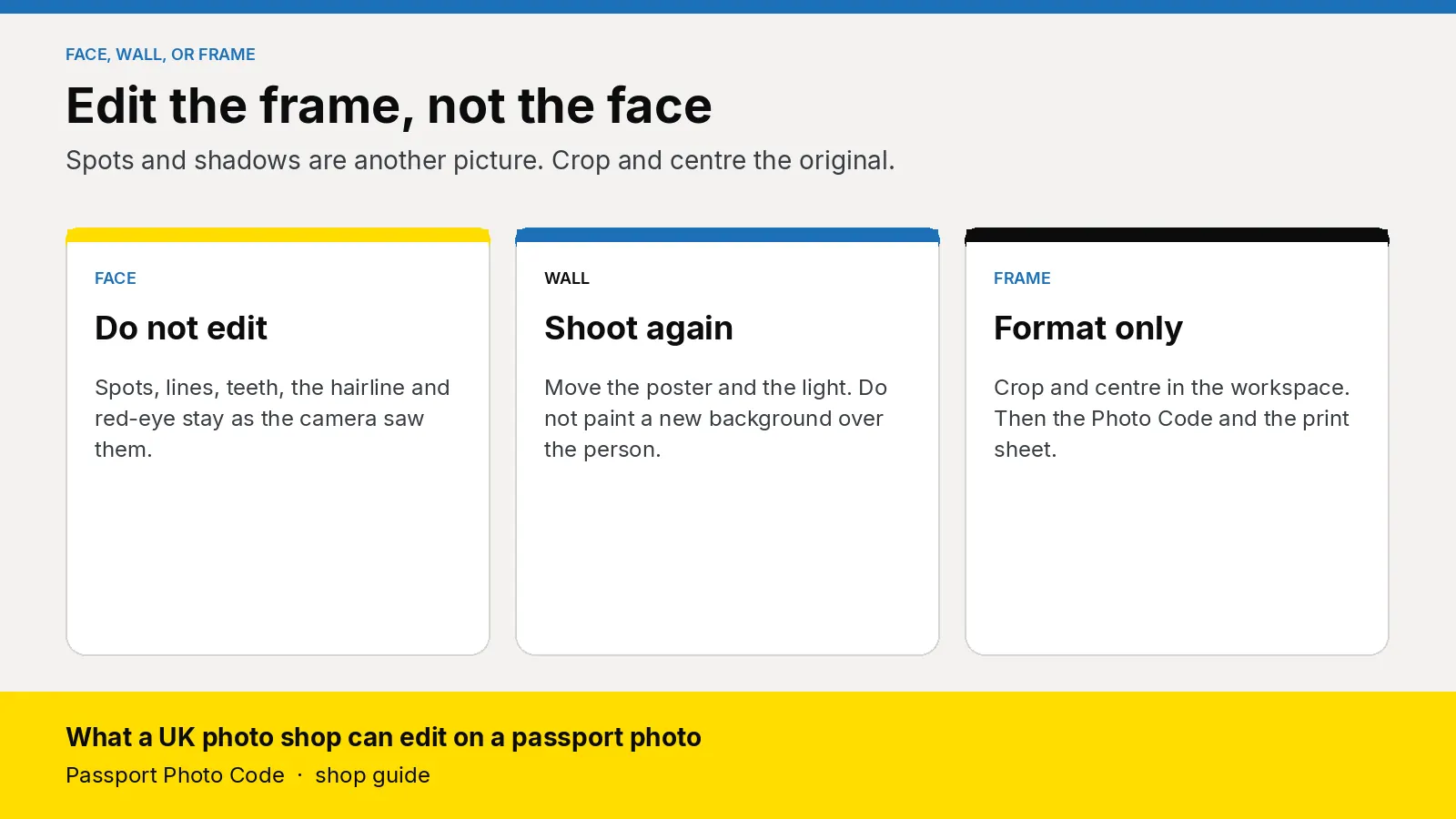
A UK photo shop should leave the face on a passport photo as the camera saw it. Spots, lines, teeth, the hairline and red-eye stay, or you take another frame. Cropping and centring that original is the formatting step. From it you hand over a digital passport photo that meets GOV.UK photo rules, a Photo Code the customer can use for an HMPO online application, and a print sheet when they want paper.
Updated 9 November 2026. Passport Photo Code is independent of GOV.UK and HM Passport Office. HM Passport Office makes the final decision on every photograph. The public rule is on photos for passports. The page for photographers is guidance for photographers, published 9 April 2014. Examiner instructions are in Photo standards, version 51.0, updated 4 March 2026. Distances are from how to take a digital passport photo. Checked on 9 November 2026. If an official page changes, it wins.
What are staff actually being asked to change?
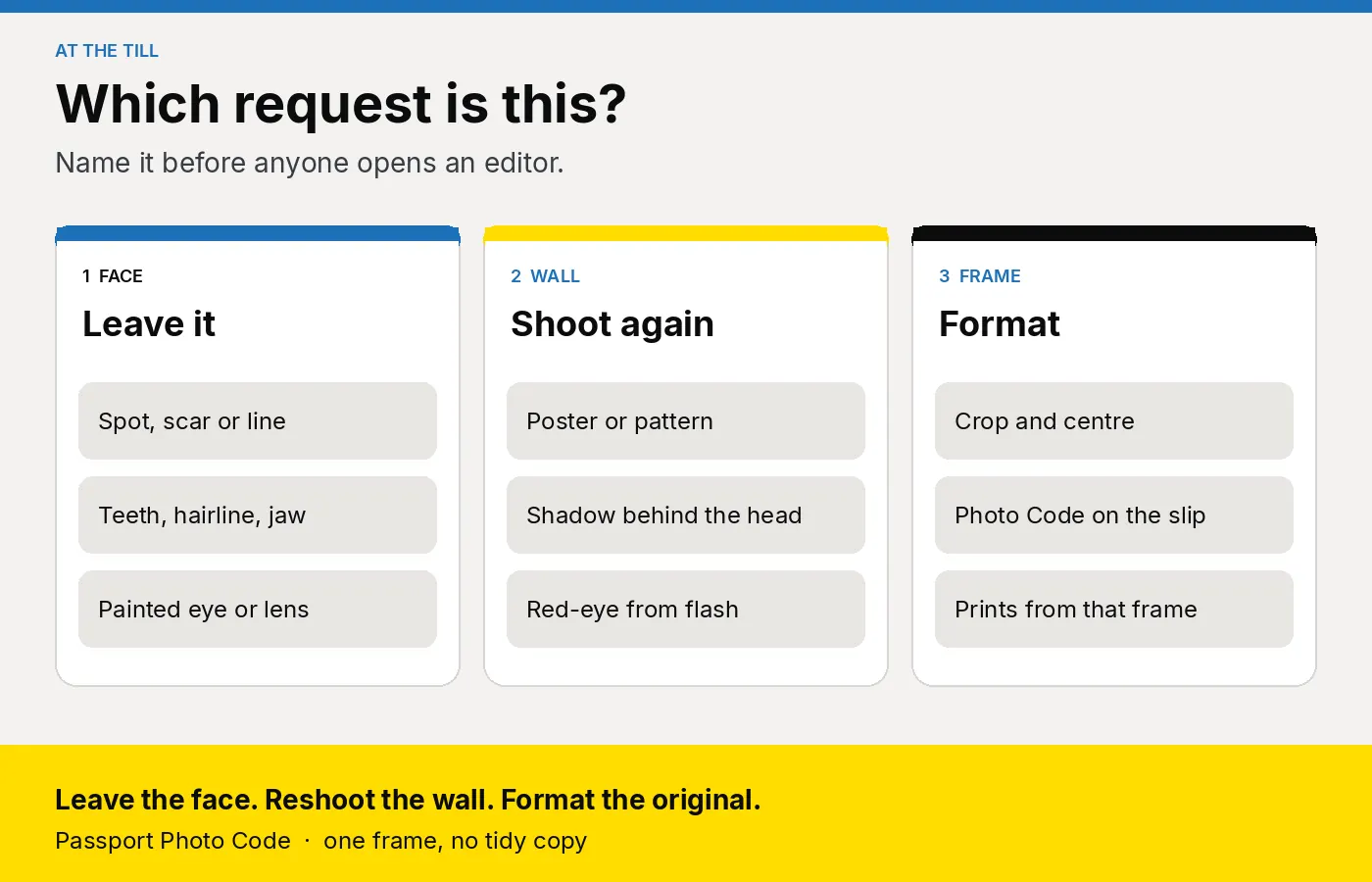
The words at the till are ordinary. "Can you take the spot off." "The wall looks messy." "My eyes are red." "Make it a bit sharper." Those are a face edit, a background, flash, and either focus or a beauty filter. A healing brush and a crop tool sit in the same program. Name the request before anyone clicks.
Three official pages describe the file, and they are not written as one counter script.
Photos for passports tells the applicant the file must be unaltered by computer software, in colour, clear, and free of red-eye, on a plain light background, with no shadow on the face or behind them. A file they upload themselves must be at least 600 pixels wide and 750 pixels tall, and between 50KB and 10MB, with head, shoulders and upper body left in. They do not crop that upload. The service crops it.
The photographer guide, published 9 April 2014, speaks to the person at the computer. Photographs must not be manipulated. Its examples are removing spots, and softening lines or shadows. Digital enhancement cannot be used, because the biometric would be inaccurate. A mirror image, flipped left to right, cannot be used. Skin tone stays natural. Eyes stay clear of red-eye and flash reflection.
Photo standards, version 51.0, are for examiners. An edit that does not change the image of the customer can remain. The example is a background edited to remove shadows or marks. Examiners are instructed not to use a digitally enhanced face: a changed hairline, removed blemishes, or features made larger or smaller. A filter that only changes brightness or contrast can remain when the photograph is still a true likeness and meets the other rules. A filter that adds texture or a special effect, or that makes the person look younger or older, is one they are instructed not to use.
The till sentence is shorter than any of those pages. Leave the face. Shoot the wall and the light again. Crop and centre the original in the workspace. Treat the cleaned-background example as an examiner note. A cut-out leaves a pale edge around the hair, and that edge is part of the person.
| What they ask | What you do | Why that, and not an editor |
|---|---|---|
| Take a spot, a scar or a line off. Whiten teeth. Slim the face. Change the hairline | Leave the likeness | Photographer guide names spots and softened lines. Examiner standards: an enhanced face is not to be used |
| Repair red-eye, or darken a lens | Flash off, or glasses off, and shoot again | No red-eye on photos for passports. Painting the eye changes the face |
| Beauty filter, portrait blur, "make me look younger" | Modes off. Use the original file | A younger or older look, or added texture, is not to be used |
| Paint a wall, or clone out a head shadow | Move the poster and the light. Shoot again | Public rule: unaltered, no shadow. Photographer guide: do not soften shadows |
| Flip a mirrored selfie | Rear camera, or a file that was never flipped | A mirror image cannot be used |
| Crop and centre to the passport frame | Do it in the workspace when you issue a Photo Code | A self-upload stays uncropped. GOV.UK crops that file |
| Add a white, grey or black bar | Reframe | From 8 December 2025 those bars are not to be used, including on a child's photograph |
Why is a new background the wrong repair?
The examiner example is narrow. Shadows or marks taken off the background can remain when the person is unchanged. A replacement wall, a portrait-mode blur flattened back to grey, or a chin shadow cloned until the jaw changes shape is a different edit.
A shadow that hides the face is a separate line on the same page, and examiners are instructed not to use that photograph. Small shadows under the chin, or behind the head, may remain when the face is clear and the automatic checks have been passed. You cannot see those checks from the shop. If you can see the shadow, move the light and shoot again. The how-to page puts the person about 50 centimetres from the wall and the camera about 1.5 metres away, with the light on the camera side. Tape those marks using how to set up a passport photo corner.
Red-eye and a dark frame follow the same habit. Examiners are instructed not to use a photograph when red-eye shows, and the repair brush paints the pupil. Examiner standards describe a brightness or contrast change as one that can remain when the person is unchanged. The photographer guide still asks for a natural skin tone, and it says not to soften shadows. Flash off, set the exposure on the camera, and take another frame.
What do you say when they ask for a tidy-up?
Say it before the shutter.
"We frame the photo to the passport size. We leave spots, lines and hair as they are, and we do not paint a new wall. If the light or the background is wrong, we take another picture. The code can be used for an HMPO online application. We are not the Passport Office, and the office still decides the photograph."
A recent scar, a new beard or a healing bruise is the likeness. Photos for passports requires a new photo from the last month even when appearance has not changed. Smoothing an older customer's lines is the same job to refuse. Seat and light for that sitting are in passport photos for elderly and disabled customers.
A fashion hat or a decorative clip comes off, then you shoot again. A religious or medical covering stays when the face is clear from chin to forehead. Detail is in glasses and head coverings. A dummy or a supporting hand is another frame, not a deletion. Age and pose are in baby and child passport photos for shops.
How do you issue the code from the original frame?
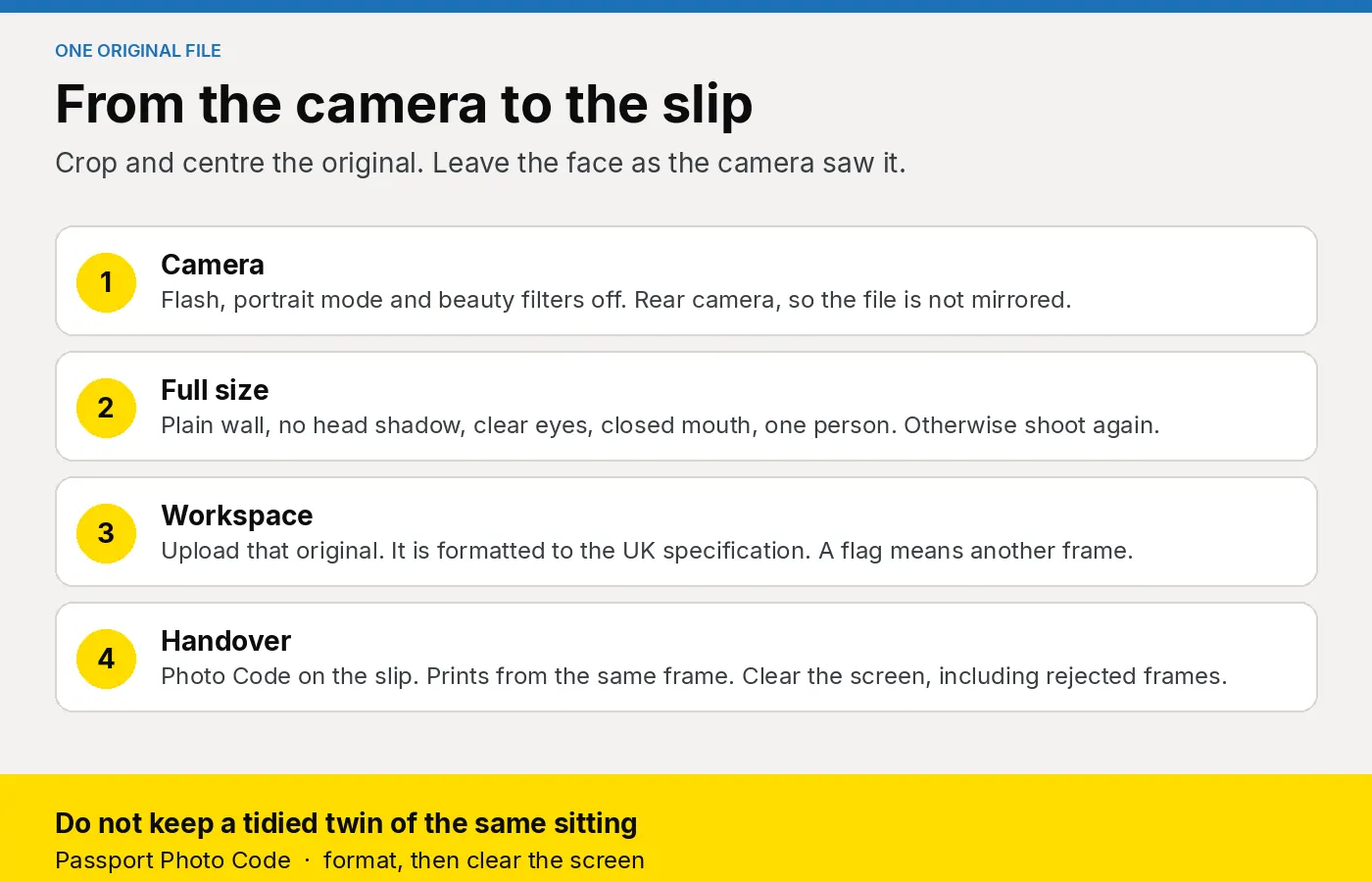
One file leaves the shop. There is no tidied twin in a folder.
- Use the marked corner: about 50 centimetres from a plain cream or light grey wall, camera about 1.5 metres away at face height. Flash, portrait mode and beauty filters stay off. Use the rear camera. Seat them if they need to sit. For a baby, shoot from above on a plain light sheet.
- Keep the frame that, at full size, has a plain wall, no head shadow, clear eyes, a closed mouth and one person. A smile that changes the face, a hand, a poster or red-eye means another frame.
- Upload that original in Passport Photo Studio. The workspace formats it to the UK digital passport specification. If it flags a shadow, a second person or a tight crop, shoot again. The flag is not HM Passport Office's decision.
- If they will upload a file themselves on GOV.UK, give them that uncropped original, with head, shoulders and upper body. Photos for passports says they do not crop that upload.
- For a code, create it from that job, read it aloud, and watch 0 and O, and 1 and I. Write the code, the date, the name and the shop phone on the slip, using the fields in what to print on the receipt.
- Print from the same frame. A paper form needs two unsigned prints, 45 millimetres high by 35 millimetres wide. Measure one, as in what a shop should hand over for a paper form.
- Clear the screen, including frames you did not use. How long face files stay is in GDPR basics for passport photo shops.
A phone photo they already took is a separate decision. Use it only when it already meets the rules, with no filter and no mirrored selfie. Otherwise reshoot in the corner. The test is in can a UK shop make a code from a phone photo.
What should you look for in the software?
- A crop, and no healing brush. Passport Photo Studio formats the upload to the UK specification. Skin smoothing fights the likeness. If another program on the till has an "enhance face" control, take it off the counter.
- One frame, two outputs. The digital photo, the Photo Code and the print sheet stay on the same job.
- A browser the locum already has. The studio overview is the same page for the owner and Saturday cover. A pharmacy and a camera shop can run it without a booth and without a second editor.
- A flag that means another frame. Shadow, a second person, a tight crop. Staff shoot again.
- A plan matched to the sittings. Compare volume with an annual code pack on pricing. The price on your own card stays yours.
This week, shoot a colleague with a poster at the edge, then again with the poster moved and the light at the camera. Upload only the second file. Pin the till sentence beside the staff checklist. Workspace questions go to [email protected].
Frequently asked questions
Can a shop remove a spot, a scar or a line?
No. Leave the face as the camera saw it. The photographer guide names removing spots and softening lines as manipulation. Examiner standards tell staff not to use a photograph with blemishes removed. A scar from this month is part of the likeness.
Can you whiten teeth or change the hairline?
No. Both change the face. Examiner standards name a changed hairline, and features made larger or smaller, as enhancement they are instructed not to use.
Can you replace the background on a UK passport photo?
Shoot the background properly instead. Examiner standards say a background edit can remain when the person is unchanged, and they give cleaned shadows or marks as the example. A painted wall on a busy counter is a different edit. Photos for passports still tells the applicant the file is unaltered, and the photographer guide says not to soften shadows.
Can you remove red-eye in software?
No. Turn the flash off and take another frame. Examiners are instructed not to use a photograph when red-eye shows, and a repair brush changes the eye.
Can you change the brightness?
Set the exposure on the camera, and shoot again if the frame is dark. Examiner standards describe a brightness or contrast change as one that can remain when the person is unchanged. Do not use that note to lift shadows on the face, and do not put a curves tool on the till.
Can a shop crop a passport photo?
When you issue a Photo Code, the workspace crops and centres the original to the UK specification. When the customer will upload the file themselves, give them the uncropped original. GOV.UK crops that upload. Do not add a bar to force the shape. From 8 December 2025, examiner standards say a white, grey or black bar is not to be used, including on a child's photograph.
What if their phone photo already has a filter?
Reshoot. Do not try to undo portrait blur or skin smoothing. The original frame, with those modes off, is the file you format.
Does the Photo Code mean the picture was left unedited?
No. The code retrieves whatever file was issued. HM Passport Office still examines the photograph after the customer submits. A code from a retouched file retrieves the retouched file.
Should a walk-in use the £2.99 order on this website?
No. That price is one Photo Code and the digital photo for someone preparing their own picture at home. A counter customer is a studio job. See the pricing page.
Sources
- Digital photos
- Guidance for photographers, published 9 April 2014
- Photo standards, version 51.0, updated 4 March 2026
- How to take a digital passport photo
- Using a photo with a code