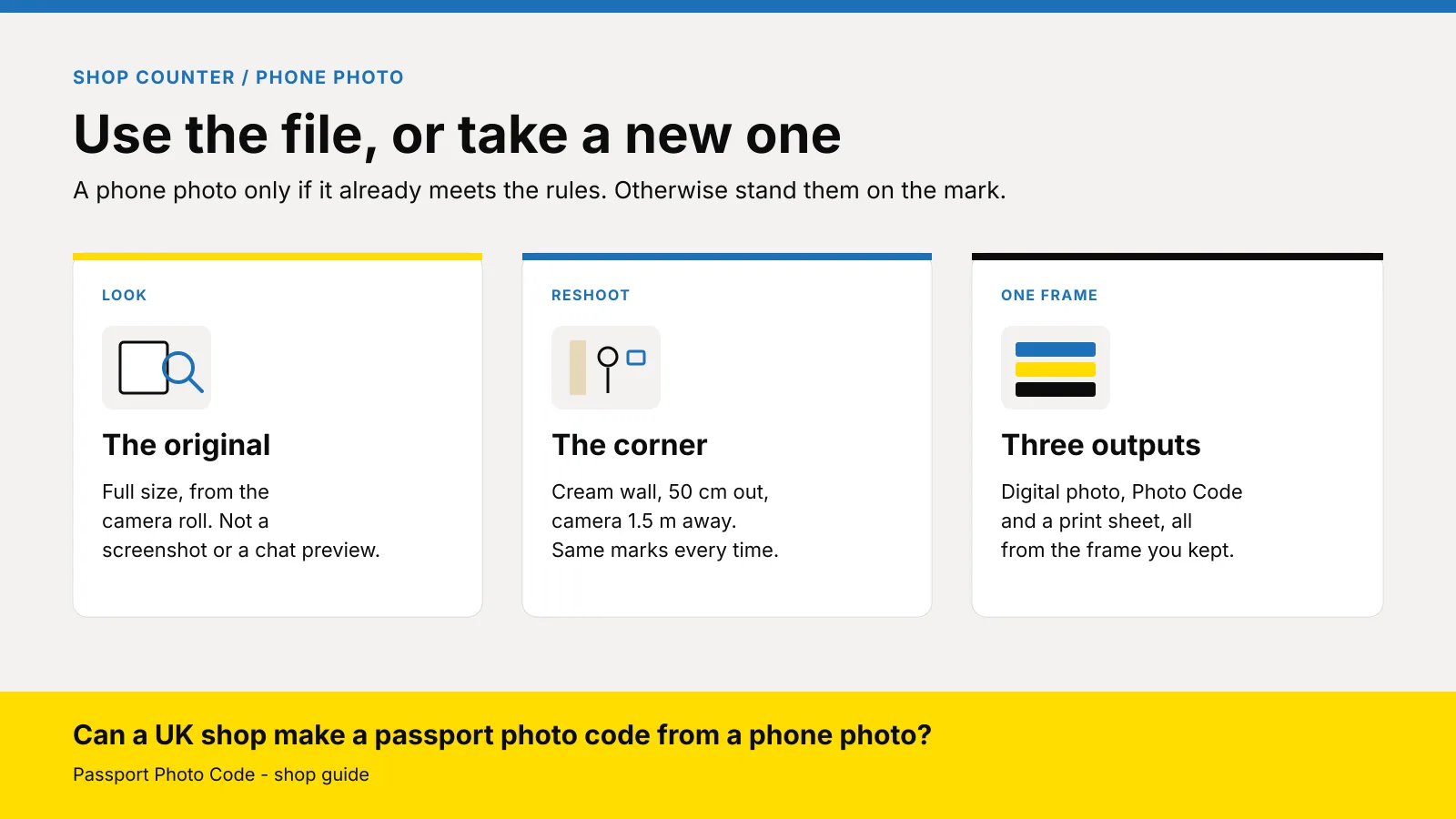
Can a UK shop make a passport photo code from a phone photo?
Only if that phone photo already meets GOV.UK photo rules. Otherwise reshoot in the shop, then issue the Photo Code and prints from the new frame.
A UK shop should make a passport Photo Code from a customer's phone photo only when that file already meets GOV.UK photo rules. If it is a cropped selfie, a filtered portrait or a picture of a busy room, take a new photograph in the shop and issue the code from that new frame. The code can be used for an HMPO online application. Any prints come from the same frame.
Updated 1 November 2026. Passport Photo Code is independent of GOV.UK and HM Passport Office. HM Passport Office makes the final decision on every photograph.
Digital photos lets someone apply with a photograph from a booth or shop, or with one taken on their own device during the application. It also says a photograph from a booth or shop is more likely to succeed than one taken on their own device. That is the job they walked in for.
Why do customers arrive with a photo on their phone?
They started the form at home. The upload complained, a relative sent a picture, or they hoped the shop could turn a selfie into a code without anyone standing against a wall. A few do have a usable file: this month, a plain wall, head, shoulders and upper body still in the frame.
Say which job it is before you talk about money. A file that meets the rules can be prepared. Anything else is a sitting. How to price the two is in what to charge for prints plus a code. The £2.99 order on this website is a Photo Code and the digital passport photo for someone taking their own picture at home. A person at your till is a studio job.
Trying to crop a room out of a selfie holds the queue and alters the face. A new photograph on a marked wall is shorter.
When can you use the phone photo?
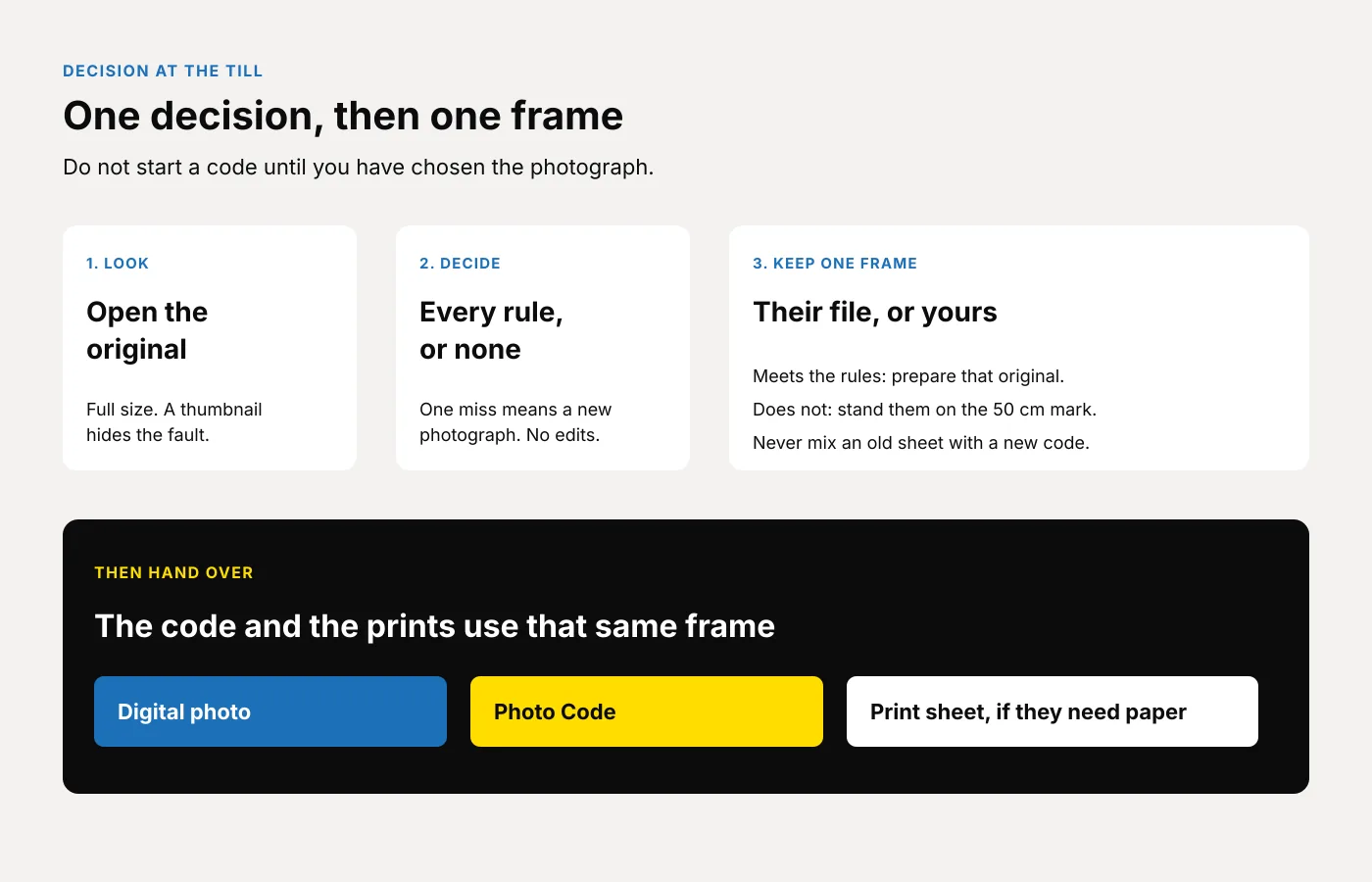
Look at the original, at full size, on the till computer. A thumbnail hides a filter, a second person and a soft eye. Ask for the file from the camera roll. Do not work from a screenshot, and do not photograph their screen.
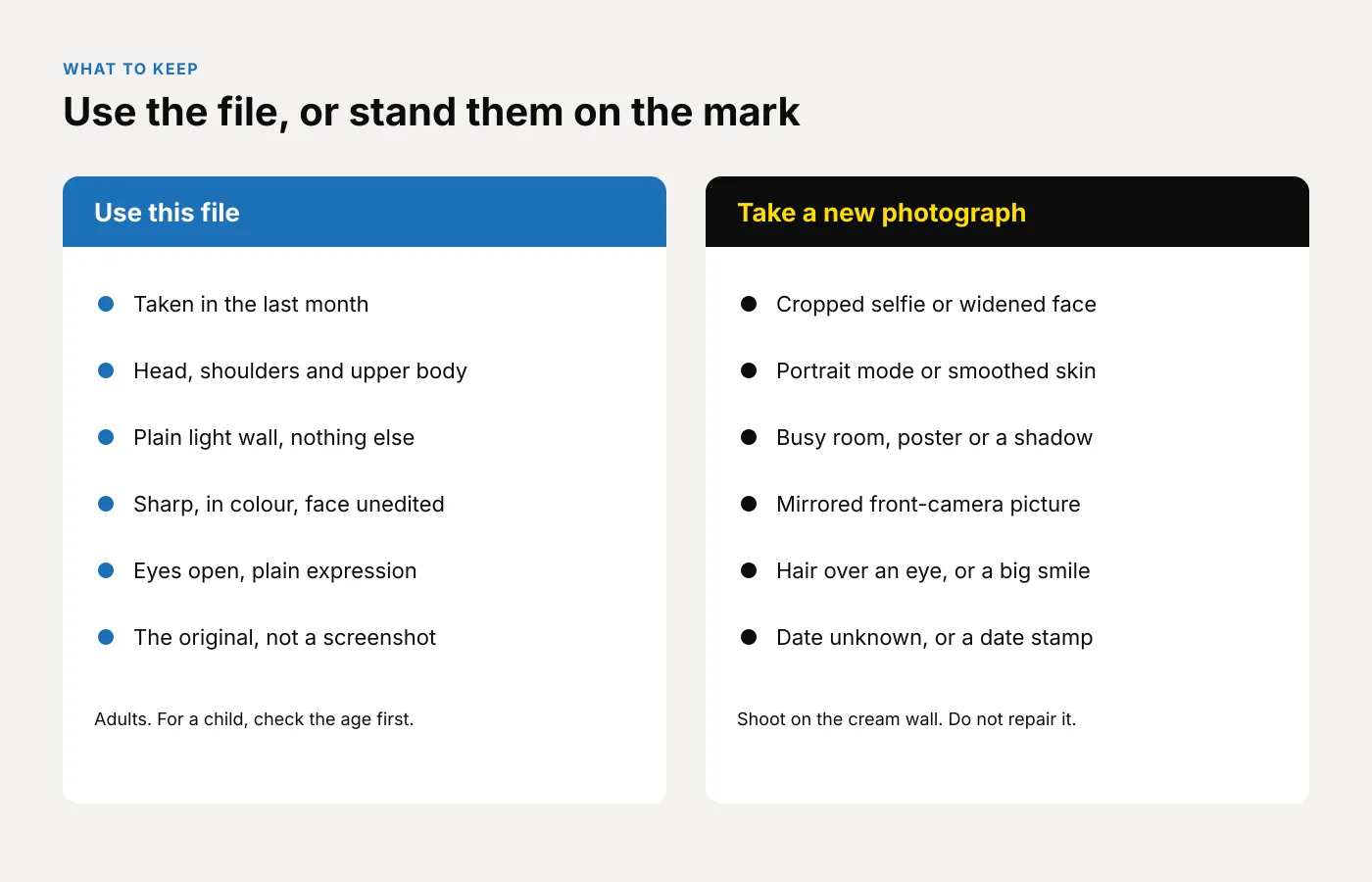
Use it only when every line is true. These points are the public rules on digital photos and how to take a digital passport photo.
- Taken in the last month, and they can say when. Each passport needs a new photograph, even if they look the same.
- Head, shoulders and upper body still in the frame. Do not use a file someone has already cropped. The application does that.
- A plain light background, nothing else in the frame, and a clear difference between face and wall. The taking guide names light grey or cream.
- Sharp, in colour, eyes open, plain expression, mouth closed. No hair across the eyes, no red-eye, no shadow on the face or behind the head.
- No smoothed skin, no change to the shape of the face, no blurred room. The public rules say the photograph is unaltered by computer software, and guidance for photographers says not to digitally enhance it.
- At least 600 pixels wide and 750 pixels tall, and between 50KB and 10MB.
If one line fails, take a new photograph. That includes a screenshot, a chat preview, a photo of a screen, an unknown date, a tight crop, or a second person, a hand, a toy or a dummy. Do not crop the extra person out.
Which faults mean you take a new photograph?
These files look fine on a phone and fall apart once they are large. Fix them in the room.
| What you see | What you change |
|---|---|
| Arm's length selfie, face widened, shoulders cut off | Customer 50 centimetres from the wall. Camera 1.5 metres away, level with the eyes. Those distances are on the taking guide |
| Portrait mode, a beauty filter, or skin that looks painted | Effects off. Shoot the original frame. Do not try to undo the filter |
| Kitchen, poster, window, door frame, or a shadow of the head | Use the marked corner in the passport photo corner guide |
| A front-camera picture that looks mirrored | Shoot again with the rear camera. The photographer guidance says a mirrored picture cannot be used. Do not flip the file |
| Smile, open mouth, hair across an eye, headphones, collar over the chin | Clear the face, then shoot again |
| Glasses with a bright spot, or a frame across an eye | Glasses come off unless they have to stay on. If they stay, move the light until the eyes are clear |
| A date stamped on the picture | Stamp off, then a new frame. The photograph still has to be from the last month |
Do not apply that adult table to a child without checking the age. Under six, gaze and expression can differ. Under one, the eyes may be shut: a plain light sheet, photographed from above, no hand in the frame. A baby on a sofa is still a new photograph. The counter version is the baby and child guide for shops.
If a disability means a rule cannot be met, keep the true likeness. Do not invent a pose they cannot hold, and do not paint the eyes or straighten the head.
What do you say when the phone photo will not do?
Say it once, before it sounds like a refusal.
"That picture will not meet the photo rules. We'll take a new one against the wall. You leave with a Photo Code from that photograph, and prints if you need paper. HM Passport Office still checks it."
Do not promise a result. Do not offer to tidy the background or slim the face. If they refuse the sitting, they leave with their phone. Do not issue a code from a file you would not put the shop's name to.
Three questions, including when their file might be usable:
- UK passport, and is the form online, on paper, or both?
- If they want you to look at the phone photo, when was it taken?
- Prints as well as the code?
Online needs the code. A paper form needs two identical prints, 45 millimetres high by 35 millimetres wide, head 29 to 34 millimetres from crown to chin, on plain white photographic paper with no border, sent loose. That is printed photos. The code does not replace the prints. Where a countersignature is required, sign one print on the back and leave the other blank. The photographer guidance says both prints come from the same electronic file, so do not pair a phone sheet with a code from a new frame.
Quote the card before they stand on the mark. A usable file is a shorter job than a sitting. If you sell it, put that line under the full package so Saturday staff do not invent a discount in the queue. Your till price is yours. It is not the home price on this website.
Between prescriptions, a pharmacy only needs the metre of wall on the pharmacy page, with the marks taped and a login the locum already knows. A camera shop keeps its backdrop and printer. The camera shop page is the same job, without a booth.
How do you finish the job in one workspace?
- Say whether you are using their original or taking a new photograph.
- If you are shooting, use the corner: cream or light grey wall, 50 centimetres out, camera 1.5 metres away at face height, flash off, rear camera. If they sit, drop the camera to face height.
- Keep the sharpest of two or three frames. Check eyes, shadow and the edge at full size.
- Open Passport Photo Studio and upload that frame. It formats a digital passport photo to the UK specification. A flag means look again. It is not a decision by HM Passport Office.
- Shadow, a second person, red-eye or a filter: shoot again. Do not retouch the face or paint a new wall.
- Create the Photo Code in that job. Read it aloud. Write the code, the date, the shop phone and "UK passport" on the slip. Watch 0 and O, and 1 and I.
- Print the sheet from that same job when they want paper. Do not rebuild it in a second program.
- End with: "Type this code when the form asks for it. Check the photograph is you. We are not the Passport Office." The screens are on using a photo with a code.
If nobody on the shift has done this before, decline the job.
What should you look for in the software?
Test a bad phone photo and a good one before you rely on it.
- One frame in, three things out. A digital passport photo that meets GOV.UK photo rules, a Photo Code the customer can use for an HMPO online application, and a print sheet on the printer you already own.
- A browser on the till. Passport Photo Studio opens in the browser. A walk-in does not belong in the home checkout on this website.
- No paintbrush. Formatting to the UK specification is the job. Smoothing skin, replacing the background or flipping a mirror selfie is not.
- One login for the pharmacy counter and the camera shop. The overview is for photo studios. Plans, quoted for locations and volume, are on pricing.
How do you start this week?
- Open Passport Photo Studio from the studio overview and use the shop login.
- Pin the fault table beside the camera, next to the floor marks.
- Run two practice jobs: one original that meets the list, and one selfie you replace with a new frame. Both end as a code and a print sheet from the frame you kept.
- Add a card line for a usable file only if you want to sell that shorter job. Keep "prints plus a Photo Code" as the usual sitting.
- Shop plans are on pricing, or email [email protected].
Frequently asked questions
Can a shop make a Photo Code from a selfie?
Only when it already meets GOV.UK photo rules: last month, uncropped, plain light background, sharp, and no filter that changes the face. An arm's length selfie usually fails. Take a new photograph with the camera 1.5 metres away, and issue the code from that frame.
What if they only have a screenshot or a picture from a chat?
Ask for the original from the camera roll. A screenshot is a smaller copy and often shows bars from the screen. If they cannot produce the original, take a new photograph.
Should staff edit the background of a phone photo?
No. Stand them on the plain wall and shoot again. Painting a background is how a face gets changed while someone is trying to help.
Do the prints and the Photo Code have to use the same file?
Yes. Prints and the code come from the frame you kept. Do not code a new photograph and hand over an older sheet from the phone.
What about a baby on a parent's phone?
Check the age first. Under one, the eyes may be closed, on a plain light sheet, photographed from above, with no hand showing. A sofa, a dummy or a parent's fingers means a new photograph.
Can the shop run a walk-in through the £2.99 order?
No. That price is one Photo Code and the digital passport photo for someone preparing their own picture at home. A counter customer uses the studio workspace.
Does the Photo Code decide the photograph?
No. The code can be used for an HMPO online application, so the form can retrieve the digital photo. HM Passport Office makes the final decision.