Glasses and head coverings: how UK photo shops should take passport photos
A counter guide for UK studios and pharmacies: glasses, religious and medical head coverings, then a Photo Code and print sheet from one sitting.
A customer in glasses, or in a hijab, turban or medical covering, is a normal Saturday job. It is also the sitting that gets repeated for a dull reason: the camera screen looked fine, and a closer look did not. A bright spot on a lens, a frame across an eye, cloth shadowing a cheek, or a hood nobody asked about.
This guide is for UK photo studios, camera shops and pharmacy counters. It covers what to ask, how to light the sitting, and how one capture becomes three things: a digital passport photo that meets GOV.UK photo rules, a Photo Code the customer can use for an HMPO online application, and a print sheet when they want paper. Passport Photo Code is independent of GOV.UK and HM Passport Office. HM Passport Office makes the final decision on every photograph.
Why this sitting comes back
Most adult passport photos are a plain background, even light and a face square to the camera. Glasses and head coverings add a decision that staff skip because it feels personal. The customer later says the form “did not like” the photo. Look at the file first. Glare, or cloth across the face, was already there. Another frame in the same light repeats it. You are not asking anyone to dress differently. You are asking what the photograph may show, then shooting that.
The public wording is on GOV.UK’s photos for passports. A short version for customers is on our requirements page. If that official page changes, it wins over this card.
Glasses
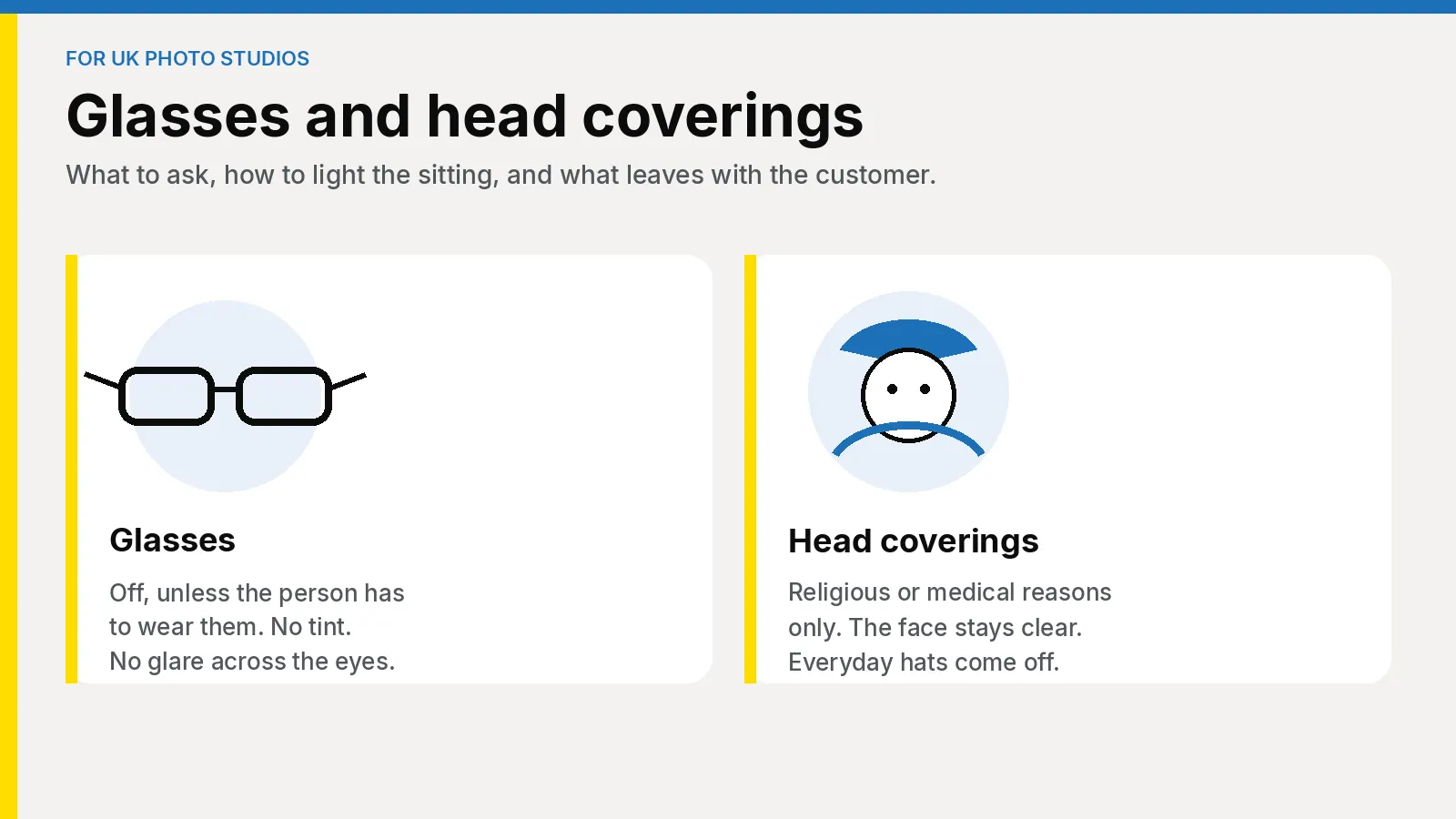
Do not leave glasses on as the default. GOV.UK says not to wear them unless the person has to. Wearing them every day is not the same thing. Ask. If they can come off, they come off. If they say the glasses have to stay, do not argue.
When they stay:
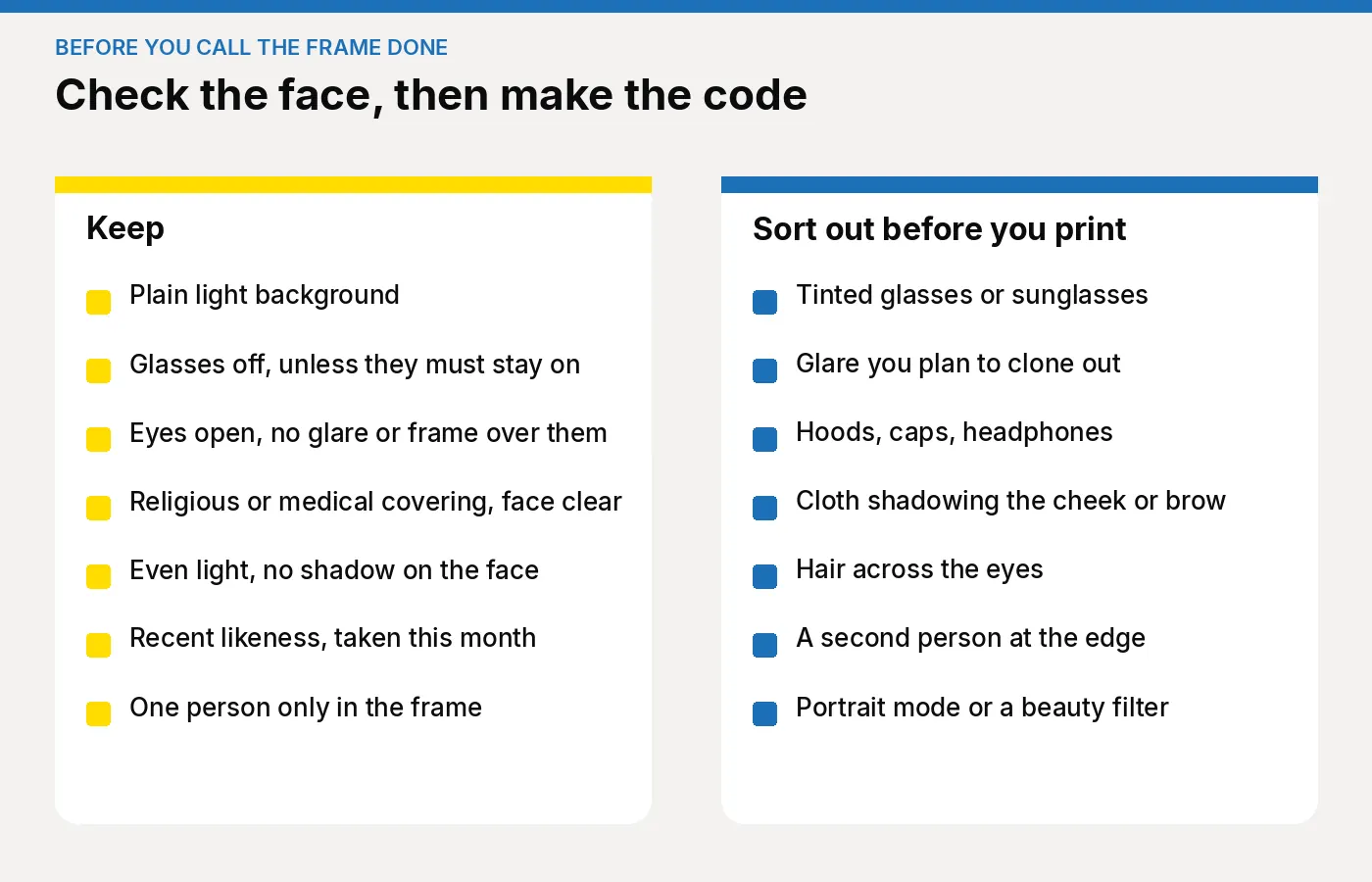
- They cannot be sunglasses or tinted glasses.
- The eyes must be open and visible.
- Frames must not cover the eyes.
- Glare, reflection or shadow must not cover the eyes.
- Hair across the eyes is still a problem. Glasses do not excuse it.
Thick frames are the usual miss. A pupil can show and still be cut by the lower rim. Check at full size, on the camera or in the studio preview. Keep a lens cloth by the camera, wipe, and shoot again. A wipe does nothing if the light is still striking the lens.
Do not clone a reflection out. The photograph has to be unaltered by computer software. Move the light or the person and shoot again. Do not charge a second package for glare you should have caught. That reshoot is part of the price you already agreed.
Head coverings
A head covering stays when it is worn for religious or medical reasons. Everyday hats, caps, hoods and headphones come off. You do not need a letter, and you should not ask someone to prove a religious practice. If they say the covering stays for that reason, it stays. Do not write the reason on the till slip.
The face still has to be clear:
- Nothing covers the face. Eyes are open and visible, with no hair across them.
- The covering does not cast a shadow on the face or behind the head.
- The background stays a plain light colour. A patterned scarf behind the head is a background problem. Move it so the backdrop is what the camera sees.
- One person in the frame. A parent adjusting a child’s scarf steps out before you shoot.
A hijab, turban, kippah or dastar is not one pose. If cloth crosses the cheek, the brow or the chin, ask them to adjust it themselves. Do not rearrange it for them.
A face covering, including a niqab worn so that it hides the face, cannot stay as it is. The face has to be clear. Say that calmly, give them privacy and time, and do not debate the practice. How they arrange a clear face is theirs. Do not tell them afterwards that the covering has been cleared.
A bandage or eye patch worn for a medical reason can stay. Do not ask someone to uncover a wound. Eyes that can be seen must be visible, and shadow from the covering still counts. Do not retouch. If you are unsure, show them the GOV.UK page rather than inventing an exception.
Children, and people who sit
From the sixth birthday the adult pose applies: face the camera, plain expression, mouth closed, eyes open, no red-eye. The picture is a likeness from the last month, and a new passport needs a new photograph.
Children under six do not have to look at the camera or hold a plain expression. Babies under one do not have to have their eyes open, and the photo is taken from above on a plain light sheet. Those exceptions are in how photo shops should take baby and child passport photos. Sunglasses still come off. A religious covering stays, with the face clear and the child alone in the frame.
Someone who cannot stand should sit, with the camera at face height. The pose does not change: face forward, eyes visible, plain background, no shadow. GOV.UK says disabled applicants can get help with passport photos.
Four questions, then the price
Say the price before the first frame. The usual package is prints plus a Photo Code, with a print-only price for a paper form. Agree it out loud. How to set the card is in what to charge for prints plus a code.
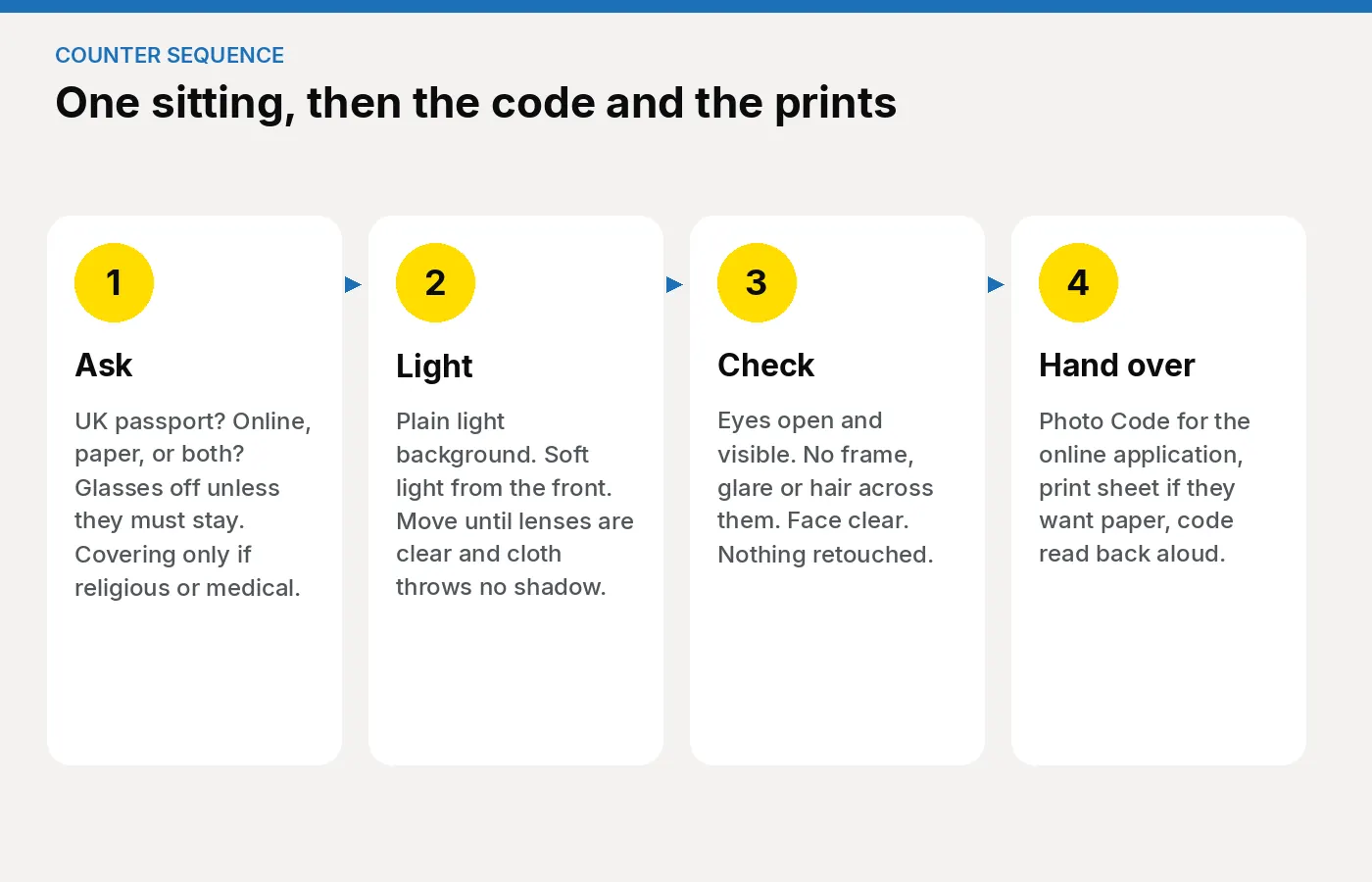
Ask in this order:
- Whose passport, and is it a UK passport? A visa or foreign ID crop is a different specification. Do not push it through the UK job. If you offer both from one sitting, they are two jobs, as in visa photos plus a UK Photo Code.
- Online, paper, or both? Online needs a Photo Code. A paper form needs two identical prints, 45mm high by 35mm wide, on plain white photographic paper, left loose and not stuck to the form. Families often split: one person online, another on paper. The code is not a substitute for those prints.
- Can the glasses come off? If yes, they come off. If they must stay, check tint, frames and glare before you shoot.
- Is the head covering religious or medical? If yes, it stays and you work around the face. A hood, sun hat or headphones comes off.
Light that does not sit in the lenses
Stand the person about half a metre from a plain light background, camera at face height, so there is no hard shadow behind the head. A ceiling spot reflects in both lenses. Soft light from the front, a little above the eye line, is the setup worth repeating.
If you can see a window in the lenses, the file will too. Move the person or the light until the lenses look dark. Two or three frames, then check the sharpest at full size. On a head covering, look under the brow and along the cheek, and ask them to face the light or ease the cloth back from the forehead. You are not asking them to remove it.
Skip portrait mode, beauty filters and a hard flash. They blur the backdrop or throw red-eye and flare. Do not crop to a passport shape before upload. Leave head, shoulders and a margin. The workspace formats the digital file.
One job for the photo, the code and the sheet
Upload the clean frame in Passport Photo Studio. The workspace checks it and formats it to the UK digital passport specification. A flag for eyes, glare or background means look again. It is not a decision by HM Passport Office. Reshoot those faults. Do not paint them out. If the face is already clear and a flag objects to a religious covering, read the card before you ask for more of the head to show.
Generate the Photo Code in that same job, and send the print sheet with one-click printing to the printer you already use. A second program for prints is how the printed face and the coded face drift apart. Pin the questions above the staff checklist: shoot, check, code, print, hand over. If a code later fails on the form, use the shop playbook and read the characters first.
The sentence at the handover
Read the code aloud, including dots. Watch 0 and O, and 1 and I. More than one person means a name beside each code. Say this:
“Type this code on the online passport application and check the photograph that appears is you. The code can be used for an HMPO online application. We are not the Passport Office, and they make the final decision. On a paper form, use the printed photographs, not the code.”
If they ask whether glasses left on will be all right, repeat what you checked: no tint, frames clear of the eyes, no glare. Then repeat that HM Passport Office makes the final decision. Offer a frame without glasses when they can take them off and would prefer it.
What to look for in the tool
Judge the software on this sitting, not on a brochure.
- Digital photo, Photo Code and print sheet in one job. One-click printing uses the printer you own. A camera shop should not change hardware to issue a code, and a pharmacy should not install a booth. See camera shops and pharmacies.
- Checks staff can explain. Eyes, glare, shadows, background, a second face. A flag is not a verdict, and there should be no retouching path. Another frame is the repair.
- A shop login in the browser. Passport Photo Studio is the counter workspace. The £2.99 pages on this site are for someone at home. A paying customer does not belong there.
- The code on a slip. What to print at handover covers the wording.
Packs, printers and extra branches are on the studio software guide and the pricing page. Studio plans are quoted for locations and volume, separate from the £2.99 home order. The studio overview is the short account of the workspace.
Getting started this week
- Read the studio overview so staff can tell a counter job from the personal tool.
- Put the four questions on a card by the camera.
- Open Passport Photo Studio on your real backdrop, including one frame with glasses that must stay on.
- Print on the printer you mean to keep. The sheet and the code must be the same photograph.
- Teach Saturday cover the handover sentence. The seasonal staff guide is the longer session.
- For studio pricing, use the pricing page or email [email protected].
Frequently asked questions
Can the customer keep their glasses on?
Only if they have to. If the glasses can come off, they should. If they stay, they cannot be tinted, and the eyes must be free of frames, glare, reflection and shadow.
Are religious head coverings allowed?
Yes. The covering stays. The face must be clear, the eyes visible, and the cloth must not shadow the face or the background behind the head. Do not ask for proof, and do not rearrange the covering yourself.
What about a bandage or an eye patch?
It can stay when it is worn for a medical reason. Do not ask anyone to remove a dressing. Keep the rest of the face clear, watch the shadow, and do not retouch. HM Passport Office makes the final decision. Do not promise a result.
Can we remove glare in software?
No. Wipe the lenses, move the light, and shoot again.
Does the Photo Code decide the photograph?
No. It lets the online application retrieve the digital photograph, and it can be used for an HMPO online application. It is not a decision by HM Passport Office, and it does not replace prints on a paper form.
Do children follow the same glasses rules?
Yes. Sunglasses and everyday hats come off. Glasses stay only when the child has to wear them. Expression is looser under six, and eyes may be closed under one. See the baby and child counter guide.
What should we charge?
The same package as any other UK passport photo, agreed before you shoot. Put the extra minute in that price. Your retail price is yours. See what to charge.
The card by the camera
Glasses come off unless the person has to wear them. A head covering stays for religious or medical reasons, and the face stays clear. Everything else is a normal passport photograph: plain light background, even light, no shadows, a likeness from the last month, one person in the frame.
Finish in one job: a digital passport photo that meets GOV.UK photo rules, a Photo Code for an HMPO online application, and a print sheet if they want paper. Start at the studio overview.