What should a UK photo shop hand over for a paper passport form?
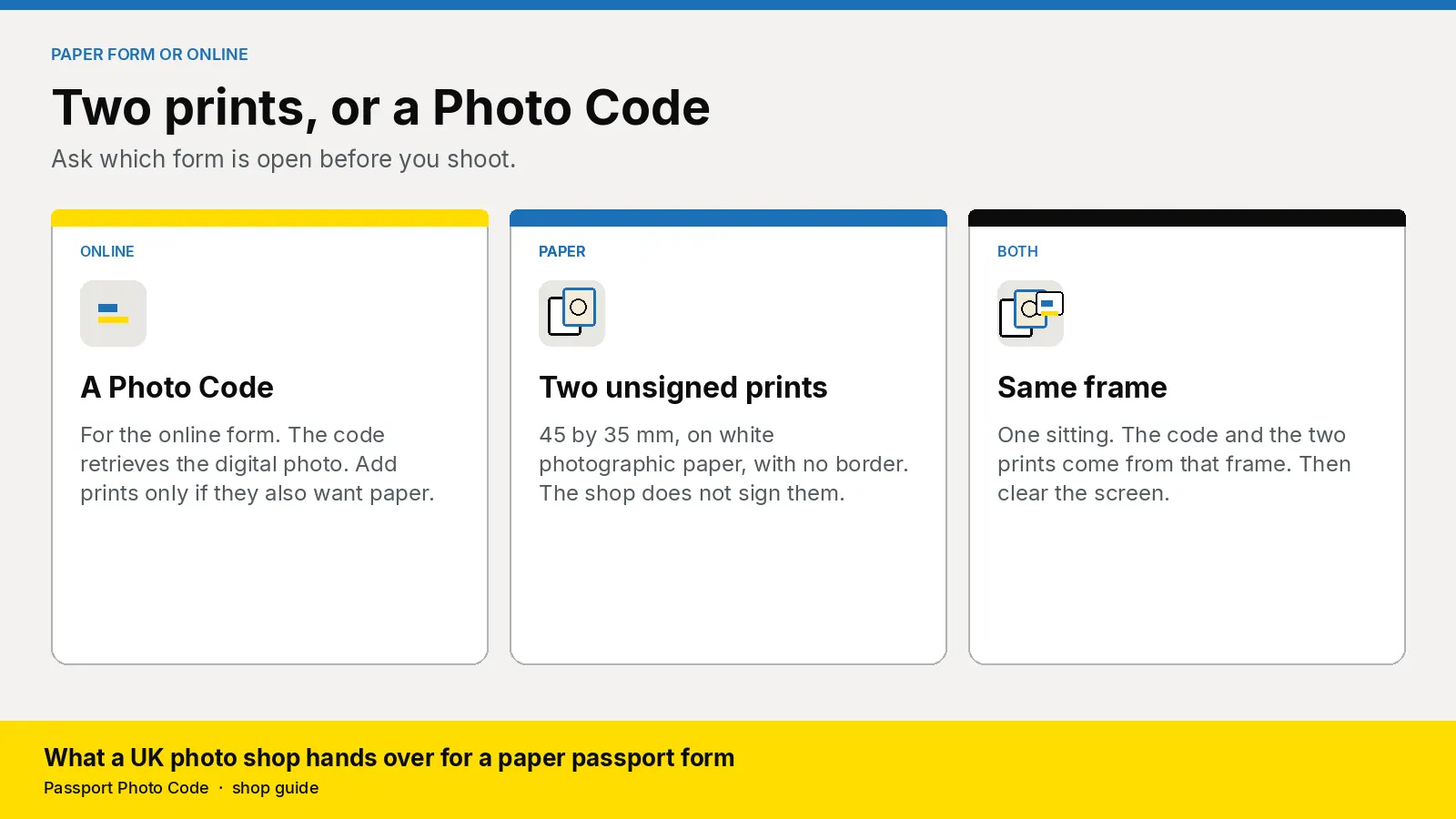
A paper UK passport form needs two unsigned prints, 45 by 35 millimetres. A Photo Code is for the online form. What to print, who may sign one photo, and how to do both from one sitting.
A paper UK passport form needs two identical printed photos, and the shop leaves both of them unsigned. Each print is 45 millimetres high by 35 millimetres wide, in colour on plain white photographic paper with no border. A Photo Code does not replace those prints. The code can be used for an HMPO online application, where the form retrieves a digital photo.
Updated 7 November 2026. Passport Photo Code is independent of GOV.UK and HM Passport Office, which makes the final decision on every photograph. Checked that day against printed photos, countersigning, digital photos and how to take a digital passport photo. If an official page changes, it wins.
What does a paper form need that an online application does not?
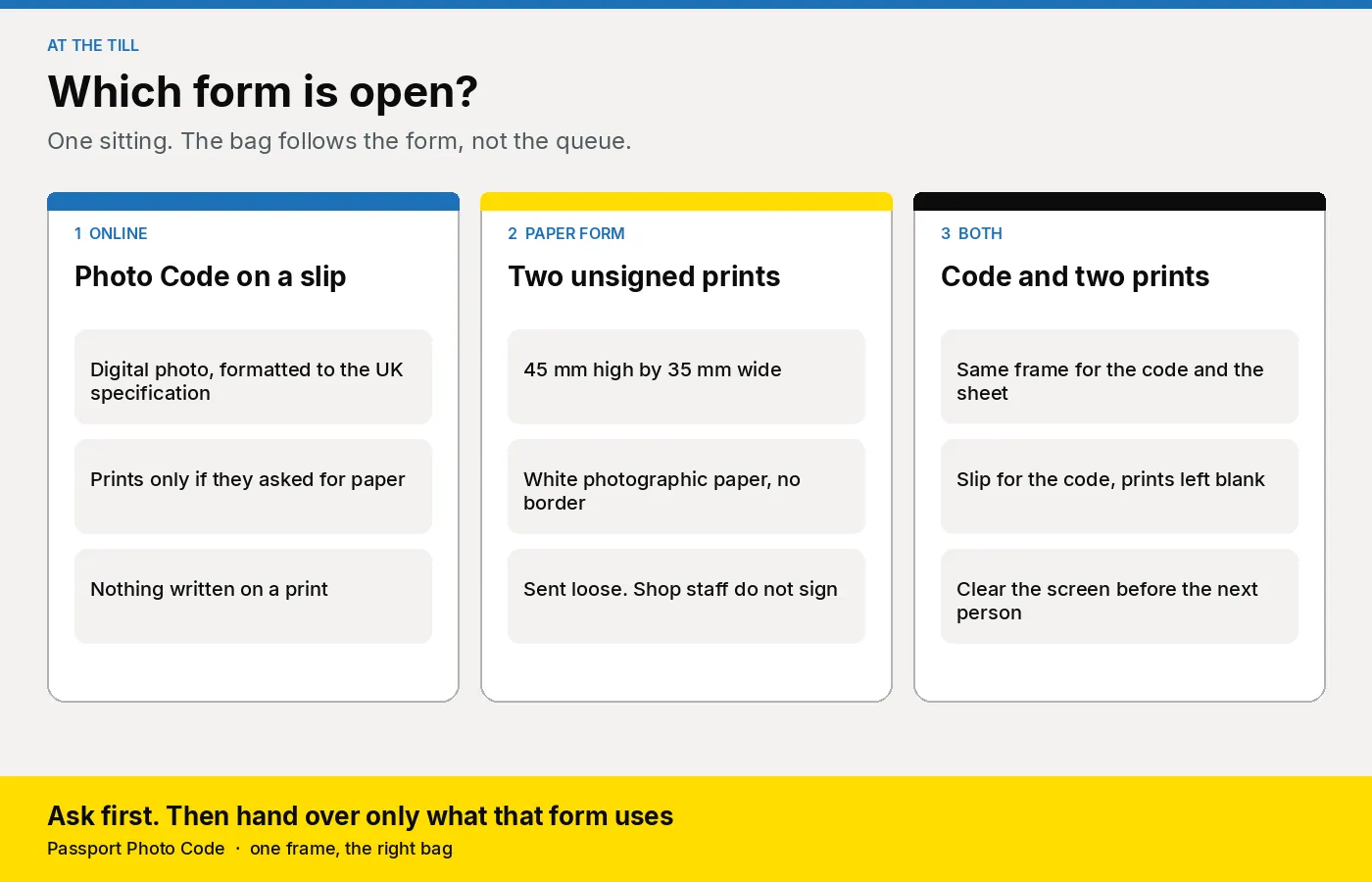
Ask which form is open before you take the picture. An adult renewing online needs a digital photo. A parent with a paper form needs two prints. The wrong bag is a code with no prints, or prints for someone who will type a code tonight.
Digital photos come from a booth or shop, with a code, or are taken during the online application. Printed photos are 2 identical prints for a paper form. Either way the photograph is from the last month, even if their appearance has not changed. Photos that miss the rules delay the application.
| Online application | Paper form | |
|---|---|---|
| What you hand over | A Photo Code for the digital photo. Prints only if they also want paper | Two identical prints. A code as well only if they also have an online application |
| Size | At least 600 pixels wide and 750 pixels tall, between 50KB and 10MB | 45 mm high by 35 mm wide. Head 29 mm to 34 mm from crown to chin |
| Paper | None, unless they bought prints | Colour, plain white photographic paper, no border, not a cut-down of a larger picture |
| Background | Plain and light | Plain cream or light grey, in clear contrast with the person |
| Writing on the photo | None | None from the shop. One photo is signed later only if that form needs a countersignatory |
| How they send it | They type the code when the form asks for the photo. See using a photo with a code | Loose, separated, and not attached to the form |
Measure the print, not the pixels, once the workspace has formatted the file. Use a cream or light grey wall. The printed rule names those colours, and the how-to page says that wall works best. The layout is in how to set up a passport photo corner. Use photographic paper, with no printer border. The prints have to be to a professional standard, with no creases or tears.
Which paper forms need a signature on one photo?
Countersigning says the paper form and one of the two prints must be signed for:
- a first adult passport
- a first child passport
- a replacement for a lost, stolen or damaged passport
- a renewal for a child aged 11 or under
- a renewal where their appearance has changed and they cannot be recognised from the existing passport
The applicant does not sign or date the photos. On the back of one photo the countersignatory writes: "I certify that this is a true likeness of [title and full name of adult or child who is getting the passport]." They add their signature and the date, sign the form, and put their passport number on the form.
They must have known the applicant, or the adult who signed a child's form, for at least 2 years. For an application in the UK, they live in the UK and hold a current British or Irish passport. They are a friend, neighbour or colleague, not just a professional contact, and a person of good standing or someone working in or retired from a recognised profession. They are not a relative, a partner, or someone at the same address.
The counter does not offer this signature. Taking the photo does not qualify you, and a customer relationship is the professional link that page says not to rely on. Leave both prints unmarked. If they are unsure the form is on the list, they read that page before anyone writes on a print.
Online, nobody signs a print. The first adult photo guide separates that route from a paper countersignature. A child's first passport on paper is one case where a qualifying person signs one print later. Pose by age is in the child's first photo guide.
Keep the Photo Code on the slip, not on the print. Use the fields in what to print on the receipt, and add: "Paper form: two prints, unsigned. Send them loose."
What do you ask before anyone stands on the mark?
- Online, paper, or both? A code, two prints, or both from one frame. Name the package on your price card first. That retail price is yours. The workspace price is separate, on pricing.
- If it is paper, which application? You only need to know whether someone else may have to sign one print later. You still do not sign, and you do not decide whether their form is on the list.
- Who is in the frame, and how old is a child? One person, one photograph. Under one, the digital photo page says to photograph from above on a plain light sheet. Eyes may be shut, and no supporting hand shows. Under six, they need not look at the camera or hold a plain expression. From six, use the adult pose. No toy and no dummy. Eyes, toys and the hand are also on the printed photo page.
- Glasses, a head covering, or a photo from home? Glasses come off unless they have to stay, with the eyes clear of frame, glare and tint. A religious or medical covering can stay if the face is clear from chin to forehead. Reshoot a home photo unless it already meets the rules. The test is in can a UK shop make a code from a phone photo.
- When will they post or apply? The photograph has to be from the last month. Last year's strip is a new sitting.
A pharmacy hears question 2 on a child's form. A camera shop hears it from people who want a careful print. Two children are two jobs. Finish one bag before the next child stands up. See passport photos for a whole family.
How do you take one frame and hand over the right items?
Prints and the code come from the same frame. You will not catch a mismatch after they leave.
- Stand them about 50 centimetres from a plain cream or light grey wall, camera about 1.5 metres away at face height. Seat them if they need to sit, and keep the gap. For a baby, shoot from above. Leave the crop to the workspace. Flash, portrait mode and beauty filters stay off.
- Keep a plain background, no head shadow, clear eyes, a closed mouth and one person. Shoot again for a smile that changes the face, a hand, a poster or red-eye. Do not paint the background, wipe a shadow or smooth the face. The photo has to stay unaltered.
- Upload that frame in Passport Photo Studio. It formats a digital passport photo to the UK specification. Shoot again if it flags a shadow, a second person or a tight crop. The flag is not HM Passport Office's decision.
- For a code, create it from that job, read it aloud, and watch 0 and O, and 1 and I. Write the code, the date, the name, the shop phone and "UK passport, online form" on the slip.
- For prints, use photographic paper, with "fit to page" and borders off. Cut two and measure one.
- Hand them over, say which item is for which form, and clear the screen.
Say this, then stop. "The code is for the online form. Check the picture is you. The code can be used for an HMPO online application. These two prints are for a paper form. Send them loose and unsigned. Someone who qualifies writes on one later, if your form needs that. We are not the Passport Office."
Pin the staff checklist beside the camera.
How do you check a print before it leaves the counter?
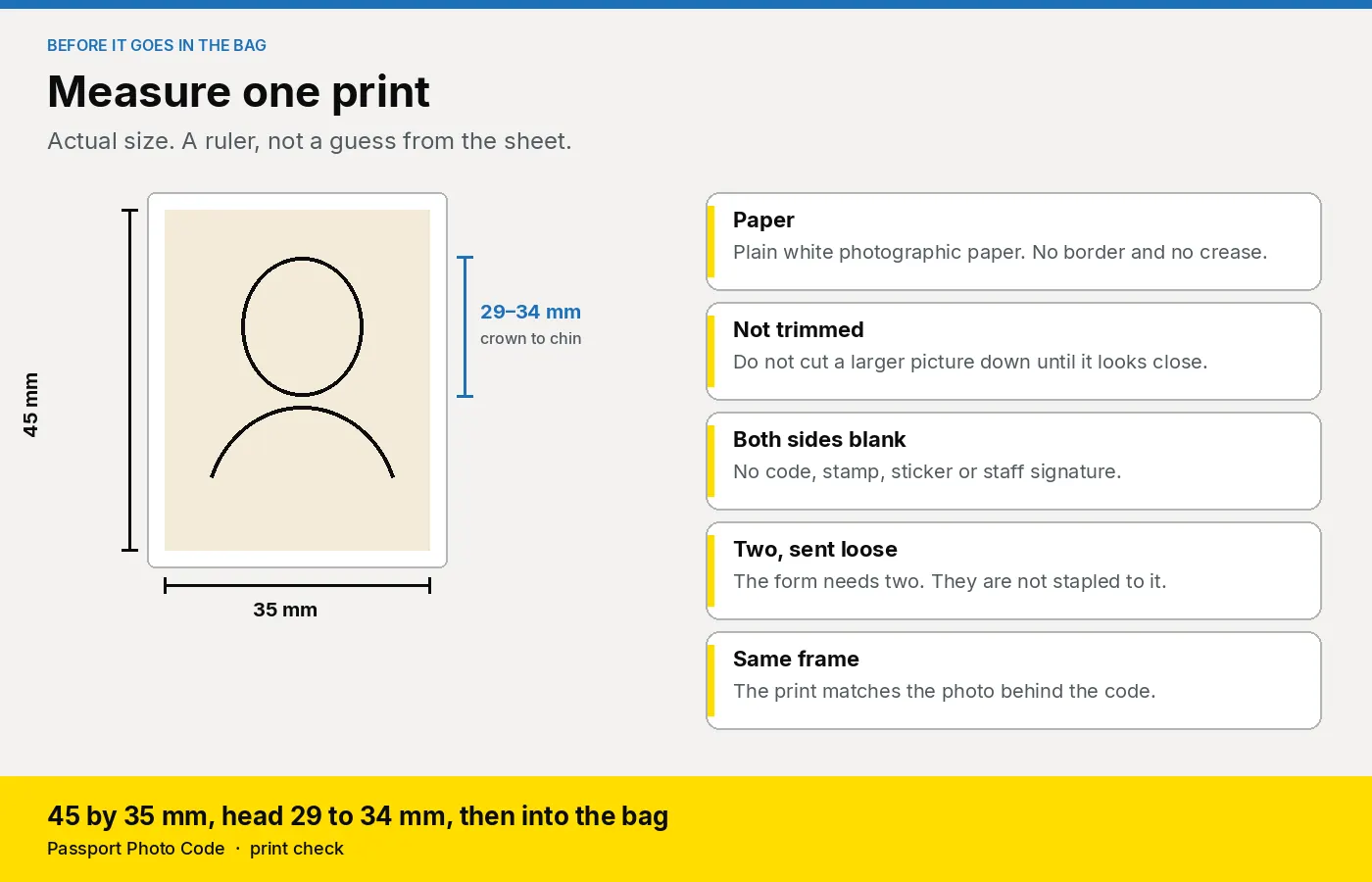
Measure one print from the sheet. Save the preset on a quiet day, then measure the first print of a busy one.
| Check | What you are looking for |
|---|---|
| Height and width | 45 mm high by 35 mm wide, not a larger picture trimmed until it looks about right |
| Head | 29 mm to 34 mm from the crown of the head to the chin |
| Paper and border | Colour, plain white photographic paper, no border, crease or tear |
| Both sides | Blank. No code, stamp, sticker or staff signature |
| How many | Two for the form, sent loose and not attached. Spares can stay in the bag |
| Same frame | The print matches the person in front of you, and the frame behind the code if you issued one |
Outside 29 to 34 mm, or a print made by slicing a larger one, print again at actual size. If a later signature shows through while they are still in the shop, replace the pair from the same frame. Use the reprint line on the price card.
What should you look for in the software?
- One frame, two outputs. Passport Photo Studio keeps the digital photo, the Photo Code and the print sheet on the same job.
- A browser on the till. The studio overview is the same page for a locum and the owner. A pharmacy or a camera shop does not need a booth for these prints.
- A sheet you can measure. A one-click print sheet only helps if actual size stays on. Staff still use the ruler. The workspace does not decide the photograph.
- No retouch step. Formatting to the UK specification is the job. Smoothing a face fights the unaltered rule.
- A plan matched to the sittings. Paper forms are often one parent and one child. Compare that with an annual code pack on pricing. The price on your card stays yours.
This week, print one test from the studio overview at actual size, measure it, and save the preset. Put the five questions on a card. Plan questions go to [email protected].
Frequently asked questions
Can a Photo Code replace the two prints on a paper form?
No. A paper form needs two identical prints. Add a code only when they are also applying online, and take both from the same frame. The code can be used for an HMPO online application.
Should the shop sign the back of the photo?
No. Leave both prints unsigned. A countersignatory who meets the GOV.UK conditions writes on one photo later. Taking the picture does not make staff that person.
Does the customer sign their own passport photo?
No. The applicant does not sign or date the photos. Only the countersignatory signs one, and only when that paper form is on the GOV.UK list.
What size is a printed UK passport photo?
45 millimetres high by 35 millimetres wide, head 29 to 34 millimetres from crown to chin, in colour on plain white photographic paper with no border.
Can you print a paper-form photo on ordinary copier paper?
No. Use plain white photographic paper, to a professional standard, with no border. Copier paper means you print again before they leave.
What if they need a code and prints?
One sitting, one frame. The prints stay unsigned. The code goes on the slip, not on a print.
Do baby and child prints use a different size?
No. Size stays 45 by 35 millimetres. Under one, photograph from above and the eyes may be shut. Under six, they need not look at the camera or hold a plain expression.
Should a walk-in use the £2.99 order on this website?
No. That price is one Photo Code and the digital photo for someone at home. A counter customer is a studio job. See the pricing page.