How UK photo shops should take passport photos for a whole family
A family at the counter is one visit and several jobs. How UK studios keep each Photo Code with the right person, and which frames to shoot again.
A family at the counter is one visit and several passport jobs. Each person needs their own photograph from the last month, and each online application needs its own Photo Code. Finish one person, put their name on the slip, then start the next. One code cannot cover a parent and a child, or two children.
Updated 3 November 2026. Passport Photo Code is independent of GOV.UK and HM Passport Office. HM Passport Office makes the final decision on every photograph.
Why does a family visit go wrong?
The parent hears "passport photos" as one errand. The forms do not. Photos for passports says each new passport needs a new photograph, taken in the last month, with no other people or objects in the picture. Two children are two photographs. A parent renewing the same day is another.
What comes back is usually a mix-up: one code on two slips, a brother in the frame, a hand on the baby, or an adult smile. A baby under one needs a sheet and a camera above them. Anyone seated needs the camera lowered. A pharmacy aisle and a camera shop can both do the visit once the corner is marked. Standing distances are in how to set up a passport photo corner.
What do you ask before anyone stands up?
Write a list before the first frame. Names stop the mix-up. Ages pick the pose. Online or paper picks what you hand over.
| Ask this | Why it changes the job |
|---|---|
| Full name of each person | The slip and the code belong to that name. Twins are two rows. |
| Under one, under six, or six and over | Pose and expression follow the age. |
| Online application, or a paper form | Online needs a Photo Code. A paper form needs two identical prints. |
| First passport, renewal, or a replacement | A new passport still needs a new photograph. Some paper routes also need a countersignature. |
| Glasses, a head covering, or a need to sit | Settle those before you shoot. A grandparent with a chair is a different camera height. |
Say what the visit will cost before the first frame: your price per person, times the people on the list, or a family rate you have already costed. The £2.99 order on this website is one Photo Code and the digital passport photo for someone taking their own picture at home. A walk-in family is a studio job. How to set the door card is in what to charge for prints plus a code.
Which pose do you use for each person?
A plain light background, a likeness from the last month, and this person alone apply at every age. Expression and eyes change. Pose-by-age capture is in how photo shops should take baby and child passport photos. Pick the row, then shoot.
| Who | What changes | What stays the same |
|---|---|---|
| Baby under one | Eyes may be closed. Lay them on a plain light sheet and photograph from above. A supporting hand stays out of the picture. No dummy or toy. | This person alone, plain light background, last month |
| Child under six | They do not have to look at the camera or have a plain expression. No dummy or toy. | This person alone, last month |
| From six, and every adult | Plain expression, mouth closed, eyes open, looking at the camera. A small smile is still a smile. | This person alone, last month |
How to take a digital passport photo puts a standing person about 50 centimetres from the wall and the camera about 1.5 metres away, with head, shoulders and upper body in the frame. You do not crop it. A baby under one does not use those marks. Keep a folded plain sheet in the corner.
School or military uniform can stay. Photo standards (version 51.0, updated 4 March 2026) treats that as a personal choice. Everyday hats, headphones and anything over the chin come off. A religious or medical head covering can stay when the face is clear from chin to forehead, and glasses come off unless they have to stay: see the glasses and head coverings guide. A customer who needs a chair uses the seated setup in passport photos for elderly and disabled customers.
How do you run the visit so the codes stay apart?
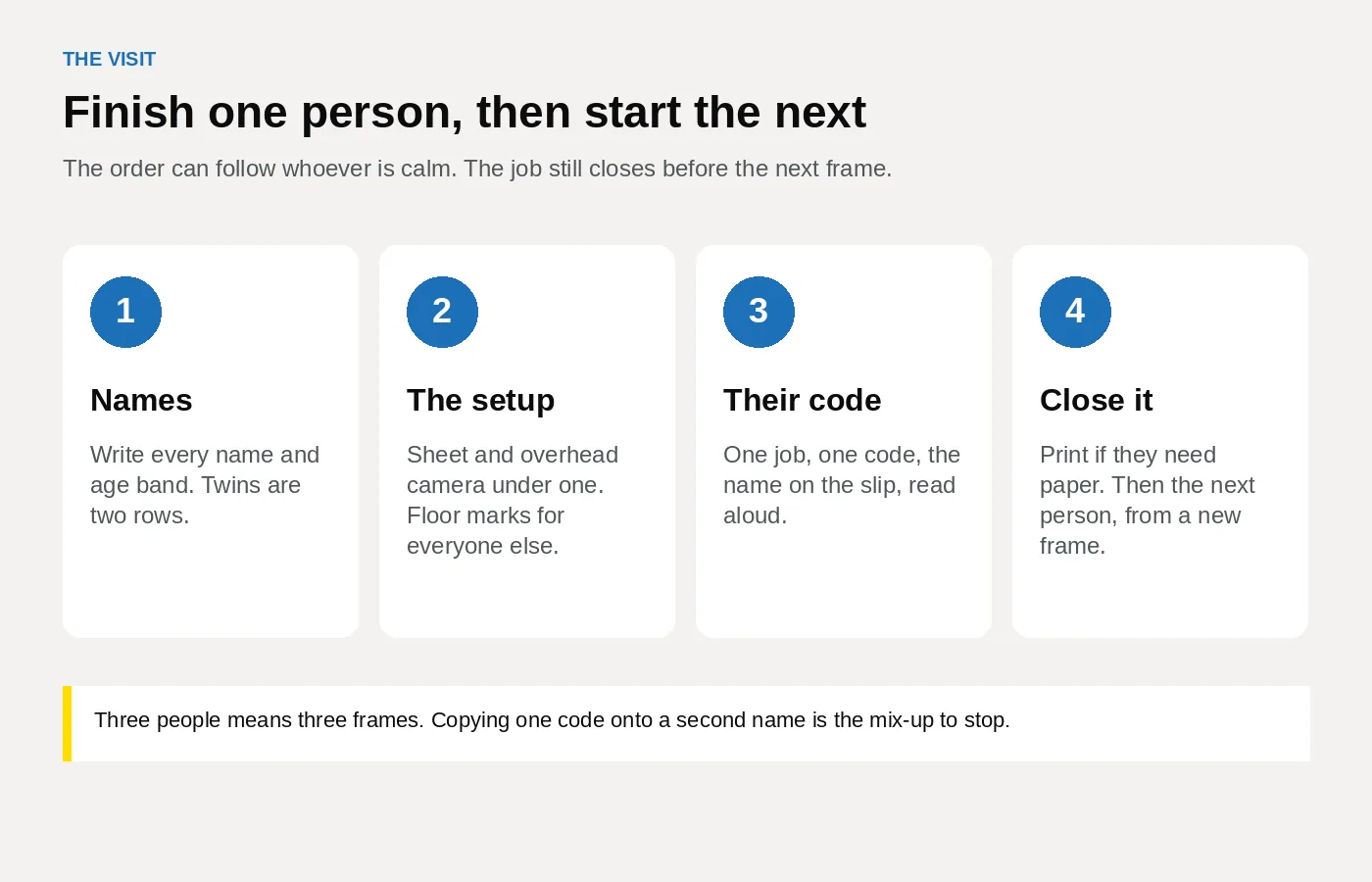
Do the baby when they are calm, then children who will not wait, then any adults. Finish one person before the next person is in front of the camera.
- Put the name list where the person at the till can see it. One row per person.
- Set the corner for that row only. A sheet and an overhead camera for a baby under one. Floor marks and a face-height camera for everyone else. If they sit, lower the camera.
- Clear the frame. Siblings wait off to the side. Toys and dummies go in a basket.
- Take the frame and look at it full size: another person, a hand, a shadow, hair across an eye, or a smile from age six.
- Open Passport Photo Studio and upload that frame as its own job. It formats a digital passport photo to the UK specification. If the preview flags a second person, a shadow or a filter, shoot again. Leave the face alone.
- Create the Photo Code for that job only. On the slip write the name, the code, the date, the shop phone and "UK passport, GOV.UK". Read the name and the code aloud and ask the parent to say the name back. Watch 0 and O, and 1 and I.
- Print that person's sheet from the same job when they need paper. Close the job. The next name starts at step 2, with a new frame and a new code.
The parent types each code into that person's application when the form asks for a photo with a code. The screens are on using a photo with a code. They should check the photograph is the right person before they continue. The code retrieves the picture. HM Passport Office still decides.
What do you hand over when someone is on a paper form?
An online application needs the digital photograph. A paper form needs prints. Both should come from that person's frame.
Printed photos asks for two identical prints, 45 millimetres high by 35 millimetres wide, on plain white photographic paper with no border. The head, from crown to chin, is 29 to 34 millimetres. They go in the envelope loose. They are not a larger picture cut down, and not one sheet of several faces.
Where a countersignature is required, one print is signed on the back and the other stays blank. Countersigning passport applications and photos sets the wording: "I certify that this is a true likeness of [title and full name of adult or child who is getting the passport]." The countersignatory signs and dates it. The applicant does not sign the photographs.
Staff do not write that sentence because they took the picture. A countersignatory has known the applicant, or the adult signing for a child under 16, for at least two years. They are not a relative, a partner, or someone at the same address. On a UK application they also live in the UK and hold a current British or Irish passport. Someone met at the counter today does not qualify. A colleague who does qualify for a family they already know signs as that person, on those prints only. Everyone else leaves with unsigned prints.
The countersigning page lists the paper routes, including a first passport, a lost, stolen or damaged passport, a renewal for a child aged 11 or under, and a renewal where the holder cannot be recognised. Parents posting a first child passport can read what photo a first child passport needs. Write nothing on the front. Keep the shop name on the slip, and tell anyone signing in the shop to press lightly so the pen does not ridge the face. The rest of the slip is in what to print with the Photo Code.
Which faults mean you shoot that person again?
Look once per person before you take the money for that job. A flag in the preview is a reason to look again. HM Passport Office still makes the decision.
| What you see | What you change |
|---|---|
| A second person, a hand, a toy or a dummy | Clear the frame and shoot again. Do not crop them out. |
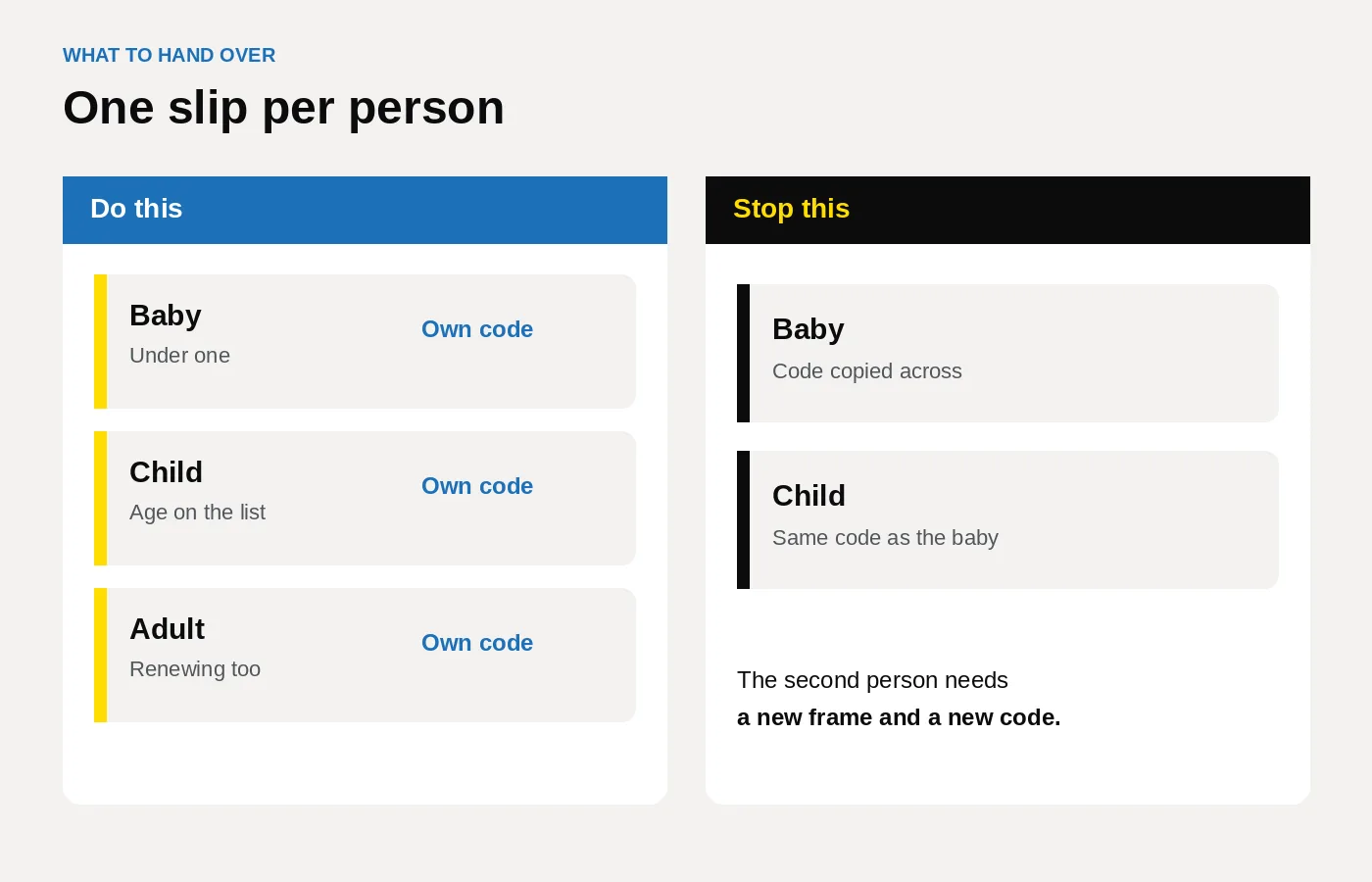
| The same code on two slips | Give the second person their own job and their own code. |
| A smile, or an open mouth, from age six | Plain expression, mouth closed, then another frame. |
| A baby under one against the standing wall | Use the sheet and shoot from above. |
| Hair across an eye, glasses glare, or a head shadow | Change the room and shoot again. Leave the face unedited. |
| Any frame older than a month, including a school photo | Take a new photograph today. |
| Portrait mode, a filter, or a date stamp | Turn them off. Photo standards treats a date stamp as a sign the photograph may be older than a month. |
Under six, expression and gaze can differ, and under one the eyes may be shut. A brother still has to be out of the frame.
What should you look for in the software?
This is where a tool either keeps the queue moving or mixes two children. Wider buying points are in the studio software guide.
- One job per person, so the next child is not added to the previous code.
- Three outputs from that job: a digital photo that meets GOV.UK photo rules, a Photo Code for an HMPO online application, and a print sheet on the printer you already own.
- No retouching. Formatting to the UK specification is the job. Painting out a hand is not.
- The name visible while you read the code. The paper list carries it if the screen shows only the code.
- A cost that follows the sittings. Four people are four jobs. Compare a busy Saturday with a quiet week on pricing. The price on your door stays yours.
Keep the name list on the till between prescriptions. That is the pattern on the pharmacy page. A camera shop that already prints can use the same browser login between other jobs. See the camera shop page.
How do you start this week?
- Open Passport Photo Studio from the studio overview. Use the shop login.
- Print a blank list with columns for name, age band, online or paper, and code. Pin it by the camera.
- Store a plain light sheet for babies under one, next to the standing marks.
- Rehearse with three colleagues. Talk through one baby row, then take two real frames. Close each job before the next frame. Read each name with its code.
- Shop plans are on pricing, or email [email protected].
Frequently asked questions
Can one Photo Code cover a whole family?
No. A Photo Code retrieves one digital photograph. Each person applying online needs their own code, from their own photograph taken in the last month.
Do twins need two photographs?
Yes. Two frames, two jobs, two slips, even when they look alike. A duplicated file puts the wrong photograph on one application.
Can a parent stay in the picture to keep a child still?
No. Children have to be alone in the picture. You may support a baby under one only if the hand stays out of the frame. If a hand or a parent shows, shoot again.
Should a baby use the same wall as the parents?
Not under one. Lay them on a plain light-coloured sheet and take the photograph from above. From the first birthday, use the standing or seated corner, with that child alone.
Who signs the back of the prints?
Usually nobody in the shop. An online application uses the Photo Code and does not need a signed print. On a paper form that needs a countersignature, someone who has known the right person for at least two years writes the set wording on the back of one print. Taking the photograph does not make a member of staff that person.
What should the slip say?
The person's name, the Photo Code, the date, the shop phone, and "UK passport, GOV.UK". Read the name and the code aloud.
Is a family at the counter a home order?
No. The home order is one person's Photo Code and digital passport photo. A family at the counter is a studio job, one sitting per person. Home photographs are in how to take a passport photo at home, still one per person.