First adult UK passport photo: digital rules and a Photo Code
How to get the digital photo for a first adult British passport, use a Photo Code on the online form, and tell identity confirmation apart from a signed print.
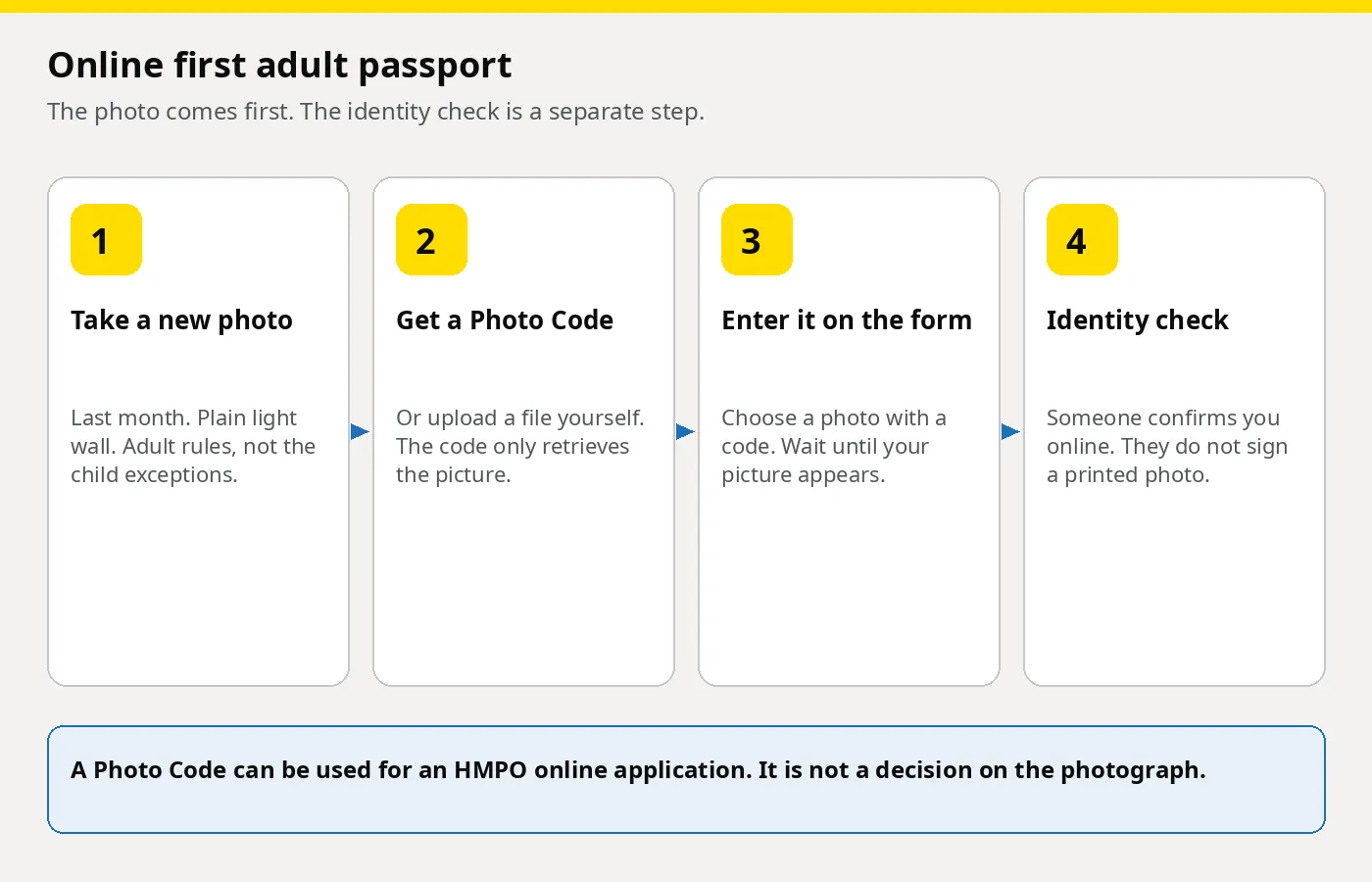
A first adult British passport applied for online needs a new digital photograph of you, taken in the last month. Nobody signs the back of a print. You enter a Photo Code, so the form can retrieve the picture, or you upload a digital file. After you pay and submit, someone who has known you confirms your identity by email. They do not sign a paper photograph.
The identity check is a separate step from the photograph, and it is not the countersignature on a paper form. Passport Photo Code is independent of GOV.UK and HM Passport Office. HM Passport Office makes the final decision on every photograph.
Check you are on the first adult route
Use the first adult passport service only if GOV.UK puts you there. The published tests are: you are a British national, you are 16 or over (or you will be within three weeks), and you have never had a UK passport. GOV.UK also uses that route if your last UK passport was issued before 1 January 1994.
Three nearby cases are different applications:
- You still have a child passport. You can keep using it until it expires, including after you turn 18. When you replace it, start from renew or replace and follow the route they give you.
- The passport is for a baby or a younger child. Expression, eyes and who may be in the frame follow different rules. Use UK passport photos for babies and young children.
- You are outside the UK. Use the overseas instructions on GOV.UK. The photo rules are the same, but the form is not the UK online service described here.
If you also hold another passport, the name and gender must match the British passport you want. Change the other passport first if they differ. An adult passport is valid for 10 years. Do not book travel until you have it.
What the online application asks for, in order
To apply online you need a digital photo (or a device and someone to take it), someone who can confirm your identity, your supporting documents, and a debit or credit card. The passport fee is paid to HM Passport Office on that form. It is separate from any fee for the photograph.
Do the photo before you start the form if you can:
- Take a new photograph that meets the adult rules, or prepare one so you already have a Photo Code.
- When the application asks for the photo, enter the code or upload the file.
- Pay the passport fee and submit.
- The person you named gets an email from HM Passport Office and confirms your identity online. They do not sign a printed photo.
- You then get an email about which documents to send. Read what documents you need rather than assuming a birth certificate is enough.
You may be asked to attend an interview afterwards. A Photo Code does not book that. GOV.UK lets you take a photo on your own device during the form, with help, and says a booth or shop photo is more likely to meet the photo rules than one taken then. Preparing it first leaves time to retake it.
The photograph is a new adult photo
You must get a new photo for a new passport, even if you look the same as last year. It must have been taken in the last month and be a good likeness of you now. A school portrait, a driving-licence photo, a cropped holiday picture or a frame from a video call is the wrong file.
You are 16 or over, so the child exceptions do not apply. You look at the camera, keep a plain expression with your mouth closed, and have your eyes open. The public wording is on GOV.UK’s rules for digital photos. Room setup is in how to take a UK passport photo at home.
You are alone, facing forward, on a plain light-coloured background, in clear contrast, with no shadows and no red-eye. Nothing covers the face. A head covering stays only for religious or medical reasons, and the cloth must not shadow the face. Hats, hoods and large bows come off. A white covering on a white wall loses contrast, so change the wall and shoot again.
The file must be in colour, clear, in focus, and unaltered by computer software. If you upload it yourself on GOV.UK it must be at least 600 pixels wide and 750 pixels tall, and between 50KB and 10MB. Include head, shoulders and upper body, and do not crop it. The application does the crop.
Stand about 50 centimetres from the wall. Ask someone to stand about 1.5 metres away, camera at face height, using the rear camera. A front-camera selfie at arm’s length widens the nose and cuts off the shoulders. On your own, prop the phone up and use a timer. Face a window rather than a ceiling spotlight, which leaves a dark patch behind one ear.
Glasses come off unless you have to wear them. If they stay, they cannot be sunglasses or tinted, and glare must not cover the eyes. Clothing is fine when the face stays clear, including a school or military uniform or bare shoulders, under the published examiner photo standards. A scarf or collar that hides the chin is a problem. No filters or added blur: retake the picture rather than editing it.
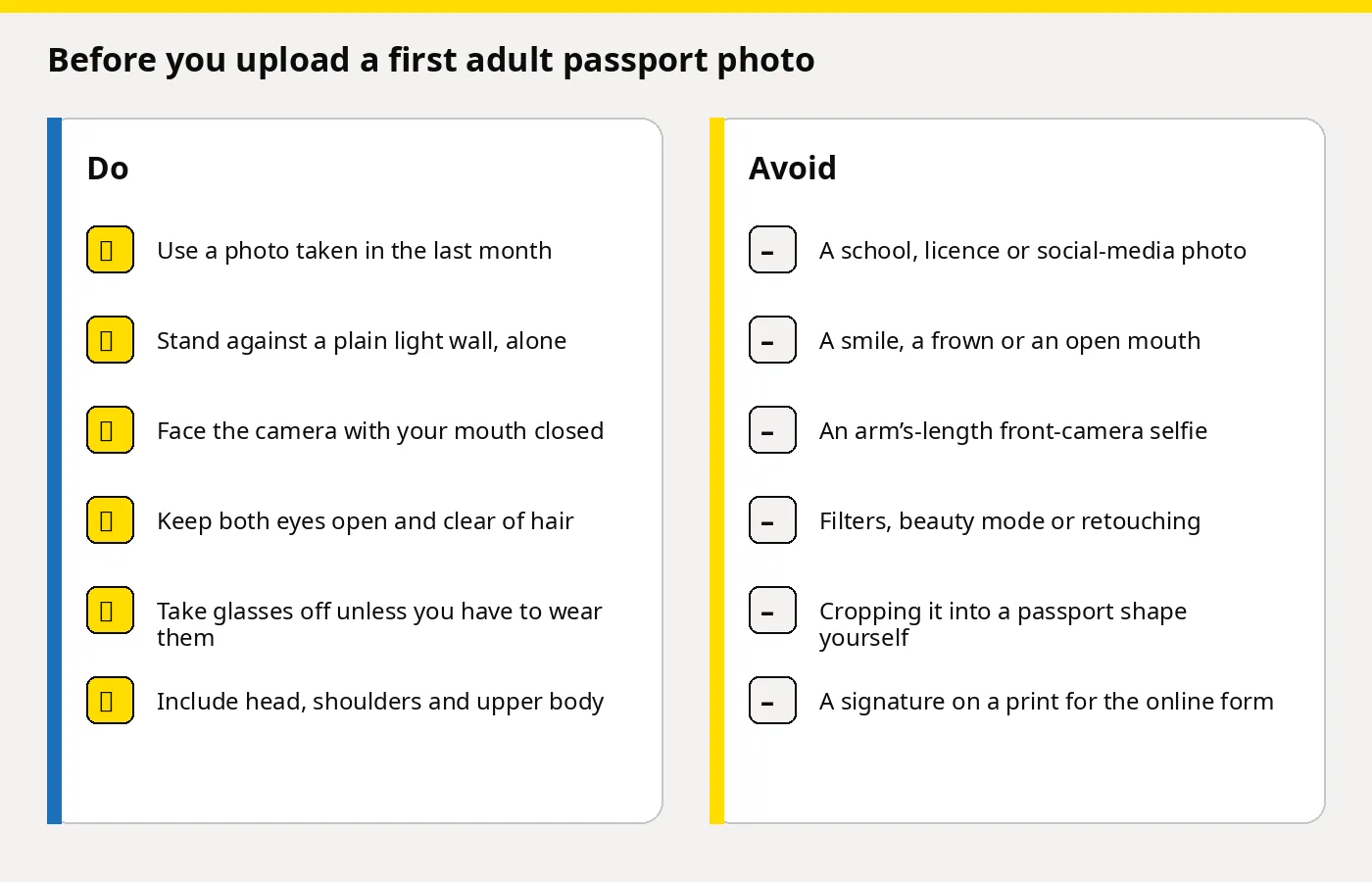
Photo Code or a file you upload
On the photo step you enter a Photo Code from a booth, a shop or an online service, or you upload a digital photo from your device. Both supply one photograph for this application. A code is not more official than an upload. HM Passport Office still decides whether the photograph meets the rules.
A Photo Code is a short reference to a picture held by the photo provider. It is not your passport number, the application reference, or a decision on the photograph. Choose a photo with a code, enter every character, and wait until your picture appears. Check it is you. The screens are on the GOV.UK help page for a photo with a code, and the idea is explained in what a UK passport Photo Code is and how you use it.
A swapped character means the picture does not load. If the wrong person appears, that is an old code. Recheck the characters before you upload a file instead.
Getting the photo and the code from home for £2.99
You do not have to use a booth. On the Passport Photo Code homepage, choose Create my photo & code, or open the create page. Upload the original, and we check and format it to meet GOV.UK photo rules. You pay £2.99 once. There is no subscription. You receive a Photo Code and the finished digital passport photo. The code can be used for an HMPO online application.
Look at the preview before you pay. A shadow, a busy wall, closed eyes or hair across an eye means a retake. The checks are not a decision by HM Passport Office. The result page and the email both show the code and the photo. Copy every character and download the file.
We keep photos only as long as the service needs them, normally 48 hours, and the photograph has to be from the last month anyway. £2.99 does not pay the passport fee or post prints. The order is set out in how to get a UK passport photo code online for £2.99. A shop is the better stop if someone else should take the picture, or if you need prints.
The person who confirms your identity does not sign the photo
On an online first adult passport, you ask someone to confirm your identity after you have paid and submitted. Tell them to expect an email from HM Passport Office. They confirm online. GOV.UK is explicit: they do not need to sign a printed photo.
Ask them before you enter their details. They need your address and date of birth, including the year. Pick someone who will open the email. If they are away, the application can stall.
Who can confirm someone’s identity online is a fixed set of tests. They must be 18 or over, live in the UK, and hold a current UK or Irish passport. They must have known you for at least two years as a friend, neighbour or colleague, not only professionally, and they must work in or be retired from a recognised profession, such as a teacher, solicitor, nurse or accountant. Read the list. Do not guess from a job title.
They cannot do it if they are related to you by birth or marriage, in a relationship with you, or living with you, or if they work for HM Passport Office, or for UK Visas and Immigration on British citizenship or right of abode. A doctor can only do it if they know you well, for example as a friend, not only as your doctor.
They confirm who you are. They do not take the photograph, and an older picture that matches their memory of you is the wrong file.
A paper form is a different photograph
Applying with a paper form is slower, and the photo is physical. You need two identical printed passport photos and a countersignatory. They fill in the countersignature section of the form, and they sign and date one of the two photos. The other stays blank. You do not sign the photos yourself.
The wording on the back of one photo is set out on countersigning passport applications and photos: “I certify that this is a true likeness of [title and full name of adult or child who is getting the passport].” They add their signature and the date. Who may sign a paper form is on that same page. Those rules are close to the online tests, but they are not the online email. Follow the paper instructions only if you are posting a form.
A Photo Code does not replace those two prints, and this £2.99 order does not post them. For paper, use a shop and have one photograph signed. Forms come from a Post Office that offers Passport Check and Send, or from the Passport Adviceline.
At full size, check the wall, the light and the face once more. The requirements summary is the short version. If GOV.UK changes the wording, their page wins.
Frequently asked questions
Can I use a Photo Code for a first adult passport?
Yes, on the online form. The code can be used for an HMPO online application. You still pay HM Passport Office and ask someone to confirm your identity.
Does someone have to sign the photo?
Not online. They confirm your identity by email and do not sign a print. On paper, a countersignatory signs one of the two prints and leaves the other blank.
Can I reuse a driving licence or school photo?
No. You need a new photograph from the last month. An older official photo is usually the wrong crop, background or age.
I turn 16 soon, or I still have a child passport. Which form?
You can apply as a first adult passport if you will be 16 within three weeks and you have never had a UK passport. The photo follows the adult rules. If you already have a child passport, keep using it until it expires and replace it through renew or replace.
How long do you keep the photo, and are you HM Passport Office?
Normally 48 hours, so use the code while you apply and download your copy. Passport Photo Code is independent of GOV.UK. The photo is prepared to meet GOV.UK photo rules, and the code can be used for an HMPO online application. HM Passport Office makes the final decision.
Do I need prints as well as the code?
Only on a paper form. Online, the code retrieves the digital photo. The form does not also ask for prints.
When you are ready
Take the photograph, upload it on the create page, and retake it if the eyes, the light or the background are wrong. Pay £2.99 once. You leave with a digital passport photo that meets GOV.UK photo rules and a Photo Code you can use for an HMPO online application. Ask the person who will confirm your identity before you submit their name. The photograph and that email are both required.