Passport photo code software for studios — buying guide
What UK photo studios should look for in Photo Code software — workflow, compliance checks, print output, pricing model, and lock-in risks.
Photo Code software is not a creative suite. It is the last few minutes of a shop job: prepare a UK digital passport photo, issue a reference the applicant can type on GOV.UK, and (usually) print a sheet. Buy it for that job.
This guide is for studio and retail managers. Passport Photo Code is an independent service and is not affiliated with GOV.UK or HM Passport Office. Software can help you catch common problems; it cannot guarantee acceptance.
Start from the counter, not the brochure
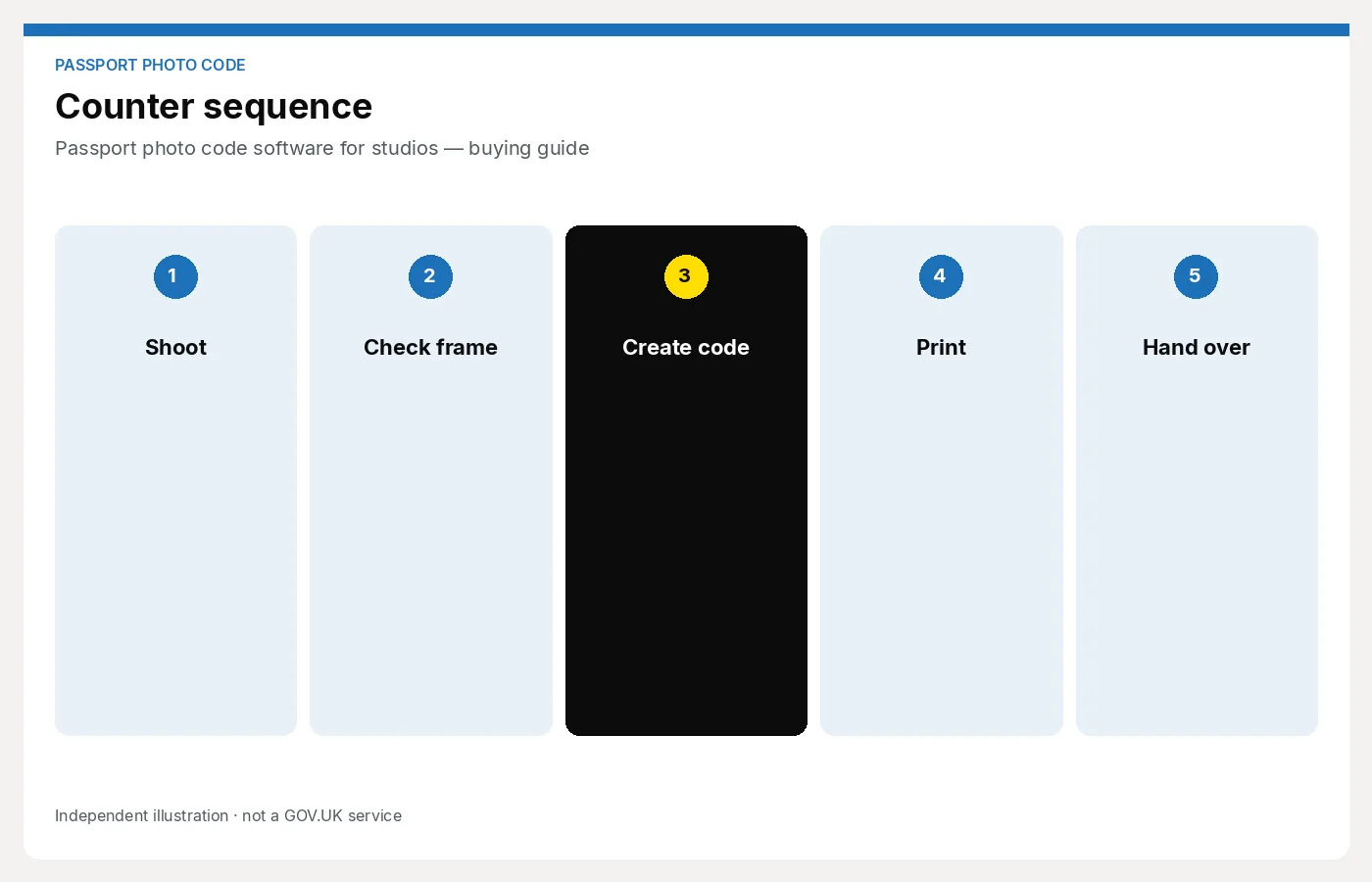
Write down the job as it actually happens:
- Capture or ingest a portrait
- Check and crop to the UK digital specification
- Issue a Photo Code
- Print or email
- Explain the code in one sentence and write it down
If a product is excellent at fifty visa types but clumsy at steps 3–5, it is the wrong default for a UK passport counter. Keep a specialist tool for specialist work.
The how shops issue codes piece is the workflow this software has to serve.
Workflow: can a Saturday person finish a job?
Ask the vendor — or try it yourself — with a new colleague watching:
- How many screens from photo to code?
- Can they issue a code without creating a “customer account” the shop will never use again?
- What happens if the browser tab closes or the PC sleeps mid-job?
- Can two people work at once, or is there one dongle?
Learnability beats feature count. A tool that needs a half-day course will not be used correctly at 4pm on a Saturday.
A browser workspace such as Passport Photo Studio is built around that constraint: no desktop install, no pack to start, code and print sheet in one sitting. Desktop suites win when the same operator lives in the software all week.
Compliance checks — useful, not official
Good software flags the problems you already know: shadows, cropped heads, glasses glare, wrong aspect, busy background. Treat those flags as your quality control.
What they are not:
- A government pass
- A substitute for looking at the picture
- A reason to tell the customer “you’re fine”
HMPO (and the automated checks on the application) can still reject a photo that your tool liked. Your script should say that. If a vendor’s homepage says “guaranteed HMPO acceptance,” walk away — or at least do not repeat the claim at the till.
Print output
Most walk-ins still want paper. Check:
- A UK print sheet you can send to the printer you already own
- Crop marks or a layout your staff recognise
- Whether digital-only is possible when someone truly does not want prints
- Reprint without re-charging a whole new code unless you intend that
If the software only works with one printer line, that is a lock-in decision, not a print feature. Price the printer and media into the software comparison before you call it “included.”
Pricing model
You will see some mix of:
- Annual code packs — cheap per code at high volume, expensive if unused; figures such as ~£150 / 1,500 or ~£260 / 5,000 are dealer-list examples and change. Check the live page.
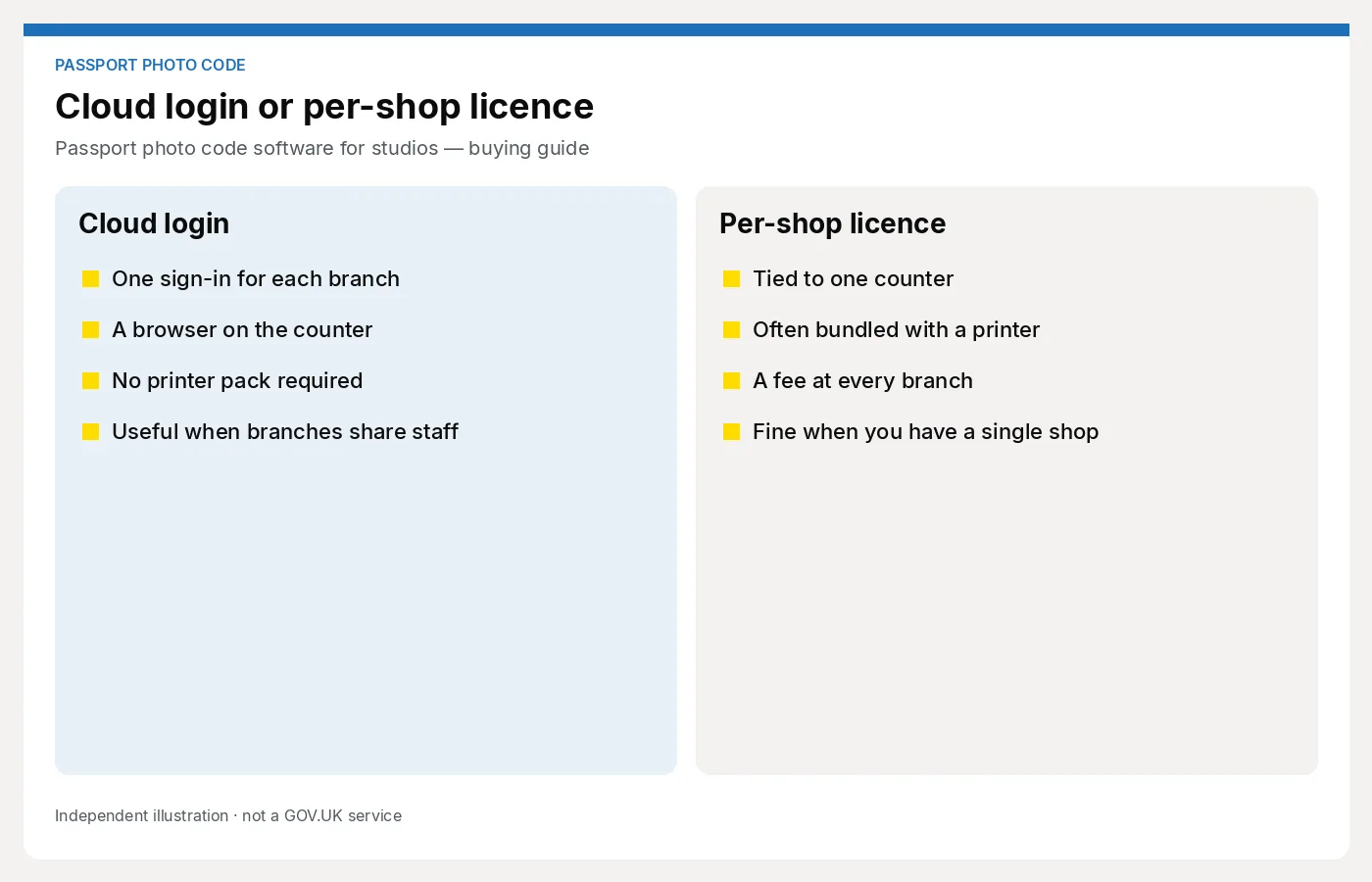
- Desktop licence + yearly cloud — predictable if you already own the PC, painful if you need a second seat
- Browser workspace / subscription / trial — lower start-up cost; confirm what you pay as volume grows
Build a one-year total: software + hardware + training + unused allowance. Then divide by last year’s UK passport jobs. That is the number to compare, not the sticker on a pack.
Your retail price is a separate decision — see what to charge. Do not let the vendor’s pack size set your till price.
Lock-in risks
Ask these in writing:
- Does the code path require a named printer?
- Can you export or re-issue if you leave the contract?
- Are staff logins tied to one machine?
- What happens to in-flight jobs if you do not renew on the day?
- Is there a personal/DIY product that staff might open by mistake?
Mixing a free consumer tool with a paid shop job is a common error. Keep the studio path obvious. Passport Photo Studio is the shop workspace; the free tool on this site is for individuals.
Multi-country and extras
Nice to have, if you already sell them:
- Other UK ID sizes
- Foreign passport and visa crops
- Baby-friendly guidance in the UI
Not worth a heavier product if 90% of jobs are UK adult passports. You can add a second tool later. You cannot easily subtract confusion.
A short buying scorecard
Score each option 1–5:
- Time for a new staff member to issue one code
- Quality of checks (and honesty of the marketing)
- Print sheet on your printer
- Year-one cost at your volume
- Hardware and contract lock-in (lower is better)
- Clear separation from any consumer/DIY product
The highest feature list rarely wins. The option you will actually use on a wet Tuesday does.
How to trial without fooling yourself
Do not trial on a quiet Monday with the owner only. Trial on a normal Saturday with the person who will be on the till. Use the staff checklist. If the code handoff is messy, the software has failed even if the crop looks perfect.
Next step
If you want a browser trial aimed at shop counters rather than a personal upload, start here: For photo studios.