How to take UK passport photos when only one person is on the counter
One person on a UK till can take a passport photo, issue a Photo Code and print a sheet if the corner is ready. How to fit the sitting around the queue.
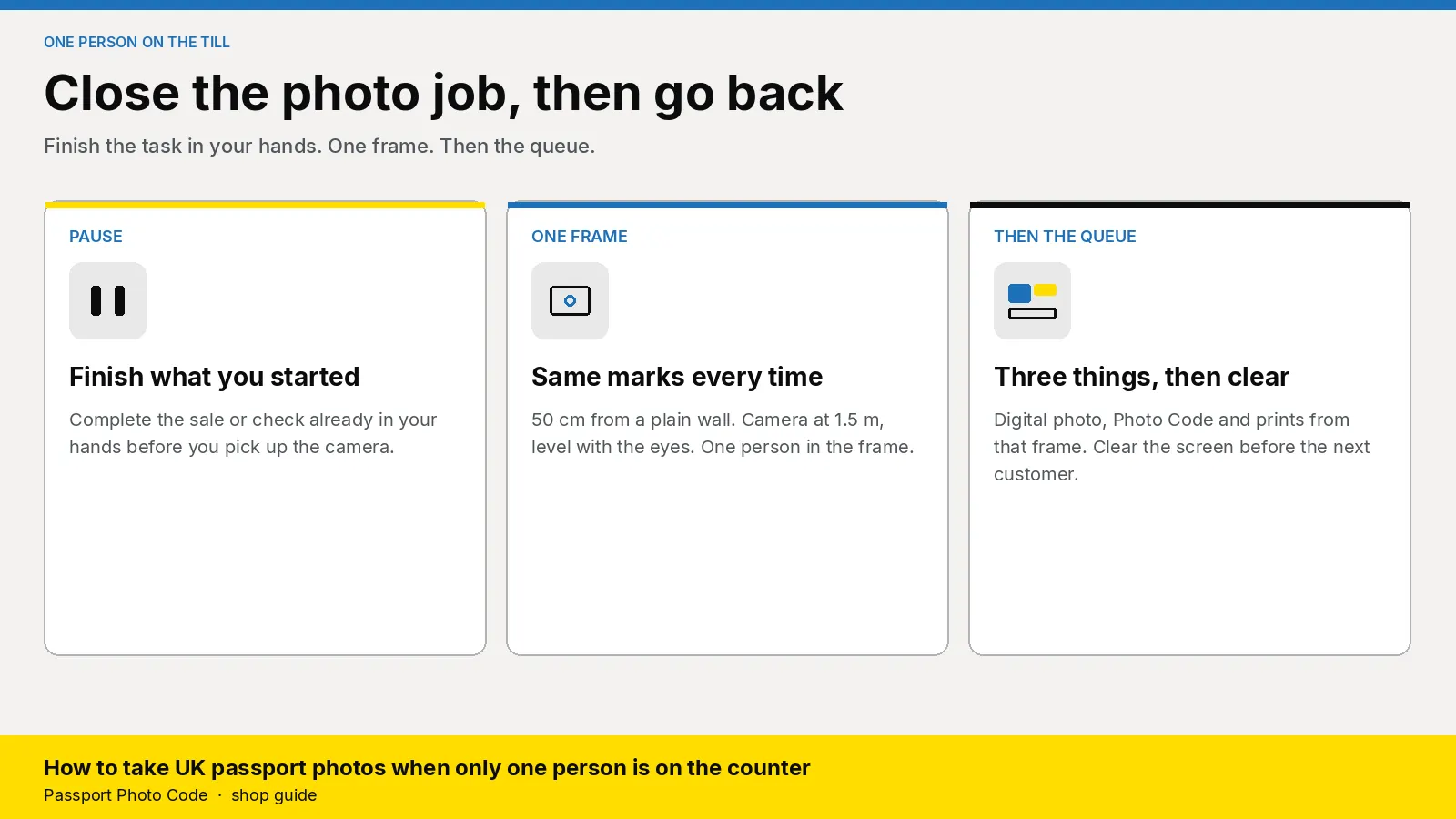
One person on a UK till can take passport photos without a second member of staff. The corner, the camera and the studio login have to be ready before you open. You then run one closed sitting: a digital passport photo that meets GOV.UK photo rules, a Photo Code the customer can use for an HMPO online application, and a print sheet when they want paper. Finish the task already in your hands first, and clear the screen before you go back to the queue.
Updated 5 November 2026. Passport Photo Code is independent of GOV.UK and HM Passport Office. HM Passport Office makes the final decision on every photograph. Distances are from how to take a digital passport photo. Digital rules are on photos for passports. Print size is on printed photos. Who may sign a paper form is on countersigning passport applications and photos. Checked on 5 November 2026. If an official page changes, it wins.
Why does a passport photo stall a one-person till?
The photograph is the short part. The stall is what happens while another queue watches: hunting for the camera, changing the price in public, opening a login only one colleague knows, and leaving a code on the screen.
A pharmacy already has prescriptions and the door. A camera shop has a repair and someone choosing a lens. Passport photos arrive in the middle of that. A sitting with no end point stops both queues.
Photos for passports tells applicants to get a digital photo from a booth or a shop, with a code, before they apply. They enter the code and the photograph is added. Those screens are on using a photo with a code. Prints alone still leave them without that code.
The person already on the till can finish the job from a marked corner. The metre of wall is on the pharmacy page. A camera shop often has the backdrop up. On a solo shift the test is whether you can start the sitting and finish it.
What has to be ready before you unlock the door?
Set this at a quiet moment. Doing it with someone waiting is how a short job runs long.
| Ready before opening | What it is for |
|---|---|
| A plain cream or light grey wall, nothing else in the frame | Light grey or cream works best: no texture, pattern or object |
| Tape at 50 centimetres from the wall, camera at 1.5 metres, lens at face height | They stand on the mark. You do not remeasure in the queue |
| Studio login on the till browser | The same steps for a locum, a Saturday assistant or the owner |
| Passport paper loaded, one sample measured at 45 by 35 millimetres | Paper forms need that size, not a larger picture cut down |
| Price card, pen and blank slips | You name the package once and write the code while they wait |
| A chair within reach | Drop the camera to face height for anyone who sits |
Where the tape goes is in how to set up a passport photo corner. If a row above is missing, offer a later time and leave the code unissued. On the way in, clear anything at head height, use the rear camera, and turn flash, portrait mode and beauty filters off.
What do you ask before anyone stands on the mark?
Ask at the till, while you are still beside the other queue.
- Is this a UK passport? A driving licence, a visa or another country's passport is a different job. This counter's Photo Code is for a British passport application.
- Online, paper, or both? Online needs a Photo Code. A paper form needs two identical prints, 45 millimetres high by 35 millimetres wide, on plain white photographic paper with no border, posted loose. The head is 29 to 34 millimetres from crown to chin. The code retrieves the digital photograph. Many people applying online still want the sheet. Point at the package on the card.
- Who is being photographed, and how old is a child? One person, one photograph, one code. Write the name down now. A baby under one lies on a plain light sheet and is photographed from above. If you are alone and that sitting will not settle, offer a quieter time.
- Glasses, a head covering, headphones? Glasses come off unless they have to stay. If they stay, the eyes have to be clear of the frame, glare and tint, and they cannot be sunglasses. A religious or medical covering stays, with the face clear from chin to forehead. Headphones come off.
- When will they apply? The photograph has to be from the last month, including a renewal. A strip from last year is a new sitting.
Say the price from the card before they stand on the mark. That number is your retail price. What the shop pays for the workspace is separate, on pricing.
How do you run one sitting and get back to the queue?
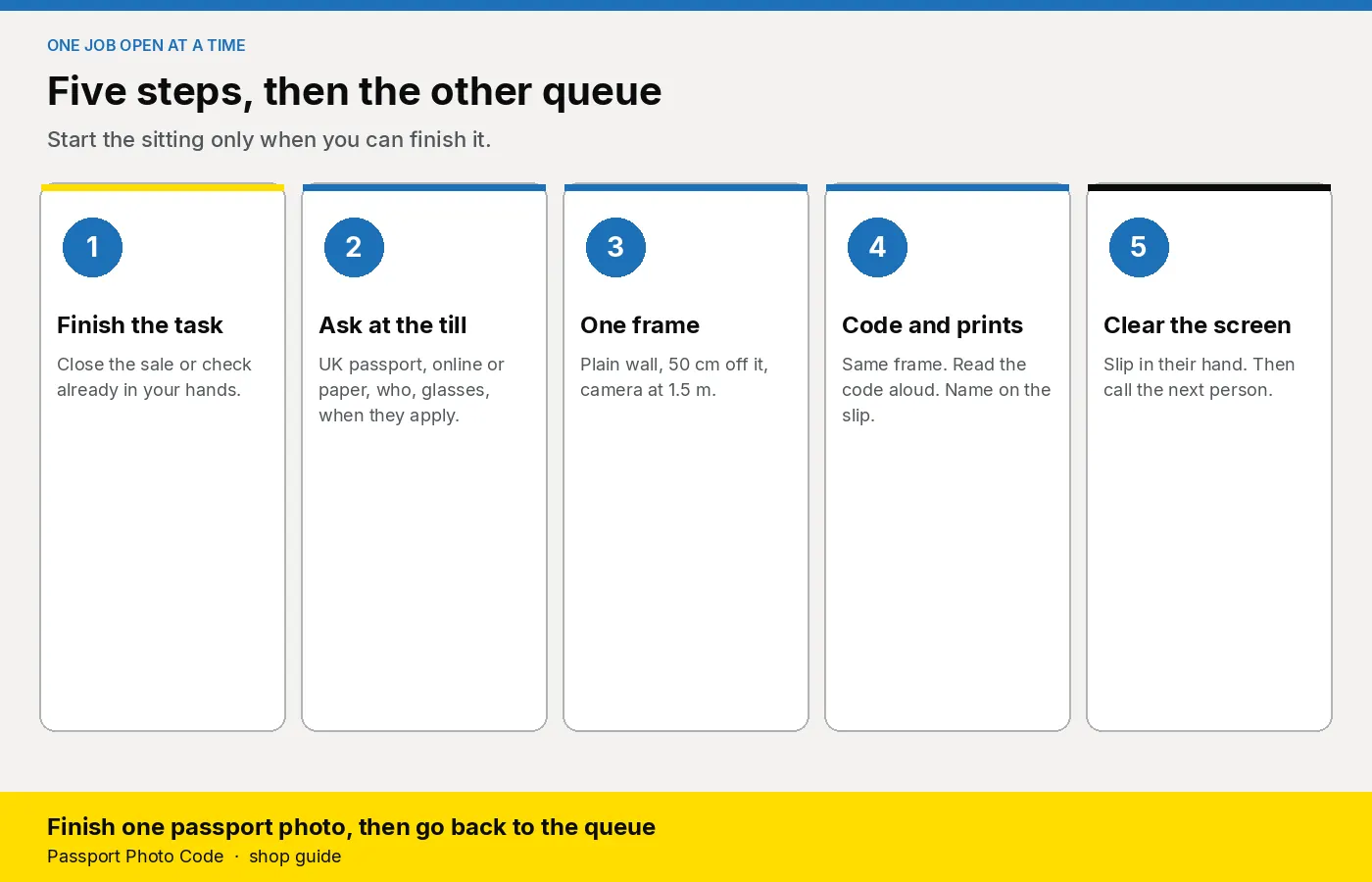
Keep one job open. The photo sitting starts when the previous task is finished, and it ends when the slip is in their hand and the screen is clear.
- Finish the task already in your hands. Complete the sale or check you started, and tell the photo customer they are next. Two open jobs put a code on the wrong slip.
- Stand them on the 50 centimetre mark, or seat them and lower the camera. Keep the head, shoulders and upper body in the frame. Leave the crop to the workspace.
- Take two or three frames. At full size, the sharpest needs a plain wall, no shadow of the head, clear eyes, a closed mouth, and one person. A smile, a hand, a bag or a poster means another frame. Photos for passports says the photograph is unaltered, so do not paint the background or smooth the face.
- Open Passport Photo Studio on the till browser and upload that frame. The workspace formats a digital passport photo to the UK specification.
- If the preview flags a shadow, a second person, red-eye or a filter, shoot again. That preview is a shop check. It is not HM Passport Office's decision.
- Create the Photo Code, read it aloud, and watch 0 and O, and 1 and I. On the slip write the code, the date, the person's name, the shop phone and "UK passport, GOV.UK".
- Print from that same job when they want paper or they have a paper form. Where a countersignature is required, someone who qualifies writes on the back of one print later. Taking the photograph does not make you that person. Countersigning says they have known the applicant, or the adult who signed a child's form, for at least two years. They are not a relative, a partner, or someone at the same address. Leave both prints unsigned and loose.
- Take payment, put the slip and the sheet in their hand, and clear the screen before you call the next person.
Pin the staff checklist beside the camera. Use one handover sentence. "Type this code when the online form asks for the photo, and check the picture is you. The code can be used for an HMPO online application. We are not the Passport Office, and they make the final decision. On a paper form, send these two prints loose, and leave them unsigned unless someone who knows you is signing one on the back." Read the code again while they look at the slip.
When should you ask them to wait?
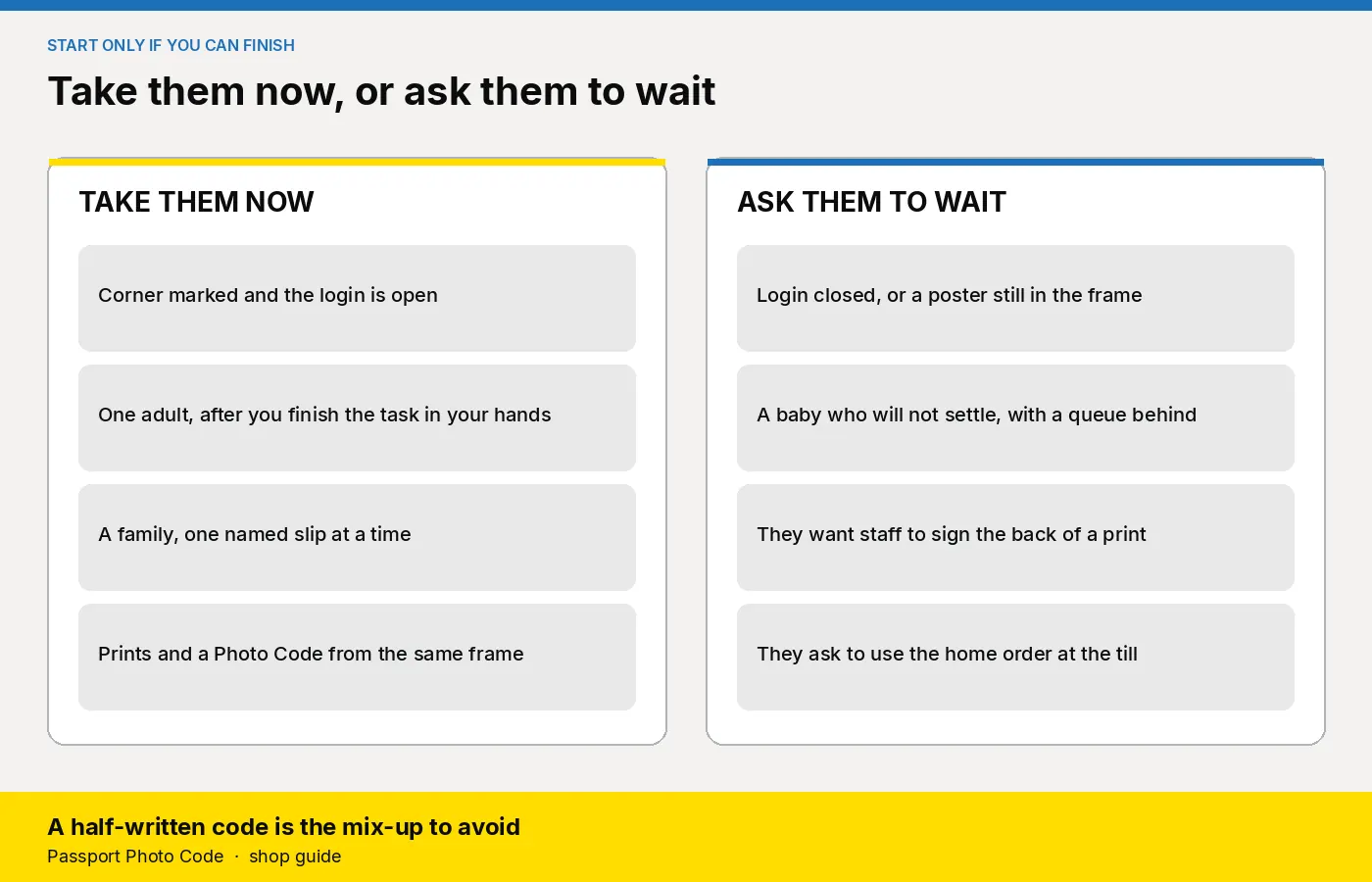
Take the sitting when you can close it. Ask them to wait, or to come back, when you cannot.
| What you see | What you do |
|---|---|
| Corner marked, login open, one adult | Finish the task in your hands, then take them |
| Two or more people | One sitting at a time, with the name on each slip before the next person stands up. A family visit is in passport photos for a whole family |
| A baby who will not settle, with a queue behind them | Offer a quieter time. A long sitting in front of that queue stops both |
| A phone photo with a filter, a crop, or a busy room | A new frame on the marks. The code comes from the frame you have just taken |
| Login will not open, or a poster is in the frame | No code until both are fixed. Say so, and offer a time |
| They ask you to sign the back | Unsigned prints. Who may sign is on the countersigning page |
| They want the home order on this website | A walk-in is a studio job. The £2.99 order is one Photo Code and the digital photo for someone taking their own picture at home |
What should you look for in the software?
- A browser on the till. Passport Photo Studio opens from the studio overview. A locum uses the same page as the owner.
- Three outputs from one frame. A digital photo that meets GOV.UK photo rules, a Photo Code for the HMPO online application, and a print sheet on the printer you already own.
- A login every shift can open. If they cannot, they decline the job. They do not guess a code or send a paying customer through the home checkout.
- No retouch step. Formatting to the UK specification is the job. Smoothing a face fights the unaltered rule.
- A plan that follows real sittings. Compare a quiet week with an annual code pack on pricing. The price on your card stays yours. Plans are quoted for locations and volume.
How do you start this week?
- Open Passport Photo Studio from the studio overview. Use the shop login on the pharmacy till or the camera-shop counter.
- Confirm the corner marks are still clear. Load the passport paper and measure one print: 45 by 35 millimetres, head 29 to 34 millimetres from crown to chin.
- Write the five questions and the wait table on a card. Pin the staff checklist beside the camera.
- Photograph a colleague, read the code aloud, clear the screen, then check the code has gone before you serve the next person.
- Shop plans are on pricing. Questions go to [email protected].
Frequently asked questions
Can one person on the till take UK passport photos?
Yes, when the corner, the camera and the studio login are ready before you open. Finish the task in your hands, complete one sitting, then return to the queue.
Do you need a photo booth?
No. A plain cream or light grey wall, a camera about 1.5 metres away, and a browser workspace cover a staffed sitting. The person on the till reshoots a shadow or a second face.
What should the customer leave with?
A digital passport photo that meets GOV.UK photo rules, a Photo Code they can use for an HMPO online application, and prints from that same frame when they want paper.
Should a walk-in use the £2.99 order?
No. That price is one Photo Code and the digital photo for someone taking their own picture at home. A counter customer is a studio job. Plans are on the pricing page.
What if the only person who knows the software is off?
Decline the job until every shift can open the login and follow the checklist. Do not invent a code, and do not send a paying customer through the home checkout.
Can you pause a sitting to serve the queue?
Close the photo job first, or do not start it. A code left on the screen, or a slip without a name, sends the wrong person home with it.
What if several people want photos at once?
One person, one photograph, one Photo Code. Finish the named slip before the next person stands on the mark. If you cannot close each job, offer a time when you can.
Does the Photo Code replace printed photos?
The code can be used for an HMPO online application. A paper form still needs two identical prints, 45 millimetres high by 35 millimetres wide, sent loose. HM Passport Office makes the final decision on the photograph.