UK Passport Photo Code Not Working? Troubleshooting & Guide
Struggling with a 'Code Not Recognised' error on GOV.UK? This expert troubleshooting guide explains why your UK passport photo code might fail, how to fix common errors, and why uploading a digital photo file is often a more reliable alternative for your online application.
If you’re staring at a red error message on GOV.UK saying "This code is not recognised," you aren’t alone. A failing UK passport photo code is one of the most common snags in the online application process. You’ve likely spent £10 or more in a supermarket photo booth, only for the system to tell you the code doesn’t exist.
A failing code doesn't mean your application is in trouble; it is usually a minor technical glitch or a visual typo. This guide will help you bypass the error and explain why getting a passport photo code online or uploading your own digital file is often a much smoother route for your British passport renewal or first adult application.
Why Your UK Passport Photo Code Isn’t Working
When a photo code fails, the issue typically stems from one of three areas: a database syncing delay (the activation gap), character confusion on the receipt, or a connection failure between the booth provider and the official online UK passport application portal.
The 'Not Recognised' Error: Quick Fixes
A Photo Code is a unique reference provided by a booth or an online service like Passport Photo Code. When you enter it, the HM Passport Office (HMPO) system attempts to fetch the image from the provider’s server. If it fails, try these steps:
- Clear the spaces: Ensure there isn't an accidental space at the start or end of the entry. The GOV.UK system is sensitive and will reject a code due to a single invisible space.
- Verify the field: Ensure you aren't accidentally entering your application reference or old passport number into the photo code box.
- Check the expiry: Most booth codes are only valid for 30 days. After this, images are often deleted to comply with UK GDPR and data protection standards.
The Activation Gap: The 24-Hour Rule
This is the most common reason for failure with brand-new codes. When you use a physical booth, the machine must upload your biometric data to a central database. Due to slow connectivity or server traffic, this isn't always instantaneous. If you just left the shop, wait 24 hours before trying again.
The Alphabet Soup Problem: Mistyped Characters
Many "broken" codes are simply visual errors. Booth receipts are printed on thermal paper that fades or uses ambiguous fonts. If you are struggling with how to use a passport photo code that won't register, look for these visual culprits:
- 0 (Zero) vs. O (Letter): The most frequent mistake in code entry.
- 1 (One) vs. I (Capital I) vs. l (Lowercase L): These often look identical on low-quality prints.
- 5 vs. S and 8 vs. B: Check for tiny serifs that distinguish these characters.
Expert Tip: Use your smartphone camera to zoom in on the receipt. Digital magnification can often reveal the true identity of a blurry character.
Photo Code or Digital File: Which Is Better?
When applying online, you have two choices: enter a UK passport photo code or upload a digital passport photo file. While the code is marketed as a convenient shortcut, it is simply a delivery mechanism for a digital image.
When a Photo Code Makes Sense
Codes are ideal if you prefer a "hands-off" approach. The booth handles the cropping and technical specifications, leaving you only to type in a short sequence. This is a popular choice for those who are less comfortable managing image files on their devices.
Why Direct Digital Upload Often Wins
Directly uploading a JPEG file is frequently the more reliable method. Here’s why:
- Eliminate the 'Middle Man': You aren't relying on a third-party booth server to be online. You have the file on your phone or computer ready to go.
- Higher Success Rates: You can see exactly what you are uploading. There is no "activation gap" or risk of a mistyped code.
- Flexibility: If your photo is rejected by the HMPO automated checker, you can simply take another photo at home rather than returning to a shop for a refund.
Applying from Overseas: The Expat Photo Hurdle
A UK passport photo code abroad can be difficult to find. Most international photo studios (especially in the US or Australia) use local dimensions (like 2x2 inches) which do not meet the 35mm x 45mm UK requirement.
For British nationals overseas, using an online service to generate a digital code from a home-taken photo is the fastest way to ensure your application meets official HMPO requirements without searching for a specialist photographer.
What the HMPO Automated Checker Actually Does
Whether you use a code or an upload, your image undergoes technical validation. The software scans for specific biometric markers to ensure the photo is suitable for your passport. According to HMPO technical guidance, the tool checks:
- Head Position: Ensuring your face is centred and not tilted.
- Lighting: Scanning for "hotspots" (reflections) or deep shadows that obscure features.
- Background: Verifying a plain, light-coloured background without objects or other people.
The 'Green Light' Myth
Note that a "Good" or "Pass" result from the automated tool does not guarantee your passport will be issued. Every photo is ultimately reviewed by a human examiner who may reject an image for subtle issues like a stray hair over the eyes or a non-neutral expression that the AI missed.
Generate Your Own UK Passport Photo Code at Home
If your passport photo code is not working and you're tired of the booth experience, you can create a compliant photo at home in minutes:
- Lighting: Stand facing a window in daylight to avoid shadows.
- Positioning: Stand 0.5m away from a plain, light-grey or cream wall.
- Capture: Ask a friend to take the photo; do not use the selfie camera as it distorts facial features.
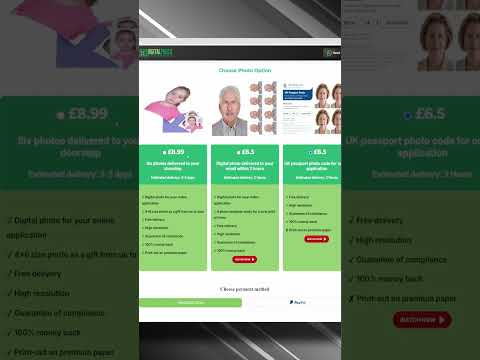
- Process: Upload your photo to Passport Photo Code to receive a checked, compliant code and digital file.
Frequently Asked Questions
How long does a passport photo code last?
Most codes provided by retailers like Photo-Me are valid for 30 days. After this period, the code will no longer work as the image is deleted from their servers for privacy reasons.
Can I use the same photo code twice?
If you are renewing passports for two people, you cannot use the same code. Each online UK passport application photo must be a unique image of the specific applicant.
Why is my passport photo code not recognised?
This is usually due to a typo (confusing 0 and O), an 'activation gap' where the booth hasn't uploaded the data yet, or an expired code. Wait 24 hours or try entering the code again without any spaces.
Do I need a photo code for a UK passport?
No. A code is optional. You can choose to "upload a digital photo" instead, which allows you to use a JPEG file from your own device, often providing more reliability than a booth code.
Troubleshooting Checklist: Your Final Audit
Before you abandon your online application, perform this final check:
- Check the URL: Ensure you are on the official
gov.uksite and not a third-party copycat site. - Browser Cache: If you get a persistent error, try using an 'Incognito' window or a different browser (like switching from Chrome to Safari).
- File Format: If you've moved from a code to an upload, ensure your file is a JPEG and under 10MB.
A UK passport photo code is a tool designed to make your life easier, but technical hurdles are common. Whether you choose to wait for a booth sync or generate a new code online, ensuring your photo meets the technical biometric standards is the most important step for a successful application.