Passport Photo Code vs Digital Photo Upload: UK Guide
Stuck at the GOV.UK photo screen wondering whether to enter a photo code or upload a digital file? This guide explains the technical differences, costs, and official HMPO checks, helping you pick the right option without delays.
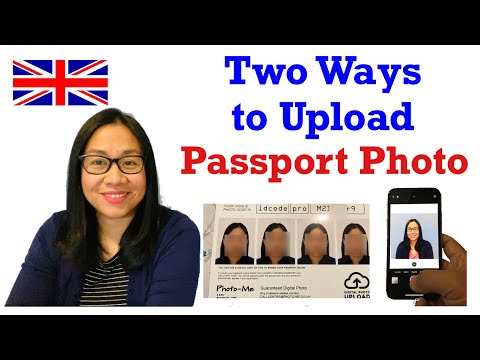
When you apply for or renew a British passport online at GOV.UK, you will hit a page that stops many applicants in their tracks. It presents two clear paths: entering a digital passport photo code, or uploading a digital photo file directly from your computer, tablet, or smartphone.
Commercial photo booth operators often lead you to believe that a photo code is compulsory, or that buying a code guarantees your application will pass without a hitch. Neither claim is accurate.
HM Passport Office (HMPO) accepts both methods without preference. One option is not fast-tracked over the other, nor does a code provide an automatic stamp of caseworker approval. The choice comes down to convenience, cost, where you are applying from, and how comfortable you feel taking a photo at home.
Here is what you need to know about both pathways to make the right choice for your application.
Quick Answer: Photo Code or Direct Upload?
If you want the short version before getting into the technical details, here is the direct answer:
You do not need a Photo Code to apply for a UK passport online. GOV.UK gives equal standing to direct photo uploads and digital photo codes. Both feed your image into the exact same automated checker and caseworker review process.
Is a Passport Photo Code Compulsory?
No. It is an optional convenience tool. When HMPO rolled out digital passport applications, they partnered with high-street photo booths and photography shops so customers would not have to wrestle with USB sticks, SD cards, or emailing image files to themselves.
If you prefer to take your photo at home on a smartphone or you already have a compliant digital file on your laptop, you can bypass the code completely. You simply select "No, I want to upload a photo" on GOV.UK and upload the image directly.
When to Use a Photo Code vs Direct Upload
To decide which route suits your situation, consider this quick rule of thumb:
- Choose a Photo Code if: You are already using an online service or booth that generates one, you dislike managing image files across devices, or you are completing the application on a desktop computer and want to retrieve a photo stored securely on the web without tethering cables.
- Choose Direct Upload if: You have a suitable image saved directly in your smartphone camera roll, you want to avoid third-party storage entirely, or you are applying from outside the UK where high-street booths with HMPO code integrations do not exist.
How Each Method Works Behind the Scenes
Understanding the mechanics of both methods removes much of the confusion.
What a UK Passport Photo Code Actually Does
A UK passport photo code is not an official government credential. It is an alphanumeric retrieval key—usually resembling something like AB12-CD34-EF56—generated by a private provider, photo booth system, or digital photo service.
When you take a photo at an approved retail booth or via an online tool, the system crops and formats your image, then uploads it to a secure cloud server managed by that provider. The provider's server interfaces with the HMPO photo retrieval API. When you paste that code into GOV.UK, the passport application system queries the provider's server, transfers the photo into your application, and runs it through the automated checker.
A photo code is essentially a digital bridge. It carries your photo from a third-party server into your government form. It does not mean HMPO has reviewed, approved, or validated your image beforehand.
How Direct Digital Photo Upload Operates
Direct digital upload eliminates the third-party middleman. When you take a photo using your smartphone or digital camera, the raw file sits on your local storage.
On the GOV.UK portal, you click "Upload your photo", browse your files or photo library, and upload the JPEG or PNG file straight from your device. The image goes directly into the HMPO system. It bypasses any external hosting server.
Distinguishing the Four Photo Terms
Applicants regularly conflate four distinct items during the photo stage. Keeping them straight avoids unnecessary headaches:
- A Photo Code: A temporary alphanumeric reference provided by a private vendor or website to retrieve a photo stored on their server.
- A Digital Photo File: The raw image file (such as
passport-photo.jpg) saved locally on your phone, tablet, or computer. - A Passport Application Reference Number: The official tracking number (starting with
PEXfor online renewals) assigned by HMPO after you submit your application and pay the fee. - Photo Approval: The final decision made by an HMPO human caseworker. No service, booth, or automated tool can grant official approval in advance.
Direct Comparison: Photo Code vs Digital Photo File
To help you weigh the practical differences, here is how the two submission pathways stack up across core criteria:
| Feature | Photo Code Pathway | Direct Digital Upload |
|---|---|---|
| Typical Cost | £10.00 – £15.00 (High street) / Free (Online tools) | Free (Self-taken) / £0 – £10 (Online prep) |
| Where to Get It | Retail booths, pharmacies, or specialised online platforms | Smartphone camera roll, digital camera, or saved file |
| Device Switching | Very easy (Enter an 8-12 character code on any device) | Requires transferring the file if applying on a different device |
| Technical File Handling | Automated (Handled by the hosting provider) | You must check file dimensions, format (JPG/PNG), and file size |
| Storage / Privacy | Stored on a third-party server temporarily (often 48 hours to 30 days) | Stored only on your personal device and HMPO servers |
| Overseas Applicability | Limited high-street support abroad; online tools work worldwide | Works worldwide on any modern internet browser |
| GOV.UK Compliance Check | Automated check runs on GOV.UK immediately upon entry | Automated check runs on GOV.UK immediately upon file selection |
| HMPO Caseworker Discretion | Exact same manual review standards | Exact same manual review standards |
Comparing Costs, Speed, and Hardware
If you walk into a supermarket, pharmacy, or train station booth, a digital photo code typically costs between £10 and £15. For that price, you get a short slip of paper printed with your code and four physical prints you likely will not need for an online application.
By contrast, using a direct upload from your own phone costs nothing in hardware. However, you must make sure your home setup meets HMPO lighting and background standards.
Services like Passport Photo Code bridge this gap. You take a photo on your smartphone in comfortable home lighting, upload it to the service, and the system prepares the image to match the UK digital passport photo specification while running checks for common background and posture issues. You then receive both a compliant downloadable photo file and an instant Photo Code for free, without having to pay £15 at a photo booth.
Privacy, Storage, and Data Retention
Data privacy is a real consideration when choosing between these routes. When you use direct upload on GOV.UK, your image travels straight from your device to HMPO over an encrypted HTTPS connection. HMPO retains that data in accordance with official Home Office retention schedules.
When you use a Photo Code, your image is temporarily held on the private provider's cloud system so GOV.UK can fetch it when you type in the code.
Reputable online services maintain strict data retention policies. For example, Passport Photo Code retains processed images for no longer than 48 hours before automated deletion. If you use an unfamiliar high-street or commercial booth provider, check their privacy policy to see how long your biometric facial data sits on their servers.
Official GOV.UK Photo Standards: The Non-Negotiables
Whether you submit an image via a code or an upload, HMPO tests the image against the exact same standards. A code will not save an image that fails basic biometric requirements.
According to official HMPO rules on digital passport photos, your image must meet two distinct layers of compliance: composition and technical specifications.
Composition and Lighting Rules
- Background: Must be plain, light grey or cream. Pure brilliant white backgrounds often cause issues if your clothing blends in, and dark backgrounds are rejected immediately. There must be no patterns, tiles, wallpaper textures, or household objects visible.
- Lighting & Shadows: Light must fall evenly across your face. There should be no dark shadows under your eyes, behind your ears, or cast against the wall behind you.
- Expression & Gaze: Maintain a neutral expression with your mouth closed. Do not smile, frown, or tilt your head. Look straight into the camera lens with both eyes open and fully visible.
- Headwear & Glasses: Religious or medical head coverings are permitted, but they must not cover any part of your face from the bottom of your chin to the top of your forehead. Everyday glasses should ideally be removed; if worn, frames must not obscure your eyes and lenses must have zero glare or reflections.
Technical File Specifications
If you choose direct digital upload, your file must adhere strictly to the following parameters or the GOV.UK upload tool will block the file before processing:
- File Format: JPG, JPEG, or PNG.
- File Size: At least 50 kilobytes (KB) and no larger than 10 megabytes (MB).
- Pixel Dimensions: A minimum of 600 pixels wide by 750 pixels tall. Standard smartphone cameras naturally produce far higher resolutions, but heavy cropping or compression can drop your file below this threshold.
- Editing: Zero digital manipulation. You cannot use background removal software, AI face smoothing, digital lighting adjustments, or filters. Caseworkers inspect images for digital artifacts, and editing often results in outright rejection.
What Happens After You Submit: Automated Checks vs Human Caseworkers
Many applicants assume that once GOV.UK accepts their code or image file, their photo has been officially approved. This is one of the most common misconceptions in the UK passport application process.
Every photo passes through two distinct evaluation phases:
Step 1: The GOV.UK Automated Photo Checker
The moment you input a Photo Code or upload an image file, the GOV.UK online checker analyses the file using automated algorithms. Within seconds, it returns one of three outcomes:
- Good: The algorithm detected no obvious faults. Lighting, head sizing, eye position, and background uniformity fall within acceptable mathematical tolerances.
- Fair: The system detected a potential issue—such as borderline background contrast, minor shadowing, or suspected glare. The system will describe the problem and ask: "Do you want to submit this photo anyway?"
- Poor: The system detected a critical issue—such as an unrecognisable face, extreme tilt, or unacceptable dimensions. The system will generally prevent you from proceeding with that photo.
If you receive a "Fair" result, you can technically override it and proceed. However, doing so flags your application for heightened scrutiny during the next phase.
Step 2: The Caseworker Manual Inspection
The automated checker is merely a preliminary filter designed to catch egregious errors. The final decision rests with a human caseworker at HMPO.
Caseworkers manually examine the image against strict standards aligned with the International Civil Aviation Organization (ICAO) Doc 9303 biometric travel document specifications. The caseworker will check for subtle issues automated tools miss:
- Faint shadows behind the head on the background wall
- Reflections on prescription lenses hiding the eye contour
- Sub-millimetre head tilts
- Over-exposure that washes out skin tone definition
- Edge distortion or compression blur from third-party editing apps
If the caseworker rejects your photo, HMPO will email you a link to submit a replacement. While this does not cancel your application, it halts processing and can push your passport delivery back by several days or weeks.
Special Scenarios: Choosing the Right Submission Method
Your optimal submission path often depends on your physical location and the applicant's age.
Applying from Overseas as a British National
If you are a British citizen living in Spain, Australia, the United States, or elsewhere, you still use the central GOV.UK overseas passport application portal. However, local photo booths outside the UK do not generate UK HMPO photo codes. A photo booth code from Paris or Sydney will not work on GOV.UK.
In this scenario, direct digital upload is your most straightforward path. You can snap a clear photo against an off-white wall at home using your phone, ensure proper daylight, and upload the file directly. Alternatively, you can run the image through an online service like Passport Photo Code to generate a UK-compatible code and download a pre-checked file, saving you an expensive trip to a specialist consular photographer.
Babies, Toddlers, and Young Children
Getting a toddler or infant to sit still in a cramped, dark high-street photo booth is an exercise in frustration. Boiled sweets, tantrums, and booth height restrictions make photo codes from booths notoriously difficult for children under five.
For young children, capturing the photo at home is universally easier. HMPO relaxes specific rules for young children:
- Children under six do not need to look straight at the camera or maintain a neutral expression.
- Children under one do not need their eyes open, and you can lay them on a plain light-grey or cream cot sheet, photographing them from above.
- No toys, dummies, or supporting adult hands can be visible in the frame.
Taking multiple shots on your phone at home in natural daylight gives you twenty attempts to catch the right frame. You can then upload that file directly to GOV.UK or generate an online code in your own time.
Troubleshooting Common Glitches and Errors
Technical hiccups happen on both submission paths. Here is how to resolve the most common issues without panic.
Photo Code Not Recognised or Expired
If you type in your photo code and receive an error stating the code is invalid or unrecognised:
- Check for character confusions: The most common issue is misreading characters—such as mistyping the number
0for the capital letterO, or1for an uppercaseI. - Check the expiry date: Most high-street photo booth codes expire between 30 and 90 days after generation. If the code has lapsed, the provider's server has likely deleted the image.
- Switch to Direct Upload: You do not need to cancel your passport application or pay for a new photo booth session. Simply hit the "Back" button on GOV.UK, select "No, I do not have a code", and upload a digital file instead.
File Upload Failures and Resolution Fixes
If you choose direct upload and the GOV.UK site rejects your file immediately:
- Check your file size: Modern smartphones capture images at 12 to 48 megapixels, sometimes resulting in file sizes exceeding 12MB. If your file is over 10MB, the government portal will drop it. Resize the image slightly or send it to yourself at high quality (not compressed) to bring it under the 10MB ceiling while staying above 50KB.
- Verify the file extension: Ensure the file ends in
.jpg,.jpeg, or.png. Apple devices set to "High Efficiency" capture in.heicformat by default. GOV.UK cannot read HEIC files. On an iPhone, go to Settings > Camera > Formats and choose Most Compatible, or export the image to JPEG before uploading. - Do not crop tightly: Leave generous space around your shoulders and above your head. The GOV.UK upload system features an automatic cropping tool that fits your head into the biometric oval. If you crop too close to your chin or hair beforehand, the tool cannot frame your face correctly and will reject the file.
Frequently Asked Questions
Does using a Photo Code make my passport arrive faster?
No. A photo code does not provide priority queueing or faster turnaround times. HMPO processing speeds depend strictly on the service tier you select (standard vs fast-track) and current seasonal application volumes. A photo submitted via a code undergoes the exact same manual inspection as a directly uploaded file.
Can I get a Photo Code from my own phone photo?
Yes. You do not have to visit a supermarket booth to get a code. Online services, including Passport Photo Code, allow you to upload a photo taken on your smartphone, prepare it to meet UK specifications, and generate a valid retrieval code you can paste into your GOV.UK application.
Can I use a Photo Code for a paper passport application?
No. Digital photo codes function solely within the online GOV.UK application system. If you are applying using a paper form from the Post Office (including the Post Office Check & Send service), you must submit two physical, printed passport photos that meet the standard 35mm x 45mm print dimensions.
How long is a passport photo code valid before it expires?
Validity periods vary by provider. High-street photo booths like Photo-Me typically keep images accessible for roughly 30 days. Independent online providers often delete photos within 48 to 72 hours for security and privacy reasons. You should only generate or purchase a photo code when you are ready to complete your GOV.UK application within the next 24 to 48 hours.
Is there a fee to enter a photo code on GOV.UK?
Entering a photo code on GOV.UK is completely free. The UK government charges for the passport application itself according to current GOV.UK passport fees (£94.50 for a standard adult online renewal as of current fees), but neither HMPO nor GOV.UK imposes any additional surcharge for using a code versus an upload.
What should I do if GOV.UK says my photo is "Fair"?
A "Fair" rating indicates that the automated checker detected an imperfection (such as slight unevenness in the background or faint shadows). You have the option to proceed, but if a human caseworker determines the issue violates ICAO standards, your application will be delayed while they request a replacement. If you can easily take another photo with cleaner, brighter, indirect daylight, it is always safer to retake the shot and aim for a "Good" result before submitting.
Summary: Which Should You Pick?
Ultimately, neither option holds a procedural advantage over the other when deciding on your UK passport photo submission method.
- If you value simplicity across devices and do not want to handle raw image files, using a service that generates a Photo Code provides a tidy, seamless bridge into GOV.UK.
- If you want zero intermediate servers handling your image, or you are applying from overseas without access to UK photo systems, Direct Digital Upload gives you total control straight from your device.
Whichever route you select, remember that lighting, posture, and facial expression matter far more than the delivery mechanism. Focus on getting a clean, shadow-free shot against an off-white background, and your application will glide through the photo stage without delay.