UK ETA photo requirements: size, background and what to upload
A UK ETA needs a new face photo in the official app or on GOV.UK, not a passport Photo Code. File size, background, glasses, children, and what to retake.
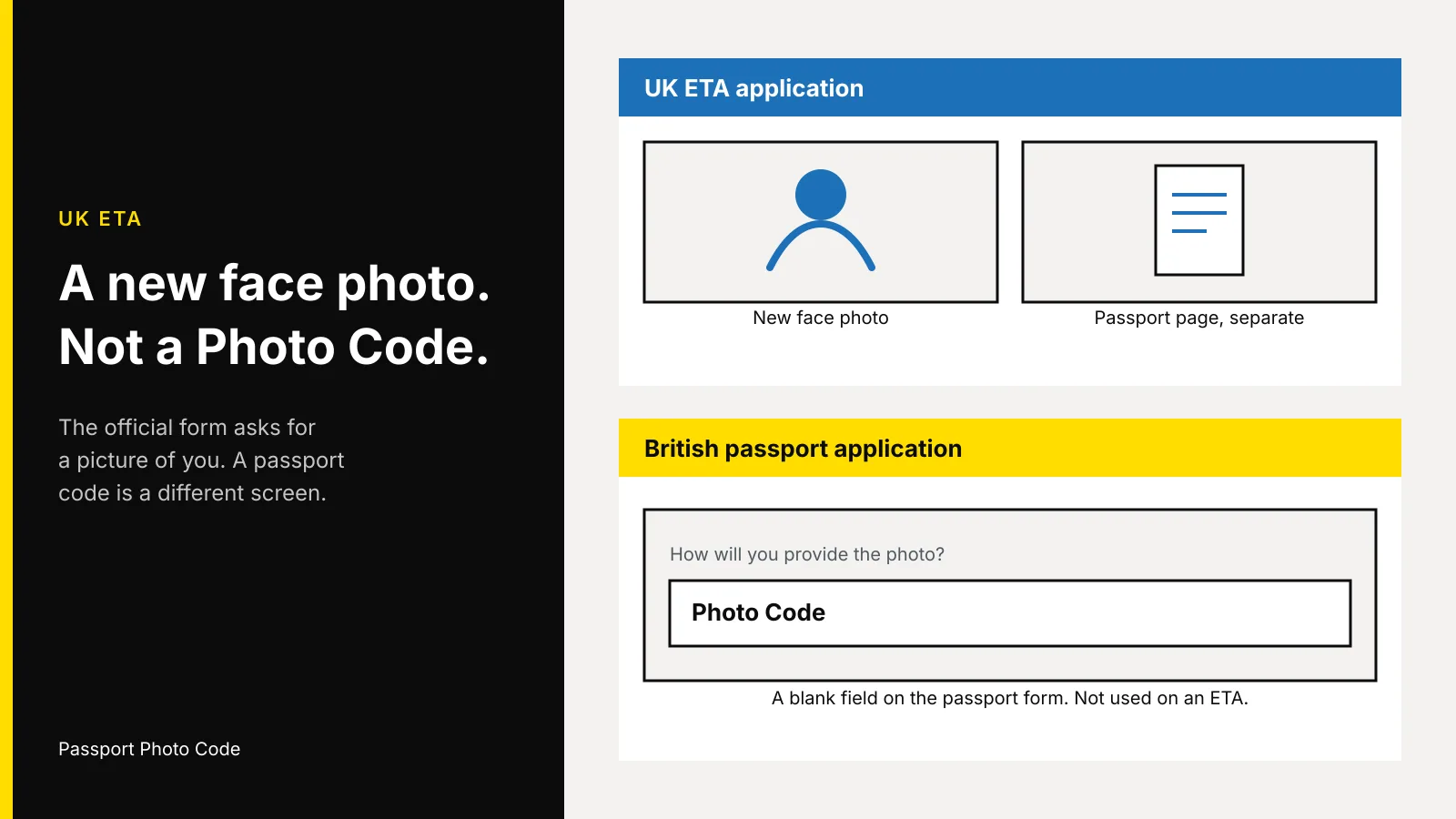
A UK ETA needs a new photo of your face. You take it in the official UK ETA app, or you upload it on the GOV.UK form. Neither screen asks for a passport Photo Code.
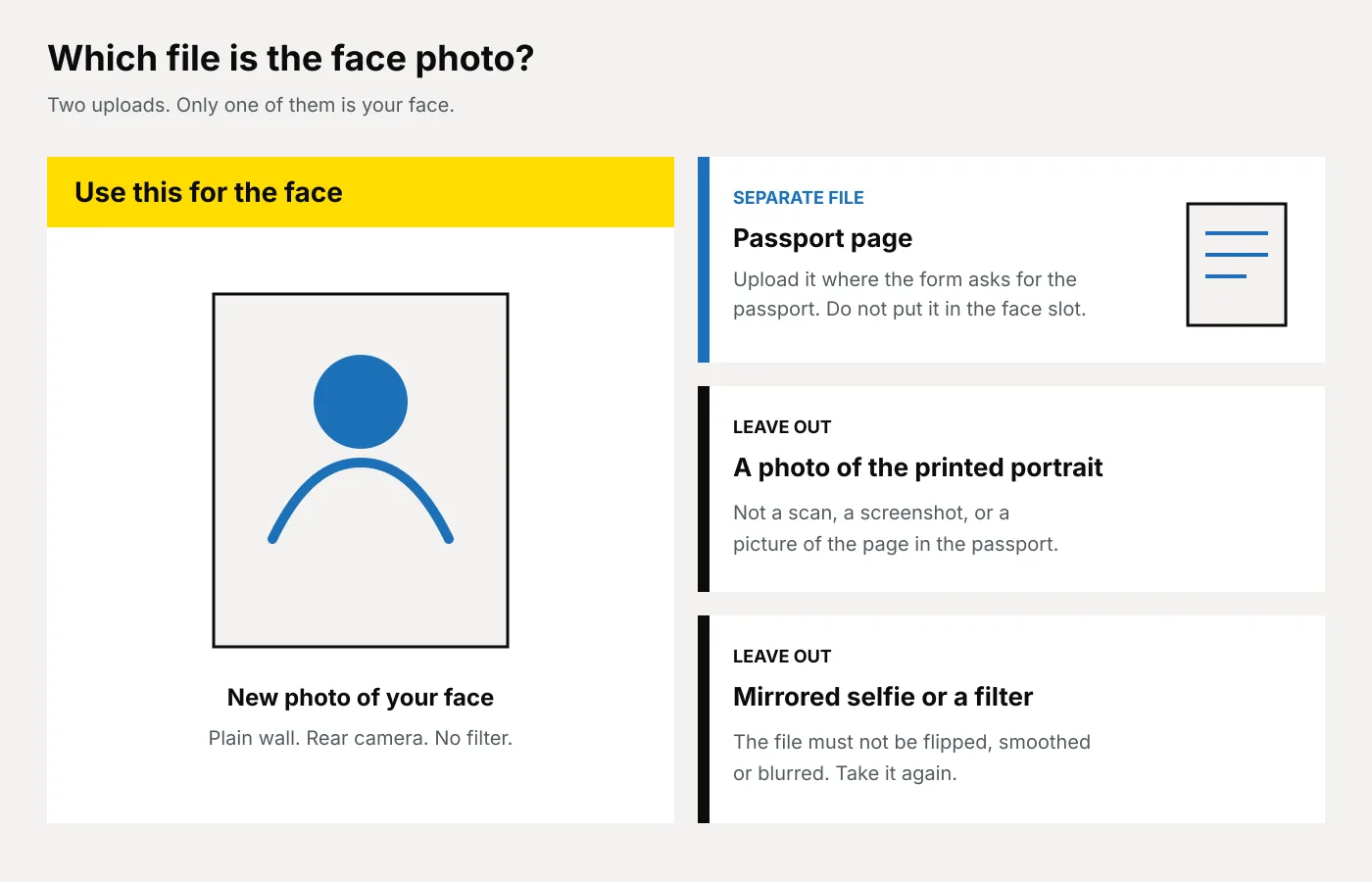
That photo has to be a picture of you, made for this application. It must not be the portrait already printed in your passport, and it must not be a photograph of that portrait. If it misses the rules, the apply page says the application may be delayed or rejected.
Updated 6 November 2026. Passport Photo Code is independent of GOV.UK, UK Visas and Immigration and HM Passport Office. Who needs an ETA is on the ETA overview. The form links its face-photo rules to the UKVI face-photo guide, published 12 February 2026. App steps are in using the UK ETA app, updated 9 April 2026. Immigration Rules Appendix ETA, requirement ETA 1.1(e), also requires the facial image to meet the digital photo rules on photos for passports. Distances in the diagram are from how to take a digital passport photo. Checked on 6 November 2026.
Does a UK ETA use a passport Photo Code?
No. A passport Photo Code is the short reference you type into an HM Passport Office passport application so the form can retrieve a digital photograph. Where it goes is in what a UK passport Photo Code is.
An ETA is linked to the passport you apply with. You need the confirming email before you travel, and border officers still decide entry on arrival. Apply for an ETA asks for a photo of the face: the phone camera in the app, or, online, a photo of the passport plus a separate photo of the face. There is no Photo Code box.
The email contains a 16-digit ETA reference. That number is not a Photo Code, and a Photo Code is not an ETA reference.
Which rules does the face photo have to meet?
Use the UKVI guide the apply page links to. The photo is clear, in colour and in focus, taken in a well-lit room, and unaltered by a filter or other software. It is a JPG or JPEG, vertical, at least 600 pixels wide and 750 pixels tall, between 50KB and 6MB, and not mirrored. It shows only you, on a plain light background, in clear contrast, with head, shoulders and upper body, and no red-eye.
It is not a scan, not a photo of another photo, not the portrait in your passport or identity card, and not a picture of the document. You look straight at the camera, mouth closed, eyes open, hair off the eyes, with no shadow on the face or behind you. A head covering stays only for a religious or medical reason. Glasses come off unless you have to wear them. If they stay, no tint, and no frame, glare or shadow over the eyes. Ask someone else to take it. The guide says that reduces the chance the photo is rejected.
Photos for passports is the other page ETA 1.1(e) names. Use the UKVI limits for the ETA file: JPG, and no more than 6MB. A passport upload may be up to 10MB. For an ETA, do not reuse the portrait already in the passport.
| UK ETA face photo | British passport photo with a code | |
|---|---|---|
| Where it goes | The UK ETA app, or the official online form | The HM Passport Office online passport application |
| What you hand over | A new face photo, in the app or uploaded | A Photo Code, or a file uploaded on that form |
| Portrait already in your passport | Do not reuse it, and do not photograph it | A new photo from the last month |
| File, if you upload one | JPG, vertical, at least 600×750 pixels, 50KB to 6MB, not mirrored | Colour, unaltered, at least 600×750 pixels, 50KB to 10MB |
| A Photo Code field | Not on the ETA app or the ETA form | Yes, when you choose a photo with a code |
How do you take the face photo at home?
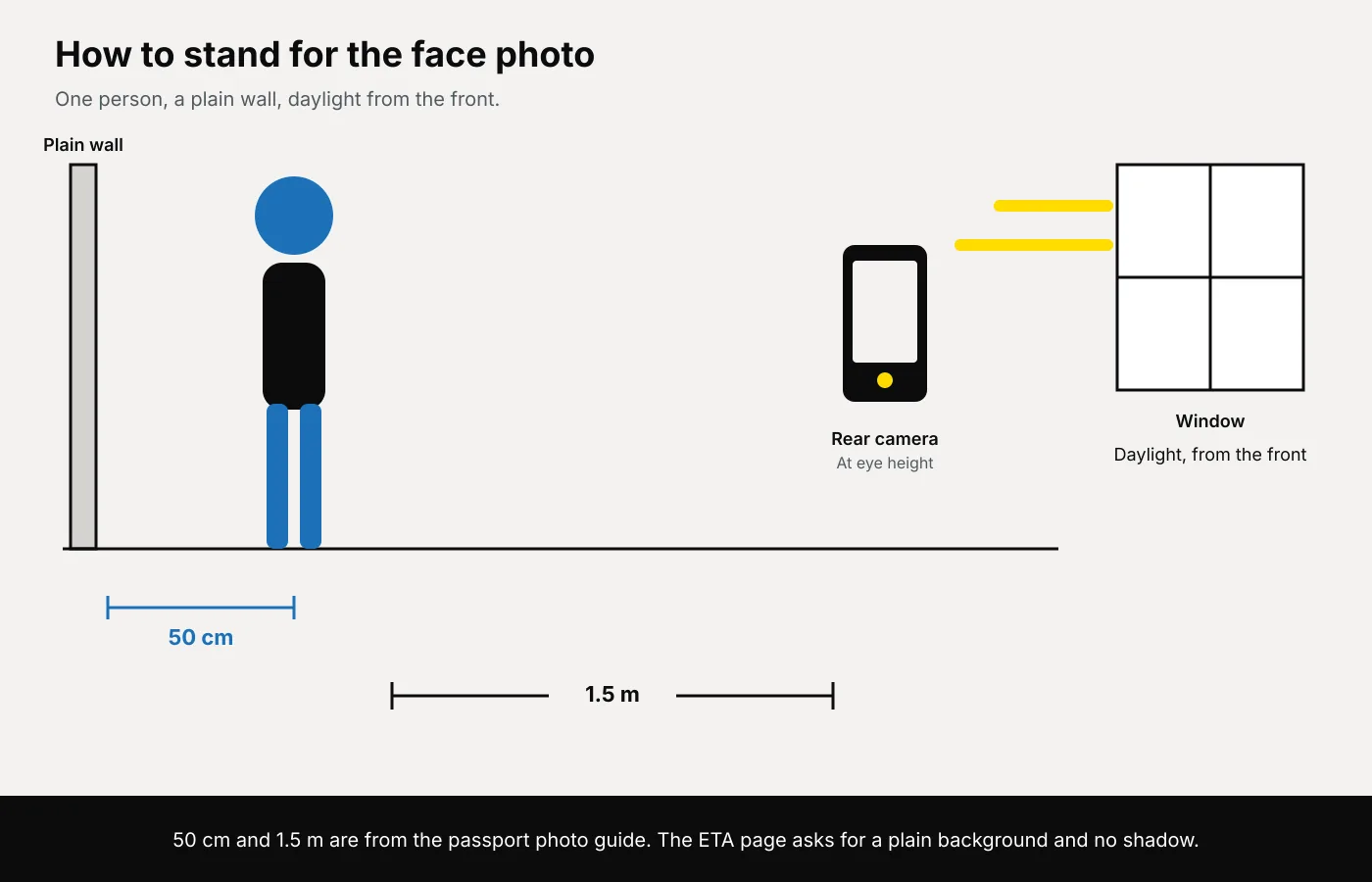
The UKVI guide does not print a distance. It does rule out shadows, red-eye and a busy background. The measurements below are from the passport how-to page, used here because they prevent those faults.
- Use a plain cream, ivory or light grey wall. No shelves, switches, pattern or a doorway in the frame. A pale top on a white wall disappears, so use light grey or a top with a clear edge.
- Stand about 50 centimetres off the wall. The other person stands about 1.5 metres away, lens level with your eyes. A phone above you tips the chin. An arm’s-length shot widens the face and cuts off the shoulders. Include head, shoulders and upper body, and do not crop to a face.
- Face a window. Turn off a ceiling light that throws a hard shadow behind you, and skip a flash that leaves red-eye.
- Look at the lens, mouth closed, eyes open, hair off the eyes. Glasses off if you can. If they stay, turn until the lenses are clear of the window.
- No filter, beauty mode, blur or skin smoothing. Use the rear camera so the file is not mirrored. If you upload instead of using the app camera, save a JPG inside the limits above. Do not repaint the wall in an editor.
The same room for a British passport is in how to take a UK passport photo at home. Do not upload a cropped or formatted file as the ETA face photo. The UKVI guide says the picture must be unaltered.
What should you retake before you submit?
Check the frame before you pay or submit. The rows follow the UKVI guide and the app page.
| What you see | What you do |
|---|---|
| The passport page in the face slot | Move it to the passport upload. Take a new face photo. |
| A photo of the printed portrait | Take a new face photo. Do not photograph a print or a screen. |
| A mirrored selfie, or a filter | Use the rear camera, with beauty mode off. |
| A shadow on the face, or behind the head | Face the window and stand about 50 centimetres off the wall. |
| Another person, a hand, a toy or a dummy | They leave the frame. One person only. |
| Glasses glare, a tint, or a frame across an eye | Glasses off if you can. Otherwise turn until the eyes are clear. |
| Hair across an eye, or no shoulders | Move the hair. Keep head, shoulders and upper body, vertical. |
| A religious or medical head covering, face visible | Keep it. The app guide gives that as the example of a photo you may still submit. |
The app guide lets you retake before you submit. A shadow or a second person is a retake. A religious or medical head covering is the guide’s example of submitting anyway.
What changes for babies and children?
Each person needs an ETA, including babies. On the app the child has to be with you: you take the photo and, from age 10, scan the face. If the child is not with you, apply online, with a photo of their passport and a photo of their face.
The UKVI guide changes the pose by age. The child is alone: no toy and no dummy. Under 6, they need not look at the camera or hold a plain expression. Under 1, the eyes need not be open. You may support the head, but the hand must not show. Lay the baby on a plain light sheet and take the photo from above.
There is no face scan for age 9 or under. The face photo is still required. Under 18, you add contact details for someone with parental responsibility. A British child’s passport photo is a different application, in UK passport photos for babies and young children. An ETA photo does not replace it.
Should you use the app or the online form?
Use the official app or the official form. The overview says an ETA costs £20, that other websites may charge more, and to avoid sites that imitate government services. The apply page says another site cannot speed the decision up, and the fee is not refunded. That sum is the Home Office fee for the ETA, not a charge for a photograph.
- If the person is with you and the phone can run the app, use it. Photograph the passport photo page, scan the chip when there is one, face-scan from age 10, then take the face photo. The app guide lists iPhone 7 or newer on iOS 16, and Android 12 with NFC. Otherwise use the online form.
- If the person is not with you, apply online. The passport page and the face are two files. Check the face file against the rules above.
- Pay on that official screen. Wait for the email before you travel. A decision usually comes within a day and can take 3 working days. The ETA lasts 2 years or until that passport expires, whichever is sooner. Travel on the same passport.
Not sure you need an ETA? Use Check if you need a UK visa first. British and Irish citizens do not, and nor does someone who already has a UK visa or permission to live, work or study. See when you do not need an ETA. A dual citizen with British or Irish citizenship cannot get one. They travel on that passport, or on another passport with a certificate of entitlement.
When is a Photo Code the right tool instead?
Use one when you are applying for a British passport online and you want the digital photo ready first. It cannot be pasted into the ETA app.
From the homepage, choose Create my photo & code, or open the create page. The same order is on online passport photos. You upload a photo taken at home, and we check and format it so that it meets GOV.UK photo rules. The price is £2.99 once, for the Photo Code and the digital passport photo together. The code can be used for an HMPO online application. The passport fee is paid to HM Passport Office. This order does not apply for an ETA.
- Take an uncropped photo on a plain wall, filters off, as in the at-home passport photo guide.
- Upload the original and look at the preview. Retake a shadow, a second person, hair across an eye, or a closed eye before you pay.
- Pay once. Copy the whole Photo Code and download the photo. It is kept for as long as the service needs it, normally 48 hours.
- On the passport form, choose a photo with a code and check the picture is you. The screen is on GOV.UK’s photo-with-a-code page, and the path is on how it works.
HM Passport Office decides the passport photograph. UKVI decides the ETA.
Frequently asked questions
Can I paste a passport Photo Code into a UK ETA?
No. The app uses the phone camera. The online form asks for a photo of the passport and a separate photo of the face. Neither has a Photo Code field.
Can I use the portrait already in my passport?
No. The UKVI guide says it must not be the photo in your passport or identity card, and it must not be a scan or a photo of another photo. Take a new picture of your face.
Can I take the ETA photo as a selfie?
A phone can take it. Ask someone else to use the rear camera from about 1.5 metres, so the shoulders stay in and the file is not mirrored. The guide says it must not be flipped.
What size should the uploaded file be?
JPG or JPEG, vertical, at least 600 by 750 pixels, from 50KB to 6MB. A passport upload on GOV.UK may be up to 10MB. For the ETA file, stop at 6MB.
Does a baby need their own ETA photo?
Yes, including babies. Alone, on a plain light sheet, photographed from above. Under one, the eyes need not be open and a supporting hand must not show. If the baby is not with you, apply online.
I have a British passport. Do I need this photo?
Not for an ETA. British and Irish citizens do not need one. A British passport renewal still needs a new photo from the last month. That is what a Photo Code is for.
Does a Photo Code from this site submit an ETA?
No. It can be used for an HMPO online passport application. An ETA is applied for on GOV.UK or in the UK ETA app, and UKVI decides it.