What photo do you need to replace a lost, stolen or damaged UK passport?
A lost, stolen or damaged UK passport needs a new photo from the last month. What to cancel first, adult and child routes, and a Photo Code for the online form.
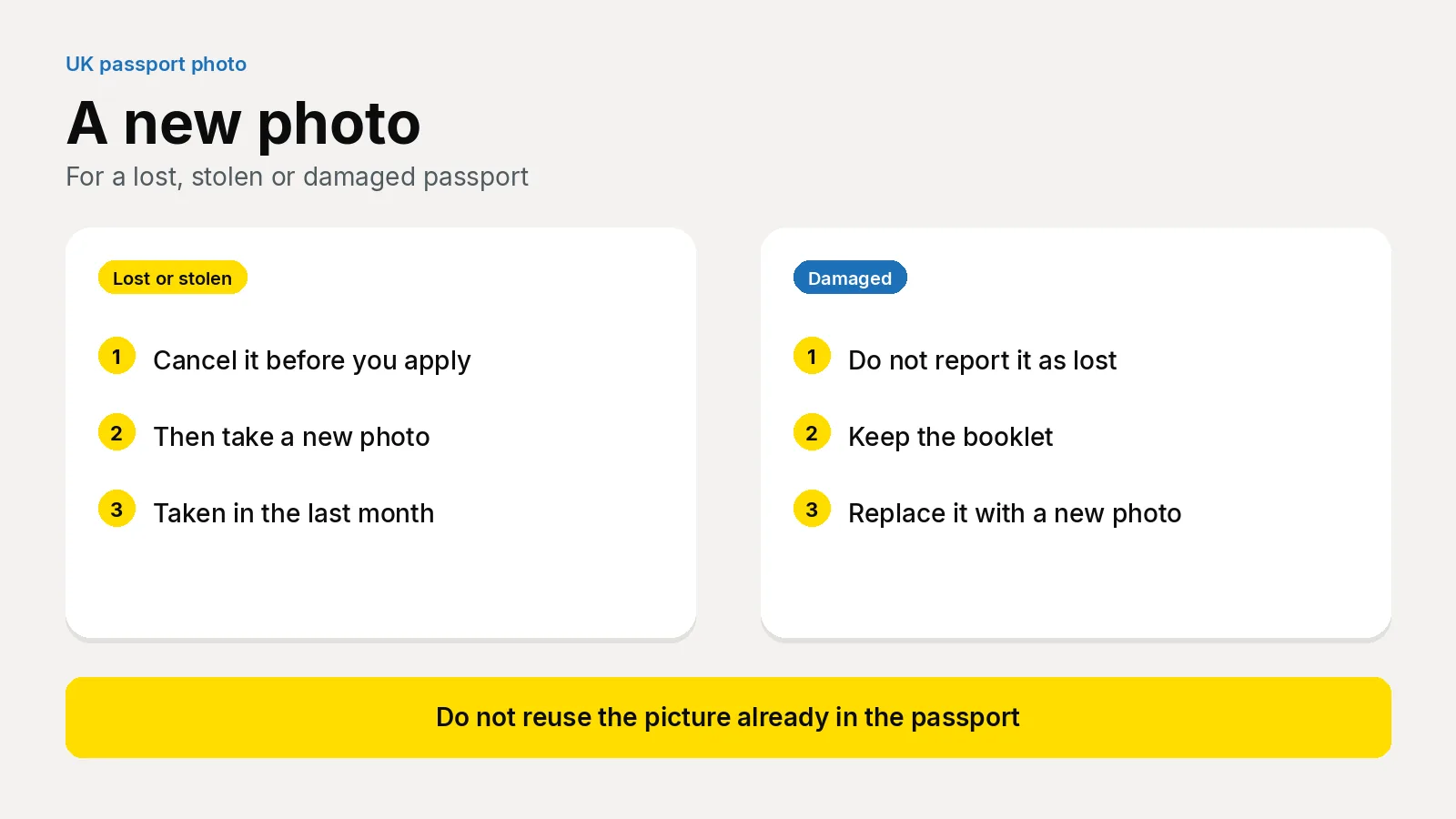
Yes. Replacing a lost, stolen or damaged UK passport needs a new photograph taken in the last month, even if you look the same. Cancel a lost or stolen passport before you apply. Online, you provide a digital photo. On paper, you provide two identical prints.
Updated 31 October 2026. Passport Photo Code is independent of GOV.UK and HM Passport Office. HM Passport Office makes the final decision on every photograph. The fees below are the standard figures on the linked pages. A 54-page frequent traveller passport, and a passport for someone born on or before 2 September 1929, are on the passport fees table.
This is not a renewal, and it is not a change of name. Those applications also need a new photo, and you usually still have the old passport to send. See do you need a new photo to renew or change the name.
Do you cancel the passport before you take the photo?
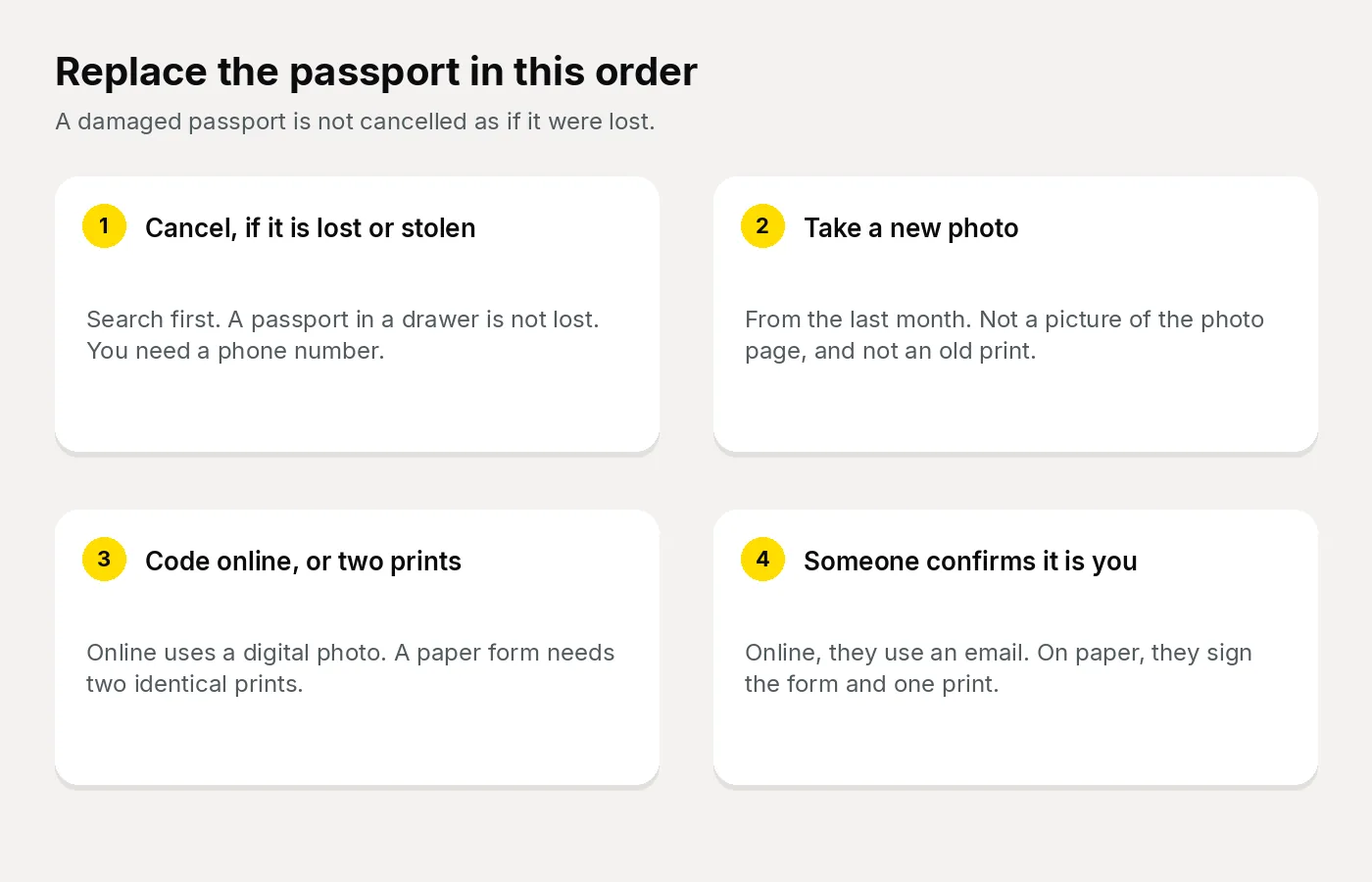
Search first. A passport in a coat, a car or a drawer is not lost. Cancel a lost or stolen passport says you must cancel it as soon as possible, to cut the risk of someone else using it. You need a phone number. You can report a passport for someone else if they cannot do it themselves.
A photocopy, or a photo of the missing passport, can help you answer questions about the number and the dates. That picture is for the cancel form. It is not the photograph for the new passport.
If you later find a passport you have already reported, the paper application guidance says you must return it. You can no longer use it. Do not travel on it while you wait for the replacement.
A damaged passport is a different job. Do not cancel it as lost. Replace a lost, stolen or damaged adult passport says you must replace a damaged passport, and that you may not be able to travel on it. Keep the booklet until the form tells you what to send.
What counts as damage?
HM Passport Office will treat an adult passport as damaged if:
- you cannot read any of the details
- any page is ripped, cut or missing
- the cover has holes, cuts or rips, or is coming away
- the pages are stained, for example with ink or water
A bent corner that still leaves every detail readable is not on that list. If you are unsure, use that definition. Do not cancel a passport you still hold.
For a child, damage has its own form: replace a damaged child passport. You must send the damaged passport. If you apply by post, you also send a letter from someone with parental responsibility explaining how the damage happened.
Which route asks for which photo?
The photograph is new on every route. What changes is whether you cancel first, whether the file is digital or printed, and who confirms that it is you.
| Route | Before the photo | Photograph | Who confirms it is you | Passport fee |
|---|---|---|---|---|
| Adult, lost or stolen, online | Cancel it | A digital photo | Someone confirms your identity online | £102 |
| Adult, damaged, online | Do not cancel it as lost | A digital photo | That page names an online identity check for a lost or stolen passport. Follow the screen you are shown | £102 |
| Adult, on paper | Cancel it if it is lost or stolen | Two identical prints. Someone signs one | A countersignatory signs the form and one photo | £115.50 |
| Child, lost or stolen, online | Cancel it | A digital photo of the child | Someone confirms the child’s identity online, and does not sign a print | £66.50 |
| Child, damaged, online | Send the damaged passport | A digital photo of the child | Someone confirms identity online if the child is under 12 | £66.50 |
| Child, on paper | Cancel it if lost or stolen. Send it if damaged | Two printed photos. One is countersigned | A parent signs. A countersignatory signs the form and one photo. Ages 12 to 15 sign as well | £80 |
Those fees are paid to HM Passport Office. They are not the cost of the photograph. The adult figures are on the adult replace page. The child figures are on the lost or stolen child page and the damaged child page. Optional secure return of documents, on the child paper routes, is an extra £5 chosen on the form.
If you need an interview, the adult page says you will be contacted after the application has been processed, and that video interviews take place online. Do not book travel on a missing or damaged passport.
You can use the Post Office Check and Send service with a paper form. The branch checks the form and the documents. It does not take the place of the photograph. What the visit includes is on how Check and Send works.
What should you leave out of the upload?
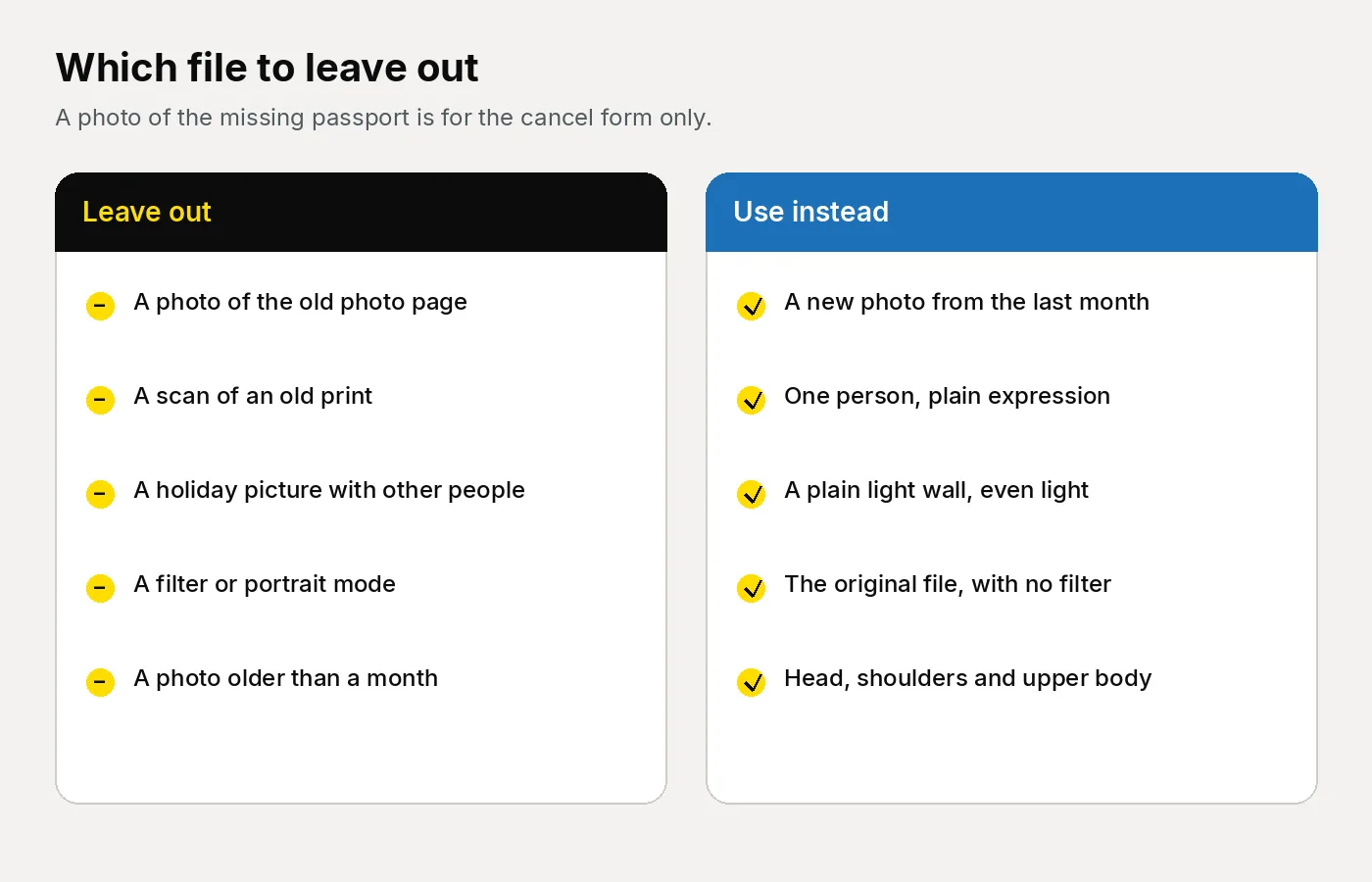
People replacing a passport in a hurry send the wrong picture. The usual one is a photograph of the photo page, or a scan of an old print, because the booklet has gone. Photos for passports says you must get a new photo when you get a new passport, taken in the last month, even if your appearance has not changed. The file must be unaltered.
| What you were about to send | What to do instead |
|---|---|
| A photo of the photo page, or a scan of an old print | Take a new photograph. Use the old image only to help you cancel the passport. |
| The holiday picture from the trip where it went missing | A new frame: plain light background, one person, plain expression, from the last month. |
| A partner still at the edge of the frame | They step out. The photograph is of one person. |
| A parent’s hand on a baby | The hand stays out of the frame. |
| Glasses with the window sitting in the lenses | Off, unless you have to wear them. Then turn until the eyes are clear. |
| A filter, portrait mode, or skin smoothing | Off. Upload the original. |
| A home print on ordinary paper | For a paper form, two identical prints to a professional standard. |
| A photograph older than a month | Take it again before you apply. |
On paper, the prints are 45mm high by 35mm wide, not a cut-down larger picture. The head, from crown to chin, is 29mm to 34mm. They are in colour, on plain white photographic paper, with no border. Only the countersigned print is marked, and they are posted loose, not stuck to the form. The background on a print is plain cream or light grey. Those rules are on printed photos. A Photo Code does not replace the two prints.
A digital photo can use any plain light background, including cream, ivory and light grey. The examiner note in Photo standards says a pattern is a problem when it would show in the passport, and a light head covering can lose contrast on a white wall. If you upload a file yourself on GOV.UK, it must be in colour, unaltered, at least 600 pixels wide and 750 pixels tall, and between 50KB and 10MB. Include your head, shoulders and upper body. Do not crop it. You do not resize a file for this site.
How do you take the new photo?
How to take a digital passport photo sets the distances. The room matters more than the phone. The ordinary setup is in how to take a UK passport photo at home.
- Use a plain cream, ivory or light grey wall. Move pictures, switches and shelves out of the frame. Stand about 50 centimetres from the wall, so the shadow falls away from your head.
- Ask someone else to use the rear camera, about 1.5 metres away, level with your face. On your own, prop the phone and use a timer. An arm’s-length selfie widens the face. Face a window. Leave the ceiling light and the flash off.
- Include your head, shoulders and upper body, with space above the head. Use a plain expression, mouth closed, eyes open, looking at the lens. Keep hair off the eyes. A small smile is still a smile.
- Glasses come off unless you have to wear them. No sunglasses or tint. If they stay, no frame across the eyes and no glare. Headphones come off. A hearing aid stays. A head covering stays only for a religious or medical reason, with the face from chin to forehead clear. An everyday hat or hood comes off.
- One person in the frame. For a child, photograph that child alone. Babies and children under six follow different expression and eye rules, in UK passport photos for babies and young children.
GOV.UK says a photograph from a booth or shop is more likely to meet the rules than one you take on your own device. If the light in the room will not fall evenly, a shop is the sensible stop, especially when you also need two prints.
How do you get a Photo Code for the online form?
Have the photograph ready before you open the replacement. Online, you enter a Photo Code so the form can retrieve the picture, or you upload a digital file. Where the code goes is on the help page for a photo with a code and in what a UK passport Photo Code is.
From the homepage, choose Create my photo & code, or open the create page. The same order is on online passport photos. We check and format the upload so that it meets GOV.UK photo rules. The price is £2.99 once, for the Photo Code and the digital passport photo together. There is no subscription. The code can be used for an HMPO online application. The passport fee in the table is paid separately to HM Passport Office.
- Upload the original, without resizing it, and look at the preview. Retake a shadow, a second person, hair across an eye, or a smile before you pay.
- Pay once. Copy every character of the code, and download the digital photo. The result page and the email both show them.
- On the replacement form, choose a photo with a code, paste it, and confirm the picture is you.
- Use it while the file is held. Photos are kept for as long as the service needs them, normally 48 hours. The photograph still has to be from the last month.
The checks are not a decision by HM Passport Office. The code retrieves the photograph. It does not cancel a lost passport, post a damaged one, or replace the identity check.
Who confirms that the photo is you?
On an online adult application for a lost or stolen passport, you ask someone to confirm your identity. Tell them to expect an email from HM Passport Office. How to confirm someone’s identity says they confirm a digital photo online. They do not sign a printed photo. Ask them before you enter their name. They need your address and your date of birth, including the year.
Who can confirm someone’s identity is a fixed set of tests. They must be 18 or over, live in the UK, and hold a current UK or Irish passport. They must have known you for at least two years as a friend, neighbour or colleague, not only through their job, and they must work in or be retired from a recognised profession, such as a teacher, solicitor, nurse or accountant. Read the list on that page. Do not guess from a job title.
They cannot do it if they are related to you by birth or marriage, in a relationship with you, or living with you. They also cannot do it if they work for HM Passport Office, or for UK Visas and Immigration on British citizenship or right of abode. A doctor can only do it if they know you well, for example as a friend, and not only as your doctor.
For a child under 16, that page says the two years are with the adult making the application. The person confirming also needs the child’s place of birth, and the parents’ names and the years the parents were born. They are confirming the application. They are not taking the photograph, and an older picture that matches their memory is the wrong file.
On paper, the countersignature is a signature, not that email. The adult replace page says someone signs the form and one of the photos. The wording they write is on countersigning passport applications and photos. The other print stays blank. You do not sign the photos yourself. For paper, use a shop. This order does not post prints.
What is different for a child?
Use the child service while the child is under 16. Get a passport for your child says a child who is 16, or who will be within three weeks, follows the adult route if they already hold a passport.
Cancel a lost or stolen child passport first. You may also need any other valid passport the child holds, and any court order about parental responsibility or where the child lives. Someone confirms the child’s identity online and does not sign a print.
A damaged child passport uses the other form, at the same £66.50 online and £80 on paper. You send the damaged passport. The online identity check on that page is for a child under 12. On paper, for a lost or a damaged child passport, someone with parental responsibility signs the form, a countersignatory signs the form and one photo, and a child aged 12 to 15 signs section 6. Fill in sections 1, 2, 3, 4, 9 and 10.
The photograph is of that child alone. No toy, no dummy, and no hand in the frame. Children under six do not have to look at the camera or hold a plain expression. Under one, the eyes may be closed, and the photo is taken from above on a plain light sheet. A school photograph, or last year’s passport picture, is the wrong file.
One child, one photograph, and one code if you are applying online. A second child is a second application and a second photograph.
What if you are abroad and need to travel now?
A replacement sent to an address in the UK will not get you on a flight this week. If you are abroad and need to travel urgently, use the emergency travel document guidance. You can apply online if you have had a passport issued on or after 1 January 2006. The fee on that page is £125, and it is not refunded.
That form asks for a digital passport photo that meets the photo rules and has not been used in a previous passport. The old passport is usually cancelled once you have paid, so you do not cancel it as a separate step first. You will be told if it will not be cancelled, for example because it is already with an embassy, or because you have already applied for a new passport. The page says the document is usually ready to collect two working days after you apply. It can take several weeks if the passport has expired, the application is for a child under 16, the fee is not yet paid, more documents are needed, or you need an appointment. A child under 16 attends with both parents or legal guardians, unless the consent arrangements on that guidance apply.
A Photo Code is for an HMPO online passport application. The emergency document is a different form, so follow the photo instructions there. The order on this site prepares the code and the digital passport photo for the passport application. It does not pay the emergency document fee.
Frequently asked questions
Do I need a new photo to replace a lost UK passport?
Yes. Take a new photo in the last month. Cancel the lost or stolen passport first. Online, provide a digital photo. On paper, provide two identical prints.
Can I use the photo in the passport I have lost?
No. A picture of the photo page can help you fill in the cancel form. The replacement needs its own photograph, taken in the last month and left unaltered.
Do I cancel a damaged passport?
No. Replace it, and do not report it as lost. For a child, send the damaged passport with the application. For an adult, keep it and follow the documents list on the form.
Can I use a Photo Code on the replacement?
On the online form, yes. The code can be used for an HMPO online application, so the form can retrieve the digital photo. A paper form still needs two prints. The code does not cancel the old passport.
Does someone have to sign the photo?
Not on an online application for a lost or stolen passport. They confirm identity by email and look at the digital photo. On paper, a countersignatory signs one print and leaves the other blank.
What photo does a child need?
A new photo of that child alone, from the last month. Under six, expression and gaze are looser. Under one, the eyes may be closed. Online, one Photo Code is for one child.
How much does the photograph cost?
The passport fees in the table are paid to HM Passport Office. On this site, the Photo Code and the digital passport photo together are £2.99, paid once. That order does not post prints.
What if I find the passport after I cancelled it?
Return it. The paper guidance says you can no longer use a passport you reported lost or stolen. Do not travel on it while you wait for the replacement.
Sources
- Replace a lost, stolen or damaged adult passport
- Cancel a lost or stolen passport
- Replace a lost or stolen child passport
- Replace a damaged child passport
- Get a passport for your child
- Passport fees
- Digital photos and printed photos
- How to take a digital passport photo
- A photo with a code
- Who can confirm someone’s identity and how they do it
- Countersigning passport applications and photos
- Photo standards
- Guidance for paper passport applications
- Travel urgently from abroad without your UK passport