UK Passport Photo Codes vs. Digital Uploads: The Ultimate Troubleshooting & Decision Guide
Staring at a 'Code Not Recognised' error or unsure whether to use a booth code or a manual upload? This guide explains the technical differences, fixes common entry errors, and helps British expats abroad navigate the online photo stage.
Staring at a 'Code Not Recognised' error on the GOV.UK website is a common frustration for many applicants. You’ve likely paid for a photo, entered the string of characters, and been told the system cannot find it. Whether you are using a booth in a UK supermarket or you are a British expat in New York wondering why local shops don't offer codes, the digital photo stage is often the most technical part of the application.
Getting a UK passport photo code should be simple, but technical friction is common. Let’s get your application moving again. If your code is currently failing, here is exactly how to fix it.
Quick Fix: My UK Passport Photo Code Isn’t Working
Before you head back to the shop or booth, check these three technical points. Most errors aren't caused by a 'broken' photo, but by how the data is handled or entered into the official online UK passport application photo portal.
- The Character Mix-up: Thermal printers used in photo booths often make certain letters and numbers look identical. The letter O is frequently confused with the number 0. A capital I, a lowercase l, and the number 1 are also common culprits. Try every possible variation of these characters before giving up.
- The 30-Day Expiry: Most booth providers, including Photo-Me (ME Group), only store your photo for 30 days. This is a strict data retention policy to comply with UK GDPR regarding biometric data. If you took the photo over a month ago, the code has likely expired and been purged from their servers.
- The Sync Delay: If you literally just stepped out of the booth, wait 15 minutes. The booth has to upload your high-resolution file to its central server via an API before the HM Passport Office (HMPO) system can retrieve it.
If you have checked these and the code still fails, the link between the provider and HMPO might be experiencing downtime. At this point, it is often faster to switch to a digital upload rather than waiting for a technical fix.
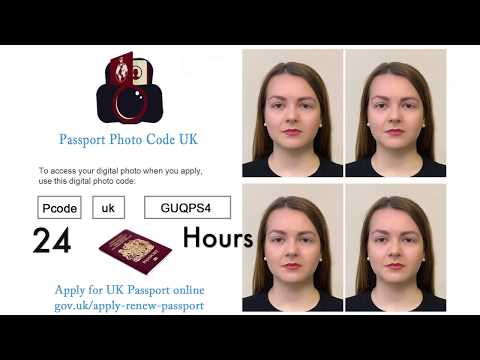
Photo Code or Digital Upload: Which One Should You Choose?
When you start your online application, you will be asked where to enter passport photo code or if you want to upload a photo instead. This is simply a choice between two different ways of getting a file into the HMPO system. Neither method guarantees approval, as HMPO makes the final decision based on their strict digital photo standards.
The Case for the Photo Code
A Photo Code acts as a digital key. You enter the code, and HMPO’s website automatically fetches the photo from a third-party server.
- Pros: You don’t need to worry about file sizes, cropping, or formatting. It’s handled for you by the booth or service provider.
- Cons: You are reliant on that third party's server being online. You also generally pay more for the convenience of the code compared to taking your own photo.
When the Digital Upload Wins
The digital upload involves taking a photo (usually on a smartphone) and uploading the raw .jpg file directly to the GOV.UK portal. This is the primary method used by those who choose to get a passport photo code online through independent digital services.
- Pros: It is often cheaper or free. It is the standard method for anyone applying from outside the UK. You have full control over the file and do not need to worry about a lost passport photo code.
- Cons: You must ensure the lighting and background meet official requirements yourself.
The 'Code Not Found' Mystery: Why Your Photo Code Failed
Aside from typos, there are structural reasons why a passport photo code not working is such a common issue. Most physical booths in the UK use a specific digital handshake to talk to the Passport Office. If that handshake fails because of a server glitch on either side, your code won't work.
Furthermore, the Information Commissioner's Office (ICO) sets high standards for the protection of biometric data. This means providers cannot keep your photo indefinitely. If you are a 'procrastinating' applicant who took the photo weeks ago, that data is likely gone. This is why digital services with shorter, more transparent retention windows are often more secure.
The Overseas Struggle: Why Can't I Get a Code Abroad?
British expats in the USA, Australia, or Europe often waste hours asking local photographers for a "UK Photo Code."
The Reality: The Photo Code system is a proprietary UK infrastructure. International photo shops are not part of this network. If you are applying from abroad, do not look for a code. You must use the digital upload method. Take a high-quality photo with your phone and use a service to ensure it meets UK specifications before uploading the file directly to GOV.UK.
Decoding the HMPO Checker: Good, Fair, and Poor Results
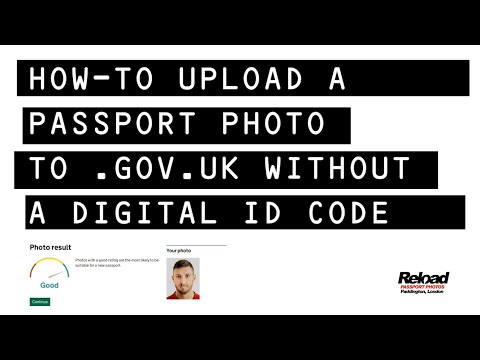
Once your photo is in the system—either via code or upload—an automated tool will give you a rating. Understanding HMPO automated checker results is vital for a successful application:
- Good (Green): The software didn't find any technical issues with lighting or positioning. You should proceed.
- Fair (Amber): The tool might warn of "shadows on the face" or "background too dark." If the shadow is minor (like a slight shadow behind the ears), you can usually proceed. Human examiners are often more lenient than the AI on tiny technicalities. However, if the warning is about your expression, do not proceed.
- Poor (Red): The system will block you. This happens with blurry images or if your face isn't clearly detected.
Technical Requirements for Manual Uploads
If you choose the passport photo code vs digital photo upload path and decide to upload manually, you must meet these specific HMPO standards:
| Requirement | Specification |
|---|---|
| File Size | 50KB to 10MB |
| Minimum Dimensions | 600px wide x 750px tall |
| File Format | .JPG or .JPEG (Convert from HEIC if using iPhone) |
| Distance | Stand 1.5 metres from the camera to avoid distortion |
For more help on getting the shot right at home, see our guide on taking a UK passport photo at home.
Lost Codes and Damaged Receipts: The Recovery Process
If you lose a booth receipt, the code is usually gone forever. Because booths do not ask for your name or email, they cannot 'look up' your photo in their system.
Online services are different. If you use a digital provider, your code and photo file are typically sent to your email immediately. This creates a permanent record you can access even if you lose your phone. If you have a lost passport photo code from a booth, your only option is usually to take a new photo and upload the digital file manually.
Frequently Asked Questions
How to use a passport photo code correctly?
Enter the code exactly as it appears on your receipt when prompted by the GOV.UK website. Ensure you are not confused by '0' and 'O'. The system will then show you the photo it has retrieved for your approval.
Can I use one code for multiple people?
No. Each code is unique to one photo. For a family application, you need separate codes or digital files for each person.
Do I need a code for a paper application?
No. Photo codes are strictly for online applications. Paper applications require two physical printed photos. If you have a code, you cannot use it for a paper form.
Does a 'Good' result guarantee my photo will be accepted?
No. The automated checker only looks at technical quality (lighting, focus). A human examiner still reviews the likeness and can reject it if they feel it does not accurately represent you.
Final Decision Framework
- In the UK? Use a Photo Code if you are already at a supermarket with a booth and don't mind the higher cost.
- Applying from Abroad? Use the Digital Upload method. No international booth can provide a working UK passport photo code.
- Troubleshooting a Code? Check for typos (0 vs O). If it fails after 15 minutes, stop troubleshooting and upload a digital file instead to save time.
- Privacy Conscious? Use a service with a short retention window (like our 48-hour policy) to ensure your biometric data is not stored longer than necessary.
Regardless of the method you choose, ensuring your photo meets the official HMPO criteria is the most important step in securing your new British passport.