UK Passport Photo Codes: How to Fix Errors and Apply from Abroad
Struggling with an 'unrecognised' UK passport photo code or a 'poor' checker result? This guide provides technical fixes for common code errors, explains when to ignore automated warnings, and shows British expats how to get a valid digital code online.
If you're staring at a "code not recognised" error message on the GOV.UK website, you aren't alone. You’ve probably already tried squinting at a tiny receipt from a supermarket photo booth, re-typing a string of characters for the fifth time, and wondering why a simple photo has become the most stressful part of your passport renewal.
Getting a UK passport photo code is designed to simplify your application, but technical glitches or simple typos can easily stall the process. This guide breaks down exactly why these errors happen and how to get past the photo stage of your application without having to visit a chemist or a booth for a second time.
The Digital Handshake: What Your Photo Code Actually Does
A UK Passport Photo Code isn’t actually your photo; think of it as a retrieval key. When you use a compliant service, your image is stored on a secure, third-party server. The code you’re given tells the HM Passport Office (HMPO) system exactly where to find that image and pull it into your application.
It’s a Key, Not Proof of Approval
It is vital to understand that having a Photo Code doesn't mean your photo has been approved by the government. It only means the photo has been prepared to the correct technical dimensions. HMPO makes the final decision on every photo during the manual review of your application. You can find the full list of rules on the official GOV.UK passport photo requirements page.
Photo Code vs. Digital Upload: Which is Better?
You have two choices when applying online: enter a code or upload a digital file (.jpg) from your device.
The Photo Code (High-Convenience)
This is the path most people take if they use a booth (like Photo-Me) or a specialist online service. The advantage is that the service has already cropped the photo to the 7:9 aspect ratio and checked that your head is the right size.
The Direct Upload (DIY)
You can take a photo on your smartphone and upload the file directly. It’s free and fast, but you carry the risk. If your phone’s “portrait mode” has blurred the edges of your hair, or if the file is too large, the system might reject it immediately.
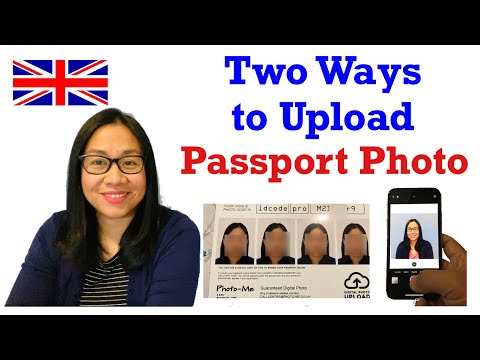
Expert Tip: If you're struggling to get the lighting right at home, using a service like Passport Photo Code lets you take a photo on your phone but gives you a professional code to use, bridging the gap between DIY and booth reliability.
Troubleshooting: When Your UK Passport Photo Code is Not Working
If the system says your code isn't recognised, it's usually one of three technical or clerical issues. Don't panic and pay for a new photo until you've checked these common fixes:
1. The Character Confusion
Receipts from photo booths are often poorly printed or use ambiguous fonts. The most common mistakes involve confusing similar-looking characters:
- 0 (Zero) vs O (the letter)
- 1 (One) vs I (Capital i) or l (Lower case L)
- 5 (Five) vs S (Sierra)
- 8 (Eight) vs B (Bravo)
Try every variation of these before giving up. If you have a digital copy of the code, always use copy-and-paste to avoid these errors.
2. The 30-Minute Rule
If you’ve just stepped out of a booth and tried to enter the code on your phone while still in the supermarket, it might fail. The booth needs time to upload the high-resolution file to its central database. Give it at least 30 minutes. If it’s been over two hours and it still doesn't work, the booth's internet connection may have failed, and you'll need to contact the vendor (e.g., Max Spielmann or Photo-Me).
3. The Expiry Window
Most codes are not permanent. Depending on the provider, they often expire after 30 days. This is both for your privacy and to ensure your photo is a “recent likeness.” If your code is months old, the server has likely deleted the image. For more details on document standards, you can refer to the ICAO 9303 international standards for travel documents.
Deciphering the GOV.UK Photo Checker
Once you enter your code or upload a file, the official website uses an automated tool to give you a verdict: Good, Fair, or Poor.
The 'Fair' Verdict: Should You Risk It?
This is the most confusing result. A "Fair" rating means the AI has detected a potential issue—maybe a slight shadow behind your ear or your head isn't perfectly level.
Should you submit it?
- Yes: If the photo is clear, your eyes are fully visible, and the background is plain and light-coloured. A human examiner will look at all "Fair" photos and usually pass them if the "error" is just a technical quirk of the AI.
- No: If the AI says your mouth is open or your eyes are covered by hair. These are hard rules, and a human will likely reject the application, costing you time.
The Expat Solution: Getting a UK Code Abroad
If you’re a British national in the USA, Australia, or Europe, you face a major hurdle: local photo standards differ significantly from British ones.
The 2x2 Inch Problem
In the US, passport photos are 2x2 inches (square). UK photos must be 35mm wide and 45mm high (rectangular). If you go to a local pharmacy in New York or Sydney, they won't give you a UK Photo Code, and their digital files will be the wrong shape. For those living abroad, the HMPO Overseas Passport Applications guide provides further context on the process.
Using Passport Photo Code solves this for expats. You take a photo at home, upload it, and we provide a UK-standard code that works perfectly in the online application, no matter where in the world you are.
Technical Specs and Privacy
For those doing a manual upload, your photo must meet these technical benchmarks:
- Dimensions: Minimum 600 pixels wide by 750 pixels high.
- File Size: 50KB to 10MB.
- Format: .jpg or .jpeg only.
Pixels, Formats, and Retention
At Passport Photo Code, we prioritize your data security. We only retain your photo for 48 hours—just long enough for you to complete your application—before it is purged. Once submitted, HMPO handles your data according to the official HMPO Personal Information Charter.
Frequently Asked Questions
How do I use a passport photo code?
To use a code, navigate to the photo section of your online UK passport application. Select the option "I have a code from a photo booth or shop," enter your unique sequence of characters, and click "Submit." The system will then retrieve your digital photo.
What if I lost my passport photo code?
If you have lost your code, you will need to contact the service provider (the shop or booth owner) where you took the photo. If they cannot retrieve it, you may need to take a new photo. If you used an online service, check your email confirmation.
Can I get a passport photo code from my own photo?
Yes. Services like Passport Photo Code allow you to upload a photo taken on your smartphone. The service then processes it to meet official standards and generates a valid UK passport photo code for your application.
Does a photo code guarantee acceptance?
No. A code ensures your photo meets technical size and file requirements, but HM Passport Office staff conduct a manual check for compliance with rules regarding expression, background, and lighting.
Summary: Don't Let the Tech Stop You
If your UK passport photo code fails, double-check for character errors or wait 30 minutes for server synchronization. If the checker gives a "Fair" result, use your judgment on lighting and facial expression. For British nationals abroad, using a dedicated online code provider is the most reliable way to ensure your photo meets the rectangular UK dimensions rather than local square standards.
Ready to skip the stress? You can get a digital passport photo and code right here in minutes. Safe travels!