UK Passport Photo Code vs Digital Upload: Which to Choose?
Deciding between a UK passport photo code and a direct digital photo upload on GOV.UK? This in-depth guide compares both options across costs, device compatibility, privacy windows, and HMPO examiner scrutiny to help you choose the right path.
When you reach the photo stage of an online UK passport application on GOV.UK, the system presents you with two clear options: enter a digital photo code or upload a digital photo file directly from your device.
If you have never encountered a photo code before, or you are wondering whether you need to trek down to a high-street booth to buy one, the short answer is simple: Neither route gives you an advantage in approval or processing speed with HM Passport Office (HMPO). Both methods feed into the exact same automated assessment tool and end up before the same human passport examiners.
A UK passport photo code is simply an alphanumeric retrieval key. It tells HMPO’s servers to fetch an image that was taken and pre-checked elsewhere—such as at a high-street photo booth, pharmacy, or through an independent online photo service. Direct upload, by contrast, takes a digital file (.jpg or .jpeg) stored on your phone, tablet, or computer and sends it straight to GOV.UK.
Here is how both options stack up side by side:
| Factor | UK Passport Photo Code | Direct Digital Photo Upload |
|---|---|---|
| Mechanism | Alphanumeric retrieval key pointing to an external server | Direct file transfer (.jpg / .jpeg) from local device storage |
| Official Preference | None. GOV.UK treats both identically | None. GOV.UK treats both identically |
| Typical Cost | £10 to £15 at high-street booths; free via online tools | Free if using your own phone; variable if paying a photographer |
| Convenience | Fast typing on mobile; avoids file browsing | Quick if the photo is already saved in your device camera roll |
| Examiner Scrutiny | Subject to automated check + human examiner review | Subject to automated check + human examiner review |
| Guaranteed Acceptance? | No. The code only fetches the image | No. Passing the initial tool is not final approval |
| Overseas Validity | Only works with UK-compliant code systems | Universal; works anywhere in the world |
| Paper Form Use | Invalid. Cannot be written on paper forms | Invalid. Paper applications require physical printed photos |
Let's unpack how each method works behind the scenes, where the genuine trade-offs lie, and how to choose the right path for your specific circumstances.
What Exactly Is a UK Passport Photo Code (and What It Isn't)?
To understand whether you need a code, it helps to strip away the commercial marketing that often surrounds them. Photo booths and retail counters frequently brand digital codes with slogans that imply official partnership or guaranteed government clearance.
In reality, a photo code is an alphanumeric string generated by an external photo provider. It acts like an index token. When you enter that code into your online application, GOV.UK connects via a secure application programming interface (API) to the provider's storage server, retrieves your cropped portrait, and pulls it into your application screen.
It is worth separating a few terms that often get mixed together:
- Photo Code: A short string of letters and numbers used solely to transfer a hosted photo into an online application.
- Downloadable Digital Photo File: A standalone graphic file (usually a
.jpg) saved locally to your device that meets official dimensions and framing standards. - Printed Passport Photo: Two identical physical photographic prints measuring 35mm wide by 45mm high, cut to size, used for paper applications.
- Passport Application Reference: A tracking number (often starting with
PEX) assigned by HMPO to monitor your overall passport application progress.
How the Photo Code Retrieval Pipeline Operates
When a booth or digital photo service generates a code, it stores your processed image in a cloud database for a set period. The provider formats the code according to specifications that allow the GOV.UK platform to recognise which server holds the file.
When you type the code into the passport portal, the following sequence occurs:
- GOV.UK validates the syntax of the code.
- The system sends an automated query to the external provider’s server.
- The provider's database transfers the raw image data over an encrypted connection.
- GOV.UK ingests the image and immediately runs its own automated biometric checks against the photo.
- The image appears on your screen for you to confirm your identity.
At no point during code generation has anyone at HM Passport Office seen, assessed, or rubber-stamped your photo. The code is simply a digital courier.
Dispelling the 'Guaranteed Acceptance' Myth
One of the most persistent misconceptions among passport applicants is that buying a photo code provides guaranteed acceptance. Booth operators often state that their systems check your image against official GOV.UK passport photo rules. While those automated booth algorithms do check basic parameters—such as whether your eyes are open or if the background is plain—they cannot predict the final judgment of a human examiner.
HMPO examiners review every single photo submitted, regardless of whether it arrived via a code from a £15 supermarket booth or via a direct upload from an iPhone. An automated system might mark lighting as acceptable, but an examiner examining the image on an ultra-high-definition monitor may spot faint shadows behind your ears, slight reflections across your spectacle lenses, or subtle pixelation that causes them to fail the image.
A photo code guarantees retrieval, not passport issuance.
Direct Digital Photo Upload Explained
Direct digital photo upload is the baseline method built into the GOV.UK application portal. Rather than relying on an external provider to host your image and issue a retrieval code, you take a photo using a digital camera or smartphone, save it to your device, and upload the file straight from your local storage.
For most people applying from a smartphone or modern laptop, this is the most direct route. It cuts out the middleman entirely.
Technical Standards: Pixels, File Size, and Aspect Ratio
If you choose direct upload, your photo must adhere to the official rules for digital passport photos. If your file fails these baseline automated criteria, the GOV.UK system will refuse to let you proceed to the next page:
- Dimensions: At least 600 pixels wide by 750 pixels tall.
- File Size: A minimum of 50 kilobytes (KB) and a maximum of 10 megabytes (MB).
- File Format: Baseline
.jpgor.jpeg. Files saved as.png,.heic(standard iPhone format), or.pdfmust be converted before uploading. - Framing: The image must show your head, neck, and upper shoulders clearly, with generous space left around your head so HMPO's system can crop it automatically to the standard ratio.
Modern smartphones easily exceed the 600 x 750 pixel minimum. The trap most applicants fall into is either standing too close to the camera (leaving no room for cropping) or uploading an unsupported file format like Apple's raw .heic file.
The Real Benefits of Going Directly from Your Device
Direct uploading gives you total control over the process. If you take a photo against a plain cream wall in your living room and the automated system flags that the lighting is too dark on one side, you do not have to purchase another voucher or sit inside a hot booth again. You simply adjust your position toward a window, take another snap, and upload the new file within seconds.
There is no cost attached to the upload tool on the government portal. You can take dozens of attempts until you capture an expression and lighting balance you feel confident submitting.
In-Depth Comparison: Where the Two Routes Truly Diverge
Choosing between a code and a direct upload rarely comes down to HMPO policy, since the government accepts both without prejudice. Instead, the decision hinges on workflow, device ergonomics, data privacy, and cost.
Workflow and Device Ergonomics
Your user experience depends heavily on the device you use to complete your application:
- Applying entirely on a smartphone: Direct upload is exceptionally fluid here. When the GOV.UK site asks for your photo, tapping "Upload photo" opens your phone's photo library. You pick the photo you took five minutes earlier, and it uploads immediately. Entering a photo code on mobile requires copying or typing an alphanumeric string, which is equally simple but adds an extra step.
- Applying on a desktop computer with a photo taken on a phone: This is where a photo code provides distinct practical convenience. If you prefer filling out lengthy form fields, address histories, and countersignature details on a desktop keyboard, getting a mobile photo onto that desktop can sometimes be clumsy (requiring AirDrop, emailing files to yourself, or cloud syncing). A photo code sidesteps that file transfer. You generate a code on your phone or at a booth, sit down at your desktop, type the code into the browser, and the image populates instantly.
Privacy, Biometrics, and Data Retention Windows
Facial imagery used for passports constitutes biometric data under UK data protection legislation. When evaluating how your photo is handled, the underlying technical pipelines treat retention quite differently:
- Direct Upload: Your file transfers straight from your personal device into HMPO's encrypted environment. No commercial third party retains a copy of your biometric profile.
- Commercial High-Street Booths: When you use a photo booth or retail studio, your image sits on their private cloud server until the code expires. Many commercial operators retain facial images for up to 30 days to allow for application delays or retakes. The Information Commissioner's Office (ICO) requires biometric processors to maintain strict retention controls, but having your image stored on external servers naturally expands your digital footprint.
- Independent Online Code Services: Privacy policies vary dramatically. For example, Passport Photo Code deletes processed photos within 48 hours, keeping the exposure window narrow while giving you plenty of time to submit your application on GOV.UK.
If you prefer that no third-party database ever touches your digital portrait, uploading a file directly to GOV.UK is the most private option.
Cost Breakdown: High Street Booths vs Free Self-Upload
A physical high-street booth in a shopping centre, rail station, or pharmacy typically charges between £10 and £15 to generate a printed sheet accompanied by an IDPC (International Digital Photo Code). For a family of four renewing passports together, that quickly adds £40 to £60 on top of official passport application fees.
Taking your own photo at home and uploading it directly to the government portal costs nothing.
If you want the convenience of an automated compliance check and a photo code without paying retail markups, an independent online tool bridges the gap. Passport Photo Code prepares your photo to UK digital passport photo specifications, checks for common compliance flaws, and generates both a ready-to-use photo code and a downloadable digital image completely free of charge, requiring no card details or registration.
Decision Matrix: Which Route Fits Your Situation?
To make your decision straightforward, look at which of these common application scenarios matches your current setup.
                                  WHERE ARE YOU APPLYING?
                                             |
                    +------------------------+------------------------+
                    |                                                 |
              Inside the UK                                     Outside the UK
                    |                                                 |
          APPLICATION FORMAT?                               APPLICATION FORMAT?
          +---------+---------+                             +---------+---------+
          |                   |                             |                   |
       Online               Paper                        Online               Paper
          |                   |                             |                   |
   DEVICE USED?         PRINTED PHOTOS               CANNOT USE BOOTH    PRINTED PHOTOS
   +------+------+      (Codes Invalid)             Use Direct Upload    (Codes Invalid)
   |             |                                   or Online Generator
Mobile        Desktop
   |             |
DIRECT         EITHER
UPLOAD      (Code avoids
             file transfer)
Scenario A: Applying from Home on a Smartphone
Best Route: Direct Upload (or an online preparation tool).
If you are holding the smartphone that took the photo, direct upload is fastest. You do not need to generate a code if you know how to frame the photo properly against an off-white background with balanced natural daylight.
However, if you are unsure whether your home lighting has cast subtle shadows or whether you are framed correctly, running your snapshot through an online tool gives you peace of mind. You get the pre-checks done, and you can either download the optimised file to upload directly or punch in the resulting code.
Scenario B: British Citizens Applying from Overseas
Best Route: Direct Digital Upload (or a UK-specific online code generator).
If you are living in Australia, Spain, the United States, or elsewhere, you still use the central GOV.UK online passport service to renew your British passport.
A common and expensive mistake expats make is visiting a local pharmacy or photo booth in their resident country expecting to receive a UK photo code. Overseas photo booths cannot generate codes compatible with the UK government database. Local booths operate on national standards—for instance, US passport specifications demand a 2x2 inch square format, which HMPO's system will reject immediately.
For applicants abroad, direct digital upload is universally compatible. Alternatively, take a photo on your phone, upload it to a UK-focused online platform to get it framed to British standards, and use the digital code or file provided.
Scenario C: Applying via a Paper Form (Post Office Check & Send)
Best Route: Physical Printed Photos Only.
If you are applying using the paper SE04 form (often chosen by applicants who prefer paying by cheque or who struggle with digital devices), you cannot use a photo code or a digital upload.
We regularly hear from applicants who paid £12 at a high-street booth, received a digital code on a receipt, and attempted to write the 9-digit code in the margins of their paper form. HMPO processing centres will promptly reject the form. Paper applications require two physical, printed 35x45mm photographs clipped to the form, with one countersigned if required.
Scenario D: Troubleshooting a Failing Code
Best Route: Switch Immediately to Direct Upload.
If you purchased a photo code at a retail shop or photo booth and the GOV.UK site returns an error saying "Code not recognised" or "We could not retrieve your photo", do not panic. You do not need to abandon your application.
Simply select the option on screen to "Upload a digital photo" instead. If the booth gave you access to a web link to download your digital image file, save that file to your computer or phone and upload it directly. You bypass the broken database link entirely without waiting for retail customer support.
How to Enter Your Photo Code on GOV.UK (Step-by-Step)
If you have a photo code from a booth, a high-street retailer, or an online service, here is exactly how to submit it during your application.
1. Select "Enter a code" on the GOV.UK photo options screen
   │
2. Type your alphanumeric code into the input field
   │
3. Click "Continue" to trigger the server-to-server retrieval
   │
4. Confirm your identity when the retrieved image appears
   │
5. Review the automated compliance screening result (Pass / Warning)
Navigating the Portal Screen
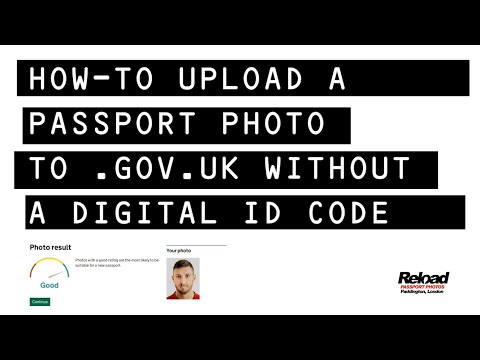
- Begin your application at GOV.UK and proceed past the personal details and current passport number screens until you reach "Your photo".
- When asked "Do you have a digital photo code?", select Yes.
- Type your code carefully into the text box. Most codes follow a distinct provider pattern (for example, starting with letters indicating the provider followed by numbers and hyphens).
- Click Continue. The page will show a loading indicator while it fetches the image across the secure API link.
- Once retrieved, your image will appear on screen alongside your applicant details. Check that the image belongs to you and hasn't been corrupted during retrieval.
Troubleshooting Code Entry Errors
If the system rejects your code, check for these common issues before assuming the service is down:
- Character Confusion: The most frequent problem is misreading characters printed on a paper receipt. Check whether you have typed an uppercase letter
Oinstead of a zero0, a lowercaselor uppercaseIinstead of a number1, or aVinstead of aU. - Activation Lag: High-street booths upload images in batches via cellular connections. If you walk out of a booth and try to enter the code on your phone within two minutes, the booth might not have finished uploading the file to its host server. Wait ten minutes and try again.
- Expired Tokens: Photo codes do not last indefinitely. Most commercial booths host images for roughly 30 days before scrubbing the database. If you took your photo two months ago, the code has likely expired, and you will need a fresh photo.
What HM Passport Office Checks After You Submit
Regardless of whether your photo entered the system via a digital code or direct file upload, it faces an identical two-stage vetting procedure before HMPO issues your new passport.
+-------------------------------------------------------------------------+
|                        SUBMISSION (Code or Upload)                      |
+-------------------------------------------------------------------------+
                                     │
                                     ▼
+-------------------------------------------------------------------------+
|                   STAGE 1: AUTOMATED BIOMETRIC SCREEN                   |
|  - Eye-to-chin distance (biometric landmarks)                           |
|  - Contrast separation between subject and background                   |
|  - Centring and head tilt angles                                        |
|  - Resolution thresholds (minimum 600 x 750 pixels)                     |
+-------------------------------------------------------------------------+
                                     │
                                     ▼
+-------------------------------------------------------------------------+
|                   STAGE 2: HUMAN EXAMINER INSPECTION                    |
|  - Eyeglass glare and frame obscuring pupils                            |
|  - Subtle shadows across neck, ears, or backdrop                        |
|  - True plain expression (mouth closed, no faint smile)                 |
|  - Digital alteration, beauty filters, or artificial smoothing          |
+-------------------------------------------------------------------------+
                                     │
                                     ▼
+-------------------------------------------------------------------------+
|                    FINAL DECISION (Approved / Rejected)                 |
+-------------------------------------------------------------------------+
The Automated Biometric Screening
The moment your photo is uploaded or retrieved, GOV.UK’s algorithm runs a series of spatial checks aligned with international standards set by the International Civil Aviation Organization (ICAO Doc 9303).
This software checks:
- Head Positioning: Ensuring your head is centered and not tilted sideways or backward.
- Subject-to-Background Contrast: Verifying that your hair and clothing stand out distinctly from the off-white or cream background.
- Landmark Mapping: Locating your eyes, nose tip, and mouth corners to ensure the facial area meets the standard biometric measurement ratio.
- Clarity and Focus: Flagging severe blur, low resolution, or compression artefacts.
If the automated checker returns a Green result, it indicates that your image meets the technical baseline. If it returns an Amber warning (for instance, noting that the background appears slightly uneven), the system allows you to submit anyway if you believe the warning is a false alarm. A Red result blocks submission entirely.
The Human Examiner Inspection
A green pass from the automated tool does not guarantee your photo is accepted. HM Passport Office processing standards dictate that a trained passport examiner manually verifies every submitted image on an examiner console.
Examiners routinely reject photos that received a green rating from the automated tool for reasons algorithms struggle to catch:
- Reflections and Glare on Glasses: Even small specular highlights on spectacle lenses that touch the iris or pupil will trigger a rejection under HMPO guidelines.
- Micro-Expressions: A subtle smirk or parted lips that the automated algorithm classed as neutral will be flagged by an examiner inspecting the image.
- Uniformity of Lighting: Weak overhead bulbs often create soft shadows beneath the chin or behind the shoulders. While the software might overlook faint tonal shifts, examiners will fail photos that compromise facial edge clarity.
- Skin Smoothing and Compression: Examiners reject photos that appear filtered or softened by modern smartphone portrait modes. Passport photos must represent a true, unedited likeness without artificial depth-of-field effects.
Understanding this dual-layer verification makes one thing clear: focusing on achieving proper lighting, neutral posture, and a clean background is far more important than whether you submit via a code or a direct upload.
Frequently Asked Questions
Do I need a photo code to renew my UK passport?
No. A photo code is entirely optional. You can upload a standard digital photo file (.jpg or .jpeg) directly from your phone, tablet, or computer. Both methods are treated identically by HM Passport Office.
Is a photo code safer or more accurate than uploading a photo myself?
No. A photo code merely retrieves an image hosted elsewhere. It does not carry higher security clearance, nor does it guarantee acceptance. The photo retrieved by a code goes through the exact same automated checks and examiner inspections as a direct file upload.
Can I use one photo code for multiple family members?
No. A photo code links to a single specific image stored on the provider's server. Every applicant in a family group must have their own unique photo code or individual image file.
How long is a photo code valid before it expires?
Validity periods vary by provider. Most high-street photo booths host images for roughly 30 days before deleting them to comply with data protection regulations. Some online platforms hold photos for shorter periods, such as 48 hours, to improve user privacy. Check the terms on your receipt or confirmation screen.
What should I do if my photo code is rejected by the GOV.UK system?
If the government site says your code is not recognised, double-check for character typos (such as mistaking zeros for the letter O). If it continues to fail, bypass the code entirely: download the raw digital photo file to your device and choose "Upload a digital photo" instead.
Can I use a photo code for a first adult passport?
Yes. First-time adult passport applications support both photo codes and direct digital uploads via the standard online service on GOV.UK.