UK Passport Photo Code vs. Digital Upload: Troubleshooting Guide
Struggling with a UK passport photo code not working or wondering if you should upload a digital file? This expert guide compares both methods, explains technical specs, and provides troubleshooting steps for HM Passport Office photo errors.
You're halfway through your UK passport application, sitting in front of your laptop with a supermarket photo booth receipt in hand. You type in that 9-digit code, hit submit, and... nothing. "Code not recognised." Or perhaps you're looking at a sharp digital photo you took yourself and wondering if skipping the high street booth is a recipe for a rejection letter.
Both methods—the UK passport photo code and the Digital File Upload—are official and valid. Neither carries more weight with HM Passport Office (HMPO). The right choice depends entirely on your technical confidence and where you are in the world.
The Direct Answer: Should You Use a Photo Code or a Digital Upload?
If you are in the UK and want a straightforward, retail-led experience, a UK passport photo code is the most convenient option. However, if you are applying from abroad or prefer control over your image quality, a Digital Upload is often more reliable because it removes the middleman and retail server sync issues.
Quick Comparison: Codes vs. Files
| Feature | Passport Photo Code | Digital File Upload |
|---|---|---|
| Best For | UK high street convenience | Expats and DIY applicants |
| How it works | You enter a short alphanumeric code | You upload a .jpg or .jpeg file |
| Common Error | "Code not recognised" | "File too large" or wrong aspect ratio |
| Reliability | Relies on the retailer's server sync | Extremely high (if specs are met) |
| Cost | £10–£15 in most shops/booths | Free (DIY) to ~£7 (online services) |
The Digital Handshake: How Passport Photo Codes Actually Work
A UK passport Photo Code isn't the photo itself; it's a retrieval key. When you use a booth or a service like Passport Photo Code, your image is stored on a secure, third-party server. When you enter that code into the GOV.UK site, the government's system sends a request to that server to fetch the file.
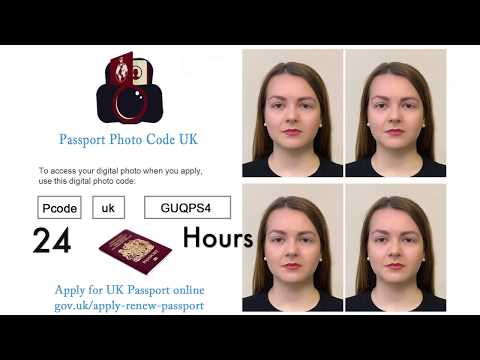
Because this is a "handshake" between two different computer systems, things can occasionally go wrong. If the retailer’s server is undergoing maintenance or if the connection is slow, your code won't work, even if the photo is perfect.
The 48-Hour Sync Window
This is the most common reason for a "Code not recognised" error. If you've just stepped out of a supermarket booth and tried to use the code immediately, it might fail. Many retail systems don't sync in real-time; they often upload data in batches.
Expert Tip: If your code fails, wait two hours and try again. If it still isn't working after 24 hours, it's time to contact the provider or double-check for typos.
Fixing 'Code Not Recognised' Errors
If you've waited and the system still rejects your code, the issue is usually human error or a mistyped passport photo code. Booth receipts are often printed on thermal paper that smudges, making characters hard to read.
Character Confusion: The 0 vs O Trap
UK passport codes are alphanumeric. The most frequent mistakes involve:
- 0 (Zero) vs. O (Letter): Try swapping them. Most systems try to avoid using both, but errors still happen.
- 1 (One) vs. l (Lowercase L) vs. I (Uppercase i): On a smudged receipt, these look identical.
- 5 (Five) vs. S (Letter): Another common confusion point.
If you used an online service, always copy and paste the code from your email rather than typing it out manually.
When Codes Expire or Go Missing
Do codes expire? Yes. Retailers typically keep your photo for a window of 30 to 180 days. If you took your photo months ago and only just started your application, the code may have been purged. This is a common reason for a lost passport photo code being invalid. Always check the provider's retention policy under UK GDPR regulations.
Digital File Upload: The Precision Method
Don't think of the direct upload as a "workaround." It's actually the most robust method because it removes the retailer’s server from the equation. You are giving the file directly to HMPO.
Technical Specs: Pixels, Ratios, and Formats
To use this method, you must follow the GOV.UK photo standards precisely. If the file doesn't meet these specs, the website will reject it before you even see the photo checker.
- Format: It must be a .jpg or .jpeg. If you're using an iPhone, ensure it hasn't saved as a .HEIC file.
- File Size: Between 50KB and 10MB.
- Aspect Ratio: It must be a 4:3 portrait ratio.
- Dimensions: At least 600 pixels wide and 750 pixels tall.
Aspect Ratio and the 'File Too Large' Error
If you get a "wrong size" error, it's usually about the dimensions (pixels) rather than the megabytes. A 20-megapixel photo from a high-end phone can cause the government's server to time out. Using a tool like our passport photo checker ensures your file is cropped and compressed to the exact requirements.
Applying from Abroad: The Expat Challenge
If you're a British national in the US, Australia, or the EU, you've likely found that local booths don't offer "UK Photo Codes." A booth in a New York pharmacy or a Paris studio won't provide a 9-digit code compatible with the UK system.
Why International Booths Won't Give You a Code
The Photo Code system is a specific UK infrastructure. For expats, the Digital File Upload is your universal solution. You can take a photo at home following our guide on how to take a UK passport photo at home and upload the file directly. This is the most reliable way to obtain a UK passport photo code abroad or skip it entirely in favour of a direct file.
The GOV.UK Photo Checker: Myth vs. Reality
Once you enter your code or upload your file, you'll see an automated result: "Good," "Fair," or "Poor."
Why a 'Green Tick' Doesn't Mean Approval
The automated checker is an AI that looks for basic geometry—where your eyes are and whether you're in the centre of the frame. However, human examiners at HMPO perform the final review. According to the HM Passport Office guidance, AI cannot always detect subtle lighting issues or background shadows.
Common Reasons for Manual Rejection
A human examiner looks for nuances the AI misses:
- Contrast issues: If your hair or clothing blends into the background.
- Eye clarity: Subtle reflections on glasses that obscure the iris.
- Shadows: HMPO policy is incredibly strict about shadows on the face or background.
- Headroom: Ensure there is space above your head in the frame.
Privacy and Data: How Long is Your Photo Stored?
Biometric data is sensitive. Under the Data Protection Act and ICO guidance, services must be transparent about retention. At Passport Photo Code, we typically retain photos for no longer than 48 hours. In contrast, some high street booths may retain images for months to support their "retrieval code" service.
Frequently Asked Questions
Can I use the same code for two different applications? No. A code is tied to a single photo and application. For multiple family members, each person needs a unique code.
The website says my photo is 'Fair' (Amber). Should I submit it? It is risky. An "Amber" result often leads to manual rejection, adding weeks to your processing time. It is safer to retake the photo for a "Good" result.
Does HM Passport Office prefer the code? No. Their systems process the image identically whether submitted via code or upload. They prioritize the ICAO international standards for biometric quality over the submission method.
What should I do if my passport photo code is not recognised? First, check for typos (0 vs O). Wait 2-24 hours for server sync. If it still fails, contact the retailer or use a digital file upload instead.
If you're ready to skip the high street and get your compliant photo and code today, you can get started right here.