UK Passport Photo Code vs Digital Upload: The Ultimate Troubleshooting & Decision Guide
Stuck between a Photo Code and a manual upload for your UK passport application? This 2,000-word expert guide breaks down the technical differences, solves 'Code Not Found' errors, and explains why the HMPO checker gives you those frustrating 'Poor' results. Whether you're applying from London or Sydney, learn how to bypass the technical friction and get your photo right the first time.
If you have reached the photo stage of your online UK passport application, you have likely hit a technical wall. You are staring at two distinct options: "Enter a photo code" or "Upload a digital photo." On the surface, it seems like a simple choice of convenience. However, if you have spent any time on British expat forums or Mumsnet, you have likely seen the horror stories of a UK passport photo code not being recognised, photos being rejected after three weeks of silence, or the dreaded HMPO automated checker telling you your professional studio photo is "Poor."
The short answer is: Use a UK passport photo code whenever possible. It is a pre-validated retrieval key that ensures your photo meets the strict 600x750 pixel requirement and biometric alignment before you even submit your application. While a manual digital upload is a valid fallback, it places the entire burden of technical compliance, cropping, and file compression on you.
I have spent years analysing the technical side of these applications. The reality is that the UK’s digital passport system is one of the most advanced—and pedantic—in the world. It is not just about whether you look like your photo; it is about whether your image file looks like a piece of data the government’s AI can digest. Here is how to navigate this process without wasting £88.50 on a rejected submission.
The Short Answer: Which Method Should You Choose?
If you want the path of least resistance, choose the Photo Code. It is the closest thing you will get to a "guaranteed" technical pass.
A Photo Code (or retrieval key) is essentially a digital shortcut. When you enter that alphanumeric string into the GOV.UK portal, the system reaches out to a secure server—like the one we use at Passport Photo Code—and pulls in a file that has already been formatted, cropped, and checked for technical compliance against the current Home Office rules.
| Feature | Photo Code | Digital File Upload |
|---|---|---|
| Technical Prep | Automatic (handled by provider) | Manual (you must crop/resize) |
| Pass Probability | Very High (pre-screened by AI) | Variable (depends on your lighting/tech) |
| Speed | Instant retrieval | Fiddly manual file selection |
| Cost | Usually free or low-cost | Free |
| Best For | Most applicants, especially expats | Pro photographers and tech experts |
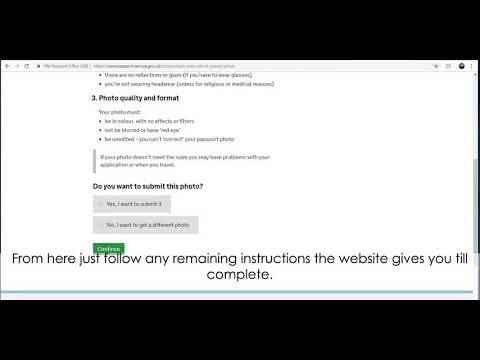
The Case for the Photo Code
- Automatic Formatting: You do not have to worry about pixels, aspect ratios, or file sizes. The provider handles the heavy lifting, ensuring the file meets the 600x750px minimum required by GOV.UK guidance.
- Higher Pass Rates: Most code providers use software that mimics the HMPO checker. If the code is generated, the photo has usually already passed a preliminary AI test.
- Data Integrity: It is a 10-second job to type a code. This avoids the risk of your browser timing out or your mobile device compressing the image during a manual upload.
The Case for Digital File Upload
- The DIY Route: If you are a photographer or tech-savvy enough to handle the precise 4:5 aspect ratio and lighting requirements, uploading your own file gives you total control.
- Last Resort: If you are in a truly remote location where no code-generating service works, a manual upload is your only choice. However, be prepared for the "Poor" rating if your lighting isn't studio-perfect.
The Technical Underpinnings: Why HMPO is So Picky
To understand why your photo might fail, you have to understand how the HMPO’s automated checker thinks. It is not "looking" at you in the human sense; it is measuring your face as a set of geometric coordinates. If the data points do not align with the biometric standards, the system flags the photo for manual review or instant rejection.
The 600x750 Rule: More Than Just Pixels
Official rules state your photo must be at least 600 pixels wide and 750 pixels tall. However, the biggest trap is the aspect ratio (4:5). Most modern smartphones take photos in 4:3 or 16:9 formats. If you upload these directly, the checker will often reject them because the "shape" is wrong, or it will crop the photo in a way that cuts off the top of your head. A UK passport photo code service automatically crops your image to the correct 4:5 ratio, ensuring the dimensions are perfect before the government system even sees it.
Biometric Geometry: The Crown-to-Chin Ratio
This is where most "Poor" ratings occur. The AI looks for the distance between the top of your head (the crown) and your chin. It also measures the horizontal distance between your pupils. According to the HMPO Guide for Examiners, the face must occupy between 65% and 75% of the image height.
If you stand too close to the camera, your head will be too large, and the AI cannot find the "padding" it needs around your shoulders. Conversely, if you are too far away, there aren't enough pixels dedicated to your facial features for biometric recognition. This is why learning how to take a uk passport photo at home requires a specific distance—usually standing about 1.5 metres away from the lens to avoid "barrel distortion," which can make your nose appear larger and distort the biometric map of your face.
Path 1: Using a UK Passport Photo Code (The "Hands-Off" Approach)
When you get a code from a booth, a high-street shop, or an online service, you are not actually buying a photo—you are buying a secure hosting and transmission service.
How the Retrieval Key Works
When you type your code into the application, the GOV.UK system sends a secure request to the provider's database. The provider then serves the photo directly to the Home Office. This is highly efficient because it bypasses common errors associated with user devices, such as file corruption during upload or accidentally uploading a low-resolution thumbnail instead of the original file.
Common Reasons Codes Fail at the Counter
If you see an error saying the code is "not recognised," do not panic. It is rarely because the photo itself is bad. It is usually a data synchronisation issue. Most high-street shops have a slight lag between generating the code and the code becoming "active" in the central database. If you just bought it, wait 30 to 60 minutes and try again. If it still fails, the issue is likely a mistyped character (see our troubleshooting section below).
Path 2: Direct Digital File Upload (The "DIY" Challenge)
Choosing to upload a file manually? You are taking on the role of the technical editor. The Home Office system has no mercy for technical oversights.
The File Size Trap: 50KB to 10MB
It sounds like a wide margin, but it is remarkably easy to mess up. A high-resolution photo from a new iPhone 15 or 16 can easily exceed 10MB, especially if saved as a HEIC file rather than a JPEG. Conversely, if you try to take a screengrab of a photo or send it via WhatsApp, the compression will often drop the file size below 50KB, making it too grainy for the HMPO's facial recognition software. Always aim for a standard JPEG between 500KB and 2MB for the most reliable results.
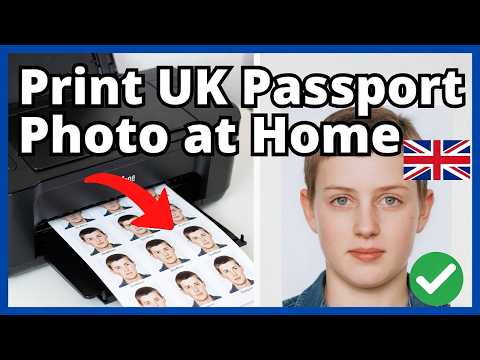
Why 'Editing' Your Photo is a Guaranteed Rejection
We all want to look our best, but the Home Office is very clear: do not use photo editing software to remove backgrounds or touch up blemishes. Their AI is trained to look for "pixel manipulation." If the software detects that the background has been digitally replaced—which often leaves tell-tale "halos" or unnaturally sharp edges around the hair—it will flag the photo for instant rejection. If your background is not right, you must retake the photo; you cannot Photoshop your way out of a messy living room.
Demystifying the HMPO Automated Checker: What 'Fair' and 'Poor' Actually Mean
Once you upload your file or enter your UK passport photo code, the system provides a result. It is a traffic light system that can be incredibly frustrating if you don't know the underlying causes.
The 'Fair' Rating: To Proceed or Not to Proceed?
A "Fair" result is a warning, not a rejection. It usually means the AI has found something it is not quite sure about—perhaps a slight shadow behind one ear or a background that is cream rather than the preferred light grey.
Expert Advice: Look at the specific reason provided. If it says "shadows on face," do not proceed. This is a leading reason for human examiners to reject a photo later, which means you have wasted your time and potentially the passport application fees. However, if it says "position of head" but the preview looks perfectly centred to your eye, you might be okay. Just know that "Fair" means a human will look at it, which can add several days to your processing time.
The 'Poor' Rating: The Hard Stop
A "Poor" rating usually means you cannot proceed. Common culprits include:
- Red-eye: The flash reflected off your retinas. Turn off the flash and use natural daylight from a window.
- Glints on glasses: If you wear glasses, the reflection often obscures your eyes. The easiest fix? Take them off. The Home Office allows photos without glasses even if you wear them daily.
- Neutral expression: If you are smiling even slightly, the AI may fail to map your facial features correctly. You need a deadpan, "passport face" expression.
Troubleshooting 'Code Not Found' and 'Not Recognised' Errors
This is the most common complaint from applicants. If the system says your code does not exist, work through this checklist before contacting support:
- The Alphanumeric Confusion: This is the most frequent issue. The characters '0' (zero) and 'O' (the letter) look identical in many fonts. The same applies to '1' (one), 'I' (capital i), and 'l' (lowercase L). Try swapping these characters out first.
- The Retention Window: Codes do not last forever. While a physical shop code might theoretically last 30 days, many online services—for privacy reasons—only retain photos for a short window. At Passport Photo Code, we typically retain photos for 48 hours to ensure maximum data security. If you wait a week to start your application, your code may have expired.
- System Maintenance: Occasionally, the API link between the Home Office and external photo providers goes down. If you are certain the code is correct, try again in a few hours.
The British Expat’s Dilemma: Applying from Abroad
If you are a Brit living in the USA, Australia, or the EU, the photo stage can be a nightmare. Local standards rarely match the UK’s precise requirements.
Why US/Australian Photo Booths Fail UK Specs
In the US, the standard passport photo is 2x2 inches. In Australia, it is 35-40mm wide. Neither of these matches the UK’s 35x45mm (printed) or 4:5 (digital) ratio. Furthermore, US booths often use a bright white background, whereas the UK requires a "plain cream or light grey" background. A photo taken at a CVS or Walgreens in New York will almost certainly be flagged as "Poor" by the UK's online checker because the face occupies too much of the frame (the "head size" rule).
The Global Solution: Online Code Generators
For expats, the most reliable method is to take a photo at home against a plain wall and use an online service to generate a UK-compliant code. This bridges the gap between local photography and British bureaucratic requirements without needing to find a specialist photographer in a foreign city who understands HMPO rules.
Privacy, Security, and Data Retention: What Happens to Your Photo?
You should be protective of your biometric data. When you use a Photo Code, the image is stored on a secure, encrypted server and transferred via an API directly to the government. This is significantly more secure than emailing a photo to yourself, where it could sit in an unsecured "Sent Items" folder indefinitely.
Under UK GDPR, photo providers must be transparent about how long they keep your data. Reputable services delete your photo shortly after the code is generated. This is why we recommend only obtaining your code when you are ready to complete the application.
Frequently Asked Questions
Can I use a photo code for a paper application?
No. A UK passport photo code is designed exclusively for the online application system. If you are applying via a paper form or the Post Office Check & Send service, you must provide physical, printed photos that meet the standard 35mm x 45mm dimensions.
What if I lost my passport photo code?
If you obtained your code from a booth or shop, you will likely need to return to that provider. If you used an online service like Passport Photo Code, you can usually check your confirmation email or contact support to have the code resent, provided it is within the data retention period.
Does a photo code guarantee my passport will be approved?
No. A code ensures that the photo is technically compatible with the system's requirements (size, resolution, etc.). However, a human examiner at HM Passport Office makes the final decision. They may still reject a photo if they feel it is a poor likeness or if they detect subtle issues the AI missed.
The Final Verdict: My Professional Advice
After reviewing thousands of applications, my advice is simple: do not overcomplicate the process.
If you have a modern smartphone and a plain, light-coloured wall, you have everything you need. Do not waste money on a high-street booth that might provide a code that expires before you reach home. Instead, upload your photo here and get a compliant UK passport photo code in minutes. It removes the technical guesswork, handles the biometric geometry for you, and ensures you aren't one of the thousands of people every year whose application is delayed by a "Poor" photo.
Final Checklist Before You Hit Submit:
- Lighting: Is the light even across your face? Side-lighting creates shadows that the AI hates.
- Hair: Is any hair covering your eyes? Even a stray fringe can trigger a biometric rejection.
- Clothing: Are you wearing white? If you are, you might blend into a cream background. A dark shirt is always better.
- Expression: Have you got a neutral expression? No teeth, no squinting—just a clear, deadpan view of your face.