UK Passport Photo Code vs Digital Upload: The Technical & Troubleshooting Guide for Global Applicants
Caught between choosing a Photo Code or a manual digital upload for your UK passport application? This expert guide breaks down the technical differences, decodes the government's AI checker results, and provides a diagnostic for common errors like 'code not recognised.' Ideal for UK residents and British expats navigating the GOV.UK portal from abroad.
You’ve spent an hour listing your parents’ birth dates, your previous passport numbers, and every address you’ve lived at in the last decade. You finally reach the 'Photo' section of the GOV.UK portal, and the momentum hits a wall. You're faced with two buttons: 'Enter a photo code' or 'Upload a digital photo.'
If you’re like most applicants, this is where the anxiety kicks in. Is one faster? Does one guarantee that HM Passport Office (HMPO) won’t reject your application in three weeks?
Here’s the reality: A UK passport photo code vs digital upload decision comes down to convenience—a code automates the formatting, but a digital upload gives you total control if you have the technical skills to edit images yourself.
The Direct Verdict: Which Method Fits Your Situation?
If you want the path of least resistance, use a Photo Code.
When you use a service like Passport Photo Code, the technical grunt work—cropping to the correct 4:3 aspect ratio, adjusting lighting levels, and ensuring the background is a neutral cream or light grey—is done before you ever land on the government website.
Which Method Fits Your Situation?
| Feature | Photo Code (IDPC) | Manual Digital Upload |
|---|---|---|
| Technical Skill | Zero (Automated) | High (Manual Resizing) |
| Speed | Instant retrieval | Manual file search/upload |
| Error Risk | Low (Pre-verified) | High (Aspect ratio issues) |
| Best For | Smart-phone users & Expats | Tech-savvy/Pro photographers |
Choose a Photo Code if:
- You’re taking your photo at home with a smartphone.
- You’re applying from abroad and can’t find a local booth that meets UK specs.
- You aren’t comfortable resizing images to exactly 600x750 pixels.
- You want to avoid common 'file too large' or 'low resolution' errors.
Choose Digital Upload if:
- You’re a professional photographer and have already manually edited your photo to meet the official GOV.UK digital photo rules.
- You have a high-quality digital file that already meets strict biometric standards.
The Anatomy of a UK Passport Photo Code
Technically, a 'Photo Code' (or IDPC) isn’t a photo file itself. It’s a unique alphanumeric pointer. When you enter this code into the HMPO portal, their system reaches out to a secure server and pulls the formatted image directly into your application.
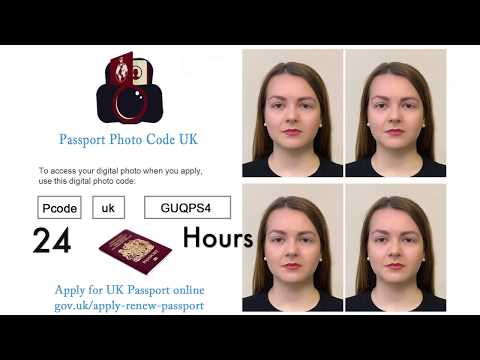
How the Retrieval System Works
This method is helpful because it bypasses the 'upload' stage on your browser. Many technical glitches—like session timeouts or browser compatibility issues—happen during file uploads. A code avoids this entirely. However, remember that a code is a retrieval tool, not a guarantee of approval. HMPO still runs its own AI checks once the photo appears in the portal.
The Digital Upload Route: Technical Pitfalls
If you decide to upload a file manually, you’re entering a technical minefield. The government portal is picky about three specific things:
Pixel Density and the 4:3 Aspect Ratio
- The 4:3 Aspect Ratio: This is the most common reason for failure. Most modern smartphones take photos in 16:9 or 3:2. If you upload a 16:9 photo, the government's system will try to 'autocrop' it, which often cuts off the top of the head or the chin. This leads to an immediate rejection.
- Pixel Dimensions: Your photo must be at least 600 pixels wide and 750 pixels tall. Simply stretching a small photo to these dimensions makes it 'pixelated,' and the AI checker will flag it for poor quality.
- File Size: Your file must be between 50KB and 10MB. While 10MB sounds like a lot, high-res iPhone photos sometimes use the .HEIC format, which can cause issues. It's safer to stick to a high-quality .JPG.
Decoding the HMPO AI Checker: Good, Fair, and Poor Results
Once your photo is in the system, the GOV.UK site gives you an automated result. Understanding this is vital to avoiding a three-week delay.
- The 'Good' Result: This is the green light. The AI has confirmed your face is clear, lighting is even, and the background is neutral.
- The 'Fair' Result: This is a warning. It often happens because of a slight shadow behind the ears or hair being too close to the edge of the frame. If you submit a 'Fair' photo, your application is flagged for manual intervention. A human examiner will decide its fate. If they disagree with the AI, your application is paused, adding weeks to the process.
- The 'Poor' Result: This is a hard stop. The system couldn't find your features or the background is too cluttered. Never submit a 'Poor' result; it’s a guaranteed rejection.
Expert Tip: If you get a 'Fair' result, it's usually worth retaking the photo with better lighting or using a specialist digital photo service to get a cleaner result.
The Expat's Challenge: Applying from the USA, Australia, and the EU
British expats face a unique problem. If you’re in the USA and go to a pharmacy like Walgreens, they’ll give you a standard 2x2 inch square photo. The UK, however, requires a 35mm x 45mm standard for prints and a 4:3 rectangle for digital.
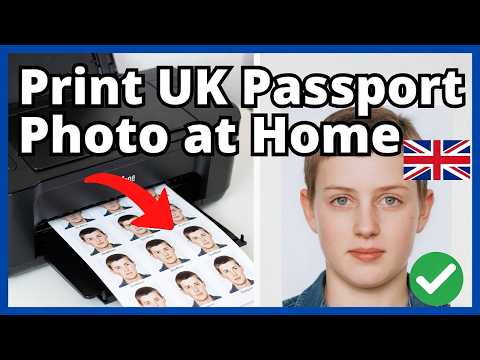
Why Local Photo Booths Abroad Often Fail UK Specs
If you upload a square US photo, the AI will likely reject it because your head will look too large in the frame. The UK requires specific 'headroom'—the gap between your hair and the top of the photo—that US standards don’t prioritise. By using a UK passport photo code, you can take a photo in your own home and the software will format it to exact UK specifications, regardless of local standards in the country where you live.
Diagnostic Guide: 10 Reasons Your Photo Code Isn’t Working
If the GOV.UK site says your passport photo code not working, don't panic. Check these common issues:
Syntax Errors and Data Retention Rules
- The '0' vs 'O' Mix-up: Most codes mix numbers and letters. Check if you’ve swapped a zero for an 'O' or a '1' for an 'I'.
- The 48-Hour Deletion Rule: To comply with privacy laws, many providers delete photos after 48 to 72 hours. If you wait too long, the data might be gone.
- Accidental Spaces: Ensure there isn't a space at the start or end of the code when copying.
- System Maintenance: Occasionally, the HMPO retrieval service goes offline. Try again in an hour.
- Wrong Application Type: Digital codes are for online applications only. You can't use them for paper 'Check & Send' applications via the Post Office Digital Check & Send service.
- Session Timeouts: Refresh the page and log back in if your session has been idle.
- VPN Interference: A VPN might cause the portal to flag your session as suspicious. Try turning it off.
- Browser Cache: Try using an 'Incognito' or 'Private' window to bypass old errors.
- Leading Digits: Ensure you've entered the entire string exactly as provided by the shop or service.
- Provider Lag: It can sometimes take a few minutes for a new code to sync with the central database.
Privacy and the 48-Hour Retention Window
Why do these codes expire so quickly? It’s a security feature. Your passport photo is sensitive biometric data. Under the Data Protection Act 2018, and guidance from the Information Commissioner's Office (ICO), services must practice 'data minimisation.' Keeping your photo on a third-party server for months would be a security risk. Once you’ve entered the code and submitted your application, the government takes its own copy, and you are protected by the technical standards outlined in ICAO Doc 9303.
Frequently Asked Questions
Can I use a photo code for a first adult passport?
Yes. The process is identical to a renewal. You will just need a countersignatory to confirm your identity after you’ve submitted the photo.
Where to enter passport photo code?
You enter the code on the GOV.UK passport application site during the 'Photo' step. There will be a specific field labelled 'Enter a photo code'.
Is a photo code more expensive?
Uploading your own photo is free. A code service (like a booth or online tool) usually has a small fee, which covers the technical formatting and compliance checks. This is often worth the cost to avoid a rejection.
Does the code expire once submitted?
No. Once you hit 'submit' on your application, the image is moved to the HMPO's internal systems. It stays with your application even if the original code expires on the provider's end.