UK Passport Photo Code vs Digital Upload: The Expert Guide
This technical deep-dive breaks down the decision between using a UK passport photo code versus a direct digital upload. It explores the HMPO 'checker' logic, explains how British expats can navigate local photo standards, and provides expert troubleshooting for 'code not recognised' errors.
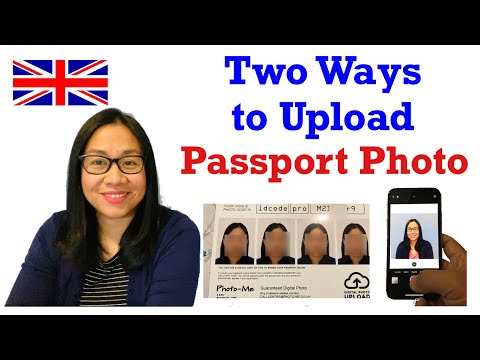
If you're currently navigating the "Upload your photo" page of a UK passport application, you’ve reached the part of the process where most people start to worry. You have two options: enter a UK passport photo code or upload a digital file directly.
It’s a common misconception that one is "official" while the other is just a backup. In reality, both are valid ways to get your image into the HM Passport Office (HMPO) system. The difference comes down to technical convenience and where the responsibility for validation sits.
The Bottom Line: For the fastest route with the least amount of technical fiddling, use a Photo Code. If you’re applying from abroad or have a high-quality professional digital shot, a direct upload provides more control. Neither method guarantees approval—that's always a human decision—but picking the right one can prevent an immediate technical rejection.
The Decision Matrix: Which Path Should You Take?
Choosing between a code and an upload isn't just about ease; it’s about the quality of the image you’re starting with and your technical confidence.
| Feature | Photo Code | Digital Upload |
|---|---|---|
| Convenience | High (Retrieves photo automatically) | Medium (Manual file selection) |
| Technical Prep | Handled by provider | Handled by you (Cropping/Pixels) |
| Validation | Pre-checked by provider | Checked by GOV.UK AI on upload |
| Best For | UK residents near booths/shops | British expats & DIY photographers |
The Case for the Photo Code
A Photo Code is a digital shortcut. When you enter that alphanumeric string (formatted like ab12-cd34-ef56) into the GOV.UK site, the system retrieves your photo from a secure server—whether that’s from a high-street booth or an online service.
Using this method ensures the photo has already been put through a validator before the code was even issued. This is the most efficient way to get a passport photo code online without worrying about aspect ratios or JPEG compression.
When a Direct Digital Upload Makes Sense
Direct upload is the manual route. You select a file from your own device and send it straight to HMPO. This is often necessary if you are using a professional photographer who provides files via email or if you are taking the photo yourself at home using a smartphone.
Deciphering the HMPO 'Checker' Results
Once your photo is in the system, the GOV.UK website runs it through an algorithm. This software doesn’t care about aesthetics; it’s looking for biometric markers, such as the distance between your pupils and the position of your chin, as defined by international ICAO Doc 9303 standards.
The 'Fair' Result: To Submit or Not to Submit?
This is the most common point of anxiety. You upload your photo and the checker gives you an amber warning: "Fair - We’ll check your photo."
Common triggers for a 'Fair' result include:
- Shadows behind the ears: The AI might mistake a shadow for a background object.
- Glasses reflection: Even a tiny glint on the rim can trigger a warning.
- Background texture: If your wall has a slight sheen, the AI gets confused.
Expert advice: If the checker says "Fair" because it suspects a shadow, but you can clearly see the wall is plain and light-coloured, go ahead and submit. However, if your eyes are obscured or you aren't looking straight ahead, don't risk it. A human examiner looks at every "Fair" photo. If they disagree with the AI, they’ll reject it, adding weeks to your application time.
The Technical Deep Dive: Pixels, Ratios, and Formats
If you go the direct upload route, you need to meet the HM Passport Office standards exactly. If you don’t, the system will reject the file before the checker even looks at your face.
- File Format: JPEG or JPG (Avoid PNG or HEIC).
- File Size: Between 50KB and 10MB.
- Minimum Dimensions: 600 pixels wide by 750 pixels tall.
- Aspect Ratio: 4:5 (The UK standard).
If you find these requirements daunting, you can use a UK passport photo code service to handle the technical cropping and formatting automatically.
The Expat’s Dilemma: Applying from Overseas
Renewing a British passport from abroad is a common scenario where a passport photo code not working is rarely the issue; rather, it's getting the right photo in the first place. Most photographers outside the UK follow local rules (e.g., the 2x2 inch US standard), which the HMPO checker will likely fail because the face takes up too much of the frame.
Expats should use a photo preparation service to convert local shots into UK-compliant digital formats. This ensures the digital file meets the specific HMPO guidance for British nationals overseas.
Troubleshooting: Why Your Photo Code Isn't Working
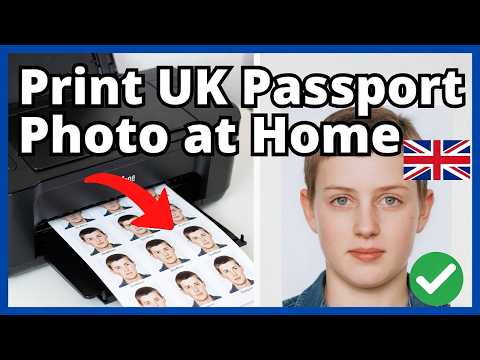
You’ve got your code, but the GOV.UK site says "Code not recognised." Before you panic, check these three points:
1. Solving the 'Code Not Recognised' Error
Most errors are simple data entry slips:
- O vs 0: A zero and the letter 'O' look almost identical. The same applies to the letter 'I' and the number '1'.
- Sync time: If you just walked out of a photo booth, the code might not be in the central database yet. High-street systems can take up to 30 minutes to sync.
2. The 30-Day Expiry and Data Retention Rules
Photo codes aren't permanent. According to current data policies, codes from booths or shops usually expire after 30 days. Independent services often have tighter security; we typically hold photo data for just 48 hours to ensure your biometric data is protected under the Data Protection Act.
Privacy and Security: What Happens to Your Image Data?
When you use a Photo Code, your image is stored on a secure intermediary server until you enter it into the GOV.UK website.
- HMPO Retention: They keep the photo for the life of the passport (10 years) plus an administrative period.
- Provider Retention: Reputable services delete raw files quickly. If a "free" service keeps your data indefinitely, you should be cautious about your biometric privacy.
Frequently Asked Questions
Can I use a Photo Code for a paper application?
No. Photo Codes are strictly for online applications. If you are using a paper form, you must provide two identical printed photos.
What if I have a beard now but didn't in my old photo?
That is perfectly fine. HMPO requires the photo to be a current, true likeness of your appearance today, regardless of changes like facial hair or hair colour.
Does a 'Good' checker result guarantee acceptance?
No. While a green "Good" result is a strong indicator, a human examiner in a regional office still performs a final review. According to HMPO Annual Reports, human verification is the final stage of the security process.
Conclusion
Whether you choose a UK passport photo code or a digital upload, the goal is the same: a high-quality, biometric-compliant image that allows your application to proceed without delay. By following the technical specifications or using a professional retrieval service, you significantly reduce the risk of a "Fair" or "Poor" result from the automated checker. If you encounter a passport photo code not working message, remember to check for typos or wait for the system to sync before attempting a resubmission.