UK Passport Photo Code vs. Digital Upload: The Complete Troubleshooting Guide
Stuck at the photo stage of your online UK passport application? This technical guide explains the difference between UK passport photo codes and digital uploads, how to fix common error messages, and how British expats can successfully navigate the process from abroad.
You’re deep into the online UK passport application. You’ve unearthed your old passport, typed in your parents’ details, and hit the hurdle that stalls thousands every year: the photo. Whether you’re staring at a flimsy supermarket receipt with a UK passport photo code or you have a JPEG sitting in your 'Downloads' folder, the pressure is on. Get this wrong, and you’re looking at a rejection letter or a significant delay. This is the 'Anxiety Gap'—that technical friction where you aren’t sure if the HM Passport Office (HMPO) computer will actually accept your submission.
I’ve spent years analysing how the government processes digital identities. In this guide, we’ll skip basic tips and get into the technical mechanics of why codes fail, when you should choose a manual upload instead, and how to navigate the system if you're applying from overseas.
Decision: Should You Use a UK Passport Photo Code or a Digital Upload?
If you want the straightforward answer, here is the expert recommendation:
- Use a UK passport photo code if you’re in the UK, have easy access to a supermarket or Post Office booth, and want a 'set and forget' experience. The code is simply a shortcut to a file already sitting on a secure vendor server.
- Use a Digital Upload if you’re an expat, if you’ve taken a high-quality photo at home, or if you want absolute control over the final image before the government sees it.
There is no difference in the 'success rate.' The HMPO automated checker uses the same AI logic to scan a photo regardless of how it arrived. A code is just a retrieval key; a digital upload is the raw data. If the photo is good, both methods work perfectly.
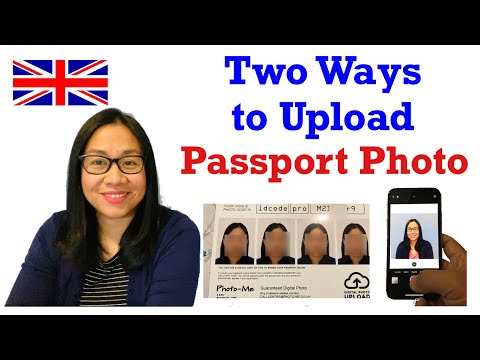
The Anatomy of a UK Passport Photo Code
When you use a booth or a professional service that gives you a 'Photo Code,' you aren’t actually carrying your photo in that string of characters. You’re carrying a digital pointer.
What the Alphanumeric Characters Represent
Most UK passport photo codes are strings, usually 7, 8, or 9 characters long (e.g., 482-910-374). When you type this into the GOV.UK portal, the system pings the vendor’s database—most commonly companies like the Photo-Me network—and asks for the file associated with that key.
If your code looks different, don’t panic. Different vendors use different formats. However, if the code doesn't fit the box on the official application, you've likely been given a 'store receipt' transaction code rather than the actual passport photo retrieval code.
The Vendor Logic: Booths vs. Independent Providers
In the UK, certain networks are primary partners for the 'Digital ID' system. When you use their booths, the photo is uploaded instantly to their cloud. Independent services, like Passport Photo Code, offer a similar benefit. They allow you to upload a DIY photo and then convert it into a format that meets the specific UK digital specs. This bridges the gap between a raw smartphone photo and the rigid requirements of the government's automated checker.
Troubleshooting: Why Your UK Passport Photo Code is Not Working
The 'Code not recognised' error is a project-stopper. Before you bin the receipt and head back to the shops, check these three common failure points.
The '0 vs O' and '1 vs I' Trap
This is the most common reason a passport photo code is not working. Digital fonts on thermal receipt paper are notoriously blurry.
- Check if that '0' (zero) is actually an 'O' (letter).
- Is that '1' (one) actually an 'I' (capital i) or an 'l' (lowercase L)?
- Look for dashes or spaces you might have missed.
Code Not Recognised vs. Photo Not Showing
If the system says 'Code not recognised,' the GOV.UK site can’t find that string in the vendor’s database. This happens if the vendor hasn’t uploaded the file yet (give it 24 hours) or if the code has expired.
If the code is accepted but the photo doesn’t show, or you see a broken image icon, it’s a rendering error. Try refreshing the page or switching browsers. Chrome and Firefox usually handle the GOV.UK photo portal better than older versions of Safari.
Expired Codes and Data Retention
Photo codes have a shelf life. While HMPO doesn’t expire a photo for 30 days once it’s in their system, private vendors often clear their servers after 30 to 60 days to comply with GDPR data minimisation principles. If you took the photo months ago, the code is likely dead.
The Expat Guide: Getting a UK-Compliant Photo from Abroad
If you’re a British citizen in New York, Sydney, or Dubai, you’ve probably realised that local photo booths don’t offer UK Photo Codes.
The '2x2' Trap: Why Foreign Booths Often Fail
Photo standards are not universal. A US passport photo is 2x2 inches (51x51mm) with a white background. A UK passport photo must be 35mm wide by 45mm high, ideally against a cream or light grey background.
Because the UK Photo Code system relies on a backend integration with the UK government, local pharmacies abroad (like CVS or Australia Post) cannot generate these codes. They’ll give you a physical print or a JPEG, but it won’t have that unique digital magic number.
The Most Reliable Workaround for British Expats
Don’t try to force a US-spec photo into the UK system; it will be rejected for 'incorrect aspect ratio.' Instead, use a service like Passport Photo Code to process your photo. You can take a photo on your smartphone (following how to take a UK passport photo at home), upload it, and get a digital file cropped to the exact UK pixel requirements. You then select 'Upload a digital photo' on the GOV.UK site instead of entering a code.
Decoding the HMPO Automated Checker
Once you enter a code or upload a file, the GOV.UK site runs an automated check, returning one of three results: Accepted (Green), Fair (Amber), or Poor (Red).
When 'Fair' is Good Enough to Submit
The automated checker is an AI, and AI is pedantic. It often flags 'Fair' for a slight shadow behind the ears or because voluminous hair touches the edge of the frame.
Expert Advice: If the result is 'Fair' and the reason is 'Shadows on background' or 'Plain expression,' but you can clearly see your face and the background looks neutral to you, submit it anyway. HMPO staff make the final decision, not the AI. A human officer is far more forgiving of a minor shadow than a computer is.

Why the AI Flags Perfect Photos
- Glasses: The AI hates glare. If your lenses have even a tiny reflection, it might trigger a 'Poor' result. If you can, take the photo without glasses.
- Hair: If you have thick or styled hair that goes off the top of the frame, the AI gets confused about where your head ends.
- Backgrounds: The UK requires 'cream or light grey.' If you use a stark white wall, the AI sometimes flags it as 'too bright.'
Digital Upload: Mastering the Technical Specs
If you're skipping the code and uploading directly, you need to hit the 'Goldilocks' zone for file specs. Check the official technical requirements for digital photos for the full list.
Pixels and File Size: The 'Goldilocks' Zone
- Minimum Width: 600 pixels.
- Minimum Height: 750 pixels.
- File Size: Between 50KB and 10MB.
Oddly, having a 'too good' photo is a common issue. If you take a high-resolution photo on a flagship smartphone, the file might exceed 10MB, causing the GOV.UK uploader to crash. Conversely, don't send the photo via messaging apps like WhatsApp before uploading; they compress images so heavily they become 'pixelated,' which is an automatic fail.
Compression and Grain: Avoiding the Manual Reject
The system looks for 'image noise.' If you take your photo in a dark room and the camera's ISO increases, the photo will look grainy. Even if it meets the pixel count, a human examiner will reject it because the biometric clarity is too low.
Privacy: What Happens to Your Biometric Data?
It’s right to be cautious about where your digital photo is stored. When you use a high-street booth, your photo sits on their commercial servers until it expires.
When you use Passport Photo Code, the policy is tighter: uploaded and processed photos are normally retained for no longer than 48 hours. This is a significant privacy advantage. It gives you time to complete the application but ensures your biometric data isn’t sitting on a third-party server indefinitely.
Once submitted to HMPO, it becomes part of your official record. According to the HMPO Privacy Policy, they retain this data for the lifetime of the passport for security and verification.
Checklist: Moving from Photo to Submission
Follow this workflow to avoid getting stuck at the photo stage:
- Capture: Take your photo at home against a plain, light-coloured wall. Ensure the light hits your face evenly by standing facing a window.
- Process: Use Passport Photo Code to check your photo. This ensures the aspect ratio and technical specs are correct.
- Download: Save the digital file to your device or get a passport photo code online if you prefer the retrieval method.
- Apply: Go to the Official GOV.UK Passport Portal.
- Submit: When prompted, enter your code or upload the file.
- Review: If the checker says 'Accepted' or 'Fair,' proceed. If 'Poor,' go back to step 1.
Frequently Asked Questions
Is a UK passport photo code better than a digital upload?
Neither is 'better' for approval. A code is more convenient for some; an upload offers more control for DIY-ers and expats. Both are assessed by the same HMPO criteria. There is no hidden advantage to using one over the other for a first adult passport or renewal.
What if I lost my UK passport photo code?
If it was from a high-street booth, you'll likely need to retake the photo unless there is a help number on your receipt. If you used an online service, check your email or 'Downloads' folder. Most vendors do not have a way to recover a code without the original receipt details.
Does a 'Fair' result mean my passport will be delayed?
Not usually. Most 'Fair' photos are approved by human officers. Only 'Poor' results or photos that clearly violate rules (like open mouths or objects in the frame) cause major delays. If the automated checker accepts the photo as 'Fair,' you are generally safe to proceed.
Can I use a photo code for a paper application?
No. Photo codes are exclusively for the online system. Paper forms require physical prints meeting the 35x45mm specification. If you have a code but need a paper application, you will need to obtain physical prints separately.
How much does a UK passport photo code cost?
Retail booths typically charge £10–£15. Online services vary, but Passport Photo Code provides an efficient way to ensure your UK passport photo code or digital file is technically perfect for the HMPO checker without unnecessary expense.