UK Passport Photo Code vs. Digital Upload: The Complete Troubleshooting & Decision Guide
Struggling with a 'not recognised' UK passport photo code or wondering if you can override a 'Fair' result from the HMPO checker? This guide solves the technical hurdles of the online application, from expat photo solutions to fixing common code errors.
You’ve reached the part of the online British passport application that makes almost everyone hesitate. You’re looking at two buttons: “I have a code to retrieve my photo” and “I have a digital photo on my device.”
Deciding between a UK passport photo code and a manual upload sounds straightforward, but this is usually where the technical hurdles begin. Whether you’re facing a “code not recognised” error or wondering how to get a code from abroad, this guide provides the clarity you need to complete your online UK passport application photo with confidence. I’ve spent years deconstructing these applications; it isn't just about how you look, but about satisfying a rigid biometric algorithm.
The Short Answer: Which Method Should You Choose?
If you want the path of least resistance, follow this simple rule:
- Use a Photo Code if you want a “one-click” solution that handles all the cropping and resizing for you. You can get these from high-street booths or online services like Passport Photo Code.
- Use a Digital File Upload if you’ve taken a high-quality photo at home and want total control over the lighting and background without paying for a booth.
The Decision Matrix: Speed, Cost, and Location
| Your Situation | Recommended | The Logic |
|---|---|---|
| In the UK, near a supermarket | Photo Code | Fast and automated, but expect to pay £10–£15. |
| Applying from abroad | Online Code | UK booths don't exist overseas; online codes bridge the gap. |
| On a tight budget | Digital Upload | It’s free to take your own photo if you get the lighting right. |
| Tech-averse | Photo Code | No need to worry about pixels, aspect ratios, or file sizes. |
| Code keeps failing | Digital Upload | Bypasses the code server and goes straight to the checker. |
What Exactly is a UK Passport Photo Code?
A UK passport photo code (or IDPC) is a digital key. When you type it into the GOV.UK site, the system pulls your image from a secure server owned by a private provider.
Retrieval vs. Approval: The Vital Distinction
Here is the most important thing you need to know: A code is not a guarantee of acceptance.
Many people assume that because a booth gave them a code, the photo is “official.” That’s a myth. The booth company has no authority to approve your photo; only HM Passport Office (HMPO) can do that. After you enter the code, the automated checker will still scan your face for shadows, tilted heads, or glasses—just as it would with a manual upload.
Photo Code vs. Digital File Upload: The Reality
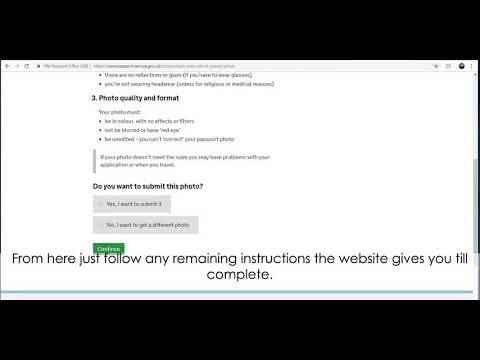
When the Digital Upload Wins
Manual uploads give you the luxury of trial and error. You can take 50 photos on your smartphone until you find one with perfect lighting. You aren’t stuck with the harsh, yellow overhead lights found in most shopping centre booths. If you use a manual file, just ensure it meets the digital passport photo requirements UK before you upload it.
When the Photo Code Wins
The code is about convenience. It removes the risk of you accidentally uploading a landscape-oriented photo or a file that’s too large (over 10MB). It’s a tidy, streamlined process for those who find resizing images a headache. If you are wondering how to use a passport photo code, you simply enter it on the 'Photo' page of your application to instantly see your image on screen.
Troubleshooting: When Your UK Passport Photo Code Fails
You’ve paid your money, you have the receipt, you type in the code, and the screen says: “Code not recognised.” Before you bin the receipt, try these fixes for a passport photo code not working.
The '0' vs 'O' Trap and Other Input Errors
Photo codes are alphanumeric, and the GOV.UK input box is notoriously sensitive. Check for these common mistypes:
- 0 (Zero) vs O (Letter): Most codes use zeros. If your 'O' isn't working, try a '0'.
- 1 (One) vs I (Capital i) vs l (Lower case L): These look identical on many thermal booth receipts.
- The Prefix: Some codes require the full string, including any dashes (e.g.,
uk-123-456). Ensure you haven't missed the start. - Copy-Paste Spaces: If you’re copying a code from an email, make sure you haven't highlighted an invisible space at the end of the string.
Activation Lag and Expiry
Booths aren't always instantaneous. If you’re trying to use the code on your phone while still walking out of the supermarket, wait 15 minutes. The booth needs time to upload the data to its central server.
Also, keep an eye on the date. Most booth codes expire after 30 days. According to consumer guides like Which?, you should ensure your photo is recent to avoid delays. If your code has expired, you can get a passport photo code online instantly via Passport Photo Code.
Decoding the HMPO Photo Checker Results
Once your photo is in the system, the AI algorithm scans it. It will give you one of three results based on ICAO 9303 international standards:
- Good: You’re in the clear. Move to the next page.
- Fair: The AI has detected a potential issue, like low contrast or a shadow.
- Poor: The photo will almost certainly be rejected by a human.
The 'Fair' Result Dilemma: Should You Override It?
This is the most common question I hear: “The checker says ‘Fair,’ but the photo looks fine to me. Should I risk it?”
Here’s the expert's view: HMPO staff are humans, not robots. When you submit a “Fair” photo, it gets flagged for a manual check by a real person.
You should probably override (click 'use this photo') if:
- The warning is for “low contrast” because you have light hair and a light background, but your features are clearly visible.
- The checker says your head is too small, but you can see it fits within the on-screen guide.
- The background is slightly off-white but definitely plain and pattern-free.
You should START OVER if:
- The warning is for “eyes closed,” “mouth open,” or “shadows across the face.” These are hard biometric requirements. You can find more details on Citizens Advice if your application is stalled.
- You are wearing glasses. Even if the AI says “Fair,” current GOV.UK guidance suggests removing them to avoid rejection due to glare or frame thickness.
The Expat Problem: UK Passport Photo Code Abroad
If you’re a British citizen living in the US, Australia, or Europe, you’ve likely found that local photo booths are useless for the UK online application. US booths produce 2x2 inch prints, which are the wrong shape for the UK’s 4:5 aspect ratio.
You cannot use a code from a foreign booth on the GOV.UK site—they simply aren't compatible. Instead, take a digital photo at home and use an online service to generate a UK-compliant Photo Code. This allows you to benefit from the automated retrieval system for your UK passport photo code abroad even if you're thousands of miles from the nearest Tesco.
Technical Specs for Digital Uploads

If you are handling the file yourself, aim for these exact specifications to keep the algorithm happy:
- File Format: JPEG or JPG.
- Resolution: At least 600 pixels wide and 750 pixels tall.
- Aspect Ratio: 4:5 (Portrait orientation).
- File Size: Between 50KB and 10MB.
If your upload is rejected immediately, it’s usually because the photo is “Landscape” (too wide) or the file size is too small, indicating low quality.
Frequently Asked Questions
Where do I enter my passport photo code?
On the GOV.UK passport application site, you will reach a screen asking how you want to provide your photo. Select "I have a code to retrieve my photo" and enter your alphanumeric code in the box provided.
Do I need a photo code for a UK passport?
No, it is not mandatory. You can choose to upload a digital photo file directly from your device instead. Both methods lead to the same automated quality check.
Is the passport photo code for paper applications?
No. Photo codes are exclusively for online applications. If you are doing a paper application, you must provide two physical printed photos. The Post Office Check and Send service can help with paper-based submissions.
Why is my passport photo code not recognised?
This is usually due to mistyping characters (like 0 vs O), the code expiring (usually after 30 days), or a delay in the booth's server uploading your photo data.
Summary and Next Steps
Getting your photo right shouldn’t be the hardest part of your application. Whether you choose a passport photo code vs digital photo upload, remember that the quality of the image is what matters most to HMPO. To keep things moving:
- Check your input: If a code fails, swap your 0s and Os.
- Evaluate the 'Fair' result: If your features are clear and there are no shadows on your face, don't be afraid to override the AI.
- Go digital if you're abroad: Don't waste time looking for UK-compatible booths in foreign countries.
If you’re tired of fighting with a booth or an unrecognised UK passport photo code, you can get a digital photo and code here in minutes. Once the photo stage is done, the rest of the application is plain sailing. Good luck!