UK Passport Photo Code vs Digital Upload: Fix Technical Errors
This expert guide breaks down the technical hurdles of the online UK passport photo stage. We move beyond basic definitions to solve 'Code Not Recognised' errors, the unique challenges facing British expats, and the reality behind the HMPO automated photo checker results.
Applying for an online UK passport application photo is meant to be simple, but the photo stage is where most people hit a wall. You've entered your old passport details and personal info, only to be met with a choice: 'I have a photo code' or 'I want to upload a digital photo.'
If you're staring at a red error box saying your UK passport photo code isn't recognised, or you're worried your home-taken photo will be rejected, you aren't alone. In fact, the digital photo stage is the biggest source of friction in the entire application process.
The Direct Answer: Code or Upload?
If you want the path of least resistance and you're in the UK, use a Photo Code. It’s a retrieval key that pulls a pre-checked photo into your application. If you’re applying from abroad, or if you're comfortable handling a digital file yourself, use a Digital Upload.
Both methods have hidden traps. Let's look at how to dodge them.
The Choice: Photo Code vs. Digital Upload
When you apply at GOV.UK, you're essentially choosing how to move a JPEG file from a camera to the government’s database. It sounds simple, but the tech behind it varies.
Method 1: The Photo Code (The Automated Route)
A UK passport photo code (an IDPC) is a unique string of characters—often starting with a prefix like idpass uk. When you type this into the portal, the GOV.UK system connects to a private server (belonging to a booth or an online service) to fetch your image.
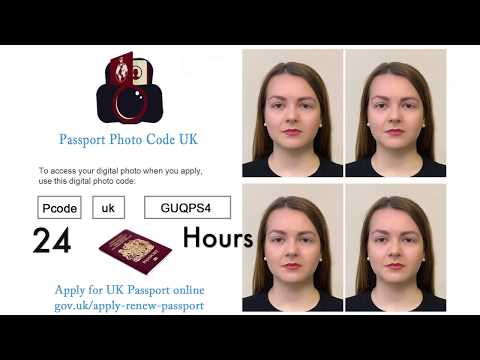
- The Upside: The photo is usually pre-cropped to the correct 3:4 aspect ratio. It saves you from fiddling with file sizes.
- The Downside: These codes expire. They are also prone to human error during typing and rely on the provider's server being active.
Method 2: Digital Photo Upload (The Manual Route)
This is a direct file transfer. You take a photo on your phone or use a digital file a photographer emailed to you, then upload it yourself. This is common for a passport renewal photo code or when you decide to handle the online passport photo code vs photo booth trade-off yourself.
- The Upside: You have total control. There's no code to lose and no expiration date on the file itself.
- The Downside: You are responsible for the lighting, background, and technical specs. There's no middle-man to catch errors before the HMPO's AI checker sees it.
Anatomy of a Code: Why 'idpass uk' Strings Matter
If you get a code from a high-street booth or a service like Passport Photo Code, you’ll notice it isn't random. Most follow a specific syntax, such as idpass uk 1234-5678-9012. This is often required for a first adult passport photo code.
The 'idpass uk' prefix is vital. It tells the government portal which 'digital bucket' to look in. If you skip the prefix or the spaces, the portal won't know which server to talk to. This 'handshake' between systems is where most technical errors start.
Troubleshooting the 'UK Passport Photo Code' Not Working
It is incredibly frustrating to pay for a photo code only for the GOV.UK site to say it doesn't exist. Before you head back to the shop for a refund, check these two common culprits for a passport photo code not recognised.
Character Confusion: The 0 vs. O Dilemma
This accounts for a huge chunk of failures when you get a passport photo code online. While most systems try to avoid ambiguous characters, they still creep in.
- 0 (Zero) vs. O (Oscar): If your code has a round character, try the other one.
- 1 (One) vs. I (India) vs. l (Lima): If you're typing it from a printed receipt, these look nearly identical. Try every variation.
- Hyphens and Spaces: The GOV.UK portal is usually quite forgiving, but it’s best to enter the code exactly as it appears on your receipt or email.
Activation Lag and Server Sync
When you use a high-street booth, your photo has to be uploaded from that specific booth to the company's central server. If the shop’s internet is slow, there can be a 15–30 minute lag. If you try to use the code the moment you get back to your car, it might not be 'live' yet.
Top Tip: Wait at least an hour after getting your photo taken before you start your online application. It gives the servers time to sync up.
Applying from Abroad: The Expat’s Guide to UK Digital Compliance
If you're a British national in the USA, Australia, or the EU, you face a specific technical hurdle: local standards aren't UK standards. You may find your British passport photo code outside the UK is simply not working.
The US 2x2" vs. UK 3:4 Aspect Ratio Problem
In the States, a standard passport photo is 2x2 inches (square). In the UK, we use a 35mm x 45mm standard (a 3:4 rectangle). For an UK passport application from abroad photo, the digital passport photo requirements UK are very strict.
If you go to a local pharmacy in the US and they give you a 'digital code,' it's almost certainly for a US passport. If you upload a square 2x2 image to the UK portal, the automated tool will often crop it incorrectly, frequently cutting off the top of the head or the chin. This is a guaranteed rejection.
The Workaround: Don't use local 'digital codes' in foreign countries—they won't work with the UK system. Instead, take a high-quality photo at home against a plain, light background and use a dedicated service to get a passport photo code online. This ensures the file is converted to the correct pixels and aspect ratio before it ever hits the government's site.
Retrieval vs. Approval: Understanding the 'Check Your Photo' Stage
This is a major point of confusion. When you enter a code and your photo appears, it doesn't mean it has been approved. This is just the retrieval. Next, the system runs an automated AI check, giving you UK passport photo checker results of 'Good,' 'Fair,' or 'Poor.'
What 'Fair' or 'Poor' Actually Means
The GOV.UK automated checker is a blunt tool. It's designed to catch obvious mistakes like red-eye or a busy background. However, it isn't the final judge.
Every photo is eventually reviewed by a human examiner. According to HMPO internal guidance, these examiners can override the AI. If the AI says 'Fair' because it thinks there’s a shadow under your chin, but the human examiner can see your features clearly, they will pass it.
Bottom Line: If you get a 'Fair' result but you know you’ve followed the rules (neutral expression, no hair over eyes, plain background), it is usually safe to proceed. If you get a 'Poor' result, don’t risk the delay—take a new photo.
Privacy, Data Retention, and the 48-Hour Window
Why do codes stop working? It’s often down to security and the UK Data Protection Act. Your face is biometric data, and companies shouldn't store it indefinitely.
While some booth providers wipe photos after 30 days, Passport Photo Code typically retains photos for no longer than 48 hours. This prioritises your privacy while giving you enough time to copy the code into your application. If you lost passport photo code details or waited too long, the data will be purged for your protection.
The Decision Matrix: Which Method Should You Use?
| Situation | Recommended Method | Why? |
|---|---|---|
| UK High Street Access | Photo Code (Booth) | Quick and convenient, but watch for typos. |
| Applying from Overseas | Online Photo Code | Local shops use the wrong (square) dimensions. |
| Babies or Toddlers | Digital Upload | It's easier to take 50 photos at home and pick the best one. |
| Urgent Application | Digital Upload | Removes the risk of server sync delays. |
| Privacy Conscious | Digital Upload | You control the file; no third-party server storage. |
Frequently Asked Questions
Where do I enter my passport photo code?
During the online application at GOV.UK, you will be asked how you want to provide your photo. Select the option 'I have a photo code' to see the input box.
Why is my passport photo not showing after entering the code?
This usually happens if there is a server sync delay or if the code was entered with a typo. Wait an hour and double-check characters like '0' vs 'O'.
Do I need a photo code for a UK passport?
No, you can choose to upload a digital photo file (JPEG) directly from your device instead. The code is simply an automated retrieval method.
What are the UK digital passport photo pixels and file size requirements?
For a direct upload, the photo must be at least 600 pixels wide and 750 pixels tall, and the file size must be between 50KB and 10MB. Official guidelines can be found at the Post Office or GOV.UK.
Conclusion
The digital photo is the 'final boss' of the UK passport application. Whether you go with a UK passport photo code or a manual upload, preparation is the key. Check your characters, mind the short expiry and retention windows, and don't let a 'Fair' AI rating panic you. As long as your features are clear and the background is plain, you're likely to sail through.