UK Passport Photo Code vs. Digital Photo Upload: The Ultimate Guide
Stuck between using a Photo Code or a direct digital upload for your UK passport? This guide compares both methods, troubleshoots common errors like 'code not recognised,' and explains how to get a perfect photo from home or abroad.
You’ve reached the photo stage of your online UK passport application and you're staring at two options: "Enter a photo code" or "Upload a digital photo." If you’re like most people, this is where the momentum stalls. You might be wondering if one is faster, more reliable, or why the UK passport photo code you just obtained at a high-street booth isn't being recognised by the GOV.UK website.
Neither method is inherently "better" at getting your passport approved. Both end up in the same place—an automated checker followed by a human examiner’s final decision. The choice usually comes down to where you are, what technology you have, and how much control you want over the outcome.
The Quick-Decision Matrix: Code or Upload?
If you want the expert shortcut, here is how to decide which method suits your current situation:
- Choose a Photo Code if: You are in the UK, near a compliant photo booth (like Photo-Me), and want a "done-for-you" service that handles technical specifications at the point of capture.
- Choose Digital Photo Upload if: You are applying from abroad, taking a photo at home with a smartphone, or using an online specialist like Passport Photo Code to ensure your lighting and background are perfect before starting the application.
What Exactly is a UK Passport Photo Code?
It is a common misconception that the Photo Code is your photo. In reality, the code is a "retrieval key." When you enter that 6-to-9-character string into the HM Passport Office (HMPO) portal, the system sends a request to the server of the provider (the booth or shop). That server then "hands over" the digital file to the passport office.
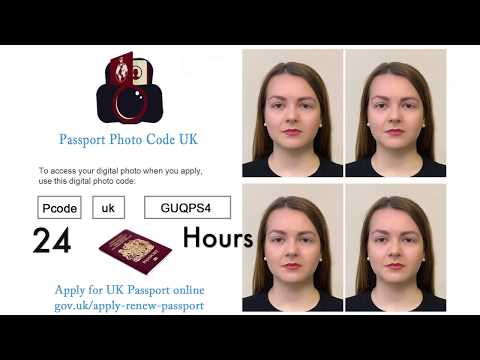
This "retrieval logic" is why codes can sometimes be temperamental. If the provider's server is down or the shop hasn't finished the upload, the GOV.UK site will state the code is not recognised. You aren't failing the photo test; the two systems simply haven't synchronized yet.
The Digital Photo Upload Path: The Pro’s Choice
While codes are marketed for convenience, many frequent travellers and British expats prefer the direct digital upload. By uploading a JPG file directly, you remove the middleman. You aren't relying on a third-party server to stay online or a shop assistant to frame the shot correctly.
When you learn how to take a photo at home, you get a digital file pre-checked against official standards. This is particularly vital for those applying from outside the UK, where local booths often produce the wrong aspect ratio for British requirements.
Troubleshooting: When Your Photo Code Isn't Working
If you've paid for a code and it is failing, do not panic. Most issues fall into three categories:
1. The "O vs. 0" and "I vs. 1" Trap
This accounts for a huge percentage of "Passport photo code not recognised" errors. Codes are often printed on thermal paper that can be blurry.
- O vs 0: Check if your 'O' is actually a zero.
- I vs 1: Check if your capital 'I' is a '1' or a lowercase 'l'.
- S vs 5: These are frequently mistyped in the portal.
2. The 72-Hour Propagation Rule
Most modern booths upload instantly, but some retail systems work in batches. If you have just left the shop, give it a few hours. In rare cases, it can take up to 72 hours for the provider's server to sync with the HMPO database.
3. Regional and Application Mismatches
A UK Photo Code is only for the GOV.UK online application. You cannot use it for a paper "Check & Send" application. If you're using a code from a foreign photo service, it will likely not be recognised by the British system.
Decoding the HMPO AI Checker Results
Once you enter your code or upload your file, the website runs an automated check. According to official GOV.UK guidance, you will receive one of three ratings:
| Rating | What it Means | Action Required |
|---|---|---|
| Good | Meets all technical markers for lighting and position. | Proceed with confidence. |
| Fair | The AI noticed a minor issue (e.g., low contrast). | Usually safe to proceed; a human will verify. |
| Poor | Major biometric issue (e.g., eyes obscured). | Do not proceed. Take a new photo to avoid rejection. |
The Expat’s Dilemma: Applying from Outside the UK
British citizens in the US, Australia, or Europe often struggle to find UK-compliant booths. The UK requires a specific 4:3 aspect ratio and "crown-to-chin" measurements of 29mm to 34mm, as defined by ICAO Document 9303 standards for travel documents.
If you are abroad, the most effective strategy is to take a high-quality photo at home. By using a digital preparation service, you bypass the need for a physical code and ensure the file matches London's strict requirements.
Technical Masterclass: Ensuring Your Upload Passes
If you have chosen the digital upload route, follow these professional tips to ensure your photo is accepted:
- Avoid "Raccoon Eyes": Stand facing a window. Natural, diffused light is best. Top-down ceiling lights create shadows under the eyes, a common cause for a "Poor" rating.
- The 1.5-Metre Rule: Do not take a selfie. Selfies cause "fisheye" distortion, which changes your biometric features. Have someone else take the photo from 1.5 metres away.
- Background Contrast: Use a light grey or cream background. Avoid pure white, as it can cause "glare" that makes it hard for the AI to find the outline of your head.
- File Specifications: Ensure your JPG is at least 600 pixels wide and between 50KB and 10MB in size.
Privacy, Retention, and Security
Privacy is a key consideration when choosing a method. High-street booth providers often store your image for 30 to 90 days. Under the Data Protection Act 2018, you have the right to know how your data is handled. At Passport Photo Code, we typically retain photos for no longer than 48 hours, providing a more secure option for privacy-conscious applicants.
Frequently Asked Questions
Can I use a photo code for a first adult passport?
Yes. Whether it is a renewal or a first-time application, the digital requirements are identical. You will still need an identity confirmer for a first-time application.
What if I lost my passport photo code?
If you lose the receipt from a booth, you usually cannot retrieve the code and must pay for a new photo. This is why direct digital uploads—where you keep the file on your device—are often safer.
Does a 'Good' rating guarantee my passport will be approved?
No. The HM Passport Office makes the final decision. The AI check only assesses technical quality, not your eligibility or identity.
Final Checklist for a Stress-Free Application
- In the UK? A booth code is simple, but ensure you type it carefully and check for O vs 0.
- Applying from abroad? Use a direct digital upload with a home-taken photo for better control.
- Technical check: Ensure there are no shadows on your face and your background is plain.
Whichever path you choose, the goal is a clear, high-contrast image. Follow these steps and you will satisfy the search intent of the HMPO examiners, getting your new passport without unnecessary delays.