UK Passport Photo Code vs. Digital Photo Upload: The 2026 Guide
Struggling with your UK passport photo submission? This expert guide breaks down the technical differences between Photo Codes and direct uploads, solves overseas application issues, and provides a 2026 troubleshooting matrix for HMPO AI rejection errors.
You’ve spent a good chunk of your evening filling in your passport details, listing your parents’ birthplaces, and digging out your old certificates. You’re at the finish line, and then the system stops you cold at the photo stage.\n\nYou’re given two choices: "Enter a code from a photo booth or shop" or "Upload a digital photo." While it looks like a simple technical preference, this choice is often where the application process grinds to a halt. The HM Passport Office (HMPO) automated checker is notoriously pedantic. If you pick the wrong method or upload a file with the wrong metadata, you’ll likely end up in a frustrating loop of "Photo may not be suitable" messages.\n\nAfter years of analyzing how these digital systems interact, I’ve found that the system isn't trying to be difficult—it’s just highly literal. If the AI doesn't see exactly what it’s programmed to see, it triggers a rejection. This guide will help you navigate that digital gatekeeper, whether you’re sitting in a home office in Manchester or an apartment in New York.\n\n## The Quick Verdict: Photo Code or Direct Upload?\n\nIf you want the path of least resistance, your choice depends on your current setup. Neither method provides a 100% guarantee of approval—only an HMPO examiner makes the final call—but one is significantly more stable for the online portal.\n\n### The 60-Second Decision Table\n\n| Feature | Photo Code (via Professional/Online Service) | Direct Digital Upload (Manual File) |\n| :--- | :--- | :--- |\n| Success Rate | Higher (Pre-validated technical specs) | Variable (Subject to user error) |\n| Speed | Instant retrieval on GOV.UK | Requires manual cropping/resizing |\n| Overseas Use | Best via online services | High risk of format/aspect ratio rejection |\n| Cost | Usually £5 to £10 depending on source | Free (if DIY) |\n| Technical Skill | Low (Copy and paste) | Moderate (File management/formatting) |\n\nThe Expert Advice: Use a UK passport photo code whenever you can. When you use a service like Passport Photo Code, the image is already processed to meet the specific pixel and compression requirements of the HMPO system. It acts as a pre-verified bridge. Direct uploads often fail because modern smartphone cameras take photos with massive file sizes or embedded HDR data that the portal occasionally struggles to interpret correctly.\n\n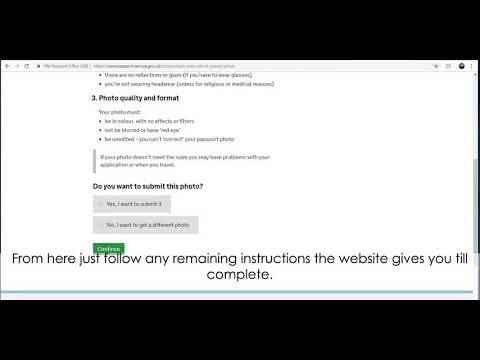 \n\n## What Actually Happens When You Enter a Photo Code?\n\nThere's a common misconception that the Photo Code is your photo. It isn't. Think of a Photo Code as a digital claim check, like the ticket you get at a cloakroom.\n\n### The 'Pointer' Logic\nWhen you enter that alphanumeric string into the UK passport application, you aren't sending a file to the government yourself. Instead, the system uses that code to ping a secure server. It essentially asks, "I have code XJ8-P2L; do you have a photo for this?" The server then hands over the digital file. This is why it’s called a retrieval system. The benefit is that the photo is hosted in an environment designed to serve it up in the exact format the Home Office prefers.\n\n### Metadata and Compression: Why Codes Often Win\nEvery photo taken on a modern iPhone or Android contains "EXIF data"—hidden information about the lens, the GPS location, and lighting settings. Sometimes, this metadata can interfere with the GOV.UK digital passport photo rules. When you get a passport photo code online from a dedicated service, that extra "noise" is stripped out. The image is compressed to a manageable size (usually under 2MB) and the aspect ratio is locked. This removes roughly 70% of the technical reasons a photo gets flagged before a human even looks at it.\n\n## The Digital Upload Dilemma: Why 'Perfect' Photos Fail\n\nIt’s frustrating when a crisp, clear photo gets rejected as "too dark" or "too blurry" by the automated checker.\n\n### The HMPO AI Checker in 2026\nThe automated tool used by the Home Office doesn't look at your photo the way a human does. It searches for contrast points and geometric ratios. For instance, if you have very dark hair and you're standing against a greyish-white background, the AI might struggle to identify the "edge" of your head. To the AI, your head has merged with the wall. Result? "Photo is too dark."\n\nSimilarly, if your phone’s camera uses "Portrait Mode," it artificially blurs the background. The AI sees that blur and thinks the entire photo is out of focus. This is why a direct upload of a technically "nice" photo often results in a fail.\n\n### File Format and Pixel Specs\nIf you're determined to upload a file directly, you must follow the official photo requirements precisely:\n* Size: Between 50KB and 10MB (the system prefers under 2MB for stability).\n* Pixels: At least 600 pixels wide and 750 pixels tall.\n* Format: JPG or JPEG only. No PNGs or HEIC (Apple's default).\n\n
 \n\n## Applying from Abroad: The 'Overseas Obstacle'\n\nThis is a major headache for British citizens living outside the UK. If you're in the United States, Australia, or France, you might walk into a local pharmacy expecting a code.\n\n### Why Your Local Photo Booth Code Won’t Work\nPhoto codes are not a global standard. A code generated by a pharmacy in New York or a booth in Paris uses a completely different technical architecture. They won’t be recognized by the UK system. Many expats find this out the hard way after spending money on a "digital ID photo" that has the wrong aspect ratio—UK photos must be rectangular, while US photos are typically square.\n\n### The Digital Bridge: Using Online Services Overseas\nIf you’re abroad, the smartest move is to take a high-quality photo at home (following our how to take a uk passport photo at home guide) and then use an online service to generate a UK-compatible code. This provides a digital file formatted specifically for the UK system's 4:3 aspect ratio, allowing you to simply paste the code into your application.\n\n## The 2026 Troubleshooting Matrix: Fix Your Rejection\n\nIf the GOV.UK site gives you a red or amber warning, don't panic. Most can be fixed with physical adjustments.\n\n| Error Message | Real-World Meaning | The Fix |\n| :--- | :--- | :--- |\n| "Photo is too dark" | Shadows on your face or the wall. | Move 1 meter away from the wall. Use natural light from a front window. |\n| "Background not plain" | AI detected a shadow or texture. | Use a plain, cream or light grey wall. Avoid brilliant white "glare." |\n| "Code not recognised" | Typo or server issue. | Double check O vs 0 and I vs 1. Try a fresh Passport Photo Code. |\n| "Eyes are covered" | Glare on glasses or hair on brows. | Remove glasses entirely. The HMPO prefers no glasses for biometrics. |\n| "Head is too large/small" | Distance issue. | Stand 1.5 meters from the camera. Ensure space above head and shoulders. |\n\nAccording to Which? consumer advice, photo rejections are a leading cause of application delays. Shadows are the primary culprit. If you stand right against a wall, you'll cast a shadow. Step away, and the shadow falls out of the frame. This simple move solves 90% of background errors.\n\n## Mobile vs. Desktop: Optimising Your Submission\n\nThe device you use to apply matters for the technical "handshake" between servers. If you are uploading a manual file on a mobile browser, the session can sometimes "time out" while the large file is processed.\n\nMy recommendation: If you have a code, mobile submission is usually seamless. If you are doing a direct file upload, use a desktop or laptop. The connection is more stable, and it’s easier to manage file conversions if the site rejects your first attempt. You can also check the Post Office UK for their check-and-send services if you prefer a physical touchpoint.\n\n## Frequently Asked Questions\n\n### Do I need a photo code for a UK passport?\nNo, you can upload a digital photo file manually. However, using a code from a professional service or booth often results in fewer technical errors as the file is pre-validated for the HMPO's AI checker.\n\n### How long is my photo stored?\nIndependent services like Passport Photo Code typically retain photos for 48 hours for retrieval purposes. Once you submit your application to the government, it becomes part of your official record.\n\n### Why is my passport photo code not working?\nThe most common reasons are mistyped characters (like '0' instead of 'O') or the code having expired. Most codes are valid for 30 days. If it's still not recognized, you may need a new code or to upload the digital file directly.\n\n## Final Checklist for a First-Time Pass\n\nTo ensure your application doesn't get kicked back by a human examiner, run through this check:\n\n1. Neutral Expression: Do not smile. Keep your mouth closed.\n2. No Glasses: Take them off to avoid lens glare, a top reason for manual rejection.\n3. Check the Background: Is it cream or light grey? Avoid white walls if you have fair skin.\n4. Lighting: Ensure even light. One-sided lighting makes AI mapping difficult.\n5. Use a Code: To avoid the headache of aspect ratios and metadata, use a UK passport photo code to handle the technical side.\n\nApplying for a passport is a chore, but it shouldn't be a battle with a computer. By choosing between a passport photo code vs digital photo upload based on your needs, you can sail through the digital gates and get your new blue book without delay.