UK Passport Photo Code vs. Digital Photo Upload Guide
Stuck at the photo stage of your UK passport application? This expert guide solves the 'Code vs. Upload' dilemma, fixes common 'Invalid Code' errors, and explains why your photo might fail even if the automated checker says it's 'Good'. Whether you're applying from the UK or abroad, get the technical specs and practical fixes you need to submit your application without the stress.
You’re halfway through your UK passport application, the session timer is ticking, and you’ve reached the photo screen. This is where most people hit a wall. HM Passport Office (HMPO) asks if you want to enter a UK passport photo code or upload a photo file.
I’ve seen hundreds of applicants get stuck here. Some are staring at an "Invalid Code" error after spending £15 at a supermarket booth. Others are applying from overseas, wondering why their local photographer in New York or Sydney has never heard of a "Photo Code." This guide isn’t just about how to stand against a wall; it’s about the technical hurdles that happen after the camera clicks. Let’s get you past the checker and on to the payment screen.
The Choice: Photo Code or Direct Upload?
If you’re in a hurry and near a participating UK photo booth (like those found in Post Offices or large supermarkets), a Photo Code is the fastest route. It’s a shorthand key—usually starting with a prefix like idpass-—that tells HMPO’s servers to retrieve your photo from a secure third-party database.
However, if you want to save money, if you’re applying from outside the UK, or if you simply prefer to use your smartphone, a Digital File Upload is the better choice. It gives you more control and, honestly, fewer technical "sync" errors.
Neither method guarantees your passport will be issued. Both are subject to the same biometric rules. A code is just a delivery system; it doesn’t magically fix a photo with shadows or a messy background.
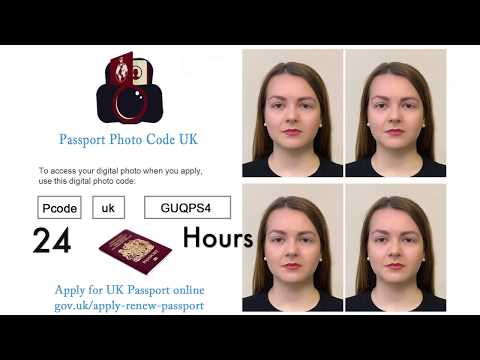
Troubleshooting: 'Passport Photo Code Not Working'
There is nothing more annoying than typing in a code and seeing a red error message. Before you head back to the shop for a refund, try these fixes for when your passport photo code not working.
The 5-Second Checklist for Invalid Codes
Most "unrecognised" codes are down to simple mistyping.
- Check the Prefix: Most UK codes must include the
idpass-prefix. Don't forget the hyphen. - Zeroes vs. Letters: In many booth fonts, the number
0is indistinguishable from the letterO. The same applies to1, capitalI, and lowercasel. Swap them and try again. - Case Sensitivity: While the system usually handles both, try entering the code in all caps. Some third-party databases are surprisingly fussy.
- The Space Bar: Ensure there are no accidental spaces at the beginning or end of the code. This often happens if you're copy-pasting from an email on your phone.
The Database Delay: Why Your Code Isn't 'Live' Yet
When you use a booth at a supermarket, that machine has to upload your image to a central server managed by a provider like Photo-Me (Me Group). That server then has to "handshake" with the HMPO system.
This isn't always instant. If the booth’s internet connection is patchy, or if there’s a high volume of traffic, it can take anywhere from a few hours to 24 hours for the code to activate. If you just walked out of the booth and the code doesn't work, wait a few hours before you assume the code is broken.
UK Passport Photo Code vs. Digital Photo Upload: A Side-by-Side Comparison
| Feature | Photo Code (Booth/Studio) | Digital File Upload (DIY/Online) |
|---|---|---|
| Cost | Typically £10–£15 | Often Free (or low cost for a check) |
| Availability | UK High Streets & Post Offices | Anywhere in the world |
| Convenience | Auto-crops the image for you | You manage the file yourself |
| Reliability | Susceptible to server sync errors | Direct upload; no middle-man server |
| Retakes | Limited by the booth software | Infinite retakes until it's right |
When a Photo Code Makes Sense
The draw of the code is that it handles the "tech" for you. The booth software handles the dimensions and ensures the file size is correct. But you’re paying a premium for that. Also, you have no way to fix the lighting after you leave. If the code expires (usually after 30 days), your money is gone.
Why Direct File Upload is Often Better
Uploading a file (like a .jpg) is my preferred method for anyone with a smartphone. You can take the photo in your own living room using natural light, which is almost always more flattering and clear than the harsh, overhead fluorescent lights of a booth.
If you use a service like Passport Photo Code, you get the best of both worlds: you upload your phone photo, the service checks it against UK rules, and then provides both the file and a code. This gives you a backup if one method fails.
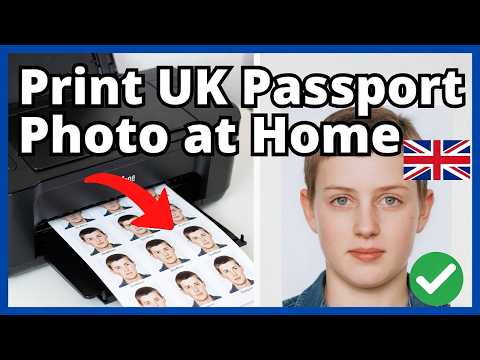
The British Expat’s Guide: UK Passport Photo Code Abroad
If you’re a British citizen in the USA, Canada, or Australia, the "Photo Code" system basically doesn't exist. Local pharmacies like CVS or Walgreens will offer "passport photos," but they will give you a physical 2x2 inch print.
Warning: Do not try to scan a physical US-sized photo for an online UK passport application photo. The aspect ratio is wrong (US is 1:1 square, UK is 3:4 portrait), and the scan quality almost always triggers a rejection.
For expats, the Digital File Upload is the only reliable path. You need to ensure your photographer provides a high-resolution digital file. Better yet, take a UK passport photo at home against a cream or light grey wall. The UK's digital system is actually very good at handling DIY photos as long as the lighting is even and there are no shadows.
Technical Masterclass: Pixels, Ratios, and the 'Portrait Mode' Trap
If you choose to upload a file, you need to know the numbers. According to the official GOV.UK photo standards, your image must be:
- Dimensions: At least 600 pixels wide and 750 pixels high.
- File Size: Between 50KB and 10MB.
- Format: .jpg or .jpeg (no PNGs, HEIC, or PDFs).
- Aspect Ratio: 3:4 (taller than it is wide).
The Danger of Smartphone Depth-of-Field
Here is a professional tip: Do not use "Portrait Mode."
Modern iPhones and Androids use software to create "bokeh" (a blurred background). While this looks great for social media, it is a nightmare for biometric software. The AI often blurs the very edges of your hair or ears to create that artistic effect. HMPO’s background-removal tools will see that blur and think your head is merging into the wall. This is a common cause of "soft" rejections.
Use the standard camera mode. Stand about 1.5 to 2 metres away from the camera and have someone else take the photo. Selfies are almost always rejected because they distort your nose and ears, and the angle of your arm is usually visible. For more details on biometric security, see the ICAO Document 9303 which sets international standards for travel documents.
Beyond the 'Good' Result: Why the Automated Checker Fails
When you upload your photo, the UK passport photo checker gives you a result: "Good," "Fair," or "Poor."
Many applicants think a "Good" result means their passport is guaranteed. It doesn't. The automated checker is a filter, not the final judge.
According to the HMPO Guidance for Examiners, a human being will still review your photo. The AI is good at checking dimensions, but it often misses:
- Hair over eyes: If even a few strands of hair touch your iris, an examiner will reject it.
- Subtle shadows: The AI might miss a slight shadow on the wall behind one ear, but it could lead to a rejection for a "non-uniform background."
- Expression: The AI might accept a slight smirk, but a human examiner might decide you aren't "neutral" enough.
If the checker says your photo is "Fair," don't risk it. This almost always leads to a manual delay or a request for a new photo weeks later. Fix the common UK passport photo mistakes and re-upload.
Privacy, Retention, and Lost Codes
What happens to your biometric data? Commercial booths typically store your photo for 30 days. This allows you to retrieve it if your session times out, but it also means your face is on a third-party server for a month.
If you lose your receipt with the code on it, you’re usually out of luck. Most booths don't have a "search by name" function for privacy reasons, meaning you'll have to pay again. Our service at Passport Photo Code prioritises security; photos are purged after 48 hours—just enough time for you to finish your application.
Frequently Asked Questions
Where to enter passport photo code?
On the 'Add your photo' screen of the official GOV.UK passport application, select 'I have a digital photo code' and enter it into the text box provided.
Does a passport photo code guarantee acceptance?
No. A Photo Code only retrieves the image; it does not mean HM Passport Office has approved it. A human examiner makes the final decision based on official guidance.
Can I get a passport photo code from my own photo?
Yes, by using a specialist online service like Passport Photo Code, you can upload your own smartphone photo and receive a compliant digital code.
What if I lost my passport photo code?
If you used a physical booth, check your email or receipt. If you cannot find it, you will likely need to retake the photo as most booth operators cannot retrieve codes for security reasons.
Final Checklist for a Stress-Free Submission
Before you click submit for your online UK passport application photo, do a final manual check. It’ll save you weeks of waiting for a rejection letter.
- Lighting: Is the light even on both sides of your face? Avoid standing next to a window where one side of your face is brighter than the other.
- Background: Is it plain cream or light grey? Avoid white walls if possible, as they can be too reflective and wash out your features.
- Glasses: My advice? Take them off. Reflection on the lenses is the top reason for photo failure. You don't need to wear them for the photo even if you wear them for driving.
- Positioning: Is there a clear gap between the top of your head and the edge of the frame? The system needs that "dead space" to crop accurately.
- The 'Neutral' Test: Close your mouth, relax your jaw, and look directly at the camera lens—not at the phone screen.
Applying for a passport is expensive enough. Don't let a simple tech error or a misunderstood UK passport photo code add a month of delays to your travel plans. If the code fails, don't force it—switch to a digital upload and take control of the process yourself.