UK Passport Photo Code Troubleshooting & Submission Guide
Struggling with a 'Code Not Recognised' error or confused by the GOV.UK photo portal? This guide breaks down how to fix technical submission errors, explains the 30-day expiration rule, and solves photo problems for British expats in the USA and Australia.
If you are currently staring at a GOV.UK error message or looking at a receipt from a high-street photo booth wondering where the code goes, you are not alone. Getting a UK passport photo code is meant to simplify your application, but technical glitches can often stand between you and your new passport.
The reality is that the UK’s digital passport system is world-class, but it is also incredibly fussy. Whether you are dealing with a code that won’t load or you are trying to figure out why your American-sized photo is being rejected, this guide is designed to get you past the finish line. We are moving past the basics of how to take a photo and focusing on the technical side of getting that image into the HM Passport Office (HMPO) database successfully.
Where and How to Enter Your UK Passport Photo Code
When you start your online application on the official GOV.UK passport portal, you will eventually hit a screen titled "How do you want to provide your photo?"
To use a code, you must select the first option: "I have a digital photo code".
Once you select this, a text box appears. If you have used our service at Passport Photo Code, you can simply copy and paste your code here. If you are using a code from a physical photo booth, it is usually printed on the receipt.
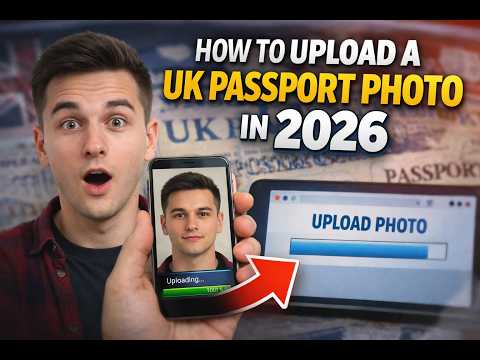
Finding the Right Option on the GOV.UK Portal
Manual entry is where most people trip up. The system is case-sensitive, and it is very easy to mistake a '0' (zero) for an 'O' (the letter), or a '1' (one) for an 'I' (the letter). If it fails on the first try, check those characters first. After you click 'Continue', the portal retrieves the photo from the provider’s server. You will see a preview of your face. If it looks correct, confirm and proceed. If the preview does not appear, it is usually due to a temporary server sync issue or a timeout.
The 30-Day Rule: Expiry vs. Recency
How long does a UK passport photo code stay valid? There are actually two different 'clocks' ticking here, and confusing them can lead to a rejected application.
- Technical Expiration (30 Days): Most high-street vendors host your photo for 30 days. After that, they are legally required to purge the data to comply with UK GDPR and data protection rules. If you try to use the code on day 31, the GOV.UK site will likely say 'Photo not found'.
- Legal Requirement (One Month): Official HMPO guidance states your photo must have been taken within the last month. Even if your code technically still works on the server, a human examiner may reject it if the photo is clearly older than 30 days.
At Passport Photo Code, we take a stricter approach to your privacy. We typically retain photos for no longer than 48 hours. This ensures your biometric data isn't sitting on a server for weeks. It’s best to generate your code and use it within that 48-hour window for maximum security.
Troubleshooting: Why Your Code Isn't Working
It is frustrating when the system refuses to cooperate. Before you seek a refund, check these common technical issues.
The 'Not Recognised' Error: Typos and Sync Lag
If the system says the code is not recognised, it is usually a typo or 'sync lag'. Retail photo booths can take up to 24 hours to upload your photo to their central server. If you used an online service like Passport Photo Code, the sync is usually instant. If you get an error, check for leading or trailing spaces if you copied and pasted the code.
When the Code Works but the Photo is Missing
Sometimes the code is accepted, but the preview screen stays blank. This is often a browser cache issue. Try refreshing the page or using an 'Incognito' browser window. If that fails, the file on the provider's server might be corrupted, and you will need to upload your photo here to generate a fresh, working code.
Photo Code or Digital Upload: Which is Better?
You might wonder if you should use a UK passport photo code or just upload a digital file. While both are valid, the code is generally the 'low-friction' choice.
- The Code Advantage: When you use a code, the image has already been cropped to the exact 4:5 aspect ratio and resized to the pixels HMPO expects. The automated checker also tends to have fewer 'metadata' errors with codes.
- When to Upload Directly: Direct upload is fine if you are tech-savvy and have manually cropped your photo to 600x750 pixels. However, for most, the code route removes the risk of 'File too large' or 'Incorrect aspect ratio' errors.
The Expat Guide: British Applications from the USA and Australia
Applying for a British passport from overseas is a notorious headache, especially in the US and Australia where local photo standards (like the US 2x2 inch square) do not match the UK’s 35mm x 45mm requirement.
The US 2x2 Square Problem
American labs (like CVS or Walgreens) provide 2x2 inch square photos. If you scan a US photo and upload it, it will likely be rejected because the proportions are wrong. Furthermore, the UK official digital requirements prefer a plain, light grey or cream background, whereas US labs often use stark white backgrounds which can cause 'flash washout'.
The Workaround: Don't go to a local US lab. Take a photo at home against a cream-coloured wall using your smartphone. Ensure the light is even to avoid shadows, then use an online service to generate a UK-compliant code. This is particularly helpful for British nationals living in the USA or Australia who need to meet strict biometric standards without a UK photo booth.
Technical Specs: Pixels, Ratios, and File Sizes
For a successful online UK passport application photo, your image must meet these technical benchmarks:
| Feature | Requirement |
|---|---|
| Aspect Ratio | 4:5 (Width:Height) |
| Dimensions | Minimum 600 pixels wide by 750 pixels high |
| File Size | Between 50KB and 10MB |
| Head Size | Head (chin to crown) must be 70% to 80% of image height |
| Colour Profile | sRGB (Standard) |
Privacy and Your Biometric Data
With facial recognition being a sensitive topic, you are right to be protective. Many apps retain data indefinitely, but our 48-hour retention policy is a deliberate choice to comply with the ICO's guidelines on data minimization. After 48 hours, your photo is deleted from our servers.
Frequently Asked Questions
Why is my passport photo code not working?
This is usually due to a mistyped character (e.g., mistaking '0' for 'O'), the photo hasn't synced to the server yet (allow 24 hours for booths), or the code has expired (most expire after 30 days).
Can I use a photo code for a paper application?
No. Photo codes are exclusively for online applications. For paper forms, you must provide two identical printed photos that meet the HMPO paper photo standards.
Does a photo code guarantee my photo will be accepted?
No. A photo code only ensures the image is retrieved and meets basic technical specs. A human examiner at HM Passport Office makes the final decision based on the quality of the image, expression, and background.
Final Checklist Before You Pay
Before you hit 'Submit' and pay your fee, run through this list:
- Background: Is it truly plain? No shadows or door frames?
- Expression: Keep it neutral. No smiling or visible teeth.
- Glasses: It is often safer to take them off to avoid glare.
- Lighting: Ensure light comes from the front to avoid side-shadows.
By following this UK passport photo code troubleshooting guide, you can avoid common pitfalls and ensure your application moves through the system without delay.