UK Passport Photo Code Troubleshooting: Should You Use a Code or Upload a File?
Struggling with a 'code not recognised' error or unsure whether to visit a photobooth? This guide breaks down the technical differences between Photo Codes and digital uploads, provides a fix for activation delays, and explains the best approach for British citizens applying from abroad.
If you’re halfway through a UK passport renewal and staring at the photo screen with a sense of dread, you aren’t alone. Statistically, the photo stage is where most online applications hit a roadblock. Whether you’re trying to figure out if you should trek to a supermarket photobooth or just use your phone to get a UK passport photo code, the process can feel unnecessarily complicated.
Let’s clear up the biggest misconception first: HM Passport Office (HMPO) doesn’t care whether you use a Photo Code or upload a digital file. Both methods result in the exact same thing: a digital image attached to your application. A Photo Code is just a 'retrieval key'—a shortcut for the official GOV.UK system to grab a photo that’s already sitting on a third-party server (like Max Spielmann or a Post Office booth).
If you have a code and it works, use it. If you don't have one, or yours is being rejected, uploading a high-quality JPG from your own device is just as valid and often far less stressful for an online UK passport application photo.
Photo Code vs. Digital File: Which is Better?
When you apply online, the system asks how you want to provide your photo. Your choice usually depends on how much you trust your own photography skills versus an automated booth. This passport photo code vs digital photo upload debate usually comes down to convenience versus control.
Why Use a Photo Code?
Photo Codes (which often start with a prefix like idpass) are designed for convenience. You visit a shop, pay £10–£15, and get a printout with a code.
- The Big Plus: You don't have to worry about file sizes or technical formatting. The booth's software handles the cropping and aspect ratios before the code is even printed.
- The Downside: You’re at the mercy of the booth's lighting—which can be notoriously harsh—and the provider's internet connection. If their server is slow, your code won't work immediately.
The Case for Uploading a Digital Photo
This is the DIY route, and it's quickly becoming the favourite for people who want to save money and stay in control. You take the photo at home following the official UK photo rules and upload the file directly.
- The Big Plus: It’s usually free. Plus, you can take 50 shots until you’re happy with how you look, rather than settling for the single, startled-looking image the booth gives you.
- The Downside: You have to get the lighting and background right yourself. This is why many people use a service like Passport Photo Code—it takes your home-taken photo and prepares it to meet the exact digital specs, essentially giving you the 'booth' experience from your sofa.
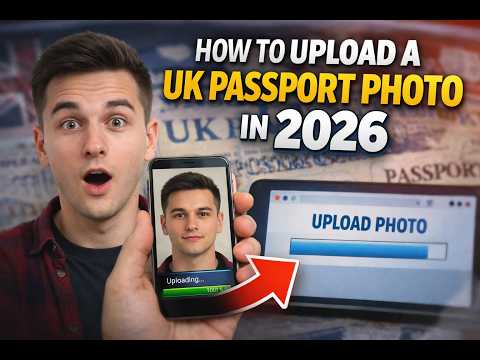
How to Identify a Valid UK Passport Photo Code
Most codes generated in the UK follow a predictable pattern. If you’re looking at a receipt and aren't sure how to use a passport photo code, look for a string of alphanumeric characters.
Large providers often use a format like idpass uk followed by eight or more letters and numbers.
Quick Tip: These codes are nearly always case-sensitive. If you're entering the code and getting an error, double-check that you haven't swapped a '0' (zero) for an 'O' (letter) or a '1' (one) for a capital 'I'. It’s a simple mistake, but it’s the reason behind a huge number of 'code not recognised' complaints.
The '72-Hour Sync': Why New Codes Often Fail
One quirk of the system that catches people out is the 'activation delay.' When you use a photobooth, the machine has to upload your image to a central server before the HMPO website can 'see' it.
While this often happens in seconds, it can take anywhere from a few hours to three full days (72 hours) during busy periods. If the GOV.UK site says your code isn't recognised, don’t panic. Put the kettle on, wait a few hours, and try again. If it’s still failing after 24 hours, it might be a technical error with the provider.
Troubleshooting: When the System Rejects Your Code
It’s incredibly annoying to pay for a professional code only for the government website to reject it. If you find your passport photo code not working, follow these diagnostic steps.
Fixing the 'Not Recognised' Error
If the system says your code isn't recognised, it's usually one of three things:
- A Typo: Re-read the code. Spaces matter, and so do similar-looking characters.
- The Server Delay: As mentioned, the photo might not have reached the database yet.
- Expiry: Most codes expire after 30 days. If you took your photo months ago, the provider has likely deleted it to comply with UK GDPR data protection laws.
Browser and Device Glitches
Sometimes the fault lies with your computer, not the code. If you’ve been stuck on the photo page for a while, your session might have timed out.
- Try Incognito Mode: Opening a 'Private' or 'Incognito' window can bypass cached errors.
- Switch Devices: If your phone's browser is acting up, try finishing the application on a laptop. The GOV.UK uploader can be temperamental with older mobile browsers.
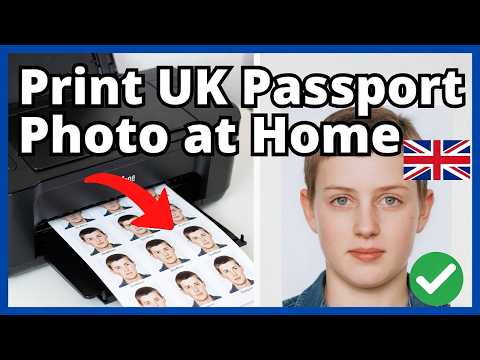
Applying from Abroad: The Expat Photo Problem
If you’re a British citizen living in the USA, Australia, or Europe, you’ll likely find that the 'Photo Code' option is useless. The UK passport photo code abroad issue is common because the 'idpass' system is a commercial agreement specifically between UK-based retailers and HMPO.
International booths (like those in a US pharmacy or a French supermarket) will give you physical prints or a digital file, but they won't give you a code that works on the UK site. If you’re abroad, don’t hunt for a code. Just take a high-quality photo against a plain, light-coloured wall and upload the digital file. This is the standard procedure for overseas applications.
Why a 'Good' Rating Doesn't Guarantee Acceptance
Once you enter a code or upload a file, the GOV.UK website gives you an automated rating: Good, Fair, or Poor.
Don't be fooled—a 'Good' rating isn't a guarantee of success. The automated checker is just a basic AI looking for the basics: Is there a face? Is the background light? It doesn't have the 'eyes' of a human caseworker who will review your application later based on detailed HMPO guidance.
A photo might get a 'Good' rating but still be rejected later because of:
- Strands of hair: A human caseworker will reject a photo if hair covers your eyes.
- Glass reflections: The AI is notoriously bad at spotting slight glints on spectacles.
- Subtle shadows: If there’s a shadow behind your ears, a human examiner will likely reject it.
A Faster Way: Getting a Digital Photo and Code at Home
You don't have to choose between the high-street price of a code and the technical hassle of a DIY upload. At Passport Photo Code, we’ve combined both. You upload a photo from your phone, and our system automatically checks it and formats it to meet UK digital passport photo requirements. We then provide both a downloadable file and a code for your application.
Frequently Asked Questions
Where do I enter my passport photo code?
You enter the code on the 'How do you want to provide your photo?' page of the online application. Select the option 'I have a code' and type it into the box provided.
What if I lost my passport photo code?
If you bought your code from a booth, check your receipt or look for an email confirmation. If you cannot find it, you will likely need to take a new photo or contact the provider's customer service.
Does a passport photo code guarantee acceptance?
No. A code only retrieves the photo. HM Passport Office makes the final decision on whether the photo meets the official standards during the manual review stage.
Can I get a passport photo code from my own photo?
Yes, by using an online service like Passport Photo Code, you can turn a smartphone photo into a compliant digital file and a retrieval code without leaving your home.
Summary Checklist
Before you finish your application using a UK passport photo code, run through these final checks to avoid delays according to Which? consumer advice:
- Neutral Expression: No smiling and keep your mouth closed.
- No 'Red Eye': Flash-glare in the eyes is an instant rejection from a human examiner.
- Plain Background: It must be cream or light grey.
- Wait for the Sync: If you just bought a code, give it at least 4 hours to activate.
- Expats: Skip the code search and just upload a digital file directly.