UK Passport Photo Code Troubleshooting: Resolving Errors and Expiry
Struggling with a UK passport photo code that is not recognized? This expert guide troubleshoots error messages, explains the 30-day GDPR expiry rule, and provides solutions for British expats applying from abroad.
There is a specific kind of sinking feeling that happens about halfway through a UK passport application. You’ve spent £15 at a high-street photo booth, carefully tucked the receipt into your wallet, and sat down at your laptop ready to finish the job. You type in the code, hit 'submit', and—instead of your face appearing on the screen—you get a blunt red error message telling you the code isn't recognised.
It’s a massive faff, but you aren't alone. These digital retrieval keys, officially known as IDPC (Independent Digital Photo Codes), are meant to simplify the process. However, between server lags, character ambiguities, and strict privacy laws, there are plenty of places where the technology can trip you up. Using a UK passport photo code should be easy, but when it fails, you need to know exactly how to bypass the glitch.
Why is my UK passport photo code not working?
If your UK passport photo code isn't working right now, it almost always boils down to one of these four reasons:
- A simple typo: The font used on booth receipts makes '0' (zero) and 'O' (Oscar) look identical.
- The 30-day expiry: Most booth providers (like Photo-Me or Max Spielmann) delete your photo after 30 days to comply with GDPR. If your receipt is older than a month, that code is dead.
- Synchronization lag: It can take up to 24 hours for the booth's server to 'talk' to the HM Passport Office (HMPO) database.
- Browser cache issues: Your computer might be trying to load an old version of the official GOV.UK digital application page.
In this manual, we'll walk through how to fix these glitches and—more importantly—why you might want to stop using booth codes altogether in favour of a direct digital upload.
Digital Photo Code vs. Direct File Upload: Which is Better?
When you start your online application, the system offers a choice: enter a code or upload a digital file. Most people lean towards the code because it sounds more official, but it’s often the more fragile option.
The 'Convenience' of the Code
A Photo Code is just a retrieval key. It’s a shortcut that tells the HMPO system to go and grab a specific file from a third-party server (the booth company). While convenient, it adds a 'middleman' to your application. If the booth company’s server is undergoing maintenance or the upload from the booth failed because of a dodgy internet connection in the supermarket, your application stops dead.
The 'Control' of a Digital Upload
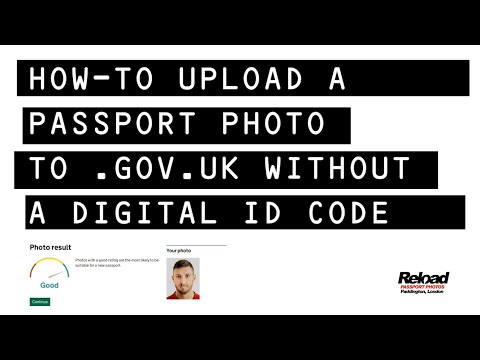
Uploading a digital .jpg file directly from your device is the 'pro' move. You aren't relying on a third-party server to hand over the image. You have the file, you see the file, and you give it straight to the Passport Office.
This is why I always recommend using a service like Passport Photo Code. It gives you the best of both worlds: you get a code if you want the convenience, but you also get the actual digital file to keep. If the code fails, you don't have to go back to the shops; you just upload the file and keep moving.
Troubleshooting the 'Code Not Recognised' Error
Before you bin your receipt and demand a refund, try these technical workarounds for a passport photo code not working.
The O vs. 0 Problem: Thermal Printer Ambiguity
Photo booths use thermal printers, which are notorious for low ink and blurry text. The characters ‘0’, ‘O’, ‘Q’, and ‘D’ can look suspiciously similar. The same applies to ‘1’, ‘I’, and lower-case ‘l’. This results in a mistyped passport photo code more often than you'd think.
- The Fix: Look at the other characters in your code. If the code is mostly numbers, that 'O' is likely a '0'. Try every variation before giving up.
Synchronization Lag: The API Gap
If you literally just walked out of the booth, the system might not be ready. The booth has to upload the image to a central hub, which then has to index that image so the HMPO system can find it.
- The Fix: Wait. If you took the photo on a Sunday or a Bank Holiday, the systems can be sluggish. Give it 2 to 4 hours. If it still doesn't work after 24 hours, the upload from the booth likely failed at the source.
Browser and Cache Glitches
Sometimes the GOV.UK site gets 'stuck' on a previous failed attempt.
- The Fix: Open your browser in 'Incognito' or 'Private' mode. This forces the website to start a fresh session without any old, corrupted data getting in the way. If the code works in Incognito mode, you just need to clear your browser's cookies.
The 30-Day Expiry: Understanding the GDPR 'Kill-Switch'
This is the most common reason for code failure that catch applicants off guard. Under UK data protection laws, specifically the principle of Storage Limitation via the ICO, companies cannot keep your biometric data (your face) indefinitely if they don't have a reason to.
Major providers like ME Group (formerly Photo-Me) have a strict 30-day retention policy. From the second that flash goes off in the booth, the clock is ticking. On day 31, the server runs an automated script that wipes the image.
The Reality: If you took your photo more than a month ago, the code isn't 'broken'—it’s empty. The data is gone. You cannot recover it, and the shop staff cannot 'reactivate' it. You will need a new photo. This is a massive argument for obtaining a downloadable digital file instead; once you download the file to your phone or laptop, it’s yours forever, and you aren't at the mercy of a deletion script.
The Expat Solution: Getting a UK Photo Code Abroad
I regularly hear from British nationals in the USA, Australia, or the EU who are scouring their local shopping centres for a 'UK Passport Photo Code' booth.
Let's clear this up: You do not need a photo code to apply for a UK passport from abroad.
In fact, you’re unlikely to find one. The IDPC system is a specific commercial arrangement between UK high-street retailers and the Home Office. A CVS in New York or a photographie studio in Paris will have no idea what a 'UK Photo Code' is. When completing an online UK passport application photo from overseas, you must rely on direct uploads.
The Myth of the International Photo Code
If you are overseas, ignore the 'code' option entirely. The standard procedure for expats is to upload a digital photo file.
- Find a local photographer or take a high-quality photo at home against a light-coloured wall.
- Ensure the photo meets the official GOV.UK photo standards.
- Use an online tool to format it to the correct 600x750 pixel dimensions.
- Upload the .jpg file directly to your application from abroad.
Trying to find a booth that generates a UK-compatible code in Sydney or Dubai is a wild goose chase. Save yourself the petrol and just use a digital service that prepares the file for you.
Decoding the 'Automated Checker' Results
Once you finally get your photo into the system, the GOV.UK website runs it through an AI checker. This is where many people panic unnecessarily.
Green, Amber, Red: What the Results Actually Mean
- Green: The AI thinks the photo is perfect. You’re good to go.
- Amber: The AI has identified a potential issue. It might say "Your background looks too dark" or "We can't see your eyes clearly." This is NOT a rejection. It is a warning that a human examiner will need to look at it more closely.
- Red: This is a hard 'no.' Usually, it’s because the file is too small, the head is cropped off, or someone else is in the background.
When to Ignore the Warning and Proceed
If you get an 'Amber' warning, don't immediately rush back to the booth. According to the HMPO Internal Guidance for Examiners, human staff have the final word.
If the AI flags your background as 'too grey' but you know it's a plain, light-coloured wall with no shadows, you can tick the box that says "I want to proceed with this photo anyway." A human examiner will look at it. If they can clearly see where your head ends and the background begins, they will almost always pass it. The AI is programmed to be hyper-cautious; humans are more sensible.
How to Generate a Valid Code from Your Own Photo
If you’re fed up with booth errors, you can bypass the high street entirely. You can take a photo on your smartphone today and generate a new, compliant code online.
The process is simple: you upload your 'selfie' (taken against a plain wall), the service handles the technical bits—background removal, cropping, and lighting checks—and gives you both a retrieval code and the digital file. This removes the '30-day' worry and ensures you have a backup if the GOV.UK system is being temperamental.
Advanced Troubleshooting Matrix: Error Messages and Fixes
| Error Message | Likely Cause | The Fix |
|---|---|---|
| "Code not recognised" | Typo or 30-day expiry. | Check '0' vs 'O'. If the receipt is 30+ days old, get a new photo. |
| "This code has already been used" | You used it in a previous session or a draft application. | Check your emails for a 'declaration' link from a previous attempt. |
| "Technical problem with the service" | HMPO server maintenance. | This is usually a GOV.UK system issue. Wait an hour and try again. |
| "File is too large" | You're trying to upload a raw high-res photo. | Passport photos must be under 10MB. Use a resizing tool to fix UK digital passport photo pixels. |
Frequently Asked Questions
What happens if I lost my passport photo code?
If you lose the receipt from a photo booth, you generally cannot retrieve the code online. Most booths are offline systems that print a unique one-time key. You will likely need to take a new photo. If you used an online service, check your email inbox and spam folder for the digital delivery.
Does a passport photo code guarantee acceptance?
No. A UK passport photo code only guarantees that the file can be retrieved by the Passport Office. The actual content of the photo (lighting, expression, background) is still subject to the automated checker and a final review by a human examiner at HMPO.
Can I use a photo code for a paper application?
No. Photo codes are exclusively for online applications. If you are applying via a paper form (Post Office Check & Send), you must provide two physical printed photos that meet the official paper photo standards.
Final Checklist for a Stress-Free Application
To make sure your application goes through first time, follow this expert sequence:
- Use it or lose it: If you have a booth code, use it within 7 days. Don't let it sit in your wallet for three weeks.
- Ditch the glasses: Even if you wear them every day, glasses are the #1 reason for 'Amber' warnings due to glare. Take them off.
- Natural light is king: If taking your own photo, stand facing a window during the day. This eliminates 'shadows behind the ears'.
- No smiling: Keep your mouth closed and your eyes open for a neutral expression.
- Always have the .jpg: Never rely solely on a code. Always ensure you have the digital image file as a backup.
Applying for a passport is a significant bit of life admin. Don't let a buggy photo code turn it into a headache. If you need to get a passport photo code online without the faff of a booth, get a fresh, digital-first code online and get your application submitted today.