UK Passport Photo Code Troubleshooting & International Guide
The definitive troubleshooting resource for British citizens at home and abroad facing technical issues with passport photo codes. We tackle common error messages, compare Photo Codes against direct uploads, and provide a bespoke roadmap for expats in the USA, Australia, and Europe who need a UK-compliant digital photo.
You've navigated the GOV.UK forms, dug out your old passport number, and listed your parents' birthplaces. Then you hit the photo stage. You enter the code from your receipt, click 'submit', and... nothing. Or worse, a flashing red error message telling you the UK passport photo code isn't recognised.
It's a common frustration. While the move to digital Photo Codes was intended to simplify the application, it has introduced a new layer of technical 'black box' errors. Whether you're struggling with a booth code that won't work or you're an expat in New York wondering why a Walgreens 2x2 photo is being rejected, this guide breaks down exactly how to fix it.
The Moment of Truth: Why Your Passport Photo Code Isn’t Working
There’s nothing quite as annoying as paying for a photo, getting a receipt, and being told it doesn't exist. Before you bin the receipt and head back out into the rain, check these common technical blockers if your passport photo code is not working.
Top 5 'Code Not Recognised' Error Fixes
-
The Activation Delay: If you’ve just stepped out of a photo booth and tried to enter the code, you're likely too fast. Most booth systems (like Me-Group/Photo-Me) require the photo to be uploaded to a central server. This can take anywhere from a few minutes to an hour. Action: Wait 60 minutes and try again.
-
The Server Handshake: Occasionally, the connection between the photo provider's database and the HM Passport Office (HMPO) portal drops. If it isn't working on your mobile, try a desktop browser. Mobile browsers sometimes struggle with the 'retrieval' script used by the GOV.UK site.
-
Expiry Issues: Standard booth codes usually last for 30 days. If you took your photo a month ago and finally got around to the application today, the code has probably been purged from the provider’s database for privacy reasons. You'll need a new photo.
-
Case Sensitivity and Spaces: Ensure you aren't adding a space at the beginning or end of the code—a frequent occurrence when using 'autofill' or copying from an email.
-
Wrong Provider: Not all 'digital' photos come with a UK Passport Photo Code. Some international services provide a code for their own cloud storage, which isn't linked to HMPO. A genuine UK passport photo code follows a specific format (e.g., 789-123-456).
The Typo Trap: O vs 0 and I vs 1
This accounts for a huge percentage of 'failures'. Booth receipts use thermal printers that can be faint or use ambiguous fonts.
- The Zero/O Problem: Is it the letter 'O' or the number '0'? In many passport code formats, numbers are used to avoid this, but not always.
- The One/I/L Problem: A capital 'I', a lowercase 'l', and the number '1' often look identical on a receipt.
Expert Advice: If your code isn't working, try every variation of those ambiguous characters. It’s a five-minute task that usually solves the problem without a second trip to the booth.
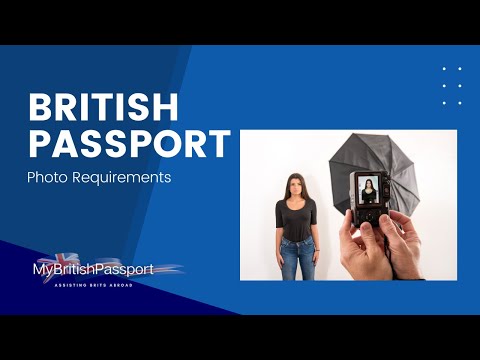
Photo Code vs. Digital Upload: Which One Should You Choose?
When you start your application, you’re given two choices: enter a code or upload a digital file. Both are valid, but they serve different needs for an online UK passport application photo.
The Technical Benefits of Using a Code
Knowing how to use a passport photo code correctly is generally the path of least resistance. When a professional service generates a code, they’ve already done the heavy lifting. They've cropped the photo to the 3:4 aspect ratio, ensured your head size is between 29mm and 34mm, and checked that the file size is within the 50KB to 10MB limit.
Entering a code pulls a 'pre-validated' file. This doesn't mean it’s guaranteed to be accepted—a human examiner still looks at it—but it means it’s technically compatible with the government’s software. This eliminates 'file format' rejections immediately.
When a Direct Upload is Better
If you're confident with a camera, uploading your own photo file gives you more control. This is often better if you have a specific skin tone or lighting requirement that automated booths tend to wash out.
The risk is higher, though. You must manually ensure you aren't falling foul of the 'background must be plain cream or light grey' rule. If you upload a file with a white background, it might be rejected by the automated checker. For most, the code system provided by Passport Photo Code is a safety net that prevents these basic technical errors.
The Expat’s Dilemma: Getting a UK Photo Code Abroad
This is where the system often fails British nationals living overseas. If you’re in New York, Sydney, or Dubai, you can’t exactly pop down to a British Post Office or use a standard UK photo booth to get a UK passport photo code abroad.
Why US/Local Photo Services Often Fail UK Requirements
In the USA, the standard passport photo is 2x2 inches on a white background. The UK requires a 35mm wide by 45mm high format (for prints) and specifically requests a cream or light grey background.
More importantly, US pharmacies (CVS, Walgreens) don't provide an HMPO-linked Photo Code. If you try to upload a square 2x2 inch photo to the UK application, the cropping tool will often cut off the top of your head or your chin. This leads to an instant rejection. For a reliable solution, you can get a passport photo code online that is guaranteed to meet the UK's specific biometric dimensions.
Generating a UK Code from New York to Sydney
You can take a photo on your phone—following the standard rules—and a specialized service prepares it specifically for the UK specification. Instead of hunting for a British-style booth in a foreign city, you upload your photo. The service checks for shadows, head position, and background colour, then provides you with both the digital file and a valid Photo Code. It bridges the gap for expats, allowing them to use the efficient online renewal system.
Deep Dive: HMPO Technical Standards for Digital Photos
HM Passport Office guidance for professional photographers lays out the specs that the automated system uses to 'read' your face. Understanding these can help you troubleshoot a stubborn photo.
Pixels, Aspect Ratios, and File Sizes
For a digital photo to be accepted, it must meet these three criteria:
- Resolution: At least 600 pixels wide and 750 pixels tall.
- File Size: At least 50KB but no larger than 10MB.
- Aspect Ratio: A strict 3:4 ratio. Anything else (like the 1:1 square photos from the US) will be rejected.
The Shadow Factor: AI Edge Detection
When you submit a photo, it passes through an AI-driven automated checker. This software needs to clearly see the edge of your head against the background to measure your proportions. If you have a shadow behind one ear, or if your hair blends into a dark background, the AI can't find the 'edge'. This is why light grey or cream backgrounds are required—they provide the best contrast for the widest range of skin tones and hair colours.
Expert Tip: Stand about 1.5 metres away from the background to minimise shadows. Use natural, even light from the front rather than a harsh overhead light which creates 'raccoon eyes'.
Data Privacy and Retention: What Happens to Your Photo?
A common concern is who holds your biometric data and for how long.
The 30-Day Window: Expiry and Deletion
If you use a high-street booth like those operated by Me-Group, your photo is typically stored on their secure servers for 30 days. After that, the code expires and the photo is deleted to comply with GDPR. Once you've submitted the code to GOV.UK, it’s governed by the HMPO privacy policy as part of your permanent record. You can also learn more about your rights regarding digital data from the Information Commissioner’s Office (ICO).
The 'Manual Check' Phase: What the Code Doesn't Guarantee
The Photo Code check is not an approval. When the GOV.UK website gives you a green tick, that is just the automated check. Every single photo is eventually reviewed by a human examiner.
According to official Freedom of Information data, hundreds of thousands of photos are rejected annually even after passing the initial automated check. A human might reject your photo for a tiny bit of hair covering the edge of your eye or a slight smirk that the AI missed. Services like the Post Office Digital Check & Send can offer an additional layer of human verification if you are applying in person.
Frequently Asked Questions
Why is my UK passport photo code not recognised?
This is usually due to a typo (like confusing '0' and 'O'), a delay in the provider's server activation (wait 60 minutes), or the code has expired after 30 days.
Can I get a passport photo code from my own photo?
Yes, you can use online services like Passport Photo Code to upload a photo taken on your smartphone. The service will process it to meet HMPO standards and provide you with a valid code.
What should I do if I lost my passport photo code?
If you have lost the receipt from a photo booth, you will likely need to take a new photo. Booth providers cannot usually retrieve codes once lost for security reasons. Always take a photo of your receipt as a backup.
Does a photo code guarantee my passport will be issued?
No. The code only ensures the photo is technically compatible. A human examiner at HM Passport Office makes the final decision on whether the photo meets visual quality and biometric rules.
The Ultimate Passport Photo Code Checklist
Before you hit 'submit' on your application, run through this list to avoid a 3-week delay:
- Check the Background: Is it definitely cream or light grey? Pure white can be rejected if it causes 'glare'.
- Eyes and Hair: Are your eyes fully visible? Even a few strands of hair touching your eyebrows can trigger a rejection.
- The 'Neutral' Rule: Are your lips closed? No teeth should be showing.
- No Glasses: While technically allowed without glare, many examiners find them problematic. It is safer to remove them.
- Lighting: Is the light even? Front-facing natural light is best.
Applying for a passport doesn't have to be stressful. Whether you’re using a high-street booth or an online service to get a passport photo code online, the key is to ensure your photo follows the rules before you start. If you are ready, you can get your UK digital passport photo and code here and move one step closer to your next trip.