UK Passport Photo Code Troubleshooting: Fixing 'Not Found' Errors
Struggling with a UK passport photo code that isn't recognised? This guide diagnoses the technical glitches, explains the 'Fair' vs. 'Poor' HMPO checker results, and provides solutions for British expats applying from abroad.
If you are staring at a red error message saying "Photo not found" or "Code not recognised" while trying to renew your UK passport, the fix is usually simpler than it looks. You have likely gone to the effort of visiting a photo booth, paid your fee, and now the official GOV.UK system is acting as if your code doesn't exist.
The UK passport photo code system is efficient when it works, but it can be a bit of a "black box" when it hits a technical snag. Most errors boil down to three things: timing, transcription, or your physical location.
The Immediate Fix: Why Your UK Passport Photo Code Isn’t Working
Before you bin your receipt and head back to the shops, check these common reasons for a rejection. Knowing how to use a passport photo code correctly often prevents these initial headaches.
The 24-Hour Sync Lag
This is the most frequent cause of a "Not Found" error. When you use a high-street photo booth or a professional studio, they upload your image to a third-party server. That server then has to sync with the HM Passport Office (HMPO) database.
If you try to enter your code the moment you walk out of the booth, the government system might not have "seen" it yet. It is often best to wait 24 hours. If the passport photo code is not working after 48 hours, there is likely a technical fault with the provider's upload process.
The Character Trap: Is it a Zero or an 'O'?
It sounds basic, but mistyped characters account for a huge number of failed codes. Photo codes are alphanumeric strings, and the fonts used on thermal receipts are notoriously difficult to read.
- The Number 0 vs. The Letter O: Most systems try to avoid using both, but it still happens. If one fails, try the other.
- The Number 1 vs. The Capital I or lowercase L: Look closely at the serifs (the little feet on the letters).
- The 'Check & Send' Confusion: Do not mistake the reference number from a Post Office Check & Send paper form for a digital photo code. They are entirely different systems.
The Global Gap: Why You Can’t Get a UK Code in Foreign Shops
This is a major headache for British nationals living in the USA, Australia, or Europe. If you walk into a local pharmacy in Los Angeles or a studio in Sydney and ask for a "UK Passport Photo Code," they will likely have no idea what you are talking about.
The USA, Australia, and EU Problem
Photo shops abroad are geared toward local requirements. In the USA, for instance, they produce 2x2 inch prints with white backgrounds to satisfy U.S. Department of State standards. Crucially, these shops do not have access to the UK-specific infrastructure required to generate an official HMPO Photo Code.
Only authorised providers—mostly UK-based—can generate these codes directly. If you are applying for a UK passport photo code abroad, you cannot get one from a local high-street shop.
Bridging the Gap from Home
Passport Photo Code is designed specifically for this scenario. You can take a photo in your own home anywhere in the world, and we prepare it to meet the strict UK specification.
We provide both the digital file and a code that works with the GOV.UK online application. This removes the need to find a specialist studio in a foreign country that might not understand the difference between UK and local biometric rules, as defined by the ICAO standards.
Decoder: What the HMPO Automated Checker Results Actually Mean
Once you enter a code, the GOV.UK system runs your photo through an AI-driven checker. According to official GOV.UK guidance, this tool is meant to assist you, but it is not the final word. A human examiner still reviews the photo later.
The 'Fair' Result: Should You Risk It?
A "Fair" result often comes with warnings like "Background might be too dark" or "Shadows on face detected."
| Result | Action to Take |
|---|---|
| Good | Proceed with confidence. |
| Fair | Proceed only if your face is clear and rules were followed. Expect manual review. |
| Poor | Do not proceed. Reshoot the photo to avoid automatic rejection. |
The Rule of Thumb: If the warning is about your head position or the background, but your face is perfectly clear, you can usually proceed. However, if the warning is about "distorted image" or "image quality," you should reshoot. A "Fair" result won't automatically lead to a rejection, but it might trigger a manual review, which can slow down your application according to HMPO performance data.
The 'Poor' Result: Common Technical Culprits
A "Poor" result is a hard stop. This is often caused by technical issues that the AI cannot resolve:
- Shadow Logic: Heavy shadows behind the ears confuse the AI's ability to map head shape.
- Eyeglass Reflection: Glare on lenses hides the pupils. The Passport Office recommends removing glasses entirely for the best result.
- Low Contrast: Fair hair blending into a light background makes biometric mapping nearly impossible.
UK Passport Photo Code vs Digital Photo Upload: Which is Better?
You do not need a Photo Code to apply online. You have two choices: enter a code or upload a .jpg file directly.
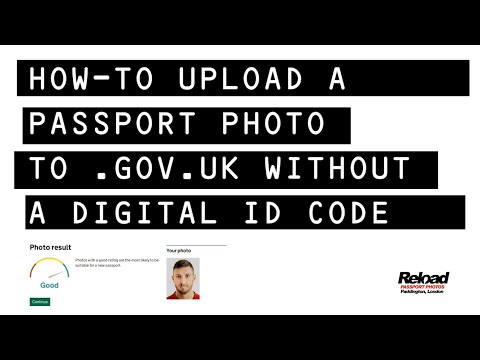
A Photo Code is often easier because the provider has already handled the cropping and file sizing. However, a direct upload is sometimes more reliable because it bypasses the "sync lag" mentioned earlier. If your passport photo code is not recognised and you have the original digital file, simply upload it manually.
Troubleshooting a 'Not Found' Error
If you are stuck with an online UK passport application photo that won't upload, follow these sequential steps:
- Check the Expiry: Codes usually expire after 30 days. If yours is older, you'll need a new one.
- Verify the Service: Ensure the code is specifically for a UK passport and not a driving licence or foreign document.
- The Character Swap: Manually try replacing '0' with 'O' or '1' with 'I' in the entry field.
- Wait for the Sync: If you obtained the code in the last few hours, wait until the next morning and try again.
- Switch to Manual Upload: If the code fails repeatedly, use the original digital file instead.
Privacy and Your Data: Where Does the Photo Go?
Under UK data protection laws, third-party providers should not keep your biometric data longer than necessary. At Passport Photo Code, we normally retain photos for no longer than 48 hours—just enough time for you to finish your application.
Once your passport is issued, the HMPO keeps the photo on your official record, but the retrieval code itself is deactivated. For more specific needs, you can see our guide on passport photos for babies.
Frequently Asked Questions
Why is my passport photo code not recognised?
This usually happens due to a delay in the provider's server syncing with the HMPO database. Wait 24 hours before trying again. It can also be caused by mistyping characters like '0' and 'O'.
Can I use a photo code for a paper application?
No. Photo codes are exclusively for online applications. For paper forms, you must provide two physical printed photos that meet standard UK size requirements.
Does a 'Good' result guarantee my photo will be accepted?
No. The automated checker is an AI tool. While a 'Good' result is a positive sign, every photo is subject to a final manual check by a human examiner at HM Passport Office.
Conclusion
Getting a UK passport photo code should be the easiest part of your application. If you encounter a "not found" error, remember that timing and transcription are the most common culprits. If you are applying from abroad and cannot find a local shop to provide a code, using a dedicated online service like Passport Photo Code is the most reliable way to bridge the gap. By following the light and positioning rules, you can ensure your digital photo passes the HMPO AI checker with a 'Good' result on the first try.