UK Passport Photo Code Troubleshooting: Fix Errors & 'Fair' Results
Stuck with a 'code not recognised' error or a 'Fair' result on the HMPO checker? This guide explains how to troubleshoot UK passport photo codes, fix formatting errors, and navigate the technical requirements for digital uploads.
If you've reached the photo stage of your online UK passport application, the last thing you want is a red error message. Whether the system says your code isn't recognised or it's giving you a 'Fair' result that you don't understand, it can feel like a major roadblock. Most of these issues are technical glitches rather than a problem with your face. This guide explains how to resolve these errors and successfully use your UK passport photo code to complete your application.
Why Your UK Passport Photo Code Isn’t Working
If you've entered a code from a high-street booth or a shop and it's coming back as 'not recognised', the most likely culprit is a server sync delay. When you use a booth (like Photo-Me or Max Spielmann), the machine sends your photo to their private database. The HM Passport Office (HMPO) system then has to 'pull' that image when you enter the code. If the retailer hasn't uploaded it yet, the government site cannot find it.
The 60-Second Troubleshooting Checklist
Before you head back to the shop for a refund, check these basics to fix a passport photo code not working:
- The '0' vs. 'O' Trap: This is the most common cause of errors. Try swapping any zeros for capital 'O's, or vice versa.
- The Prefix: Some retailers require you to type a prefix like
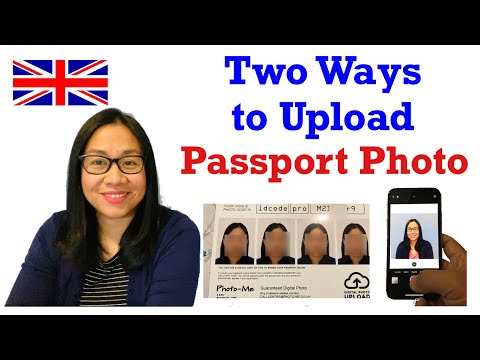
idpass UKfollowed by the code. Check your receipt carefully; if you omit the prefix, the system won't know which database to search. - Retailer Lag: It can take anywhere from 24 to 72 hours for some high-street systems to sync with HM Passport Office Guidance. If you only took the photo an hour ago, try again tomorrow.
- Expiry Dates: Most booth codes are only valid for 30 days. If you've been sitting on that code for a month, it has likely been deleted for privacy reasons.
If the code still doesn't work after 72 hours, the upload likely failed at the source. In this case, it’s often faster to get a new passport photo code online using a photo from your phone than it is to chase a retail refund.
Decoding the HMPO Checker: 'Good' vs. 'Fair' Results
When you submit your photo, HMPO's automated tool runs a biometric check. It is looking for specific markers defined by the ICAO Document 9303 technical standards that allow your passport to work with airport eGates.
- A 'Good' result means you’re in the clear. The AI is confident that a human examiner will approve it.
- A 'Fair' result is a warning, not an automatic rejection. It means the system has detected something that might be an issue. You can still submit a 'Fair' photo, but you are effectively asking a human examiner to make a judgement call.
When 'Fair' is actually 'Fine'
Don't panic if the system flags your hair or the background. The AI often gives a 'Fair' result if:
- Your hair is voluminous and touches the edge of the frame.
- There's a tiny, faint shadow behind one ear.
- The background is cream rather than light grey (both are allowed under official rules).
In these cases, the photo is usually fine. A human examiner will see that your features are clear and will likely pass it.
When 'Fair' means 'Fix It'
There are two things you should never risk with a 'Fair' result: lighting and glasses. If the checker flags 'uneven lighting' or 'reflections on glasses', you should reshoot. These are strict biometric requirements. If the lighting is uneven, the 3D mapping software at border control might not recognise you, leading to delays every time you travel.
Technical Glitches: Sync Delays and Formatting
A Photo Code is essentially a digital 'ticket' used to retrieve a file. If you’re getting a 'Not Found' error, the link between the retailer’s server and the GOV.UK site is broken.
If you’re using a digital-first service, this sync is usually instant. However, high-street booths often batch-upload their data at the end of the day. If the booth's internet connection was down during your session, that code might never appear in the system.
Photo Code vs. Digital Photo Upload: Which is Better?
You do not have to use a code. You can choose to 'upload a digital photo' instead. This involves selecting a JPEG or PNG file directly from your device. When deciding between a passport photo code vs digital photo upload, consider your technical comfort level.
- The Case for the Photo Code: It's easier for most people. You don't need to worry about file sizes or cropping. The retailer has already handled the technical specs.
- The Case for Direct Upload: You have total control. If you have a high-quality photo on your phone, you can bypass the 'code not recognised' headache entirely.
Technical Requirements for Direct Uploads
If you go the DIY route, your file must meet the official GOV.UK specifications:
- Dimensions: Minimum 600 pixels wide by 750 pixels tall.
- File Size: Between 50KB and 10MB.
- File Format: JPEG or PNG. Note for iPhone users: You must convert HEIC files to JPEG before uploading.
Using Passport Photo Code simplifies this—you upload your phone photo to us, we ensure it meets these exact specs, and then we provide both the code and the correctly formatted file.
The Expat Dilemma: Passport Photo Codes Outside the UK
If you’re a British citizen living in the US, Australia, or Europe, finding a 'Photo Code' booth is nearly impossible. These codes are a UK-specific system. If you ask a photographer in New York for a UK passport photo code abroad, they likely won’t have one.
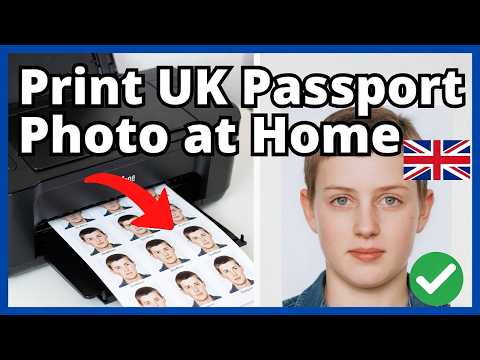
Expats often make the mistake of using a local photo booth set to US or Schengen standards. US passport photos are 2x2 inches (square), whereas the UK requires a 35mm x 45mm ratio. The most reliable solution for those abroad is to take a photo at home. Our guide on how to take a UK passport photo at home walks you through the process.
Biometric Privacy: What Happens to Your Data?
When you use a Photo Code, your image is stored on a server until the HMPO system retrieves it. Under the Data Protection Act 2018, these companies must ensure your biometric data isn't kept longer than necessary.
The ICO guidance on biometric data emphasizes that providers must be transparent about retention. Many high-street retailers keep photos for 30 days. At Passport Photo Code, we typically retain photos for no longer than 48 hours to ensure maximum security.
Frequently Asked Questions
I lost my Photo Code receipt. Can I get it back?
If you used a physical booth, unfortunately, those codes are generated locally and cannot be recovered if the receipt is lost. If you used an online service, check your email or contact their customer support.
Can I use a Photo Code for a paper application?
No. Photo Codes are exclusively for online applications. For paper forms, you must provide two identical physical prints. Refer to the HMPO paper photo standards for the specific rules on physical photos.
The checker says 'Poor'. What should I do?
Do not submit a 'Poor' photo. It will almost certainly be rejected by a human examiner, delaying your application by weeks. Use an online passport photo service to generate a new, compliant code rather than risking a rejection.
Does a 'Good' result guarantee my passport will be approved?
No. The automated checker is the first hurdle, but a human examiner at HM Passport Office has the final say. They check for things the AI might miss, like your 'normal' expression or whether the photo is a true likeness of you today.
Summary
To ensure your online UK passport application photo is accepted, follow these steps:
- Verify the code: Check for O vs 0 and any required prefixes before giving up.
- Be patient: Give high-street codes 24-48 hours to sync with the government database.
- Judge 'Fair' results carefully: Reshoot if the issue is lighting or glasses; proceed if it's just hair or a minor background shadow.
- Go digital abroad: Don't look for codes in foreign shops; use an online generator to create a UK-compliant file.
To avoid common pitfalls before you even take the picture, read our detailed guide on common UK passport photo mistakes.