UK Passport Photo Code Troubleshooting & Decision Guide: Photo Code vs. Digital Upload
Stuck at the photo stage of your UK passport application? This guide troubleshoots 'Photo Code not recognised' errors, compares Photo Codes vs. digital uploads, and explains why foreign booth codes won't work for British expats.
Hitting a wall with a 'Photo Code not recognised' message is one of the most frustrating parts of the online UK passport application. You’ve followed the steps, spent money at a booth, and now the system is telling you the code doesn't exist. It's a common friction point, but it's usually easy to resolve once you understand how the digital 'handshake' between the photo provider and HM Passport Office (HMPO) actually works.
Most errors stem from simple mistyping, server delays, or using a code that wasn't designed for the UK system in the first place. If you're currently staring at an error message, don't panic. There are clear reasons why this happens and specific steps you can take to bypass the technical faff. Getting your UK passport photo code to work is often a matter of verifying a few simple characters.
The Quick Fix: Why Your Passport Photo Code Isn’t Working
When you enter a code, the GOV.UK website tries to fetch your image from the provider’s server. If that connection fails or the data doesn't match, you get an error. According to official HM Passport Office standards, the digital code system is designed to streamline applications, but it relies on a perfect match between your entry and the stored record. Before you bin your receipt, check these three common culprits.
Formatting and Mistyping (The O vs. 0 Problem)
Character confusion is the number one reason for a rejected code. Digital Photo Codes are alphanumeric, and some characters look nearly identical on a faded thermal receipt from a photo booth.
- The Zero/O Trap: Try swapping the number '0' for the letter 'O'. This is the most frequent mistake.
- The 'I' and '1' Dilemma: A capital 'I', a lowercase 'l', and the number '1' can all look the same. If your code is failing, test these variations.
- Spaces and Dashes: Most systems require the code to be entered as a continuous string. Ensure there are no accidental spaces at the start or end of the box.
Activation Delays and Expiry
If you try to use your code immediately after stepping out of a booth, the image might not be ready. The booth has to upload a high-resolution file to its cloud storage before HMPO can retrieve it. This usually takes a few minutes, but on a poor connection, it can take up to an hour.
Keep in mind that Photo Codes aren't permanent. Most high-street providers only store your photo for 30 days to comply with the UK Data Protection Act 2018. If you took your photo months ago, the code has likely expired and been deleted from the server.
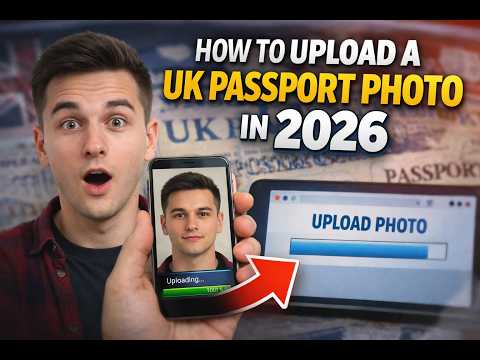
Photo Code vs. Digital Photo Upload: Which Should You Choose?
You have two paths when you reach the photo stage: entering a Photo Code or uploading a digital file directly from your device. Each has its merits depending on your tech setup and budget.
The Case for the Photo Code
A UK passport photo code is a shortcut. Instead of you handling file sizes and cropping, the service provider does the heavy lifting.
- Pros: It’s seamless. Once entered, your photo appears automatically, pre-checked for technical standards like lighting and head size.
- Best for: Applicants who aren't tech-savvy or those who want the peace of mind that a professional system has vetted the technical metadata.
The Case for Direct Digital Upload
This involves taking a photo on your smartphone and uploading the file (.jpg or .jpeg) directly to the GOV.UK site. This is a common method for those looking to get a passport photo code online through a digital-first service.
- Pros: It’s usually free if you do it yourself. You have total control and can take as many shots as needed to get a photo you actually like.
- Best for: Saving money, British nationals applying from abroad where UK booths don't exist, and anyone who prefers a DIY approach.
| Feature | Photo Code | Digital Upload |
|---|---|---|
| Convenience | High (Automatic retrieval) | Medium (Manual upload) |
| Cost | £10–£15 (Booth/Studio) | Free to Low Cost |
| Control | Limited (One shot usually) | High (Take multiple shots) |
| Success Rate | High (Pre-vetted) | Variable (Depends on photo quality) |
The Technical Gap: Why Booth Codes Fail
A Photo Code isn't the photo itself; it's a key that unlocks a specific file on a server. If the provider’s server is down for maintenance, or if there is a 'timeout' between the Home Office and the provider, the code won't work. If you see a 'Technical Error' message rather than 'Code not recognised', the issue is likely a server-side glitch. Consumer resources like Which? suggest waiting 24 hours before trying again. If it still fails, the problem lies with the photo provider, not the Passport Office.
Decoding the HMPO Digital Checker
After you enter a code or upload a photo, the government’s automated checker gives you a result: Good, Fair, or Poor. This automated system is the first hurdle in your online UK passport application photo journey.
Why 'Good' Isn't a Guarantee
A 'Good' result means your photo passed the machine test. The AI has confirmed your head is the right size and the background is plain. However, every application is eventually reviewed by a human examiner. Per HMPO internal guidance, the final decision is always human-led. Machines can miss things that humans spot, like a single strand of hair crossing an eye.
When 'Fair' is Actually Fine
If you get a 'Fair' result, the system will explain why—perhaps the lighting is slightly uneven. You can often proceed by ticking a box to confirm you want to use the photo anyway. If the 'Fair' rating is just for a slightly off-white background, it's usually accepted. If it's because of a shadow on your face, I’d suggest retaking it, as shadows are a leading cause of manual rejection.
British Nationals Overseas: The Foreign Code Trap
If you’re applying from the USA, Australia, or Europe, you’ll find that local photo booths don't offer UK Photo Codes. This is because the Photo Code system is a UK-specific infrastructure. A code from a CVS in New York or a booth in Paris simply won't work on the UK application site. This makes it difficult to use a UK passport photo code abroad without a specialised service.
Why Foreign Photo Booths Won't Give You a UK Code
Foreign providers use different standards (like the US 2x2 inch format) and their systems aren't linked to the UK Home Office. Even if they provide a digital file, it won't come with a compatible code. For further help, Citizens Advice offers guidance on navigating passport issues from outside the UK.
How to Generate a UK-Compatible Code Abroad
You can get a UK digital passport photo and Photo Code by using an online service. By uploading a photo taken on your phone to our platform, we can process it to meet exact UK specifications—including the 1:1.25 aspect ratio and 600-pixel minimum width—and generate a code that the HMPO system will recognise.
Privacy, Retention, and Security
When you use a Photo Code, your biometric data is stored on a third-party server. UK GDPR requires these providers to be clear about how long they keep your data. While most booths keep photos for 30 days, we take a stricter approach. At Passport Photo Code, we typically retain photos for no longer than 48 hours—just enough time for you to complete your application, ensuring your data isn't sitting on a server indefinitely.
What to Do If Your Application is Rejected After the Code Worked
If your photo is rejected after submission, don't worry—you don't need to pay for a new application. HMPO will email you a link to submit a new photo.
- Check the reason: Rejections are usually for 'eyes covered', 'shadows on background', or 'incorrect contrast'.
- Use natural light: If you took the photo at home, stand facing a window. Natural, indirect light is the best way to avoid the shadows that human examiners dislike.
- Remove glasses: Even though the rules technically allow them if there's no glare, glasses are a frequent cause of manual rejection. Taking the photo without them is the safest way to ensure approval.
Frequently Asked Questions
Can I reuse a Photo Code from my last passport?
No. Photos must be taken within the last month. Using an old photo is a common reason for rejection and can cause significant delays in your application process.
My child’s code isn't working, but mine did. Why?
Babies and young children are harder for automated systems to 'read'. If a code fails for a child, it’s often because the AI couldn't clearly identify facial features. For children under five, direct digital upload is often more reliable than a booth code.
How long does a passport photo code last?
Most codes provided by high-street booths are valid for 30 days. After this period, the provider usually deletes the image to comply with data privacy regulations. If you lost your passport photo code, you will likely need to take a new photo.
Is there a cost difference between a code and an upload?
The passport application fee paid to HMPO is the same. The difference is the service fee. While booths charge £10–£15, our online service is free to use, offering a budget-friendly way to get a professional-standard code.
Ready to skip the booth? You can get a UK digital passport photo and Photo Code right now. Our service is designed to ensure your photo meets all official standards before you even start the application process, solving the passport photo code not working problem before it happens.