UK Passport Photo Code Not Working? Troubleshooting & Digital Uploads
Having trouble with your UK passport photo code? Learn why codes aren't recognised, how to fix mistyped characters, and how to use the digital upload fallback on GOV.UK. Our technical guide ensures your online application moves forward without delays.
If you're currently staring at a red error message on the GOV.UK website after typing in your UK passport photo code, you're not alone. It’s a common frustration: you've paid for a photo at a booth, followed the instructions, and now the system says the code doesn't exist or isn't recognised.
Most of these issues are technical glitches rather than a problem with your photo itself. Whether it's a mistyped character, an expired database entry, or a server lag between the high street and HM Passport Office (HMPO), there is always a way forward. If the code system keeps failing, you can usually bypass it entirely by opting for a digital photo upload instead.
The Direct Answer: Why Your Passport Photo Code Isn't Working
Before digging into the technical side, let's look at the most common reasons a code fails at the start of an online UK passport application. These usually fall into three categories: human error, timing, or technical expiration.
Character Confusion and Mistyping
It sounds obvious, but the biggest culprit is often a simple typo. Passport photo codes are alphanumeric strings, and certain characters look nearly identical on a printed receipt. The most frequent offenders are:
- The number '0' vs the letter 'O': Most systems try to avoid using both, but it still happens.
- The number '1' vs the capital letter 'I' or lowercase 'l'.
- The letter 'S' vs the number '5'.
If your code isn't working, try swapping these characters first. It's also worth checking if you’ve accidentally included a space at the beginning or end of the string if you’re copying and pasting it from an email or a text message.
The 30-Day Expiry Window
This is the one that catches people out most. When you use a photo booth (like those operated by Photo-Me or Max Spielmann), your photo isn't stored indefinitely. Under UK GDPR rules, companies shouldn't keep your sensitive biometric data longer than necessary. Most high-street providers have a strictly defined retention period—usually 30 days.
If you took your photo a month ago and you're only just starting the application, there's a high chance the provider has wiped the image from their server. Once the image is gone, the code becomes a 'dead link' that the GOV.UK system can no longer retrieve.
Digital Photo Code vs. Digital Photo Upload: What's the Difference?
You don't have to have a photo code to apply online. This is a common misconception. HM Passport Office offers two distinct ways to submit your image, and understanding the difference can save you a lot of stress.
How the Photo Code System Actually Works
A Photo Code (sometimes called a 'Digital ID' or 'Shop Code') is essentially a key. When you enter it into your application, the HMPO website sends a request to the photo provider’s server (e.g., the booth company). The provider then sends the digital image file back to HMPO. It’s a server-to-server transfer designed to ensure the photo meets specific technical standards.
When to Choose Direct Upload Instead
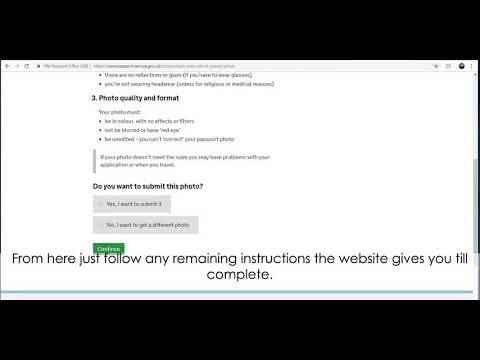
If your code is failing, you don't need to go back to the booth. You can choose the "upload a digital photo" option instead. This allows you to upload a .jpg or .jpeg file directly from your computer or smartphone. This is often the most reliable method when you are trying to get a passport photo code online but encounter technical friction.
This is where services like Passport Photo Code come in. We take the image you've snapped on your phone, ensure it meets the technical requirements, and provide you with both a code and the digital file itself. This gives you a 'Plan B'—if the code ever glitches, you have the actual file ready to upload manually.
Technical Deep-Dive: HMPO Image Specifications
If you decide to ditch the code and upload a file manually, you need to understand exactly what the GOV.UK automated checker is looking for. It isn't just about looking like you; it's about the metadata and pixel structure of the file.
The 600 x 750 Pixel Floor
HMPO guidelines are specific about resolution. Your digital photo must be at least 600 pixels wide and 750 pixels tall. However, being right at the limit is risky. I recommend aiming for a higher resolution—around 900 x 1200 pixels—to ensure that when the system crops the image, it doesn't become pixelated.
According to the official GOV.UK photo requirements, the file size must be between 50KB and 10MB. If your file is too small, the system will reject it for lack of detail. If it’s too large, the uploader will simply time out.
Aspect Ratios and File Sizes
The UK passport photo uses a 4:5 aspect ratio. This is taller than it is wide. If you try to upload a square photo (1:1) or a standard wide-angle landscape shot, the automated tool might fail to recognise your face or might crop it so aggressively that you lose the top of your head. Both are instant grounds for rejection by a human examiner later in the process.
Troubleshooting Codes from High Street Providers
If you've just walked out of a shop and the code isn't working, the problem might be 'Sync Lag.'
Sync Lag and Server Errors
High-street booths upload your photo to their own database via an internet connection. If the shop’s Wi-Fi is patchy or the booth is undergoing a software update, there might be a delay of several hours before that code is 'live' on the provider’s server.
The Rule of Thumb: If a new code doesn't work, wait 2 to 4 hours and try again. If it still doesn't work after 24 hours, the upload likely failed at the shop's end, and you'll need to contact their customer service for a refund or a remake.
British Nationals Overseas: The Problem with International Codes
If you're a British citizen living abroad—perhaps in the US, Australia, or Europe—you might find that local photo booths offer 'digital codes.' Be very careful here. A UK passport photo code abroad is rarely issued by local foreign shops.
In most cases, these codes are proprietary to that specific country’s passport system. For example, a code from an Irish post office or a US pharmacy booth will almost never be recognised by the UK’s HM Passport Office system. The UK system is specifically integrated with certain UK-based vendors.
If you're applying from abroad, the most reliable method is nearly always the Digital Photo Upload. Take a high-quality photo at home or at a local studio and use a service to format it specifically for the UK specification. This eliminates the 'code not recognised' error entirely because you aren't relying on an international server handshake.
The Human vs. AI Gap: Why the GOV.UK Checker Can Be Misleading
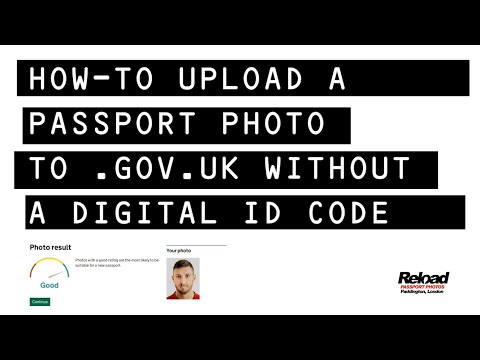
This is a major point of confusion. You enter your code, the GOV.UK site shows a green tick and says your photo is "Good," but then two weeks later, you get an email saying your application is on hold because the photo was rejected.
Why? The initial checker is an AI. It looks for basic markers: Are there eyes? Is there a mouth? Is the background roughly a plain colour? It doesn't always pick up on the nuances found in the HMPO Guidance for Examiners.
A human examiner will look for details the AI might miss, such as:
- Shadows across the face: Even a light shadow from your hair or a pair of glasses can lead to rejection because it interferes with biometric scanning.
- Background 'Noise': The background must be a light grey or cream. If it’s white but has a slight texture or a shadow from your body, a human may reject it while the AI passes it.
- Expression: The AI might think a slight smirk is neutral, but a human examiner will strictly enforce the "no smiling" rule.
Decision Matrix: Should You Fix Your Code or Start Over?
If you’re stuck, use this logic to decide your next move:
- Is the code more than 30 days old?
- Yes: It’s likely expired. Don't waste time troubleshooting. Get a new photo.
- No: Proceed to step 2.
- Have you tried swapping '0' for 'O' or '1' for 'I'?
- No: Try this at least three times with different variations.
- Yes: Proceed to step 3.
- Was the code issued outside the UK?
- Yes: It probably won't work. Switch to a digital upload.
- No: Proceed to step 4.
- Has it been less than 4 hours since the photo was taken?
- Yes: Wait a few more hours for the server to sync.
- No: The upload likely failed. You can either go back to the shop or use an online service to generate a new, working code from a photo on your phone.
How to Get a Compliant Photo and Code Online
If you're fed up with booth errors, the easiest way forward is to take control of the process yourself. You don't need a professional studio to get a professional result. Following the general HMPO Passport Application Guidance will ensure you stay within the rules.
At Passport Photo Code, we’ve simplified the process. You upload a photo taken on your smartphone. Our system checks it against the current HMPO specifications for lighting, head size, and background. We then prepare the file to the exact pixel dimensions and aspect ratios required.
You’ll receive a fresh UK passport photo code that is ready for the GOV.UK site, plus a downloadable digital file to keep as a backup. It’s a 24/7 service that doesn't require a trip to the high street, and it’s specifically designed to avoid the 'code not recognised' errors that plague older systems.
Frequently Asked Questions
Can I use a code for a paper application?
No. Photo codes are exclusively for online applications. If you're sending a paper form, you need physical, printed photos that meet the standard 35mm x 45mm size.
Does a 'Good' result on the website mean my passport is guaranteed?
Not quite. It means the photo has passed the technical automated gate. It still needs to be reviewed by the human examiner who processes your whole application according to official government standards.
What if I lost my code?
If you took the photo in a booth, check your receipt. If the receipt is lost, most providers cannot retrieve the code because they don't link the photos to your name or identity for privacy reasons. You'll likely need a new photo.
The Ultimate Checklist before you hit 'Submit':
- Background is plain cream or light grey (not stark white).
- No shadows on the face or behind the head.
- Eyes are open and clearly visible.
- No glare on glasses (it's often safer to just take them off).
- Neutral expression (no smiling).
- The file is a JPEG and under 10MB.
Don't let a technical glitch derail your travel plans. If the UK passport photo code system is fighting you, remember that the digital upload is your best friend. By taking a photo at home and using a dedicated processing service, you bypass the server errors and character confusion that make the high-street process hit-and-miss.