UK Passport Photo Code Not Working? The Complete Troubleshooting Guide
Stuck on the HMPO photo page? This expert guide explains why UK passport photo codes fail, breaks down cryptic error messages, and provides a clear decision matrix for switching to a direct upload.
There is a specific kind of frustration that sets in when you're deep into a UK passport renewal, your credit card is ready, and the screen suddenly snaps: "The UK passport photo code you entered is not recognised."
You've probably spent £10 or £15 at a supermarket photo booth or a high-street chemist. You've typed that string of letters and numbers five times, squinting at the 'O's versus the '0's, and yet, the HM Passport Office (HMPO) website refuses to cooperate.
I've spent years looking at the technical side of digital identity, and while the UK's Photo Code system was designed to simplify things, it actually adds a layer of digital faff that can—and does—fail. This guide is your technical manual for those moments. We aren't going to talk about how to tilt your head; we're going to talk about why your code is failing and how to bypass the system so you can actually get your passport in the post.
The Direct Answer: Why Your UK Passport Photo Code Isn't Working
If you're staring at an error message right now, here's the reality of why it's happening. In my experience, the vast majority of issues fall into one of three buckets:
- The Sync Gap: If you just got your code ten minutes ago from a booth, the vendor’s database might not have communicated with the HMPO database yet. The system isn't always real-time; some retail chains batch-upload their data every few hours.
- The Typo Trap: Booth printers are notoriously low-quality. The characters 'I', 'L', '1', 'O', and '0' are often indistinguishable on a thermal receipt.
- The Metadata Conflict: Occasionally, a code generated for a paper application (which usually includes a printed set) doesn't play well with the digital application portal.
The Quick Fix Checklist
Before you head back to the shop for a refund, try these three steps:
- Wait 24 Hours: It’s annoying, but database replication issues are common with vendors like Max Spielmann or Photo-Me. Try again tomorrow morning.
- Go Incognito: Sometimes the GOV.UK site gets stuck with old 'cookies' or cached data. Open an 'Incognito' or 'Private' window and try entering the code there.
- Manual Entry Check: Do not copy-paste if you have the code in an email. Type it manually, ensuring no accidental spaces are added at the beginning or end of the string.
The 'Cloakroom Ticket' Problem: How the System Actually Works
To fix the problem, you have to understand what a "Photo Code" actually is. It isn't your photo. It's a retrieval key—essentially a cloakroom ticket.
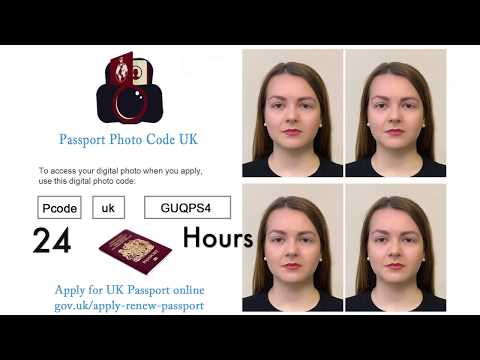
When you use a booth or a pro service, your photo is uploaded to a private server owned by that company. They give you a code that points to that specific file. When you enter that code on the GOV.UK site, the government’s server sends a request to the vendor’s server: "Hey, give me the photo associated with code XYZ."
If the vendor’s server is down, if the file hasn't finished its journey to the cloud, or if the link is broken, the government system simply tells you the code isn't recognised. This is why many people prefer a service that provides both a code and a digital file, like Passport Photo Code, so you have a backup if the retrieval system fails. You can easily get a passport photo code online that is specifically formatted for the current official GOV.UK guidance.
UK Passport Photo Code vs Digital Photo Upload: What’s the Difference?
A common misconception is that you must have a code to apply online. You don't. The online application gives you two distinct choices:
- Enter a code (the system fetches the photo for you).
- Upload a digital photo (you provide the file directly from your device).
If the code fails, you're not stuck. You can always pivot to the manual upload. For most tech-savvy applicants, the manual upload is actually more reliable because it removes the "middle-man" server from the equation.
Decoding Error Messages: What GOV.UK is Telling You
HMPO's system is notoriously blunt. Let’s break down what the common errors actually mean in plain English.
The 'Code Not Recognised' Error
This usually means the retrieval key doesn't exist in the database the government is checking. If you've triple-checked your spelling, the culprit is likely a session timeout or a third-party server outage. If the shop had a glitch during the upload, your code is essentially pointing to a ghost file. For more on your rights if a service fails, check Citizens Advice: Changing or renewing your passport.
The 'Photo Does Not Meet Requirements' Error
This is the most frustrating one. You've entered the code, the photo has appeared, but the government's AI checker has flagged it as "Poor."
You'd assume a "certified" booth would guarantee a pass. It doesn't. The code system only ensures the file is the right format for the website. The HMPO AI performs its own check on lighting, shadows, and facial expression after the code is entered. If the booth's lighting was uneven that day, the code will "work," but the photo will be rejected. You should refer to the HMPO: Guide for Paper and Digital Applications to see exactly what the AI is looking for.
The Decision Matrix: Code vs. Direct Upload
Don't spend days trying to get a faulty booth code to work just because you've already paid for it. If a code fails twice after a 24-hour wait, switch methods.
| Feature | Photo Code (Retail/Booth) | Direct Digital Upload (Manual) |
|---|---|---|
| Reliability | Medium (Dependent on 3rd party servers) | High (Directly from your device) |
| Speed | Instant (if it works) | Requires file management |
| Flexibility | Low (Single use) | High (Can be retaken easily) |
| Expat Friendly | No (Usually UK only) | Yes (Universal) |
| Cost | £10 - £15 | Free to £7 |
When to Abandon the Code
If you have a holiday booked in six weeks, do not wait for a booth technician to fix their server. If the code doesn't work, take a digital photo at home using a smartphone.
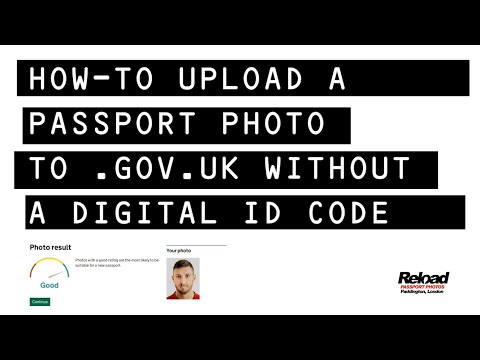
Our service at Passport Photo Code allows you to take a photo, have it checked against official rules, and get both a code and a file. This gives you the "Direct Upload" backup you need if the government system is being finicky.
The Expat Struggle: Why Codes Often Fail Abroad
If you are a British national living in the USA, Australia, or the EU, the Photo Code system is often a non-starter. Most photo booths outside the UK generate an International Digital Passport Code (IDPC). While these look similar, they aren't always compatible with the HMPO portal.
The Expat Rule: If you're abroad, don't waste time looking for an online UK passport application photo code. Take a high-quality photo on your phone against a plain, light-coloured wall and use the "Upload a digital photo" option. It bypasses the need for a UK-based vendor entirely.
Technical Deep-Dive: Why the AI Rejects Your Face
When you submit a photo, it's run through an algorithm looking for technical markers humans often miss.
Metadata and Smartphone 'Smart' Features
Modern smartphones are often too smart. Features like Apple’s "Deep Fusion" or Samsung’s "Scene Optimizer" subtly alter pixels. The HMPO AI is looking for "natural" pixel noise. If it detects heavy processing, it might trigger a rejection for an "altered image." For more on how your biometric data is handled, see the Information Commissioner's Office (ICO) guidance.
Expert Tip: Turn off "Portrait Mode" and "Live Photo." You want the rawest version of the image possible. Also, avoid HEIC files; converting to a standard JPEG is often safer for compatibility.
Lost, Expired, or Deleted: How to Recover
What if you've lost the receipt or waited too long? There is no universal rule for how long a code lasts. Retail booths usually keep photos for 30 days. At Passport Photo Code, we typically retain photos for no longer than 48 hours for your privacy. If your code is older than a month, it's likely been deleted to comply with GDPR. You'll need to take a new photo.
If your booth code is faulty and you can't get a fix, you may be entitled to a refund. See Which? Consumer Rights: Passport Photo Refunds for more information.
Frequently Asked Questions
Where do I enter my passport photo code?
You enter your code on the official GOV.UK passport application website when prompted during the "Your Photo" stage. Select the option "I have a code to retrieve my photo."
How long does a UK passport photo code last?
It varies by provider, but most retail booth codes expire after 30 days. Independent online services may have shorter retention periods for security.
Why is my passport photo code not recognised?
The most common reasons are simple typos, the vendor not having uploaded the file to the central server yet, or using a code meant for a paper application on a digital form.
Final Pre-Flight Checklist for a Successful Upload
Before you hit 'submit' and potentially wait weeks for a result, ensure you've met these criteria:
- Background: Is it truly plain? A door frame or a slight shadow will trigger a manual review.
- Expression: Keep your mouth closed and eyes open. Even a slight smile can cause a rejection.
- Lighting: Ensure the light hits the front of your face evenly without side-shadows.
- Glasses: Even if you wear them daily, take them off for the photo. Glare on lenses is the #1 reason for the "eyes not visible" error.
In conclusion, a UK passport photo code is a helpful tool, but it is not infallible. If yours isn't working, don't let it stall your application—use a direct upload and get your passport on its way.