UK Passport Photo Code Not Working? How to Fix and Upload Online
Struggling with a UK passport photo code that is not recognized? This guide provides immediate fixes for common errors, compares digital upload vs. photo codes, and offers solutions for British expats applying from abroad. Learn how to navigate the GOV.UK AI checker and avoid rejections.
If you're staring at a GOV.UK screen that says "Photo code not recognised," you aren't alone. It is one of the most common friction points in the digital passport application process. Most people assume a UK passport photo code is a formal proof of approval—it isn't. It is simply a retrieval key that allows HM Passport Office (HMPO) to pull a specific digital file from a private server into their system.
Whether your code is throwing an error or your photo was just flagged as "Poor" by an automated checker, this guide breaks down exactly what's happening behind the screen and how to fix it without spending another £15 at a photo booth.
The Direct Fix: Why Your UK Passport Photo Code Isn't Working
When a code fails, it is usually down to one of two things: a technical sync delay or a simple character mix-up. Let's look at the immediate fixes to get your application back on track.
The 24-Hour Sync Lag
High-street retailers like Max Spielmann, Timpson, or the Post Office use the IDPC or PPLY systems to generate codes. When the booth or tablet takes your photo, it uploads the file to their proprietary cloud. According to official GOV.UK guidance, the online application then has to "call" that server to find your photo.
Server lag is common, especially during peak renewal periods. If you just walked out of the shop and the code isn't working, the upload might still be sitting in a queue. Wait 24 hours. If it still isn't recognised the following morning, then you can start looking for other technical issues.
Alphanumeric Confusion: The '0' vs 'O' Problem
The fonts used on thermal paper receipts from photo booths are notoriously difficult to read, especially when distinguishing between numbers and letters. This accounts for roughly 80% of "not found" errors when you try to get a passport photo code online.
Before you call the shop for a refund, try these common character substitutions:
| Character on Receipt | Try This Alternative |
|---|---|
| 0 (Zero) | The capital letter O (Oscar) |
| 1 (One) | A capital I (India) or lowercase l (Lima) |
| 5 (Five) | A capital S (Sierra) |
| 2 (Two) | A capital Z (Zulu) |
| 8 (Eight) | A capital B (Bravo) |
If you've tried every combination and the code still fails, you can use a service like Passport Photo Code to generate a fresh, compliant code from a digital photo taken on your phone.
Photo Code vs. Digital Photo Upload: Making the Right Choice
When you start your online UK passport application photo stage, you'll be asked how you want to provide your image. You can either enter a Photo Code or upload a digital file (JPEG) directly.
How the Photo Code 'Handshake' Works
A Photo Code is essentially a technical handshake between two servers. The advantage is that the professional booth has already done the heavy lifting—it has cropped the image to the correct 35mm x 45mm proportions and ensured the resolution meets HMPO internal standards.
However, a Photo Code provides zero guarantee of acceptance. HMPO caseworkers make the final call on every photo. The code only ensures the technical packaging is correct. It doesn't prevent a rejection if you have a strand of hair over your eye or a shadow behind your head.
Technical Specs for Manual Digital Uploads
If you choose to upload a digital passport photo manually, you must meet strict markers. Failure to meet these will result in the system flagging the photo as "Poor."
- Aspect Ratio: It must be 4:3 (portrait orientation).
- Resolution: Minimum 600 pixels wide by 750 pixels tall.
- File Size: Between 50KB and 10MB.
- File Format: JPEG or JPG only. PNG and HEIC files will be rejected.
The Global Expat Bridge: Getting a UK Code Abroad
British nationals living in the USA, Australia, or the EU often face a "specification trap." Most local photographers are trained on local rules, which frequently clash with British passport photo code requirements.
The 2x2 Inch Trap (USA and Beyond)
In the United States, a passport photo is 2x2 inches (a perfect square). As noted by the US State Department, this is their standard, but it is not compatible with the UK's 4:3 requirement. If you upload a square image, the UK's automated tool often zooms in too far, leading to rejection.
Using Online Services to Generate a UK-Compliant Code
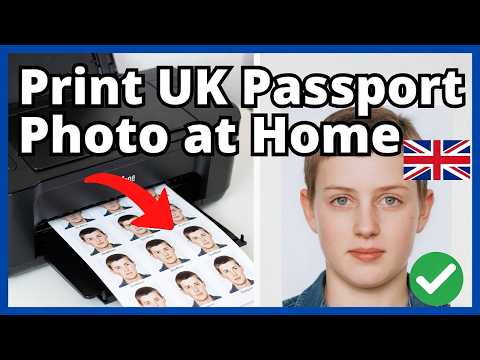
Expats often struggle to find a UK-compatible booth. The most efficient solution is to take a high-quality photo at home against a plain, light-coloured wall and use a specialist tool to convert it. Using a dedicated Passport Photo Code service ensures your file meets the exact pixel and ratio requirements before submission.
Demystifying the GOV.UK AI Photo Checker
Once you enter your code or upload a file, the GOV.UK site runs an automated check. It will give you one of three results: "Good," "Fair," or "Poor."
When 'Fair' is Actually Good Enough
A "Fair" result simply means the AI has detected an ambiguity. It does not mean your photo will be rejected. Common triggers include frames on spectacles or slight background texture. If your eyes are clear and the background is plain, you should submit it. A human caseworker will likely pass it after review.
Common Triggers for a 'Poor' Result
A "Poor" result is a technical red flag. According to MoneySavingExpert's passport guides, submitting a "Poor" photo is a primary cause for application delays. Avoid these triggers:
- Moiré Patterns: Caused by taking a photo of a printed photograph.
- Under/Overexposure: Uneven lighting on the face.
- Expression: Smiling or having your mouth slightly open.
Step-by-Step: Recovering from a Photo Rejection
If you receive a rejection email from HMPO after paying, do not panic. Your application is not cancelled.
- Follow the Secure Link: HMPO will provide a specific link for a new upload.
- Identify the Flaw: Review their specific feedback (e.g., "shadows on face").
- Provide a Fresh Image: If your initial passport photo code not working led to a rejection, do not reuse it. Take a new photo.
- Wait for Review: This process usually adds 5-10 working days to your application time.
Frequently Asked Questions
Can I use a Photo Code for a paper application?
No. Photo Codes are exclusively for online applications. Paper forms require two identical printed photos.
Does a 'Good' checker result guarantee acceptance?
No. A human caseworker can still reject a "Good" photo if it violates policy regarding head coverings, uniforms, or hair obscuring the face.
How long is a passport photo code valid?
Most retail codes expire after 30 days to comply with GDPR. If your code is older than this, it will likely return a "not found" error.
Data, Privacy, and Security
Privacy is a major concern when handling biometric data. Professional services like the Post Office Check & Send and Passport Photo Code follow strict retention policies, typically deleting photos within 48 hours to ensure your data is secure once the HMPO handshake is complete.
In conclusion, mastering the UK passport photo code process is about understanding the technical requirements. If you encounter errors, check your characters, wait for sync delays, or simply generate a new, compliant code from home to ensure your application proceeds without a hitch.