UK Passport Photo Code Not Working? Fixing Upload Errors
Struggling with a 'Photo Code not recognised' error or failing the GOV.UK automated checker? This technical rescue guide explains exactly why digital codes fail, how to fix 'shadow' warnings, and the best way to submit a compliant photo if you are applying from abroad.
If you are staring at a "Photo Code not recognised" error on the GOV.UK site, don't panic. You aren't the first person to spend money at a photo booth only for the government's website to tell you it can't find your image. A UK passport photo code is a convenient tool, but the system is incredibly picky. It’s an algorithm, not a person, and it requires precise technical alignment. This guide is your technical rescue manual for solving 'code not working' errors and ensuring your digital photo is accepted the first time.
I've analysed how HM Passport Office (HMPO) processes digital photos, and the truth is that the system only cares if the file meets a rigid set of mathematical and technical rules. We're going to skip the generic advice and fix the actual reasons your application is stuck.
The Direct Fix: Why Your UK Passport Photo Code Isn’t Working
When the GOV.UK site rejects a code, it's usually down to timing or a simple typo. If you just walked out of the shop and it's not working, here is what you need to do.
Wait 4 Hours for Server Sync
Most commercial booths (like Photo-Me) and high-street shops (Max Spielmann or Timpson) don't upload your photo to the database the second you pay. The data is often uploaded in batches. If you try to use the code within minutes, the HMPO server is looking for a file that hasn't arrived yet. Wait at least 2 to 4 hours before trying again.
The Character Confusion List
This is the most common reason for a "code not recognised" error. The fonts used on thermal receipts are notoriously difficult to read. If your code is failing, check these specific characters:
- 0 vs O: Is it a zero or a capital 'O'? Try both.
- 1 vs I vs l: A '1' (one) often looks like a capital 'I' or a lowercase 'l'.
- 5 vs S: These are frequently mistaken on smudged receipts.
- 8 vs B: Check for smudging that turns a 'B' into an '8'.
If you have tried every variation and it still fails, stop fighting the code. You don't actually need one. You can simply upload a digital JPEG file instead. Our Passport Photo Code tool can help you create a compliant digital photo from a smartphone snap if your booth code is a dud.
How the Photo Code System Actually Works
To troubleshoot effectively, you need to know what a Photo Code actually is. It isn't the image file itself; it’s a 'pointer' or a digital key.
The IDPC 'Digital Handshake'
When a booth gives you a code, it stores your photo on a third-party server (often the IDPC system). When you enter that code into the online UK passport application photo section, the government’s system asks that third-party server: "Do you have a photo for key XYZ?"
If that provider’s server is down for maintenance or the connection drops, the handshake fails. HM Passport Office does not own these codes—they are private services. If the code is broken, GOV.UK support cannot fix it for you. You have to go back to the source or provide the photo a different way.
Code vs. Upload: Which Path is More Reliable?
Many applicants think a Photo Code is "more official" than a direct upload. This is a myth. Both methods end up with the same digital image being scanned by the same HMPO checker.
Why Direct Upload Often Beats a Code
I usually recommend a direct digital upload (uploading a file from your device) because:
- No sync delays: You aren't waiting for a third-party server to update.
- Instant Feedback: You see the file quality and the automated checker results immediately.
- Overseas Ease: If you're applying from outside the UK, foreign booths don't offer UK Photo Codes. You must use a digital upload.
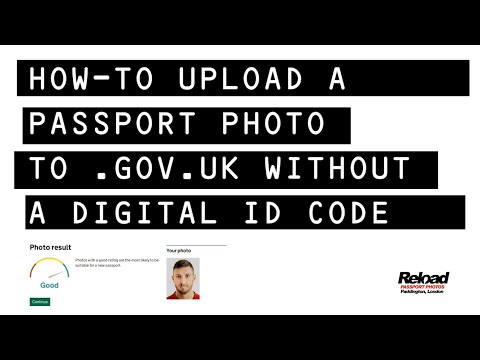
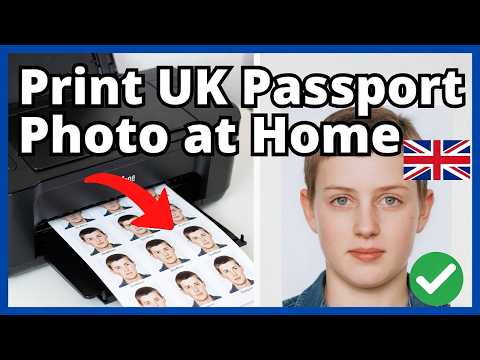
Our service allows you to take a photo at home, which we then format into a file that meets the HMPO requirements for digital photos. You then just upload that file. No codes, no receipts, no waiting.
Beating the Automated Checker: Common Warnings Explained
Once you enter a code or upload a file, the automated checker scans your face for biometrics. It gives results like "Good," "Fair," or "Poor."
'Shadows Detected'—The Contrast Variance Problem
This is the biggest headache for home-takers. You might look at the photo and think it looks perfect, but the algorithm is looking for contrast variance—differences in light levels across your face.
The Fix: This is usually caused by a single light source (like a ceiling light) creating tiny shadows under your nose or chin. Stand 50cm away from a light-coloured wall. Have someone take the photo from 1.5 metres away. Ensure the light is behind the photographer, hitting your face evenly. Do not use the flash—it creates a harsh background shadow that the system will reject.
The 'Halo Effect' and Background Contrast
If the checker says the background is unsuitable, it's often because it can't tell where your head ends and the wall begins. This happens with blonde hair on a cream wall, or if you're standing too close to the wall, creating a dark outline (the 'halo').
The Fix: The background needs to be plain and light-coloured (cream or light grey). Increase the gap between you and the wall to soften shadows and help the software's edge-detection logic isolate your head correctly.
The International Application Gap
If you are one of the millions of British nationals living abroad, you can't walk into a shop in New York or Dubai and ask for a "UK Photo Code."
Converting Foreign Formats to UK Specs
Foreign studios use different standards. US passport photos are 2x2 inches (51x51mm) and square. The UK requires a different aspect ratio. According to ICAO Standard 9303, which sets the rules for international travel documents, the biometric data must be clear. For a UK online application, your file needs to be at least 600 pixels wide by 750 pixels high.
Don't scan a physical photo—the paper texture causes 'noise' that triggers rejections. Instead, use the original digital file or take a high-quality smartphone photo and use our tool to ensure the sizing matches the UK's specific biometric needs.
Technical Metadata: Why 'Perfect' Files Fail
Sometimes a photo looks great but is technically 'broken' for the government's server because of the file's metadata.
JPEG vs. HEIC and the 10MB Limit
HMPO has strict technical limits:
- Format: It must be a JPEG or JPG. Newer iPhones often save photos as .HEIC, which can cause upload errors.
- File Size: It must be between 50KB and 10MB.
- Dimensions: At least 600x750 pixels.
If you're on an iPhone, go to Settings > Camera > Formats and select "Most Compatible" before taking your photo, or use a conversion tool to ensure you're uploading a standard JPEG.
The 5-Step Photo Rescue Plan
If you are stuck in a loop of rejections, follow this checklist:
- Check the Code: Try swapping '0' for 'O' or '1' for 'I'. If it's a new code, wait 4 hours.
- Verify Format: Ensure it’s a JPEG. Check the file size isn't too small (under 50KB).
- Fix Lighting: Remove side-lighting. Use natural, even light from the front.
- Clear the Background: No door frames, no patterns, and no shadows on the wall.
- Go Digital: If the code still won't work, upload your photo here and we will handle the technical formatting for you.
Frequently Asked Questions
Q: My code is correct but says "Photo has expired." What now? Codes usually expire after 30 days. If it's been less than that, the provider’s database likely has a glitch. You'll need to contact the booth provider, such as Photo-Me customer service, for a refund or a new code.
Q: The checker says my photo is "Fair," should I submit it? "Fair" means a human will review it. You can submit a "Fair" photo, and it is often accepted. If it is "Poor," it will almost certainly be rejected by the examiner. Aim for "Good" to avoid delays.
Q: Can I wear glasses? While the official photo requirements say you can wear glasses if they aren't tinted and don't have glare, they are the number one cause of automated rejections. I strongly recommend taking them off for the photo to guarantee the biometrics are clear.
Q: Is there an alternative to the online system? Yes, you can use the Post Office Digital Check & Send service where they take the photo and handle the digital submission for you, though this carries an extra fee.
Q: Can I get a passport photo code online from my own photo? Yes, by using our independent service, you can upload a photo from your phone, and we will provide a digital file and a code compatible with the UK application system.
Applying for a passport is stressful enough without fighting a website. Remember: the UK passport photo code is just a convenience, not a requirement. If the code is failing, switch to a direct upload, get your lighting right, and move on with your application.