UK Passport Photo Code & Digital Upload Submission Guide
Struggling with a UK passport photo code not working? This technical guide resolves submission errors, compares codes vs. digital uploads for overseas applicants, and decodes the HMPO AI checker's feedback to help you complete your application.
You’re sitting at your computer, your passport application is 90% complete, and you’ve finally reached the photo stage. But as soon as you enter your Photo Code or click 'upload', the screen flashes red. The code isn't recognised, or the file upload hangs indefinitely.
It’s a frustrating technical 'handshake' error that happens between your device and the HM Passport Office (HMPO) servers. This 'Submission Gap' is rarely because you took a bad photo; it’s almost always a technical glitch, a formatting mismatch, or a latency issue in the digital gateway. This guide provides a technical deep-dive into why your UK passport photo code might be failing and how to get past the HMPO gatekeeper efficiently.
The Direct Answer: Why Isn't My Code Working?
If you receive an error message stating your UK passport photo code is not recognised, it typically stems from three specific issues: latency, syntax, or expiry.
- Latency: If you just used a photo booth, your code might not be live yet. Machines often upload in batches; it can take 30 minutes to two hours for the booth's server to sync with the GOV.UK portal.
- Syntax Errors: Codes are alphanumeric, and '0' (zero) is often mistaken for 'O' (letter), or 'I' (capital i) for '1' (one).
- Third-Party Lag: If the provider is not an official HMPO partner, the code may not be valid for the specific digital gateway.
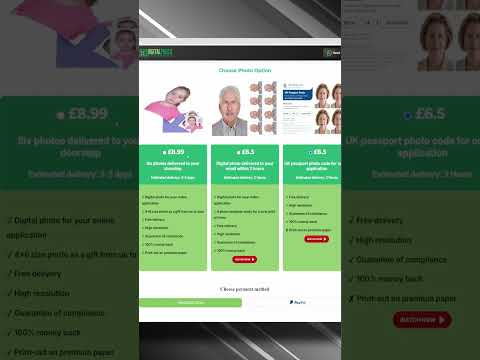
To bypass these hurdles, a service like Passport Photo Code provides both a Photo Code and a downloadable digital file, ensuring you have a manual backup if the code system fails.
Passport Photo Code vs. Digital Photo Upload: Which One Should You Use?
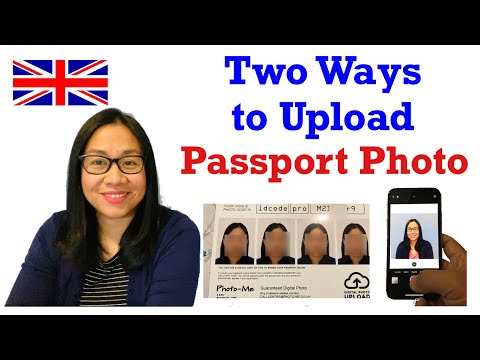
When you start the photo step of an online UK passport application, you are given a choice. Neither method is 'better' for application success, but they serve different technical scenarios.
When a Photo Code is the Better Choice
A UK passport photo code acts as a digital shortcut. It points the HMPO server to a file already validated by a professional provider. This method is often more reliable for users with slower internet connections because it bypasses the need for your browser to handle a large file upload.
When a Direct Digital Upload is Necessary
You will need to upload a digital passport photo manually if:
- Applying from abroad: Local booths in the US or Australia rarely offer UK-compliant Photo Codes.
- Professional Photography: You received a JPEG file via email.
- Code Expiry: Many booth-generated codes expire after 30 days.
Troubleshooting the 'Photo Code Not Recognised' Error
Character Confusion Checklist
Before requesting a refund, scrutinise your receipt. Thermal ink from booths can be faint, leading to common mistypes:
- 0 vs O: The zero is usually narrower.
- 1 vs I vs L: Upper-case 'I' and lower-case 'L' look identical in many fonts.
- 5 vs S: Frequently confused on low-resolution printouts.
The Sync Window
If the code is brand new, wait at least two hours. If the booth hasn't 'phoned home' to the central database, the GOV.UK site will have no record of your photo. This is a common point of friction for those using high-street kiosks.
Technical Deep-Dive: Digital Upload Requirements (50KB to 10MB)
If you choose to get a passport photo code online or upload a file, you must adhere to strict technical specifications. The HMPO system is notoriously unforgiving regarding file health.
The Size 'Goldilocks Zone'
According to official GOV.UK guidance, your file must be between 50KB and 10MB.
- Avoid Compression: Never send your photo via WhatsApp or Messenger. These apps compress images so heavily they often fall below the 50KB minimum, losing the biometric detail required for high-security printing.
- The Smartphone Problem: High-end phones may produce files over 12MB. You may need to resize the image slightly to stay under the 10MB ceiling while maintaining at least 600 pixels wide and 750 pixels high.
HEIC vs JPEG: Solving the Handshake Error
Modern iPhones save photos in HEIC format by default. While GOV.UK compatibility has improved, HEIC files still cause occasional 'unsupported format' errors. Converting your photo to a standard JPEG is the safest way to ensure a successful 'handshake' with the government servers.
Decoding the HMPO AI Checker: Good, Fair, and Poor Results
Once uploaded, the site runs an automated check. Understanding these results is key to avoiding unnecessary retakes.
When 'Fair' is Acceptable
The AI is a sensitive filter, not the final judge. It often flags 'low contrast' or 'background shadows.' If your eyes are clear, the expression is neutral, and the background is plain, you can often select 'Submit anyway.' A human examiner at HMPO will review it—they are more pragmatic than the algorithm.
Red Flags (The 'Poor' Rating)
Do not submit if you receive a 'Poor' rating. This indicates a non-negotiable failure, such as:
- Mouth Open: Even a slight smile can trigger a biometric rejection.
- Glasses Glare: If the AI cannot see your pupils, it is an automatic fail.
- Hair Over Eyes: Stray strands can obscure biometric markers.
For more detailed technical requirements, professionals often refer to the Guidance for Passport Photo Professionals.
Applying from Abroad: The British National Overseas Guide
When applying for a UK passport from abroad, local standards are your biggest hurdle. In the US, for example, the standard is a 2x2 inch square. However, the UK system requires a 3:4 aspect ratio.
If you upload a square US-style photo, the AI will likely fail to detect your head height correctly. Expats should use a dedicated tool like Passport Photo Code to ensure their image is reformatted to the UK standard before submission.
Privacy, Data Retention, and Your Photo Code
Uploading biometric data requires trust. While many photo booths retain images for 30 days, Passport Photo Code typically deletes processed photos within 48 hours. This aligns with ICO privacy principles regarding data minimisation. If you do not complete your application within this window, you may need to generate a new code.
Frequently Asked Questions
Is my photo approved as soon as the site accepts it?
No. Website acceptance only means the file is readable. The final decision rests with a human examiner at HM Passport Office.
Can I reuse a passport photo code?
Usually, no. Most codes are single-use. Each family member in a group application needs a unique code or digital file.
What if I lose my passport photo code?
If you obtained it from a booth, you must check your receipt. If you used an online service, check your email or contact their support. If it's lost, you will likely need to take a new photo.
Why does the site say my photo is too small?
This usually happens if you used a screenshot or a compressed image from a messaging app. Ensure the file is a direct export from your camera or a professional service, meeting the 600x750 pixel minimum.
Summary Checklist for Successful Submission
- Format: Use JPEG; avoid HEIC if errors occur.
- Size: 50KB to 10MB. No WhatsApp transfers.
- Ratio: 3:4 rectangle (not the US 2x2 square).
- Wait Time: Allow 2 hours for booth codes to sync.
- Human Review: Don't fear a 'Fair' rating if the photo is clear.
By following these technical steps, you can bridge the 'Submission Gap' and ensure your online UK passport application photo is accepted without delay. For those seeking an alternative to the high-street, you can get a UK digital passport photo online today.