UK Passport Photo Code Abroad Guide: Get & Use One Online
Renewing a British passport from overseas often hits a snag at the photo stage. Local shops in the US, Australia, or the EU rarely provide the 9-character 'Photo Code' required by the UK’s digital application. This guide explains how to get a code from anywhere in the world, why local photo booths fail, and how to fix common 'code not recognised' errors.
If you are a British national living overseas, the most efficient way to get a passport photo code online is to use a digital preparation service that understands HM Passport Office requirements. Whether you are in New York, Sydney, or Berlin, the UK’s digital application system is a streamlined process, but it relies heavily on a 9-character 'Photo Code'. Local outlets like CVS in the USA or Australia Post typically provide physical prints or raw JPEG files, but they rarely offer the specific retrieval code needed for the UK's automated system. This guide bridges that gap, helping you navigate the technical hurdles of an overseas renewal.\n\n## The Direct Solution: Getting a UK Photo Code from Abroad\n\nIf you are currently looking at the official GOV.UK screen asking for a code and all you have is a digital photo file, you do not need to fly back to the UK. The UK passport photo code system is designed to allow third-party providers to host compliant images securely and generate codes for applicants worldwide.\n\n### The Digital Bridge for Expats\nThe fastest way to resolve this is to take a photo at home using a smartphone and upload it to a specialised online service. These services act as a digital bridge: they crop your photo to the exact biometric proportions, check for compliance issues, and generate the 9-character code instantly. You then simply paste this code into your online UK passport application, and your photo is retrieved automatically.\n\n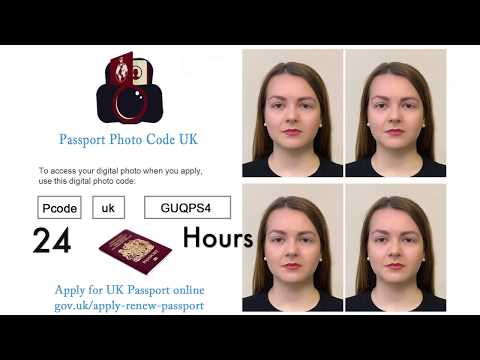 \n\n## The Local Shop Problem: Why Overseas Photos Often Fail\n\nThe UK is a pioneer in using a retrieval code system. Most other nations still require applicants to upload a raw image file or mail physical prints. This creates a technical mismatch for Brits abroad.\n\n### USA vs UK: The 2x2 Inch Conflict\nIn the United States, the standard passport photo is 2x2 inches. However, the UK follows strict ICAO 9303 standards, requiring a 35mm x 45mm format. If you use a standard US square photo, the head-to-frame ratio will be incorrect, likely leading to an automated rejection by the UK's AI checker.\n\n### Digital Files are Not Photo Codes\nMany expats are confused when a local photographer hands them a USB stick with a JPEG. A digital file is just data; a Photo Code is a retrieval key. While you can technically upload a file directly to GOV.UK, using a code is often safer as the photo has already been pre-validated against official UK photo requirements.\n\n| Feature | Photo Code (Recommended) | Direct Digital Upload |\n| :--- | :--- | :--- |\n| Speed | Instant retrieval | Manual upload & cropping |\n| Validation | Pre-checked for biometrics | Checked after submission |\n| Format | Guaranteed 35x45mm ratio | Risks aspect ratio errors |\n| Reliability | High (Server-to-Server) | Variable (User file errors) |\n\n## How the 9-Character UK Passport Photo Code Works: How to Use a Passport Photo Code\n\nWhen you enter those nine characters, you are triggering a secure transfer between the photo provider's database and the HM Passport Office (HMPO) servers. To use it, simply select the option 'Enter a code' on the photo upload screen of your application.\n\n### Structure and Retrieval\nThe code (e.g., 47-AB-92-C1) serves as a unique identifier. It does not contain your personal name or address, but it links specifically to your validated image. Once entered, the application will display the photo to you for confirmation. If the system flags the photo with a 'Red' status, you will need to provide a new one before proceeding.\n\n
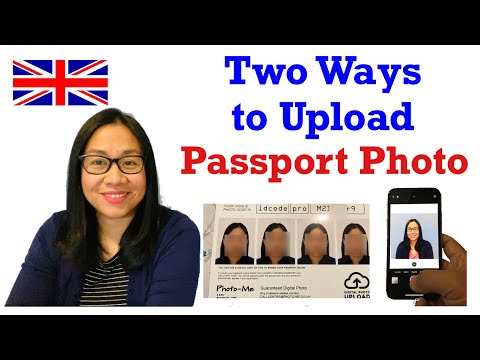 \n\n## Troubleshooting: Why Your Passport Photo Code is Not Working\n\nIf you receive an error message saying 'Code Not Recognised,' it is rarely a system failure. It is usually a data entry or timing issue.\n\n### The 0 vs O and Other Typo Traps\nThe most frequent cause of a passport photo code not working is a simple mistype.\n* 0 vs O: Look closely at your code. The number '0' is usually narrower than the letter 'O'.\n* 1 vs I or l: The number '1', capital 'I', and lowercase 'l' are frequently confused.\n* Leading Spaces: Ensure you haven't copied a hidden space at the beginning or end of the string.\n\n### Expiry and Sync Issues\nPhoto codes are not permanent. To comply with data protection standards, most providers retain images for a limited time (often 48 to 72 hours). If you generated your code on a Monday but didn't start your application until Friday, the code may have expired. You will need to generate a new code using the original photo.\n\n## Regional Advice: USA, Australia, and Europe\n\nAccording to the Office for National Statistics, millions of British citizens live abroad, each facing different regional photo quirks.\n\n* USA & Canada: Avoid 'Passport Photo' services at drugstores; they default to the 2x2 inch square. Use a smartphone and an online code generator instead.\n* Australia: While Australia Post offers digital photos, they do not provide the UK-specific 9-character code. You can use their digital file as the source for a code generator.\n* Europe: Most EU countries use the 35x45mm standard, but be wary of background colours. The UK requires light grey or cream; many European booths use bright white or light blue, which can cause issues with the UK's 'neutral background' rule.\n\n## Technical Standards for a DIY Photo\n\nYou can take a perfectly compliant photo at home if you follow these technical steps:\n1. Lighting: Stand facing a window to get even, natural light on your face. This prevents the 'side-shadow' rejection.\n2. Distance: Stand about 0.5 metres away from a plain, light-coloured wall.\n3. Position: Ensure your shoulders are square to the camera and your expression is neutral (no smiling).\n4. Focus: The camera must be focused on your eyes, not your clothes or the background.\n\n## Data Privacy and Final Steps\n\nApplying for a passport from overseas involves handling sensitive biometric data.\n\n### The 48-Hour Security Rule\nSecurity is paramount. Reliable services delete your uploaded photo and generated code after 48 hours. This ensures your biometric data is not stored indefinitely on a third-party server, providing a higher level of privacy than many physical photo shops.\n\n### The Human Examiner’s Role\nEven if the automated checker gives you a 'Green' light, a human examiner in the UK will perform a final review. They check for subtle issues like a strand of hair covering the eyes or a non-neutral background. Taking the time to get a high-quality photo initially is the best way to ensure your application is processed without delays.\n\n## Frequently Asked Questions\n\n### Can I use a photo code for a paper passport application?\nNo. Photo codes are exclusively for the online UK passport application system. If you are applying via a paper form, you must provide two identical physical prints.\n\n### Does a photo code guarantee my photo will be accepted?\nA code ensures your photo meets the technical dimensions and basic biometric checks, but the final decision always rests with the HM Passport Office examiner.\n\n### What should I do if my code has expired?\nIf your code is older than the retention period, it has likely been deleted for security reasons. You will need to upload your photo again to a generation service to receive a fresh 9-character code.\n\nBy choosing to get a passport photo code online, you bypass the limitations of local international photo shops and ensure your British passport renewal remains on track, no matter where in the world you are currently living.