The Definitive UK Passport Photo Code Troubleshooting & System Guide: Solving Digital Application Failures
This authority guide addresses the technical friction points of the UK digital passport application, focusing on solving 'Photo Code Not Recognised' errors, the mechanics of the HMPO AI checker, and specific solutions for British expats abroad.
If you’re halfway through your UK digital application and the system has just spat out your UK passport photo code, you’re likely feeling more than a little annoyed. You’ve probably already triple-checked the digits, only to see the same error message again. Most code failures aren't actually due to a "bad" photo; they are often caused by simple character typos, a synchronization delay between the photo provider and HM Passport Office (HMPO), or a mismatch in the file’s hidden technical metadata.
Passport Photo Code is an independent service and isn't affiliated with GOV.UK or HMPO. While the government has the final say on all applications, this guide explains exactly why their system rejects codes and how you can navigate the automated gatekeeper to complete your application successfully.
The Direct Fix: What to Do If Your Passport Photo Code Isn't Working
When the GOV.UK portal tells you a code isn't recognised, it usually means the digital "handshake" between the government website and the photo provider's database has failed. Before you assume you need a new photo, work through these high-priority fixes.
The 'Check the Basics' Checklist
- The Character Swap: This is the most frequent culprit. Many fonts make it nearly impossible to distinguish between the letter 'O' and the number '0', or a capital 'I', a lowercase 'l', and the number '1'. Try swapping these specific characters and re-entering the code.
- The Activation Gap: If you received your code from a retail booth or a shop in the last hour, it might not be "live" yet. These systems don't always update in real-time. Wait at least 60 minutes for the provider’s server to sync with the central database.
- The Clipboard Factor: If you’re copying and pasting from an email, check for a trailing space at the end. The HMPO input field treats a space as an extra character, which will immediately trigger an 'invalid code' error.
- Regional Mismatch: A Photo Code is specific to the country's passport system. You cannot use a code generated for a US or Irish passport on the UK GOV.UK portal; it must be a dedicated digital passport photo code for the UK.
If you've ruled these out, the issue is likely a technical failure on the provider's end. In these cases, it’s often faster to get a UK digital passport photo and Photo Code online through a service built specifically for the current digital photo standards for UK passports.
The Evolution of the UK Passport Photo Code: Why HMPO Changed the Rules
Before the Photo Code system launched, users had to upload digital files manually. This was problematic for HMPO because people would upload massive professional portraits or tiny, pixelated thumbnails that crashed the system. The Photo Code was introduced to shift the technical burden to third-party providers who follow a strict technical specification for photo providers.
When you use a code, you aren't actually "uploading" a photo. You’re providing a digital key that allows HMPO to fetch a specific image from a secure server (like the IDPC system). This ensures the photo is already at the correct 35x45mm aspect ratio and contains the necessary metadata required for biometric processing.
Code Not Recognised vs. Photo Rejected: Understanding the Difference
It’s vital to understand which barrier you have encountered in the application flow:
- Code Not Recognised: The system cannot find the file in the database. This is a technical connectivity issue, not a quality judgment of your face.
- Photo Rejected (or 'Unlikely to be Accepted'): The code worked and the photo appeared, but the HMPO AI checker detected a compliance issue.
A working code is simply a delivery method. It does not mean the photo is pre-approved. The AI checker scans for biometric markers, and even if it gives you a "green light," a human examiner still performs a final manual check before your passport is printed.
Technical Deep-Dive: Why the HMPO AI Checker Rejects 'Good' Photos
The HMPO algorithm is based on ICAO Document 9303 standards for Machine Readable Travel Documents. It is looking for "biometric compatibility"—essentially, a geometric map of your face that can be read by e-gates at international borders.

The Shadow Trap and Contrast Ratios
Humans can easily ignore a slight shadow behind an ear, but the AI cannot. It requires a specific contrast ratio between your skin tone and the background. If you stand too close to a wall, you’ll create a shadow that the AI interprets as a "non-uniform background." This is why the rules specify a light grey or cream background; pure white backgrounds often cause a "halo" effect that blurs the edges of your face, making biometric mapping impossible.
Pixel Density and Compression Artifacts
HMPO requires digital photos to be at least 600 pixels wide and 750 pixels tall. However, if a photo has been compressed—common if you've sent it to yourself via WhatsApp or a basic mobile app—it develops "artifacts." These are tiny blocks of colour that look like noise. To the AI, these can look like altered features or skin blemishes, leading to an automatic quality warning. Always use a dedicated tool to check for common photo issues before submission.
The International Dilemma: Getting a UK Photo Code from Abroad
If you’re a British expat in the US, Canada, or Australia, this is often your biggest hurdle. Local photo shops are set up for their own national standards. In the US, for example, the standard is a 2x2 inch square photo. The UK requires a rectangular 35x45mm format. If you enter a US-formatted code into the UK system, it will likely fail or crop the photo so aggressively that your head fills the entire frame.
For expats, the most reliable method is to take a high-quality photo at home using a smartphone and use a dedicated online tool to generate a compliant code. This ensures the pixels and aspect ratio match the UK digital passport photo specification exactly.
Troubleshooting Matrix: Common Error Messages and Their Resolutions
| Error Message | Likely Cause | Recommended Action |
|---|---|---|
| "This code is not recognised" | Typo (O vs 0) or server sync delay. | Wait 1 hour; check for letter/number swaps. |
| "Photo is too blurry" | Poor focus or heavy compression. | Retake in better natural light; avoid using zoom. |
| "Shadows on face/background" | Side-lighting from a window or lamp. | Face the light source directly; move 0.5m from wall. |
| "Head too large/small" | Incorrect framing or local format. | Ensure visible space above the head and shoulders. |
| "System Timeout" | HMPO or provider server overload. | Try again during off-peak hours (after 8 PM GMT). |
Privacy, Security, and the 48-Hour Rule
Your passport photo is sensitive biometric data. When you use a Photo Code provider, your image is stored on their server until the HMPO "calls" for it. According to ICO guidance on biometric data and GDPR, this data must be handled with extreme care.
At Passport Photo Code, we retain photos for no longer than 48 hours. This is enough time for you to finish your application but prevents your facial data from sitting on a third-party server indefinitely. You can also visit a Post Office for Digital Check & Send if you prefer an in-person managed service.
Photo Code or Digital Upload: Which Should You Choose?
HMPO gives you the choice to either enter a code or upload a file.
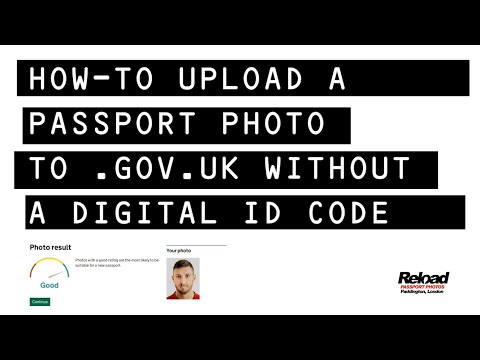
Choose the Photo Code if:
- You want the technical work (cropping and resizing) done for you automatically.
- You are applying on a mobile device and want to avoid handling complex file formats.
- You want the peace of mind that the image has passed a provider’s basic validation before you reach the gov.uk portal.
Choose Digital Upload if:
- You have a high-quality digital file but the code provided by a retail shop is failing technically.
- You are comfortable using the GOV.UK manual cropping tool.
Frequently Asked Questions
Why is my passport photo code not recognised?
This is usually due to a mistyped character (like '0' instead of 'O') or because the photo provider has not yet synced their data with the HMPO server. Wait one hour and try again with alternative character interpretations.
How long is a UK passport photo code valid for?
While there is no universal expiry, most providers retain codes for 30 days. However, for security and GDPR compliance, many digital-first services delete the underlying image data much sooner (often within 48 hours to 30 days).
Can I get a UK passport photo code from my own photo?
Yes. You can take a photo at home using a smartphone and use an online service like Passport Photo Code to process it into a compliant format and generate a code for your application.
Summary and Final Checklist for Success
The digital system is rigid, but it isn't random. If your code is failing, it is usually because a technical standard hasn't been met. To ensure success on your next attempt:
- Use Natural Light: Face a window directly to eliminate the side-shadows that the AI rejects.
- Maintain Distance: Stand about 1.5 metres away. Have someone else take the photo to avoid the "selfie distortion" effect.
- Remove Glasses: Reflections on lenses are the primary cause of automated rejection. It is always safer to take them off.
By following these technical guidelines and using a reliable service, getting your UK passport photo code becomes the easiest part of the application process. For more detailed help, see our guides on how to take a UK passport photo at home or the most common UK passport photo mistakes.