Passport Photo Code vs Digital Photo Upload: Which Is Best?
Deciding between entering a digital photo code or uploading a photo file directly on GOV.UK can be confusing. This comprehensive guide breaks down the technical differences, costs, failure points, and biometric standards for both methods so you can choose the right option with complete confidence.
When you sit down to renew or apply for your British passport online at GOV.UK, you hit a fork in the road almost immediately. Right after confirming your personal details, the screen presents a clean, simple question: "Do you have a digital photo code?"
Below the input box sits a secondary text link: "I do not have a code – upload a digital photo."
Deciding between a passport photo code vs digital photo upload can trigger a wave of hesitation if you have never encountered a photo code before, or if you took a picture on your smartphone ten minutes ago. Does using a code mean your application skips the manual queue? Will uploading an ordinary file from your phone get flagged and rejected by an over-zealous automated checker? Does paying £12 or £15 at a supermarket booth buy you guaranteed acceptance from HM Passport Office (HMPO)?
Let us clear up the confusion straight away so you can complete your online UK passport application photo stage without unnecessary delays or wasted cash.
The 30-Second Verdict: Photo Code or Direct Upload?
Here is the bottom line: Neither method is mandatory, and neither method gives you an advantage in HMPO's approval process.
A digital photo code is simply an alphanumeric retrieval key—a digital bridge that pulls a pre-checked image hosted on an external, approved cloud server straight into your GOV.UK application. A direct digital photo upload, by contrast, lets you pick a raw JPEG or PNG file directly from your computer, tablet, or phone, running it through the GOV.UK portal's built-in alignment and contrast tool.
| Consideration | Digital Photo Code | Direct Digital Photo Upload |
|---|---|---|
| Official Preference by HMPO | None (treated identically) | None (treated identically) |
| Typical Cost | Free online via Passport Photo Code; £10–£15 at high-street booths | Free (take it yourself on any smartphone) |
| Convenience Factor | Very high (type a short code; no file browsing) | Moderate (must browse files, select image, and inspect crop) |
| Retake Flexibility | Unlimited if using online tools; strictly limited in booths (usually 3 attempts) | Unlimited (shoot until you get the lighting right) |
| Availability Abroad | Supported online; physical UK booths unavailable overseas | Fully available worldwide on any internet-connected device |
| Guaranteed Approval? | No (HMPO examiners make the final call) | No (HMPO examiners make the final call) |
The Acceptance Myth: Does HMPO Prefer One Over the Other?
A widespread myth suggests that choosing a photo code speeds up processing or shields you from rejection. That misconception is largely driven by marketing from high-street pharmacy chains and booth operators, who often display signs promising "guaranteed passport photos."
In reality, while external photo code systems run preliminary checks against the official GOV.UK passport photo rules, they cannot guarantee acceptance. Once your code transfers the photo into your application, HMPO's internal algorithms evaluate the file. Later, a human caseworker reviews it against strict biometric standards. If your expression is not neutral, if hair obscures your eyes, or if shadows fall across your collarbones, the examiner will reject the photo regardless of whether it arrived via an automated high-street code or a direct upload from your camera roll.
Behind the Screen: How Both Methods Actually Work on GOV.UK
Understanding what happens behind the scenes strips away the mystery and makes troubleshooting straightforward if anything goes wrong during submission.
Route A: How a Digital Photo Code Works
When a commercial photo booth, high-street photography shop, or compliant online platform generates a UK passport photo code, the system does not send that photo directly to the Home Office database. Instead:
- Secure Hosting: The provider crops the image to the required 3:4 ratio, checks it against lighting and head-size guidelines, and stores it securely on their encrypted, compliant server.
- Token Generation: The provider links that image to an individual alphanumeric reference (typically a mix of letters and numbers formatted like
123456-ABCDEFor similar, depending on the provider network). - Server Handshake: On GOV.UK, when you select "I have a code" and enter that reference, the GOV.UK application portal makes an API call to the provider's server.
- Instant Ingestion: The server matches the token, transfers the image over an encrypted connection into your session, displays a preview on your screen, and asks: "Is this your photo?"
If you confirm it is you, the system runs its automated checks and embeds the image in your digital passport application. No downloading, file browsing, or manual cropping required on your end.
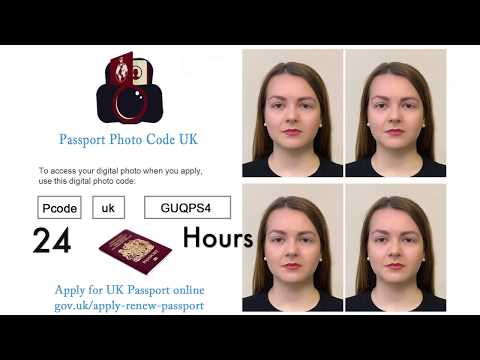
Route B: How Direct Digital Photo Upload Works
If you select "I do not have a code – upload a digital photo", the workflow bypasses third-party hosting entirely:
- Local File Selection: You click the upload button, which opens your device's native file explorer or camera roll. You select your image file (JPEG or PNG format).
- Client-to-Government Ingestion: The file uploads directly from your local storage to GOV.UK's web servers.
- Native Alignment Inspection: The GOV.UK portal displays your image inside an interactive framing window. It checks pixel density, contrast, and facial positioning using the Home Office's automated photo checker algorithms.
- On-Screen Assessment: The checker provides real-time feedback (such as "Photo looks good" or warnings regarding "Shadows detected" or "Face too close"). You can accept the feedback or upload a different image.
[Your Device] ----------------(Direct File Upload)----------------> [GOV.UK Portal]
                                                                         ^
[Your Device] ---> [Photo Code Service] ---(Retrieval Token)---> [GOV.UK Portal]
Both pathways funnel your picture into the exact same adjudication pipeline before you reach the declaration and payment stages.
Passport Photo Code vs Digital Photo Upload: Head-to-Head Comparison
To decide which route fits your situation best, look at how the two methods perform across practical metrics like cost, retakes, and device convenience.
Cost Breakdown and Value
The traditional high-street route has become quietly expensive. Stepping into a supermarket photo booth or visiting a high-street pharmacy to get a printed strip alongside a printed digital code currently costs between £10 and £15. If your photo is subsequently rejected by HMPO for subtle background shadows, some booths require you to pay a second time unless you retain your original receipt and navigate their customer service policy.
Direct digital upload, conversely, costs nothing if you take the photo at home using a smartphone and an uncluttered cream or light-grey wall. Similarly, modern online tools like Passport Photo Code offer a free alternative: they prepare your image to UK standards, check for common compliance errors, and provide an active Photo Code along with a clean digital file without requesting card details or hidden subscriptions.
Control, Retakes, and Image Quality
Anyone who has used a public photo booth knows the frustration of awkward positioning. You sit on an adjustable stool, try to fit your face into a moving on-screen oval while an automated voice counts down from three, and get two or three rushed attempts. If the lighting accentuates shadows under your chin or your fringe drops slightly over your eyebrows, you are often stuck with that image or forced to restart the transaction.
Taking your own photo at home—whether you plan to upload the raw file or convert it into a code—gives you total control. You can take thirty shots in natural daylight, review them on a high-resolution display, ensure your eyes are level, and select the clearest frame.
For a thorough walkthrough on positioning your camera and getting daylight right, consult our guide on how to take a UK passport photo at home.
Storage, Expiry Dates, and Data Privacy
Photo codes generated by third-party booth operators do not live on the internet forever. Most high-street providers automatically wipe stored images from their hosting servers after 30 days. If you buy a booth code in early October but do not submit your GOV.UK application until late November, entering that code will trigger a frustrating "Code expired or not found" error, leaving you out of pocket.
Direct digital uploads avoid this entirely because the master file stays in your device storage or cloud backup indefinitely. You can upload it whenever you sit down to complete the form.
When using online photo code generators, check the provider's data retention policy. Trustworthy services process images efficiently and delete them promptly to safeguard personal data. For instance, Passport Photo Code retains uploaded and processed images for no longer than 48 hours—more than enough time to complete your GOV.UK application, while keeping your biometric data protected.
Biometric Rules and File Specs: What Both Methods Must Satisfy
Regardless of which button you click on the GOV.UK website, your photo must adhere to the international biometric standards set by the International Civil Aviation Organization (ICAO Doc 9303) and enforced by HMPO.
Technical File Dimensions and Formatting
If you choose the direct digital photo upload route, your image file must meet specific technical parameters before the GOV.UK system will even allow you to proceed:
- Minimum Pixel Dimensions: 600 pixels wide by 750 pixels tall.
- Maximum Pixel Dimensions: Typically no larger than 1200 x 1500 pixels for optimal rendering.
- Minimum File Size: 50 Kilobytes (KB).
- Maximum File Size: 10 Megabytes (MB).
- File Format: Baseline JPEG (.jpg/.jpeg) or PNG. High-Efficiency Image Container formats (like Apple's native .HEIC) must be converted to JPEG before uploading, or the browser will throw an unsupported format error.
- Aspect Ratio: A strict 4:5 vertical proportion (mirroring standard 35mm x 45mm passport dimensions).
When you use a digital photo code, the host server automatically crops and sizes the file to meet these exact pixel dimensions before sending it to GOV.UK, sparing you the manual resize check.
Biometric Adjudication: Why Codes Still Get Rejected
Neither method bypasses human review. After you submit your application, an automated checker assesses contrast and facial oval positioning. However, according to HMPO casework directives, every application is assigned to a processing team where human examiners review images against detailed guidelines.
A human examiner checks subtle factors that machines frequently miss:
- Shadows: Soft shadows cast behind the ears or along the jawline onto the light wall.
- Facial Expression: A slight half-smile or lips that are parted rather than closed.
- Hair Interference: Strands of hair crossing the outer edges of the eyes or obscuring the eyebrows.
- Spectacle Reflections: Glare bouncing off prescription lenses or heavy frames cutting across the iris.
If any of these issues appear in your photo, your application will be paused, and you will receive an email asking for a replacement—whether your original submission arrived via a high-street code or a manual file upload. For an in-depth breakdown of these frequent stumbling blocks, read our overview of common UK passport photo mistakes and how to avoid them.
[Photo Submission via Code OR Upload]
                   |
                   v
  [GOV.UK Automated Quality Gate]
  (Checks contrast, file size, head size)
                   |
                   v
     [HMPO Human Examiner Review]
  (Checks expression, hair, micro-shadows, glare)
                   |
         +---------+---------+
         |                   |
    [APPROVED]          [REJECTED]
  (Passport Issued)    (New Photo Requested)
When a Digital Photo Code Makes the Most Sense
While neither method has an administrative advantage, a digital photo code is often the smoother path in everyday use.
Streamlining Applications Across Devices
Consider this common scenario: you take your passport photo using the high-resolution back camera of your smartphone, but you prefer filling out the lengthy passport application on a desktop computer with a physical keyboard.
Transferring an image file from a mobile phone to a desktop computer can be awkward. You might need to email the image to yourself (which often compresses the file below the 50KB limit), connect a USB cable, or fiddle with cloud drives.
With a photo code, that friction disappears. You process the photo on your phone, copy the resulting code, open the browser on your laptop, and type the alphanumeric string directly into GOV.UK. The system fetches the full-resolution image instantly from the server without file transfers.
Avoiding Manual Cropping and Resizing
Direct file uploads on GOV.UK require you to adjust the photo within an on-screen grid. If your original image is too zoomed in, or if you shot the photo in landscape mode, the framing tool can be fiddly to balance. A reputable photo code generator takes care of head-to-chin proportions, vertical centering, and aspect ratios automatically before creating your retrieval code.
When Direct Digital Upload Is the Better Choice
Despite the speed of codes, direct digital uploads remain essential in several everyday situations.
Applying from Abroad as a British National Overseas
If you are a British citizen living in Spain, Australia, Canada, or anywhere else overseas, you must use the overseas British passport application portal on GOV.UK.
Physical high-street shops in other countries rarely generate compatible UK digital photo codes. Their domestic booths produce codes tied to their own national passport systems (such as the French ANTS code or US Department of State digital portals), which GOV.UK cannot read. For expats, taking a high-quality smartphone photo and uploading the digital file directly—or using a universal web generator—is the only workable route.
Troubleshooting Code Errors and Synchronization Delays
High-street photo booths occasionally suffer from server synchronisation lag. You might walk out of the booth, sit down at home an hour later, enter your code on GOV.UK, and see: "Code not recognised".
This usually means the booth's internal modem has not yet batch-uploaded its daily photos to the central database—a delay that can take anywhere from 4 to 24 hours. If your passport renewal is urgent, waiting around for a commercial server to sync is frustrating. Having the digital image file on hand means you can bypass the code entirely, click "I do not have a code", and upload the file immediately.
Similarly, alphanumeric codes are prone to simple transcription mistakes. Letters and numbers like 0 (zero) and O (letter), or 1 (one) and I (capital i), are easily confused on small paper receipts. Direct upload removes transcription errors completely.
The Hybrid Solution: Generating Both at Home for Free
Choosing between a photo code and a direct upload does not have to be an either/or gamble. The most reliable approach is to prepare your photo so that you have both assets ready before opening the GOV.UK portal.
This is where Passport Photo Code simplifies the process. Instead of charging £10 or forcing you to visit a high-street shop, our free web tool handles preparation directly from your browser:
- Upload Your Image: Take a clear photo using your smartphone against a plain, light-coloured wall in natural daylight and upload it to the tool.
- Automatic Adjustment: The platform inspects your photo against standard UK digital requirements, aligning the facial oval and formatting it to the exact 600x750+ pixel standard.
- Dual Output: You immediately receive an active Photo Code ready to paste into GOV.UK, as well as a direct download link for the optimised digital photo file.
- Complete Privacy: The service is completely free, does not ask for payment or credit card details, and securely removes your uploaded images within 48 hours.
Having both options gives you an effortless backup plan. You can try the code first for speed; if you misplace it or encounter a local connectivity issue, you can drop the pre-formatted digital file straight into the direct upload window without having to retake your picture.
(Note: If you are photographing an infant or toddler, specialized rules apply regarding eye contact, open mouths, and head support. We recommend reading our dedicated guide on taking UK passport photos for babies and young children before taking their picture).
Step-by-Step Decision Checklist
Follow this simple flowchart before you submit your photo on GOV.UK:
                      [Do you have a smartphone/camera?]
                                     |
                                   [YES]
                                     |
                  [Take photo at home in natural daylight]
                                     |
                    [Run through PassportPhotoCode.com]
                                     |
                   +-----------------+-----------------+
                   |                                   |
        [Copy your Photo Code]             [Download the backup file]
                   |                                   |
                   v                                   v
         Open GOV.UK Application            Having server issues with code?
                   |                                   |
    [Enter Code -> Photo Appears]                      v
                   |                        [Select 'Upload File' instead]
                   v                                   |
        [Submit Application] <-------------------------+
- Capture the photo properly: Stand 1.5 metres (5 feet) away from a plain, light-coloured wall. Have a friend hold the phone at eye level. Avoid overhead lighting to eliminate nose and chin shadows.
- Process the image: Use an online processor to ensure framing matches the required 4:5 ratio and 600 x 750 minimum resolution.
- Keep your receipt/code accessible: If using a code, type it carefully, paying close attention to similar-looking characters.
- Review the GOV.UK on-screen preview: Always double-check the final preview image before submitting your application. Ensure the picture is crisp, the colours look natural, and there are no compression artifacts across your face.
When evaluating a passport photo code vs digital photo upload, remember that compliance with biometric standards is what matters most to HM Passport Office.
Frequently Asked Questions
Does HMPO charge a different passport fee depending on the photo method?
No. The official HMPO passport application fees—currently published on GOV.UK Passport Fees—are identical regardless of how you supply your picture. The fee depends purely on the service level (standard vs fast-track) and whether you apply online or via a paper Post Office Check & Send form. Choosing a photo code does not increase or decrease government fees.
Can I use a digital photo code for a paper passport application?
No. Digital photo codes function solely within the online application portal at GOV.UK. If you are completing a traditional paper application form (available from select Post Office branches), you must supply two identical, physical printed photos measuring exactly 35mm wide by 45mm tall, cut from a printed sheet. Never write a digital photo code on a paper application form; caseworkers have no facility to redeem it.
What happens if HMPO rejects my photo after I enter a code?
If your photo fails automated or manual checks after submission, HMPO will not cancel your entire passport application. Instead, they will send an email and SMS with a secure link, inviting you to upload a new photo within a specified timeframe (typically 30 days). You can use this link to enter a fresh photo code or upload a new digital photo file directly from your device without paying an additional government application fee.
My photo code says "Code not recognised". What should I do?
First, double-check your receipt or screen for easily confused characters: check 0 versus O, 1 versus I, 5 versus S, or 8 versus B. If you used a physical photo booth within the past few hours, wait a short while for the booth's server to synchronise with the central database. If the error persists, do not panic: click "I do not have a code – upload a digital photo" and upload your saved JPEG image file directly into the application.
Can I use a black-and-white photo if I use direct upload?
No. HMPO rules explicitly state that all passport photos—whether submitted via photo code, direct file upload, or physical print—must be in full, sharp colour without artistic monochrome filters, digital softening, or social media adjustments.