Can I wear glasses in a UK passport photo?
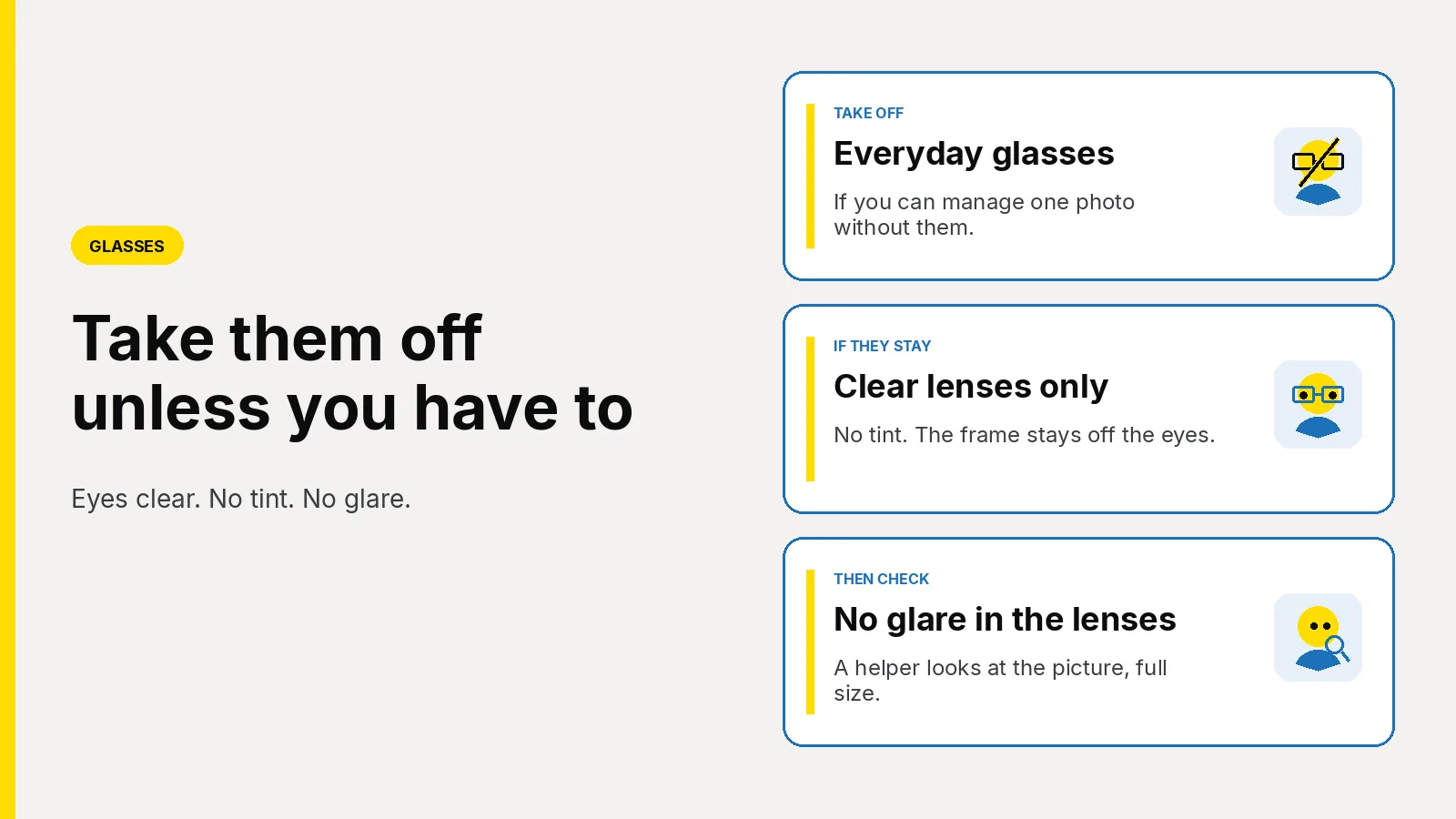
Take glasses off unless you have to wear them. If they stay, no tint and no glare over the eyes. How to light a home photo, then get a Photo Code.
Take your glasses off for a UK passport photo unless you have to wear them for that picture. Photos for passports says that if they must stay, they cannot be sunglasses or tinted glasses, and your eyes must not be covered by the frames or by glare, reflection or shadow. Wearing them every day is not the same as having to keep them on for this one frame.
Updated 8 November 2026. Passport Photo Code is independent of GOV.UK and HM Passport Office. HM Passport Office makes the final decision on every photograph.
Can you keep your glasses on?
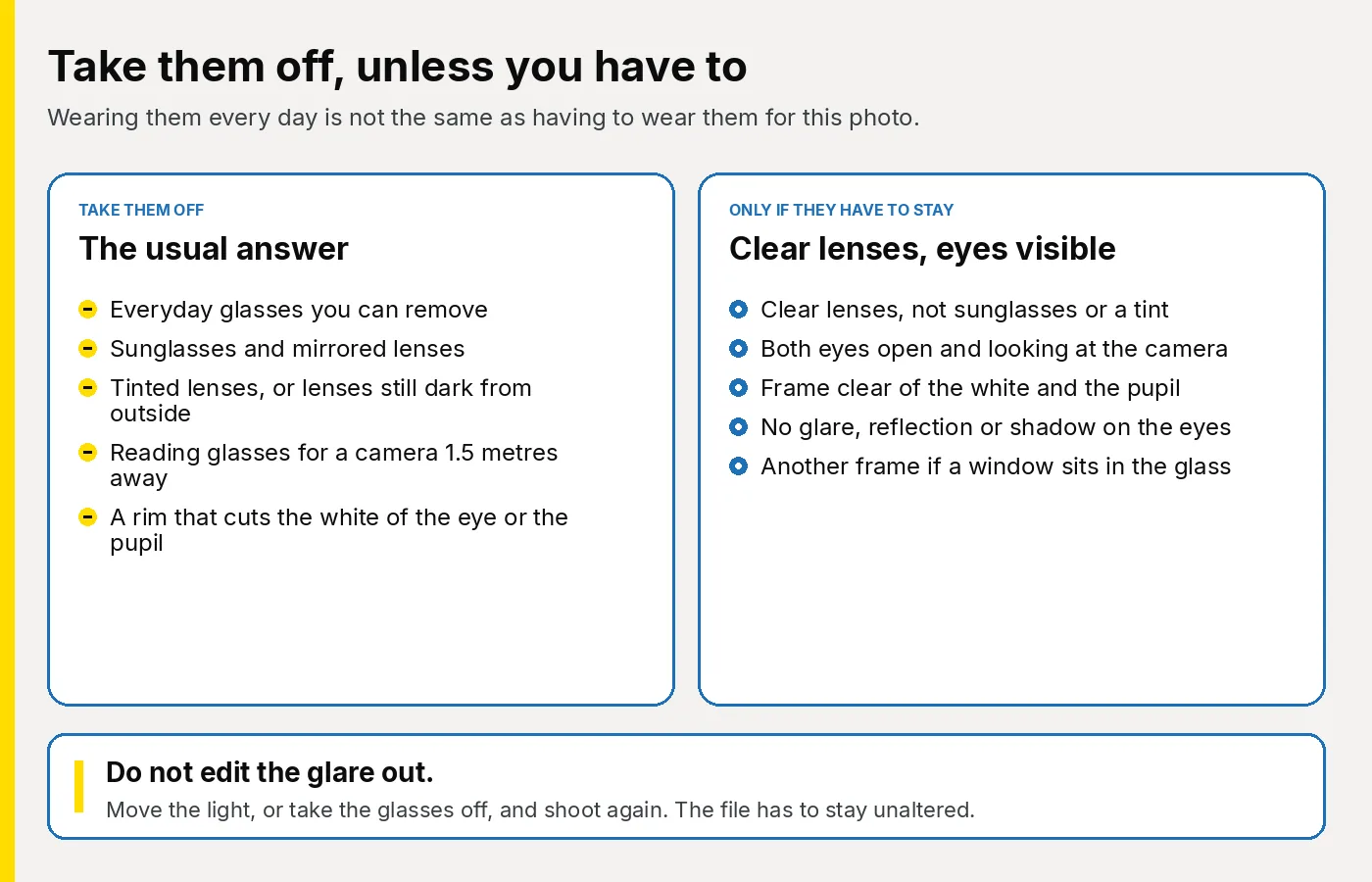
Only when you have to. The same sentence is on printed photos. How to take a digital passport photo puts it as a step: take your glasses off if you can. If you need to keep them on, your eyes must be visible with no glare or reflections, and the glasses cannot be sunglasses or tinted. Rules for digital photos asks for no reflections or glare when glasses have to stay.
| What you are wearing | What to do |
|---|---|
| Everyday glasses you can take off for a minute | Take them off. |
| You cannot see the camera, or hold a plain expression, without them | They can stay. Clear lenses. Both eyes fully visible. |
| Sunglasses, mirrored lenses, or any tint | Take them off. Use a clear pair, or none. |
| Lenses that darken outdoors and are still dark | Wait until they are clear indoors, or take them off. While they are dark they are tinted. |
| Reading glasses you only need for close work | Take them off. The camera is about 1.5 metres away. |
| A frame that hides the white of an eye or the pupil | Take them off, or use a thinner pair you actually wear. |
| A window, a lamp or a flash sitting in the lenses | Another frame. Do not edit the reflection out. |
Photo standards, version 51.0, is written for examiners. That GOV.UK page was updated on 4 March 2026. It adds the detail the public photo pages leave short. Frames may sit over the eye socket or the eyelids. They must not hide the white of the eye or the pupil. If glare or a reflection covers the eye, the glasses come off, because the eyes cannot be located. A strong lens can also warp the side of the face. If you can see that warp, take the glasses off and shoot again.
The wall, the light and the camera distance are in how to take a UK passport photo at home. Clothes, hair and a religious or medical head covering are in what to wear for a UK passport photo.
Why do glasses photos go wrong at home?
The phone screen hides the fault. A bright patch on a lens looks like a catchlight until you open the file. A lower rim can cut the pupil and still look fine at arm’s length. Portrait mode softens the eyes. A flash left on from the last snapshot bounces straight back off the glass. A window behind the person holding the camera sits in both lenses as two white blocks. If you can manage this minute without the glasses, take them off before you set the light.
How do you keep glare out of the lenses?
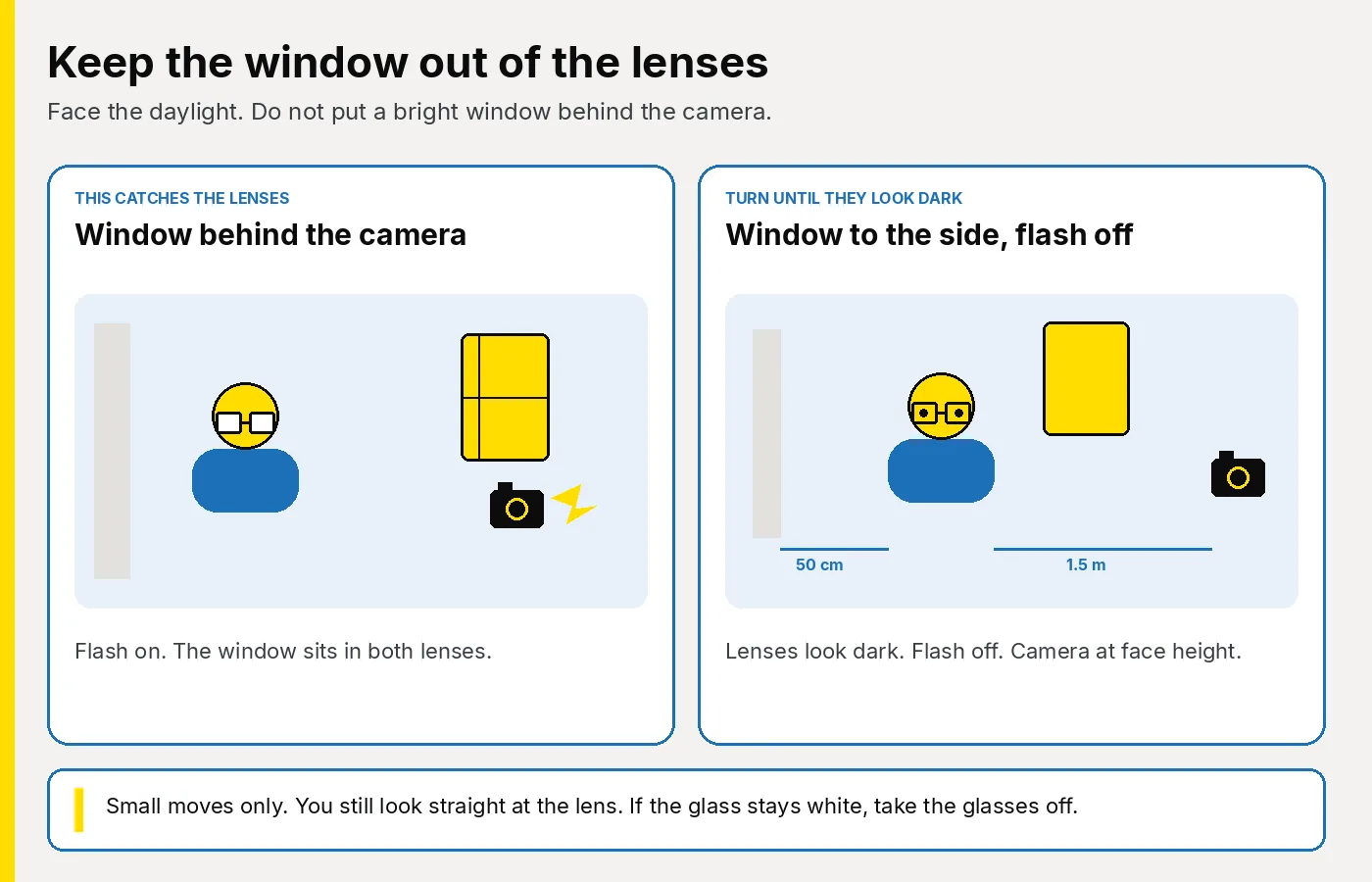
Stand about 50 centimetres from a plain light wall, so there is no hard shadow behind your head. Face a window. The taking guide asks for natural light. Switch the ceiling light off and turn the phone flash off. Both are small, hard lights, and both land in the lenses.
Do not put the photographer in front of a bright window. You would be looking at that window, and the file would show the pane rather than your eyes. Step the camera to the side of the bright glass, or turn a little, until both lenses look dark. You still face the camera and look straight into the lens. A large turn means you are looking away, which is its own fault. If the lenses stay white after two or three tries, take the glasses off.
Ask someone else to take the photo, about 1.5 metres away, with the rear camera at face height. On your own, use a timer. An arm’s-length selfie widens the face. Include your head, shoulders and upper body. Do not crop the file, and do not use portrait mode, a filter, or an editor to darken the lenses. The photo has to be unaltered by computer software. Wipe the lenses first. A fingerprint reads as glare, and a cloth does nothing if the window is still in the glass.
- Glasses off, unless they have to stay. If they stay, clear lenses only, and wipe them.
- Plain light wall, about 50 centimetres behind you. The window is in front of you, not behind the camera. Ceiling light off. Flash off.
- Move the camera, or turn a little, until both lenses look dark. You still look straight at the lens.
- Someone else shoots from about 1.5 metres, at face height, on the rear camera. No portrait mode.
- Open the picture large before anyone moves. Check both eyes, both lenses, and the wall behind you.
When do thick frames hide the eyes?
A pupil can show and still be cut by the lower rim. Photo standards allows the frame over the socket or the eyelid. It does not allow the frame to hide the white of the eye or the pupil. The public photo pages say the eyes must not be covered by the frames.
Pinch the photo until each eye fills the screen. If the top rim or the lower rim crosses the coloured part of the eye or the white, on either eye, that pair does not work for this photo. A heavy brow-line that shadows the eye is the same problem. Move the light. If the shadow stays, take the glasses off. Do not tip your chin or tilt your head to dodge the rim. Your head stays upright.
A thinner pair you wear in ordinary life can replace a heavy frame, if you have to wear glasses. Do not borrow a fashion pair, and do not paint the frames out. Brush hair off the eyes before you judge the rims.
When should you just take them off?
Take them off when any of these is true.
- You can see the camera well enough for one minute.
- You only wear them to read, or for other close work. You do not need them to look at a lens 1.5 metres away.
- The lenses are tinted, mirrored, or still darkened from being outside.
- The rims cut the white of the eye or the pupil, and you have no thinner pair you actually wear.
- A window or a lamp stays in the glass however small a turn you make.
Squinting is a separate fault. Hard sun makes you close your eyes. Move to softer daylight, or a thin curtain, and try again.
If a medical reason means you cannot meet a photo rule, the taking guide says you can still submit a photo and explain the circumstances. Passport services if you’re disabled is the page for that. Tinted glasses still come off. Photo standards tells visually impaired and blind applicants to remove them and use a clear pair, or none, if they can. Eyes shut because of sight loss are a different case from glare. Do not use that route for a reflection you could have moved.
How does a helper check the preview?
You cannot see your own lenses. The person with the phone looks before you leave the spot. Take three or four frames, then open the sharpest one. The camera’s tiny preview is not the check.
- One person in the frame. Hands, a parent’s arm and a second face stay out.
- Head upright. Looking at the lens. Mouth closed. A plain expression, not a smile.
- Both eyes open. Hair off both of them.
- If the glasses stayed: no tint. The rim is clear of the white and the pupil on both eyes. No window, lamp or white block in either lens. No shadow from the frame across the eye.
- No shadow on the face, and no hard shadow on the wall behind the head.
- Head, shoulders and upper body are in the file. It is the original, not a crop, a filter, or a screenshot of the camera screen.
- If any line fails, shoot again in the same light. Do not repair the file. Move the camera a few inches, and keep the flash off.
Children follow the same glasses rule. Sunglasses and tint come off. Under six, a child need not look at the camera or hold a plain expression. Under one, the eyes need not be open. Those age rules do not allow glare, or a frame across an open eye.
How do you get a Photo Code once the glasses are right?
From the homepage, choose Create my photo & code, or open the create page. The same order is on online passport photos. Upload the original. We check and format it to meet GOV.UK photo rules. Look at the preview before you pay. A rim across an eye, a tint, or glare means another photo. The checks on this site are not HM Passport Office’s decision.
You pay £2.99 once, for the Photo Code and the digital passport photo together. There is no subscription. The code can be used for an HMPO online application. On the form, enter the code and check the picture that loads is this sitting. The passport fee is separate and is paid to HM Passport Office. This order does not post prints. A paper form still needs two identical prints, sent loose. What happens after payment is in how to get a Photo Code online.
A short version of the photo rules is on our requirements page.
Frequently asked questions
Do I have to take my glasses off for a UK passport photo?
Take them off unless you have to wear them for this photo. Wearing them every day is not the same thing. If they stay, they cannot be tinted, and the frames, glare, reflection or shadow must not cover your eyes.
Can I wear sunglasses in a UK passport photo?
No. Sunglasses are named on the GOV.UK photo pages. Your eyes have to be open and visible.
Can I wear tinted glasses if I need them to see?
No. Tinted glasses cannot stay, including if you are visually impaired or blind. Photo standards says those applicants remove tinted glasses. Use a clear pair, or none, for this photo. If your eyes are shut because of sight loss, explain that when you apply. That is a different case from a tint.
Do darkened light-reactive lenses count as tinted?
While the lenses are still dark, treat them as tinted. Wait until they have gone clear in indoor light, or take them off. GOV.UK does not name this kind of lens. It does say tinted glasses cannot be worn.
Can thick frames stay if my pupils are still visible?
Only if the frame does not hide the white of the eye or the pupil. A rim that cuts across the coloured part of the eye means a thinner pair you actually wear, or no glasses. Do not tilt your head to clear the rim.
Can I remove glare with an editing app?
No. The photo has to be unaltered by computer software. Move the light, or take the glasses off, and take another frame.
Can my child wear glasses in a UK passport photo?
The glasses rule is the same. Take them off unless they have to stay, and then with clear lenses and no glare. Under six, the child need not look at the camera or hold a plain expression. Under one, the eyes need not be open. Those exceptions do not allow sunglasses, tint, or a frame across an open eye.
Who decides whether the glasses in the photo meet the rules?
You and your helper check the preview first. On this site, look again before you pay. HM Passport Office makes the final decision. A Photo Code can be used for an HMPO online application. It does not decide the photograph.
Sources
- Digital photos and printed photos
- How to take a digital passport photo and rules for digital photos
- Photo standards, version 51.0, page updated 4 March 2026
- Passport services if you’re disabled